
Download FRITZ!App Fon APK 2.13.1 arm64-v8a, armeabi-v7a, x86, x86_64 · Android 29+
Download APK
Verified Safe
This is the arm64-v8a, armeabi-v7a, x86, x86_64 build of FRITZ!App Fon 2.13.1. Pick this build if your device's primary ABI matches.
File size: 43.0 MB • Min Android: 29 • Target Android: 35 • Version code: 22114 • Framework: Native (Java/Kotlin) • Permissions: 28
Screenshots
File Information
| Package Name | de.avm.android.fritzapp |
|---|---|
| Version Name | 2.13.1 |
| Version Code | 22114 |
| Architecture | arm64-v8a, armeabi-v7a, x86, x86_64 |
| Min Android Version | Android 29 (API 35) |
| Main Activity | de.avm.android.fritzapp.StartActivity |
| Framework | Native (Java/Kotlin) |
| File Size | 43.05 MB |
| Signature (SHA1) | 89C6085FF4145ABBE9BB4C43E9ECF76FE8CCFDBB |
| File Hash (SHA256) | a580330a18fdf1b8f891e51213890feb95fc38d1e205d55099ca03d797ae44e0 |
What's New
NEW: Display redial list with call button
NEW: The app can now be set to Slovenian
Improved: Improvements to stability and details
NEW: The app can now be set to Slovenian
Improved: Improvements to stability and details
App Description
Easy calling with the landline network
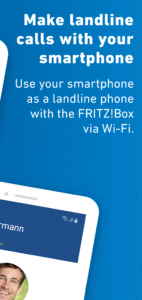
Make calls at home conveniently using your smartphone over your landline telephone numbers - anywhere in the Wi-Fi network of your FRITZ!Box. With the
FRITZ!App Fon
you benefit from the landline rates; for many providers even from
flat rate telephony
.
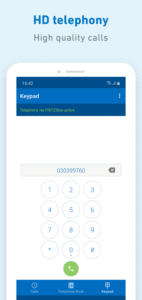
HD telephony
provides for crystal clear voice quality. Thanks to support for
Bluetooth headsets
you can enjoy complete flexibility for everyday calling and for working from home. The latest technologies mean that the FRITZ!App Fon works invisibly in the background no matter what the battery status.
The FRITZ!App Fon guides you through the easy
Configuration
. Simply log in by entering your FRITZ!Box password, selecting one of your landline telephone numbers, and them confirm: your smartphone is ready for landline telephony. Once it has been configured,
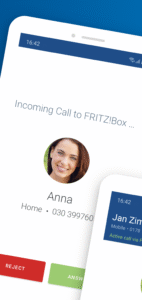
the FRITZ!App Fon makes your smartphone ring immediately for incoming calls
, just as if it were a FRITZ!Fon, the intelligent all-rounder for your home network with FRITZ!. Incoming calls ring simultaneously on your telephones and smartphones. You decide which device should pick up the call. If you would like your smartphone to ring only for certain landline telephone numbers, select only these numbers in the settings of FRITZ!App Fon.
The FRITZ!App Fon is the ideal telephony extension for your FRITZ!Box. Be it a handset for the new roommate in your shared apartment, an additional telephone for working from home, or the convenience of the smartphone that's always handy: with the FRITZ!App Fon you always have a practical solution in no time at all. It is easy to use the FRITZ!App Fon on multiple smartphones.
FRITZ!App Fon functions at a glance
Makes telephone calls over the landline with your smartphone
Top voice quality thanks to HD telephony
Supports Bluetooth headsets
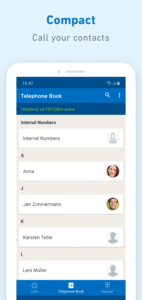
Accesses the telephone books on the FRITZ!Box and smartphone contacts
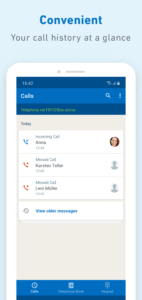
Displays the names of known contacts during calls
Make calls at home conveniently using your smartphone over your landline telephone numbers - anywhere in the Wi-Fi network of your FRITZ!Box. With the
FRITZ!App Fon
you benefit from the landline rates; for many providers even from
flat rate telephony
.
HD telephony
provides for crystal clear voice quality. Thanks to support for
Bluetooth headsets
you can enjoy complete flexibility for everyday calling and for working from home. The latest technologies mean that the FRITZ!App Fon works invisibly in the background no matter what the battery status.
The FRITZ!App Fon guides you through the easy
Configuration
. Simply log in by entering your FRITZ!Box password, selecting one of your landline telephone numbers, and them confirm: your smartphone is ready for landline telephony. Once it has been configured,
the FRITZ!App Fon makes your smartphone ring immediately for incoming calls
, just as if it were a FRITZ!Fon, the intelligent all-rounder for your home network with FRITZ!. Incoming calls ring simultaneously on your telephones and smartphones. You decide which device should pick up the call. If you would like your smartphone to ring only for certain landline telephone numbers, select only these numbers in the settings of FRITZ!App Fon.
The FRITZ!App Fon is the ideal telephony extension for your FRITZ!Box. Be it a handset for the new roommate in your shared apartment, an additional telephone for working from home, or the convenience of the smartphone that's always handy: with the FRITZ!App Fon you always have a practical solution in no time at all. It is easy to use the FRITZ!App Fon on multiple smartphones.
FRITZ!App Fon functions at a glance
Makes telephone calls over the landline with your smartphone
Top voice quality thanks to HD telephony
Supports Bluetooth headsets
Accesses the telephone books on the FRITZ!Box and smartphone contacts
Displays the names of known contacts during calls
Download FRITZ!App Fon APK
Fast, free and safe download.
APK Permissions 28
- android.permission.ACCESS_ADSERVICES_AD_ID
- android.permission.ACCESS_ADSERVICES_ATTRIBUTION
- android.permission.ACCESS_NETWORK_STATE
- android.permission.ACCESS_WIFI_STATE
- android.permission.BLUETOOTH
- android.permission.BLUETOOTH_CONNECT
- android.permission.CAMERA
- android.permission.CHANGE_NETWORK_STATE
- android.permission.CHANGE_WIFI_STATE
- android.permission.DISABLE_KEYGUARD
- android.permission.FOREGROUND_SERVICE
- android.permission.FOREGROUND_SERVICE_MICROPHONE
- android.permission.FOREGROUND_SERVICE_PHONE_CALL
- android.permission.INTERNET
- android.permission.MANAGE_OWN_CALLS
- android.permission.MODIFY_AUDIO_SETTINGS
- android.permission.POST_NOTIFICATIONS
- android.permission.READ_CONTACTS
- android.permission.RECEIVE_BOOT_COMPLETED
- android.permission.RECORD_AUDIO
- android.permission.USE_BIOMETRIC
- android.permission.USE_FINGERPRINT
- android.permission.USE_FULL_SCREEN_INTENT
- android.permission.VIBRATE
- android.permission.WAKE_LOCK
- com.google.android.c2dm.permission.RECEIVE
- com.google.android.finsky.permission.BIND_GET_INSTALL_REFERRER_SERVICE
- de.avm.android.fritzapp.DYNAMIC_RECEIVER_NOT_EXPORTED_PERMISSION
APK Verified
The cryptographic signature guarantees that the file is safe to install and was not tampered with in any way.
Similar in Communication


Frequently Asked Questions about FRITZ!App Fon APK
This variant is built for devices that report `arm64-v8a, armeabi-v7a, x86, x86_64` as their primary ABI. If your device's CPU matches, this is the smallest, fastest version to install.
Yes — the APK's signature has been cryptographically verified against the publisher's signing key. The SHA-256 hash is shown in the File Information panel so you can independently confirm the file matches the original release.
Android 29 (API level 35) or newer. Older devices will refuse the install.
Install a free app like 'CPU-Z' or 'Droid Hardware Info' from the Play Store and look at the ABI / Instruction Set row. Most phones made after 2017 are arm64-v8a; if in doubt, download the universal variant.
All variants are functionally identical — same features, same version. They differ only in which CPU architectures the native code is compiled for, and (sometimes) which screen densities the included graphics target. Pick the one that matches your device for the smallest install size, or pick 'Universal' if you're unsure.