
Download All Document Reader & Analyze V2.2.5.GP (120-640dpi) APK V2.2.7.GP Universal · Android 21+
Download APK
Verified Safe
This is the universal build of All Document Reader & Analyze V2.2.5.GP (120-640dpi) V2.2.7.GP. It contains native libraries for every CPU architecture (arm64-v8a, armeabi-v7a, x86, x86_64), so it installs on any Android device. The trade-off is size — it's larger than per-architecture variants. Pick this one if you're unsure which CPU your phone has, or if you plan to share the APK with multiple devices.
File size: 53.9 MB • Min Android: 21 • Target Android: 34 • Version code: 2002007 • Framework: Native (Java/Kotlin) • Permissions: 32
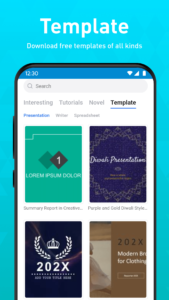
Screenshots
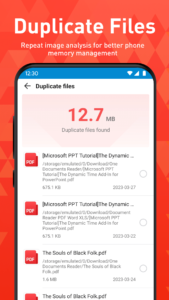
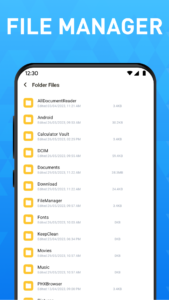
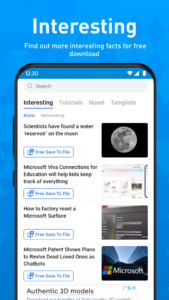
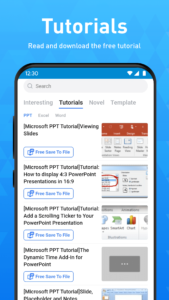
File Information
| Package Name | com.document.pdf.filereader |
|---|---|
| Version Name | V2.2.7.GP |
| Version Code | 2002007 |
| Architecture | Universal |
| Min Android Version | Android 21 (API 34) |
| Main Activity | com.common.bisns.splash.SplashActivity |
| Framework | Native (Java/Kotlin) |
| File Size | 53.87 MB |
| Signature (SHA1) | 00DC116DC6F4F16C3C975EE2DC9A4F29DF0DE450 |
| File Hash (SHA256) | 91703aba559e2481d3e7eeb930e12b4ba138207407d9bb69ee5b6aa86f3cd610 |
What's New
Fixed issues
App Description
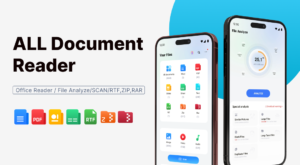
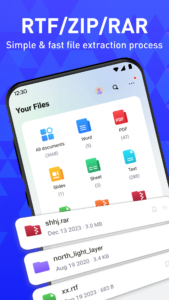
This all-in-one file viewer is perfectly compatible with all files, helping you easily process and manage files in all formats, such as PDF, DOC, DOCX, XLS, XLXS, PPT, TXT, JPEG, PNG, MP4, MOV, RTF, etc. Premium functions to open RAR and ZIP files is also provided for you!
It can automatically scan the files on your phone, organize them in one place into corresponding folders so that you can search and view them conveniently. 👉this simple, free, and lightweight PDF viewer/Excel viewer/Docx reader is really worth a try!
📚 Full Featured Document Manager- Folder structure view: easily view PDF, Word, Excel, PPT files, etc. in the corresponding folders.
- Easy to view: all documents are listed in one place for easy searching and viewing- Favorites: you can add files to the Favorite list for quick opening
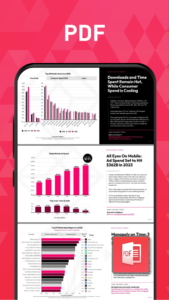
- Easy to search: easily search for files within or outside the app📔 PDF Reader- Fast open and view PDF files in "PDF files" Folder or from other apps.
- Zoom in or zoom out pages while viewing to get perfect visual effect- Go to page: jump directly to the desired page.Share and send PDF files to your friends with a single tap.
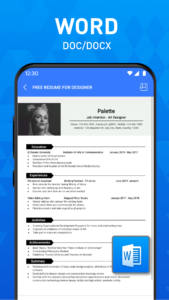
🧐Word Viewer (DOC/DOCX)- DOC/DOCX viewer. A simple list of DOC, DOCS, and DOCX files- Present all word documents on your phone in the best and fastest way- Simple and elegant reading interface.
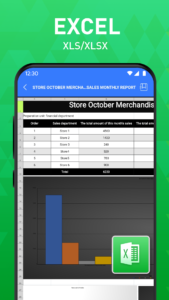
📊 Excel Viewer (XLSX, XLS) Quickly open all excel spreadsheets.- XLSX, XLS formats are both supported- A convenient tool to manage excel report on your phone.
🧑💻 PPT Viewer (PPT/PPTX)- Excellent PPT/PPTX viewer app- Present PPT files in high resolution with fast and stable performance
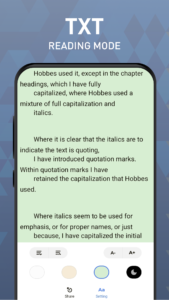
📝 TXT File Reader- Easily read txt files anytime, anywhere with this powerful documents viewer.
👍 FEATURES✔ Simple and easy to use✔ Small size and lightweight (12mb)✔ Sort by names, file size, last modified, last visited, etc✔ Quick response✔ No internet required✔ Rename files, delete files, share files to your friends.
🌟 FEATURES COMING SOON✔ More file formats will be supported, such as RAR, MOBI, HTML, ODT, XML, DOT, ZIP, etc.✔ File editor✔ Image to PDF converter✔ Create new documents✔ Merge documents✔ Search text in all documents✔ Dark mode✔ Doodle on documents...If you don't have time to sit in front of your computer to manage your files, you can use All Document Reader. It allows you to read documents on your phone anywhere, anytime. All formats supported!We will keep working hard to optimize the app and improve the user experience.
💗All document viewerWant a simple all document viewer? You can view, edit and share all documents (pdf, excel, word, ppt, txt) anytime with this app. Use all document viewer to easily work with even the most complex documents.All documents readerAll documents reader is also a powerful editor. With just one click, all documents reader makes it easy to improve your work efficiency! Try all document reader now to organize your documents!All document viewer and readerAll document viewer and reader is a powerful and simple tool in your life. This all document viewer and reader brings you an efficient and high-quality work and learning experience!All-in-one file readerAre you looking for an all-in-one file reader? Why not try this file reader? It can not only view but edit and manage your documents easily.File managerFile manager is a practical office tool.
With this perfect file manager, you will keep everything organized!Practical office readerOffice reader is a professional application. It is fast, powerful, and easy to use. Office reader will make you work more brilliantly.
If you have any questions about all file reader offline app, don't hesitate to contact support email:
app.developer.videohunt@gmail.com
.
Thank you for choosing our All Document Reader app. Have a nice day! ❤️
It can automatically scan the files on your phone, organize them in one place into corresponding folders so that you can search and view them conveniently. 👉this simple, free, and lightweight PDF viewer/Excel viewer/Docx reader is really worth a try!
📚 Full Featured Document Manager- Folder structure view: easily view PDF, Word, Excel, PPT files, etc. in the corresponding folders.
- Easy to view: all documents are listed in one place for easy searching and viewing- Favorites: you can add files to the Favorite list for quick opening
- Easy to search: easily search for files within or outside the app📔 PDF Reader- Fast open and view PDF files in "PDF files" Folder or from other apps.
- Zoom in or zoom out pages while viewing to get perfect visual effect- Go to page: jump directly to the desired page.Share and send PDF files to your friends with a single tap.
🧐Word Viewer (DOC/DOCX)- DOC/DOCX viewer. A simple list of DOC, DOCS, and DOCX files- Present all word documents on your phone in the best and fastest way- Simple and elegant reading interface.
📊 Excel Viewer (XLSX, XLS) Quickly open all excel spreadsheets.- XLSX, XLS formats are both supported- A convenient tool to manage excel report on your phone.
🧑💻 PPT Viewer (PPT/PPTX)- Excellent PPT/PPTX viewer app- Present PPT files in high resolution with fast and stable performance
📝 TXT File Reader- Easily read txt files anytime, anywhere with this powerful documents viewer.
👍 FEATURES✔ Simple and easy to use✔ Small size and lightweight (12mb)✔ Sort by names, file size, last modified, last visited, etc✔ Quick response✔ No internet required✔ Rename files, delete files, share files to your friends.
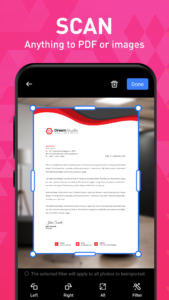
🌟 FEATURES COMING SOON✔ More file formats will be supported, such as RAR, MOBI, HTML, ODT, XML, DOT, ZIP, etc.✔ File editor✔ Image to PDF converter✔ Create new documents✔ Merge documents✔ Search text in all documents✔ Dark mode✔ Doodle on documents...If you don't have time to sit in front of your computer to manage your files, you can use All Document Reader. It allows you to read documents on your phone anywhere, anytime. All formats supported!We will keep working hard to optimize the app and improve the user experience.
💗All document viewerWant a simple all document viewer? You can view, edit and share all documents (pdf, excel, word, ppt, txt) anytime with this app. Use all document viewer to easily work with even the most complex documents.All documents readerAll documents reader is also a powerful editor. With just one click, all documents reader makes it easy to improve your work efficiency! Try all document reader now to organize your documents!All document viewer and readerAll document viewer and reader is a powerful and simple tool in your life. This all document viewer and reader brings you an efficient and high-quality work and learning experience!All-in-one file readerAre you looking for an all-in-one file reader? Why not try this file reader? It can not only view but edit and manage your documents easily.File managerFile manager is a practical office tool.
With this perfect file manager, you will keep everything organized!Practical office readerOffice reader is a professional application. It is fast, powerful, and easy to use. Office reader will make you work more brilliantly.
If you have any questions about all file reader offline app, don't hesitate to contact support email:
app.developer.videohunt@gmail.com
.
Thank you for choosing our All Document Reader app. Have a nice day! ❤️
Download All Document Reader & Analyze V2.2.5.GP (120-640dpi) APK
Fast, free and safe download.
APK Permissions 32
- android.permission.ACCESS_ADSERVICES_AD_ID
- android.permission.ACCESS_ADSERVICES_ATTRIBUTION
- android.permission.ACCESS_ADSERVICES_TOPICS
- android.permission.ACCESS_NETWORK_STATE
- android.permission.ACCESS_WIFI_STATE
- android.permission.AUTHENTICATE_ACCOUNTS
- android.permission.CAMERA
- android.permission.CHANGE_NETWORK_STATE
- android.permission.CHANGE_WIFI_STATE
- android.permission.FOREGROUND_SERVICE
- android.permission.INTERNET
- android.permission.MANAGE_EXTERNAL_STORAGE
- android.permission.PACKAGE_USAGE_STATS
- android.permission.POST_NOTIFICATIONS
- android.permission.READ_EXTERNAL_STORAGE
- android.permission.READ_MEDIA_AUDIO
- android.permission.READ_MEDIA_IMAGES
- android.permission.READ_MEDIA_VIDEO
- android.permission.READ_MEDIA_VISUAL_USER_SELECTED
- android.permission.READ_SYNC_SETTINGS
- android.permission.SYSTEM_ALERT_WINDOW
- android.permission.VIBRATE
- android.permission.WAKE_LOCK
- android.permission.WRITE_EXTERNAL_STORAGE
- android.permission.WRITE_SYNC_SETTINGS
- com.android.launcher.permission.INSTALL_SHORTCUT
- com.android.vending.BILLING
- com.applovin.array.apphub.permission.BIND_APPHUB_SERVICE
- com.document.pdf.filereader.DYNAMIC_RECEIVER_NOT_EXPORTED_PERMISSION
- com.google.android.c2dm.permission.RECEIVE
- com.google.android.finsky.permission.BIND_GET_INSTALL_REFERRER_SERVICE
- com.google.android.gms.permission.AD_ID
APK Verified
The cryptographic signature guarantees that the file is safe to install and was not tampered with in any way.


Frequently Asked Questions about All Document Reader & Analyze V2.2.5.GP (120-640dpi) APK
This is the universal variant — a single APK that contains native libraries for every CPU architecture. It installs on any Android device but is larger than per-architecture variants.
Yes — the APK's signature has been cryptographically verified against the publisher's signing key. The SHA-256 hash is shown in the File Information panel so you can independently confirm the file matches the original release.
Android 21 (API level 34) or newer. Older devices will refuse the install.
Install a free app like 'CPU-Z' or 'Droid Hardware Info' from the Play Store and look at the ABI / Instruction Set row. Most phones made after 2017 are arm64-v8a; if in doubt, download the universal variant.
All variants are functionally identical — same features, same version. They differ only in which CPU architectures the native code is compiled for, and (sometimes) which screen densities the included graphics target. Pick the one that matches your device for the smallest install size, or pick 'Universal' if you're unsure.