
Download Auto+ APK
com.garmin.android.apps.autoplus · by Garmin
Screenshots
About Auto+
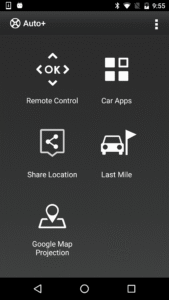
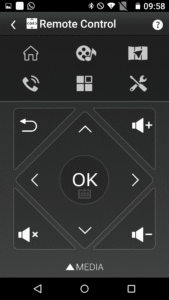
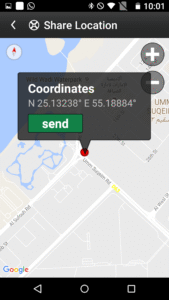
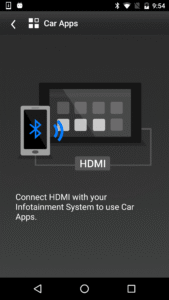
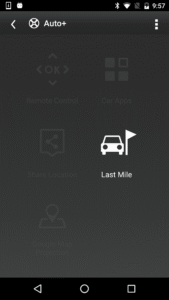
Auto+ is designed to be used with the particular model infotainment system, there are five modes to enhance the connectivity between the infotainment and your smartphone. You can control the infotainment anywhere from your car once the Bluetooth is connected, watch online video streaming, sync your personal calendar, share current locations, last mile destination and project your google map for navigation. Auto+ Remote control mode: Control navigation and media playback with single tap. Switch the Car Launcher with flick of your finger or quickly tap out the POI name instead of clicking the letter on the infotainment system screen. Auto+ Car App mode(*Require MHL cable): Use MHL cable connect infotainment to watch online video streaming, and also to sync your personal calendar via smartphone. Auto+ Share Location mode: Share locations from cell phone and start navigation by infotainment. Auto+ Last mile mode: Use last mile navigation guiding you from your car to destination and back. Auto+ Google map projection: Connect HDMI and then you can able to project your smartphone’s Google map screens on the Infotainment system. You can use Auto+ to: - Control the infotainment system - Control media playback - Control car launcher - Enter text with Keyboard - Watch online video streaming (*Require MHL cable) - Sync up your personal calendar (*Require MHL cable) - Share locations from cell phone - Use last mile navigation guiding you to the destination - Project Google map screens on the Infotainment system. (*Require MHL cable) Auto+ Requirement: - Requires a device with Android 4.2 or later to use Auto+. - Requires a Bluetooth LE connection to the infotainment to use Auto+. Auto+ Quick guide: 1. Install Auto+ 2. Click "Auto+ Connect" on the infotainment, and select Android mode. 3. Launch Auto+ and it will automatically connect. Enjoy our Auto+.


