
This is the universal build of Glance for Motorola 3.0.22. It contains native libraries for every CPU architecture (arm64-v8a, armeabi-v7a, x86, x86_64), so it installs on any Android device. The trade-off is size — it's larger than per-architecture variants. Pick this one if you're unsure which CPU your phone has, or if you plan to share the APK with multiple devices.
File size: 52.6 MB • Min Android: 29 • Target Android: 33 • Version code: 20230913 • Framework: Native (Java/Kotlin) • Permissions: 18
Screenshots
File Information
| Package Name | com.glance.lockscreenM |
|---|---|
| Version Name | 3.0.22 |
| Version Code | 20230913 |
| Architecture | Universal |
| Min Android Version | Android 29 (API 33) |
| Framework | Native (Java/Kotlin) |
| File Size | 52.58 MB |
| Signature (SHA1) | 739E9521F7E6929477DD303A84C6E086D1383B17 |
| File Hash (SHA256) | 93f131e79550bc76a867c159205b0283865db077986b5692ec3375876163d630 |
What's New
Bug fixes & improvements
App Description
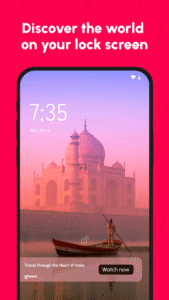
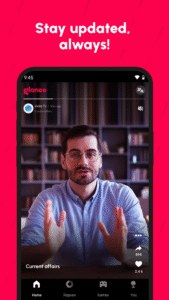
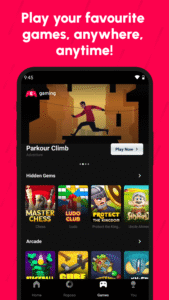
With Glance Smart Lock Screen, stay updated with breaking news, live sports scores, and weather alerts right on your lock screen, in just a glance. Powered by AI, Glance personalizes the content to your preferences. You can further customize and control what appears on your lock screen by updating the content preferences. Now you do not need to search or unlock your phone to access the latest trends or updates.
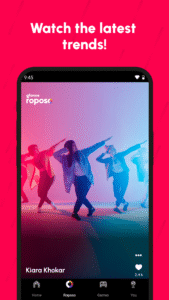
Glance provides breaking news access and the latest trending stories on your lock screen from leading global publishers. You can catch all the latest action in just a glance by selecting your preferences across categories like Business, Entertainment, Sports, International, and more. Tap to read an article in detail or just glance without unlocking your phone.
You can also follow your favorite Sports team and the latest score on the Lock Screen. Glance helps you access your favorite team's upcoming schedules, player and team stats curated especially for you. You can customize your lock screen by choosing which team and sports updates you prefer.
Another key feature is major weather alerts in your area which light up your lock screen so you stay prepared and ready to plan your day better.
With Glance, you discover information serendipitously, as it happens. Powered by AI, find everything you need right on your lock screen with Glance. No search, download, or unlock is needed.
Glance provides breaking news access and the latest trending stories on your lock screen from leading global publishers. You can catch all the latest action in just a glance by selecting your preferences across categories like Business, Entertainment, Sports, International, and more. Tap to read an article in detail or just glance without unlocking your phone.
You can also follow your favorite Sports team and the latest score on the Lock Screen. Glance helps you access your favorite team's upcoming schedules, player and team stats curated especially for you. You can customize your lock screen by choosing which team and sports updates you prefer.
Another key feature is major weather alerts in your area which light up your lock screen so you stay prepared and ready to plan your day better.
With Glance, you discover information serendipitously, as it happens. Powered by AI, find everything you need right on your lock screen with Glance. No search, download, or unlock is needed.
Download Glance for Motorola APK
Fast, free and safe download.
APK Permissions 18
- android.permission.ACCESS_NETWORK_STATE
- android.permission.ACCESS_WIFI_STATE
- android.permission.DOWNLOAD_WITHOUT_NOTIFICATION
- android.permission.FOREGROUND_SERVICE
- android.permission.INTERNET
- android.permission.POST_NOTIFICATIONS
- android.permission.READ_PRIVILEGED_PHONE_STATE
- android.permission.RECEIVE_BOOT_COMPLETED
- android.permission.REORDER_TASKS
- android.permission.SET_WALLPAPER
- android.permission.WAKE_LOCK
- com.glance.lockscreenM.DYNAMIC_RECEIVER_NOT_EXPORTED_PERMISSION
- com.glancebridgesdk.provider.READ_PERMISSION
- com.glancebridgesdk.provider.WRITE_PERMISSION
- com.google.android.c2dm.permission.RECEIVE
- com.google.android.finsky.permission.BIND_GET_INSTALL_REFERRER_SERVICE
- com.google.android.gms.permission.AD_ID
- com.google.android.setupwizard.SETUP_COMPAT_SERVICE
APK Verified
The cryptographic signature guarantees that the file is safe to install and was not tampered with in any way.
Similar in Entertainment


More by Glance InMobi Pte. Ltd.


Frequently Asked Questions about Glance for Motorola APK
This is the universal variant — a single APK that contains native libraries for every CPU architecture. It installs on any Android device but is larger than per-architecture variants.
Yes — the APK's signature has been cryptographically verified against the publisher's signing key. The SHA-256 hash is shown in the File Information panel so you can independently confirm the file matches the original release.
Android 29 (API level 33) or newer. Older devices will refuse the install.
Install a free app like 'CPU-Z' or 'Droid Hardware Info' from the Play Store and look at the ABI / Instruction Set row. Most phones made after 2017 are arm64-v8a; if in doubt, download the universal variant.
All variants are functionally identical — same features, same version. They differ only in which CPU architectures the native code is compiled for, and (sometimes) which screen densities the included graphics target. Pick the one that matches your device for the smallest install size, or pick 'Universal' if you're unsure.