
This is the universal build of Whoscall: Caller ID & Block 7.86.1. It contains native libraries for every CPU architecture (arm64-v8a, armeabi-v7a, x86, x86_64), so it installs on any Android device. The trade-off is size — it's larger than per-architecture variants. Pick this one if you're unsure which CPU your phone has, or if you plan to share the APK with multiple devices.
File size: 81.7 MB • Min Android: 29 • Target Android: 35 • Version code: 78616708 • Framework: Native (Java/Kotlin) • Permissions: 71
Screenshots
File Information
| Package Name | gogolook.callgogolook2 |
|---|---|
| Version Name | 7.86.1 |
| Version Code | 78616708 |
| Architecture | Universal |
| Min Android Version | Android 29 (API 35) |
| Main Activity | gogolook.callgogolook2.main.LauncherActivity |
| Framework | Native (Java/Kotlin) |
| File Size | 81.67 MB |
| Signature (SHA1) | BEC7F11F024A47FB004363FAC7FA9F089D4FBD55 |
| File Hash (SHA256) | 56e5c65eb05ac77fbc41ca77ab1538a1e548982775b80644d6f8606a86c035e9 |
What's New
Several improvements and bug fixes.
App Description
To have a safe and trustworthy telecommunication environment, Whoscall is your one and only option!
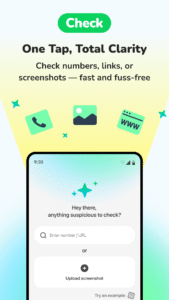
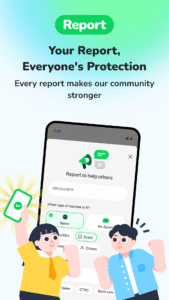
With having more than 100 million downloads globally, Whoscall is a highly-regarded phone app with Caller ID & Blocker function, well-known to help identify unknown numbers, so you can decide whether to answer or block them. Powered by our massive database with over 1.6 billion numbers with the information displayed on screen, you have the power to protect yourself and prevent unknown messages and calls from getting through. Apart from identifying unknown numbers, Whoscall also allows users to block spam calls and messages, and report suspicious numbers to prevent others from getting scammed.
★ Google Play - Best App & Best Innovation Award - 2013, 2016 ★
★ ""Helps the users be able to avoid spam callers"" -TechCrunch ★
★ Recognized as the Top 10 Innovated App in Taiwan by TechinAsia★
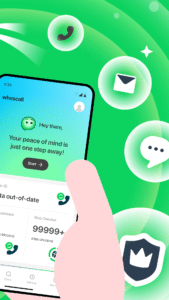
Whoscall provides a fully functional phone feature. Calls, SMS, Anti-Spam, all in one app to manage your calls & messages!
【 Trustworthy Phone App with Caller & SMS ID 】
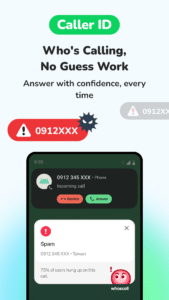
▶Identify unknown calls
Only pick up important calls by knowing who’s calling!
▶Identify unknown messages
Catch important messages and avoid getting spam messages
▶ Built-in dialer
Search & confirm unknown numbers before you dial out.
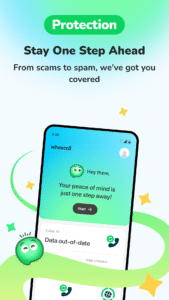
【 New! Best Anti-Scam App】
▶ ID Security
Want to know if your personal information is leaking? Use your number to check NOW!
▶ Auto checking the website safey for you!
Accidentally click a scam site ? Whoscall automatically detects and warn you in seconds!
【 Spam Calls and Messages Blocker 】
▶Block spam calls
Avoid disturbing quality time by blocking unwanted & spam calls
Prevents scams in the future
▶Block spam messages
Block spam numbers and no longer receive annoying messages
▶ Message URL Scanner
We can help scan suspicious Links in your message to help you decide whether or not to access it.
▶Report suspicious numbers & messages
Report numbers or messages and help protect the community against scams
【 Whoscall Premium 】
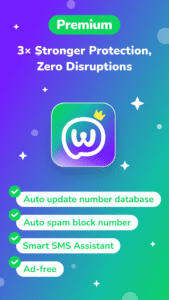
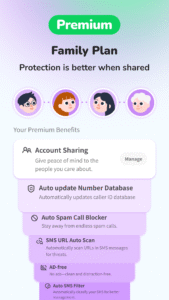
▶ Auto-update database
Automatically update your database to stay current!
▶ Auto-SMS URL Scan
Automatically scans for known threat for the messages you received.
*Not all regions
▶ Ad-free
Remove all ads and enjoy the smoother experience.
【Permission Declaration】
▶“Phone, call log, contact” permission: for caller, call log, contact carrier identification and blocking feature.
▶“SMS” permission: for SMS sender identification, blocking feature, and to enable send SMS & copy OTP.
▶“Location” permission: to allow nearby store location and information search.
▶“Storage(Photos/Media/Files), mic” permission: to enable send multimedia files through Whoscall.
Note:
*According to Google Policy, please set Whoscall as your default phone app to activate Block and Whoscall Call Interface function.
*All authorized permission will only be used internally for Whoscall to provide better service.
*Whoscall Call Interface is available on ASUS, Google Pixel, Lenovo, LG, Motorola, Samsung, Sony.
*Offline database is available in Taiwan, Korea, Hong Kong, Japan, Thailand, Malaysia, Brazil, USA, India&Indonesia ...etc.
*Up to Android 7.0 versions request permission on SMS, Phone, Contacts and Draw over other apps.
*Whoscall uses the Android VpnService to obtain the domain of connected websites, allowing it to check for any risks via the Auto Web Checker. Whoscall does not collect or transmit any user website content.
*Whoscall is always looking forward to hearing from you! Should you have any inquiry or suggestion, please reach us at
service@gogolook.com
With having more than 100 million downloads globally, Whoscall is a highly-regarded phone app with Caller ID & Blocker function, well-known to help identify unknown numbers, so you can decide whether to answer or block them. Powered by our massive database with over 1.6 billion numbers with the information displayed on screen, you have the power to protect yourself and prevent unknown messages and calls from getting through. Apart from identifying unknown numbers, Whoscall also allows users to block spam calls and messages, and report suspicious numbers to prevent others from getting scammed.
★ Google Play - Best App & Best Innovation Award - 2013, 2016 ★
★ ""Helps the users be able to avoid spam callers"" -TechCrunch ★
★ Recognized as the Top 10 Innovated App in Taiwan by TechinAsia★
Whoscall provides a fully functional phone feature. Calls, SMS, Anti-Spam, all in one app to manage your calls & messages!
【 Trustworthy Phone App with Caller & SMS ID 】
▶Identify unknown calls
Only pick up important calls by knowing who’s calling!
▶Identify unknown messages
Catch important messages and avoid getting spam messages
▶ Built-in dialer
Search & confirm unknown numbers before you dial out.
【 New! Best Anti-Scam App】
▶ ID Security
Want to know if your personal information is leaking? Use your number to check NOW!
▶ Auto checking the website safey for you!
Accidentally click a scam site ? Whoscall automatically detects and warn you in seconds!
【 Spam Calls and Messages Blocker 】
▶Block spam calls
Avoid disturbing quality time by blocking unwanted & spam calls
Prevents scams in the future
▶Block spam messages
Block spam numbers and no longer receive annoying messages
▶ Message URL Scanner
We can help scan suspicious Links in your message to help you decide whether or not to access it.
▶Report suspicious numbers & messages
Report numbers or messages and help protect the community against scams
【 Whoscall Premium 】
▶ Auto-update database
Automatically update your database to stay current!
▶ Auto-SMS URL Scan
Automatically scans for known threat for the messages you received.
*Not all regions
▶ Ad-free
Remove all ads and enjoy the smoother experience.
【Permission Declaration】
▶“Phone, call log, contact” permission: for caller, call log, contact carrier identification and blocking feature.
▶“SMS” permission: for SMS sender identification, blocking feature, and to enable send SMS & copy OTP.
▶“Location” permission: to allow nearby store location and information search.
▶“Storage(Photos/Media/Files), mic” permission: to enable send multimedia files through Whoscall.
Note:
*According to Google Policy, please set Whoscall as your default phone app to activate Block and Whoscall Call Interface function.
*All authorized permission will only be used internally for Whoscall to provide better service.
*Whoscall Call Interface is available on ASUS, Google Pixel, Lenovo, LG, Motorola, Samsung, Sony.
*Offline database is available in Taiwan, Korea, Hong Kong, Japan, Thailand, Malaysia, Brazil, USA, India&Indonesia ...etc.
*Up to Android 7.0 versions request permission on SMS, Phone, Contacts and Draw over other apps.
*Whoscall uses the Android VpnService to obtain the domain of connected websites, allowing it to check for any risks via the Auto Web Checker. Whoscall does not collect or transmit any user website content.
*Whoscall is always looking forward to hearing from you! Should you have any inquiry or suggestion, please reach us at
service@gogolook.com
Download Whoscall: Caller ID & Block APK
Fast, free and safe download.
APK Permissions 71
- android.permission.ACCESS_ADSERVICES_AD_ID
- android.permission.ACCESS_ADSERVICES_ATTRIBUTION
- android.permission.ACCESS_ADSERVICES_TOPICS
- android.permission.ACCESS_NETWORK_STATE
- android.permission.ACCESS_NOTIFICATION_POLICY
- android.permission.ACCESS_WIFI_STATE
- android.permission.CALL_PHONE
- android.permission.CHANGE_NETWORK_STATE
- android.permission.DETECT_SCREEN_CAPTURE
- android.permission.DISABLE_KEYGUARD
- android.permission.DOWNLOAD_WITHOUT_NOTIFICATION
- android.permission.FOREGROUND_SERVICE
- android.permission.FOREGROUND_SERVICE_SPECIAL_USE
- android.permission.FOREGROUND_SERVICE_SYSTEM_EXEMPTED
- android.permission.GET_ACCOUNTS
- android.permission.INTERNET
- android.permission.MODIFY_AUDIO_SETTINGS
- android.permission.POST_NOTIFICATIONS
- android.permission.PROCESS_OUTGOING_CALLS
- android.permission.READ_APP_BADGE
- android.permission.READ_CALL_LOG
- android.permission.READ_CONTACTS
- android.permission.READ_EXTERNAL_STORAGE
- android.permission.READ_PHONE_NUMBERS
- android.permission.READ_PHONE_STATE
- android.permission.READ_PROFILE
- android.permission.READ_SMS
- android.permission.READ_SYNC_SETTINGS
- android.permission.READ_SYNC_STATS
- android.permission.RECEIVE_MMS
- android.permission.RECEIVE_SMS
- android.permission.REQUEST_IGNORE_BATTERY_OPTIMIZATIONS
- android.permission.SEND_SMS
- android.permission.SYSTEM_ALERT_WINDOW
- android.permission.VIBRATE
- android.permission.WAKE_LOCK
- android.permission.WRITE_CONTACTS
- android.permission.WRITE_EXTERNAL_STORAGE
- android.permission.WRITE_SYNC_SETTINGS
- com.anddoes.launcher.permission.UPDATE_COUNT
- com.android.launcher.permission.INSTALL_SHORTCUT
- com.android.vending.BILLING
- com.applovin.array.apphub.permission.BIND_APPHUB_SERVICE
- com.coupang.mobile
- com.coupang.mobile.offsite
- com.google.android.c2dm.permission.RECEIVE
- com.google.android.finsky.permission.BIND_GET_INSTALL_REFERRER_SERVICE
- com.google.android.gms.permission.ACTIVITY_RECOGNITION
- com.google.android.gms.permission.AD_ID
- com.htc.launcher.permission.READ_SETTINGS
- com.htc.launcher.permission.UPDATE_SHORTCUT
- com.huawei.android.launcher.permission.CHANGE_BADGE
- com.huawei.android.launcher.permission.READ_SETTINGS
- com.huawei.android.launcher.permission.WRITE_SETTINGS
- com.huawei.appmarket.service.commondata.permission.GET_COMMON_DATA
- com.majeur.launcher.permission.UPDATE_BADGE
- com.oppo.launcher.permission.READ_SETTINGS
- com.oppo.launcher.permission.WRITE_SETTINGS
- com.samsung.android.mapsagent.permission.READ_APP_INFO
- com.samsung.android.providers.context.permission.WRITE_USE_APP_FEATURE_SURVEY
- com.sec.android.provider.badge.permission.READ
- com.sec.android.provider.badge.permission.WRITE
- com.sec.android.provider.logsprovider.permission.READ_LOGS
- com.sec.android.provider.logsprovider.permission.WRITE_LOGS
- com.sonyericsson.home.permission.BROADCAST_BADGE
- com.sonymobile.home.permission.PROVIDER_INSERT_BADGE
- gogolook.callgogolook2.DYNAMIC_RECEIVER_NOT_EXPORTED_PERMISSION
- gogolook.callgogolook2.permission.C2D_MESSAGE
- gogolook.callgogolook2.permission.SIGNATURE
- me.everything.badger.permission.BADGE_COUNT_READ
- me.everything.badger.permission.BADGE_COUNT_WRITE
APK Verified
The cryptographic signature guarantees that the file is safe to install and was not tampered with in any way.


Frequently Asked Questions about Whoscall: Caller ID & Block APK
This is the universal variant — a single APK that contains native libraries for every CPU architecture. It installs on any Android device but is larger than per-architecture variants.
Yes — the APK's signature has been cryptographically verified against the publisher's signing key. The SHA-256 hash is shown in the File Information panel so you can independently confirm the file matches the original release.
Android 29 (API level 35) or newer. Older devices will refuse the install.
Install a free app like 'CPU-Z' or 'Droid Hardware Info' from the Play Store and look at the ABI / Instruction Set row. Most phones made after 2017 are arm64-v8a; if in doubt, download the universal variant.
All variants are functionally identical — same features, same version. They differ only in which CPU architectures the native code is compiled for, and (sometimes) which screen densities the included graphics target. Pick the one that matches your device for the smallest install size, or pick 'Universal' if you're unsure.