
Download Wear OS by Google Smartwatch APK 1.27.85.791608151 Universal · Android 33+
Download APK
Verified Safe
This is the universal build of Wear OS by Google Smartwatch 1.27.85.791608151. It contains native libraries for every CPU architecture (arm64-v8a, armeabi-v7a, x86, x86_64), so it installs on any Android device. The trade-off is size — it's larger than per-architecture variants. Pick this one if you're unsure which CPU your phone has, or if you plan to share the APK with multiple devices.
File size: 6.6 MB • Min Android: 33 • Target Android: 35 • Version code: 790462491 • Framework: Native (Java/Kotlin) • Permissions: 104
Screenshots
File Information
| Package Name | com.google.android.wearable.app |
|---|---|
| Version Name | 1.27.85.791608151 |
| Version Code | 790462491 |
| Architecture | Universal |
| Min Android Version | Android 33 (API 35) |
| Framework | Native (Java/Kotlin) |
| File Size | 6.57 MB |
| Signature (SHA1) | A197F9212F2FED64F0FF9C2A4EDF24B9C8801C8C |
| File Hash (SHA256) | 2ccc8119b56a4de3fef9728b01f59a87feb2c17b11e71bf90d52c272a11b7d7f |
What's New
• Explore the new design of Wear OS by Google to help you get the most out of your time - providing quicker access to your information, more proactive help from your Google Assistant, and smarter health coaching, all with a swipe of your finger
App Description
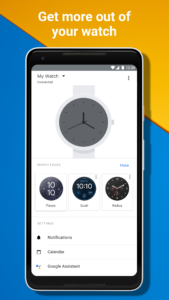
The Wear OS by Google app, previously Android Wear, syncs your smartwatch and phone so you can get more out of your watch. Get proactive help from your Google Assistant, see important messages, track health and fitness, and more, all from your wrist:
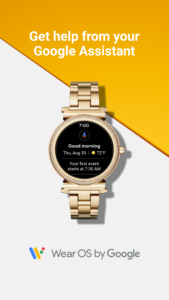
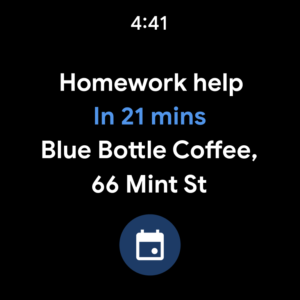
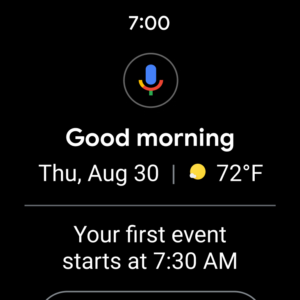
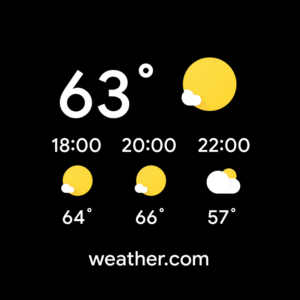
• GET PROACTIVE HELP FROM YOUR GOOGLE ASSISTANT: Stay on top of your day with proactive, personalized help and useful shortcuts from your Google Assistant. Get commute times, see upcoming reservations, check your flight status and more.
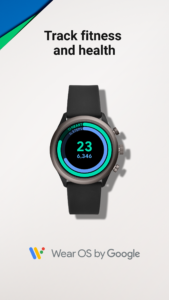
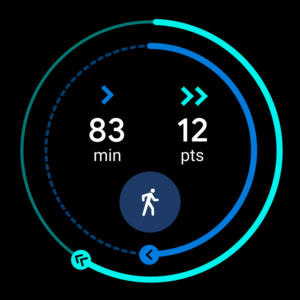
• TAKE YOUR HEALTH AND FITNESS FURTHER: Get healthier and more active by tracking your progress towards your Heart Points and Steps goal
• ROCK OUT WHILE YOU WORK OUT: Control your favorite music right from your wrist and stay motivated through the last mile
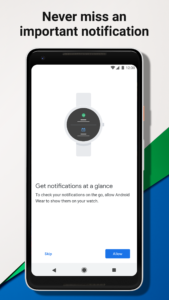
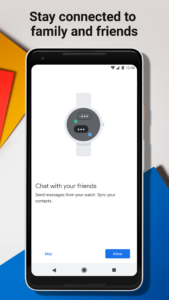
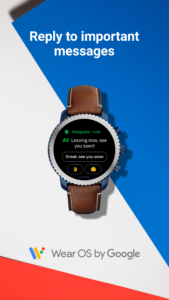
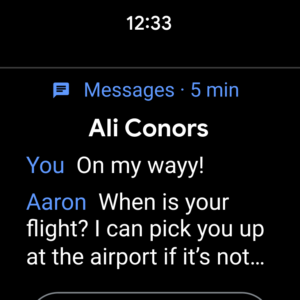
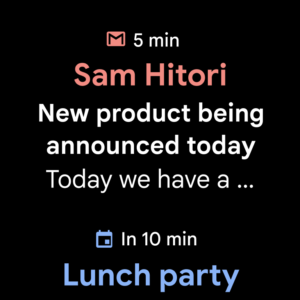
• STAY CONNECTED AT A GLANCE: Check important notifications, texts, emails, and calls at a glance
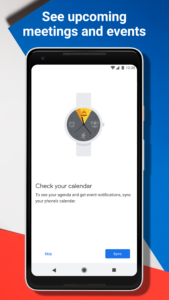
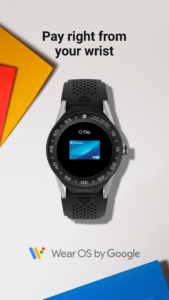
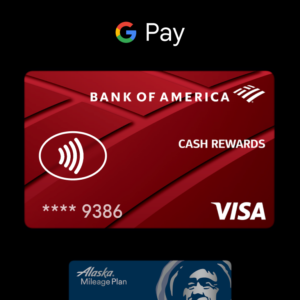
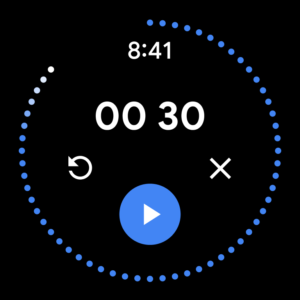
• GET MORE DONE: See your next meeting, add items to your grocery list, set reminders, pay on the go and more
• EXPRESS YOURSELF: Wear OS by Google lets you be you with hundreds of styles—from fashion to fitness to fun and thousands of watch faces you can customize
Learn more
google.com/WearOS
Supported features may vary across watches, phones, and countries. The Google Assistant is not available in certain countries and languages.
• GET PROACTIVE HELP FROM YOUR GOOGLE ASSISTANT: Stay on top of your day with proactive, personalized help and useful shortcuts from your Google Assistant. Get commute times, see upcoming reservations, check your flight status and more.
• TAKE YOUR HEALTH AND FITNESS FURTHER: Get healthier and more active by tracking your progress towards your Heart Points and Steps goal
• ROCK OUT WHILE YOU WORK OUT: Control your favorite music right from your wrist and stay motivated through the last mile
• STAY CONNECTED AT A GLANCE: Check important notifications, texts, emails, and calls at a glance
• GET MORE DONE: See your next meeting, add items to your grocery list, set reminders, pay on the go and more
• EXPRESS YOURSELF: Wear OS by Google lets you be you with hundreds of styles—from fashion to fitness to fun and thousands of watch faces you can customize
Learn more
google.com/WearOS
Supported features may vary across watches, phones, and countries. The Google Assistant is not available in certain countries and languages.
Download Wear OS by Google Smartwatch APK
Fast, free and safe download.
APK Permissions 104
- android.permission.ACCESS_BACKGROUND_LOCATION
- android.permission.ACCESS_COARSE_LOCATION
- android.permission.ACCESS_FINE_LOCATION
- android.permission.ACCESS_NETWORK_CONDITIONS
- android.permission.ACCESS_NETWORK_STATE
- android.permission.ACCESS_WIFI_STATE
- android.permission.AUTHENTICATE_ACCOUNTS
- android.permission.BACKUP
- android.permission.BATTERY_STATS
- android.permission.BIND_ACCESSIBILITY_SERVICE
- android.permission.BIND_APPWIDGET
- android.permission.BLUETOOTH
- android.permission.BLUETOOTH_ADMIN
- android.permission.BLUETOOTH_CONNECT
- android.permission.BROADCAST_PACKAGE_REMOVED
- android.permission.BROADCAST_STICKY
- android.permission.CALL_PHONE
- android.permission.CAPTURE_AUDIO_HOTWORD
- android.permission.CHANGE_COMPONENT_ENABLED_STATE
- android.permission.CHANGE_NETWORK_STATE
- android.permission.CHANGE_WIFI_STATE
- android.permission.CONNECTIVITY_INTERNAL
- android.permission.DUMP
- android.permission.FOREGROUND_SERVICE
- android.permission.GET_ACCOUNTS_PRIVILEGED
- android.permission.INTERNET
- android.permission.MANAGE_ACTIVITY_STACKS
- android.permission.MANAGE_VOICE_KEYPHRASES
- android.permission.MASTER_CLEAR
- android.permission.MODIFY_AUDIO_SETTINGS
- android.permission.MODIFY_PHONE_STATE
- android.permission.NFC
- android.permission.PACKAGE_USAGE_STATS
- android.permission.PALM_LOCK_WINDOW
- android.permission.POST_NOTIFICATIONS
- android.permission.PROCESS_PHONE_ACCOUNT_REGISTRATION
- android.permission.QUERY_ALL_PACKAGES
- android.permission.READ_CONTACTS
- android.permission.READ_FRAME_BUFFER
- android.permission.READ_MEDIA_AUDIO
- android.permission.READ_PHONE_STATE
- android.permission.READ_PRIVILEGED_PHONE_STATE
- android.permission.REBOOT
- android.permission.RECEIVE_BOOT_COMPLETED
- android.permission.RECORD_AUDIO
- android.permission.SET_WALLPAPER
- android.permission.SET_WALLPAPER_COMPONENT
- android.permission.SET_WALLPAPER_HINTS
- android.permission.SHUTDOWN
- android.permission.START_ACTIVITIES_FROM_BACKGROUND
- android.permission.STOP_APP_SWITCHES
- android.permission.STORAGE_STATS
- android.permission.SYSTEM_ALERT_WINDOW
- android.permission.UPDATE_APP_OPS_STATS
- android.permission.VIBRATE
- android.permission.WAKE_LOCK
- android.permission.WRITE_CONTACTS
- android.permission.WRITE_EMBEDDED_SUBSCRIPTIONS
- android.permission.WRITE_SECURE_SETTINGS
- android.permission.WRITE_SETTINGS
- android.permission.WRITE_SYNC_SETTINGS
- com.android.setupwizard.permission.PAIRED_PHONE_CHANGED
- com.google.android.clockwork.home.FAST_PAY
- com.google.android.clockwork.permission.CLOSE_ALTERNATE_LAUNCHER
- com.google.android.clockwork.settings.ALLOW_REMOTE_SETTINGS_CHANGE
- com.google.android.clockwork.settings.BATTERY_STATS
- com.google.android.clockwork.settings.CHANGE_AIRPLANE_MODE
- com.google.android.clockwork.settings.CHANGE_LOCALE
- com.google.android.clockwork.settings.CHANGE_TIME
- com.google.android.clockwork.settings.CONFIGURE_DOZE
- com.google.android.clockwork.settings.CONFIGURE_PROXY
- com.google.android.clockwork.settings.DISABLE_FITNESS
- com.google.android.clockwork.settings.KEYGUARD_PASSWORD_SET
- com.google.android.clockwork.settings.SET_HOME_READY
- com.google.android.clockwork.settings.SET_POWER_SAVE_MODE
- com.google.android.clockwork.settings.SHOW_FACTORY_RESET_CONFIRMATION
- com.google.android.clockwork.settings.STORAGE_STATS
- com.google.android.clockwork.settings.TOGGLE_SUNLIGHT_MODE
- com.google.android.clockwork.settings.WATCH_POWER
- com.google.android.clockwork.SIDEKICK_TIME_FORMAT_SET
- com.google.android.clockwork.systemui.BROADCAST_KEYGUARD_CHANGED
- com.google.android.clockwork.systemui.CONTROL_KEYGUARD
- com.google.android.gms.permission.ACTIVITY_RECOGNITION
- com.google.android.permission.INSTALL_WEARABLE_PACKAGES
- com.google.android.permission.PROVIDE_SETUP_DEFAULTS
- com.google.android.permission.TAKE_WEARABLE_BUGREPORT
- com.google.android.providers.gsf.permission.READ_GSERVICES
- com.google.android.wearable.permission.ACCOUNT_SYNC_IOS_STATUS
- com.google.android.wearable.permission.BIND_COMPLICATION_PROVIDER
- com.google.android.wearable.permission.BIND_TILE_PROVIDER
- com.google.android.wearable.permission.BIND_WATCH_FACE_CONTROL
- com.google.android.wearable.permission.CLOUD_SYNC_OPT_IN
- com.google.android.wearable.permission.DEVICE_ON_BODY_RECOGNITION
- com.google.android.wearable.permission.EXECUTE_REMOTE_ACTION
- com.google.android.wearable.permission.FACTORY_RESET_RETAIN_ESIM
- com.google.android.wearable.permission.FLAG_TOGGLING
- com.google.android.wearable.permission.RECEIVE_AMBIENT_DREAM_STATE
- com.google.android.wearable.preview.permission.SEND_REMOTE_INTENT
- com.google.android.wearable.READ_SETTINGS
- com.google.android.wearable.WRITE_SETTINGS
- com.google.wear.permission.ACCESS_WEAR_SYSTEM_SERVICE
- com.google.wear.permission.CHANGE_WIFI_STATE
- com.google.wear.permission.PALM_LOCK_WINDOW
- com.google.wear.permission.WEAR_SERVICES_MIGRATION
APK Verified
The cryptographic signature guarantees that the file is safe to install and was not tampered with in any way.
Similar in Communication


Frequently Asked Questions about Wear OS by Google Smartwatch APK
This is the universal variant — a single APK that contains native libraries for every CPU architecture. It installs on any Android device but is larger than per-architecture variants.
Yes — the APK's signature has been cryptographically verified against the publisher's signing key. The SHA-256 hash is shown in the File Information panel so you can independently confirm the file matches the original release.
Android 33 (API level 35) or newer. Older devices will refuse the install.
Install a free app like 'CPU-Z' or 'Droid Hardware Info' from the Play Store and look at the ABI / Instruction Set row. Most phones made after 2017 are arm64-v8a; if in doubt, download the universal variant.
All variants are functionally identical — same features, same version. They differ only in which CPU architectures the native code is compiled for, and (sometimes) which screen densities the included graphics target. Pick the one that matches your device for the smallest install size, or pick 'Universal' if you're unsure.