
This is the universal build of Google Docs 1.25.052.01.90. It contains native libraries for every CPU architecture (arm64-v8a, armeabi-v7a, x86, x86_64), so it installs on any Android device. The trade-off is size — it's larger than per-architecture variants. Pick this one if you're unsure which CPU your phone has, or if you plan to share the APK with multiple devices.
File size: 75.5 MB • Min Android: 26 • Target Android: 35 • Version code: 220638358 • Framework: Native (Java/Kotlin) • Permissions: 33
Screenshots
File Information
| Package Name | com.google.android.apps.docs.editors.docs |
|---|---|
| Version Name | 1.25.052.01.90 |
| Version Code | 220638358 |
| Architecture | Universal |
| Min Android Version | Android 26 (API 35) |
| Main Activity | com.google.android.apps.docs.app.NewMainProxyActivity |
| Framework | Native (Java/Kotlin) |
| File Size | 75.50 MB |
| Signature (SHA1) | 24BB24C05E47E0AEFA68A58A766179D9B613A600 |
| File Hash (SHA256) | 4fa06d33409a304576c961b3bf8c407c9ee1ca377decb60a2505fab9ff1457c5 |
What's New
App Description
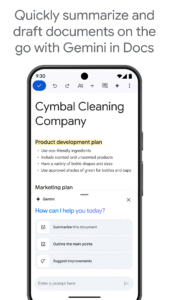
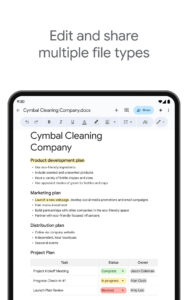
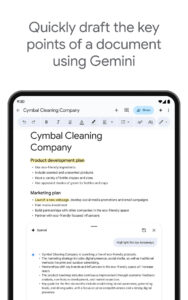
- Create new documents or edit existing files
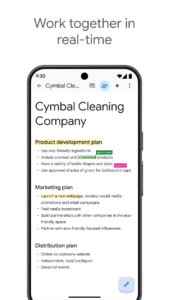
- Share documents and collaborate in the same document at the same time.
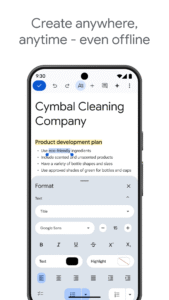
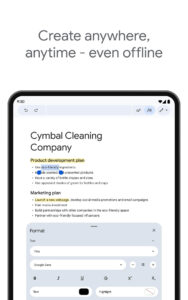
- Work anywhere, anytime - even offline
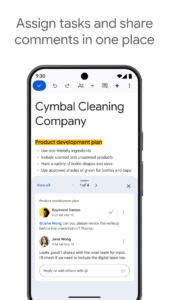
- Add and respond to comments.
- Never worry about losing your work – everything is saved automatically as you type.
- Search the web and your files in Drive, right from Docs
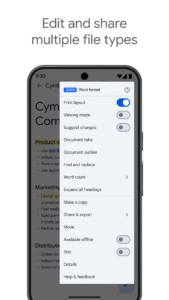
- Open, edit, and save Word documents and PDFs.
Google Docs is part of Google Workspace: where teams of any size can chat, create, and collaborate.
Google Workspace subscribers have access to additional Google Docs features, including:
- Working in a single document with teammates or people outside your company. See edits as others type, communicate through built-in chat, and leave feedback through comments and suggestions
- Importing your documents to make them instantly editable, including Microsoft® Word and PDF files. Export your work in .docx, .pdf, .odt, .rtf, .txt or .html format
- Unlimited version history. Track changes made to your documents and undo anything you choose.
- Working across devices, with or without Internet
Learn more about Google Workspace:
workspace.google.com/products/docs/
Follow us for more:
Twitter:
twitter.com/googleworkspace
Linkedin:
www.linkedin.com/showcase/googleworkspace
Facebook:
www.facebook.com/googleworkspace/
.
Fast, free and safe download.
APK Permissions 33
- android.permission.ACCESS_NETWORK_STATE
- android.permission.ACCESS_WIFI_STATE
- android.permission.FOREGROUND_SERVICE
- android.permission.FOREGROUND_SERVICE_DATA_SYNC
- android.permission.GET_ACCOUNTS
- android.permission.GET_PACKAGE_SIZE
- android.permission.INTERNET
- android.permission.MANAGE_ACCOUNTS
- android.permission.POST_NOTIFICATIONS
- android.permission.READ_CONTACTS
- android.permission.READ_SYNC_SETTINGS
- android.permission.READ_SYNC_STATS
- android.permission.RECEIVE_BOOT_COMPLETED
- android.permission.RUN_USER_INITIATED_JOBS
- android.permission.SUBSCRIBED_FEEDS_READ
- android.permission.SUBSCRIBED_FEEDS_WRITE
- android.permission.USE_CREDENTIALS
- android.permission.VIBRATE
- android.permission.WAKE_LOCK
- android.permission.WRITE_EXTERNAL_STORAGE
- android.permission.WRITE_SYNC_SETTINGS
- com.android.launcher.permission.INSTALL_SHORTCUT
- com.google.android.apps.docs.editors.docs.DYNAMIC_RECEIVER_NOT_EXPORTED_PERMISSION
- com.google.android.apps.docs.editors.kix.permission.READ_MY_DATA
- com.google.android.apps.docs.editors.kix.permission.SYNC_STATUS
- com.google.android.apps.docs.editors.kix.permission.WRITE_IMAGES
- com.google.android.gm.permission.READ_GMAIL
- com.google.android.googleapps.permission.GOOGLE_AUTH
- com.google.android.googleapps.permission.GOOGLE_AUTH.ALL_SERVICES
- com.google.android.googleapps.permission.GOOGLE_AUTH.OTHER_SERVICES
- com.google.android.googleapps.permission.GOOGLE_AUTH.wise
- com.google.android.googleapps.permission.GOOGLE_AUTH.writely
- com.google.android.providers.gsf.permission.READ_GSERVICES
APK Verified
The cryptographic signature guarantees that the file is safe to install and was not tampered with in any way.
Other Variants
This release has multiple variants (e.g. diff architectures).
arm64-v8a, armeabi-v7a, x86, x86_64


