
Download Google Docs APK 1.25.282.01.90 arm64-v8a, armeabi-v7a, x86, x86_64 · Android 26+
Download APK
Verified Safe
This is the arm64-v8a, armeabi-v7a, x86, x86_64 build of Google Docs 1.25.282.01.90. Pick this build if your device's primary ABI matches.
File size: 112.2 MB • Min Android: 26 • Target Android: 35 • Version code: 220652562 • Framework: Native (Java/Kotlin) • Permissions: 33
Screenshots
File Information
| Package Name | com.google.android.apps.docs.editors.docs |
|---|---|
| Version Name | 1.25.282.01.90 |
| Version Code | 220652562 |
| Architecture | arm64-v8a, armeabi-v7a, x86, x86_64 |
| Min Android Version | Android 26 (API 35) |
| Main Activity | com.google.android.apps.docs.app.NewMainProxyActivity |
| Framework | Native (Java/Kotlin) |
| File Size | 112.19 MB |
| Signature (SHA1) | 24BB24C05E47E0AEFA68A58A766179D9B613A600 |
| File Hash (SHA256) | dbe5de0cb1943241b51920a3137f44e7f0546e8a3871d6c7013d78c9960fa989 |
What's New
* Bug fixes and performance improvements
App Description
Create, edit, and collaborate with others on documents from your Android phone or tablet with the Google Docs app. With Docs you can:
- Create new documents or edit existing files
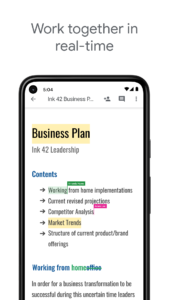
- Share documents and collaborate in the same document at the same time.
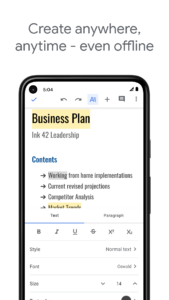
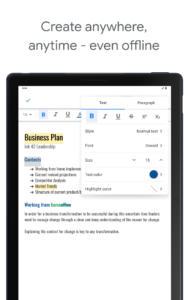
- Work anywhere, anytime - even offline
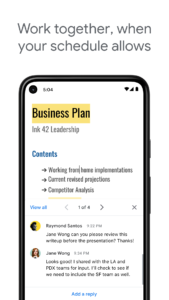
- Add and respond to comments.
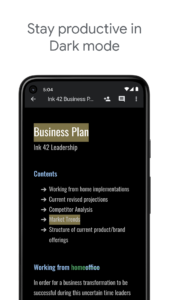
- Never worry about losing your work – everything is saved automatically as you type.
- Search the web and your files in Drive, right from Docs
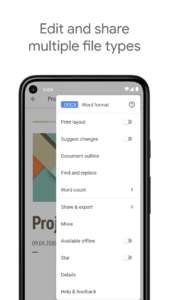
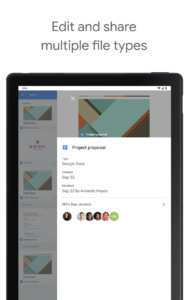
- Open, edit, and save Word documents and PDFs.
Google Docs is part of Google Workspace: where teams of any size can chat, create, and collaborate.
Google Workspace subscribers have access to additional Google Docs features, including:
- Working in a single document with teammates or people outside your company. See edits as others type, communicate through built-in chat, and leave feedback through comments and suggestions
- Importing your documents to make them instantly editable, including Microsoft® Word and PDF files. Export your work in .docx, .pdf, .odt, .rtf, .txt or .html format
- Unlimited version history. Track changes made to your documents and undo anything you choose.
- Working across devices, with or without Internet
Learn more about Google Workspace:
workspace.google.com/products/docs/
Follow us for more:
Twitter:
twitter.com/googleworkspace
Linkedin:
www.linkedin.com/showcase/googleworkspace
Facebook:
www.facebook.com/googleworkspace/
.
- Create new documents or edit existing files
- Share documents and collaborate in the same document at the same time.
- Work anywhere, anytime - even offline
- Add and respond to comments.
- Never worry about losing your work – everything is saved automatically as you type.
- Search the web and your files in Drive, right from Docs
- Open, edit, and save Word documents and PDFs.
Google Docs is part of Google Workspace: where teams of any size can chat, create, and collaborate.
Google Workspace subscribers have access to additional Google Docs features, including:
- Working in a single document with teammates or people outside your company. See edits as others type, communicate through built-in chat, and leave feedback through comments and suggestions
- Importing your documents to make them instantly editable, including Microsoft® Word and PDF files. Export your work in .docx, .pdf, .odt, .rtf, .txt or .html format
- Unlimited version history. Track changes made to your documents and undo anything you choose.
- Working across devices, with or without Internet
Learn more about Google Workspace:
workspace.google.com/products/docs/
Follow us for more:
Twitter:
twitter.com/googleworkspace
Linkedin:
www.linkedin.com/showcase/googleworkspace
Facebook:
www.facebook.com/googleworkspace/
.
Download Google Docs APK
Fast, free and safe download.
APK Permissions 33
- android.permission.ACCESS_NETWORK_STATE
- android.permission.ACCESS_WIFI_STATE
- android.permission.FOREGROUND_SERVICE
- android.permission.FOREGROUND_SERVICE_DATA_SYNC
- android.permission.GET_ACCOUNTS
- android.permission.GET_PACKAGE_SIZE
- android.permission.INTERNET
- android.permission.MANAGE_ACCOUNTS
- android.permission.POST_NOTIFICATIONS
- android.permission.READ_CONTACTS
- android.permission.READ_SYNC_SETTINGS
- android.permission.READ_SYNC_STATS
- android.permission.RECEIVE_BOOT_COMPLETED
- android.permission.RUN_USER_INITIATED_JOBS
- android.permission.SUBSCRIBED_FEEDS_READ
- android.permission.SUBSCRIBED_FEEDS_WRITE
- android.permission.USE_CREDENTIALS
- android.permission.VIBRATE
- android.permission.WAKE_LOCK
- android.permission.WRITE_EXTERNAL_STORAGE
- android.permission.WRITE_SYNC_SETTINGS
- com.android.launcher.permission.INSTALL_SHORTCUT
- com.google.android.apps.docs.editors.docs.DYNAMIC_RECEIVER_NOT_EXPORTED_PERMISSION
- com.google.android.apps.docs.editors.kix.permission.READ_MY_DATA
- com.google.android.apps.docs.editors.kix.permission.SYNC_STATUS
- com.google.android.apps.docs.editors.kix.permission.WRITE_IMAGES
- com.google.android.gm.permission.READ_GMAIL
- com.google.android.googleapps.permission.GOOGLE_AUTH
- com.google.android.googleapps.permission.GOOGLE_AUTH.ALL_SERVICES
- com.google.android.googleapps.permission.GOOGLE_AUTH.OTHER_SERVICES
- com.google.android.googleapps.permission.GOOGLE_AUTH.wise
- com.google.android.googleapps.permission.GOOGLE_AUTH.writely
- com.google.android.providers.gsf.permission.READ_GSERVICES
APK Verified
The cryptographic signature guarantees that the file is safe to install and was not tampered with in any way.
Similar in Productivity


Frequently Asked Questions about Google Docs APK
This variant is built for devices that report `arm64-v8a, armeabi-v7a, x86, x86_64` as their primary ABI. If your device's CPU matches, this is the smallest, fastest version to install.
Yes — the APK's signature has been cryptographically verified against the publisher's signing key. The SHA-256 hash is shown in the File Information panel so you can independently confirm the file matches the original release.
Android 26 (API level 35) or newer. Older devices will refuse the install.
Install a free app like 'CPU-Z' or 'Droid Hardware Info' from the Play Store and look at the ABI / Instruction Set row. Most phones made after 2017 are arm64-v8a; if in doubt, download the universal variant.
All variants are functionally identical — same features, same version. They differ only in which CPU architectures the native code is compiled for, and (sometimes) which screen densities the included graphics target. Pick the one that matches your device for the smallest install size, or pick 'Universal' if you're unsure.