
This is the arm64-v8a build of Google Drive 2.22.057.8.all.alldpi — the modern 64-bit ARM build that runs on virtually every Android phone released since 2017. It's smaller and faster than the universal variant because Android only loads the native code your CPU actually needs. If your phone is from the last 8 years, this is the right pick.
File size: 38.7 MB • Min Android: 23 • Target Android: 31 • Version code: 212669171 • Framework: Native (Java/Kotlin) • Permissions: 35
Screenshots
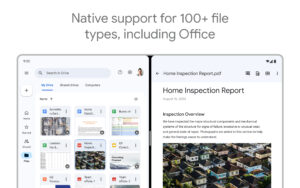
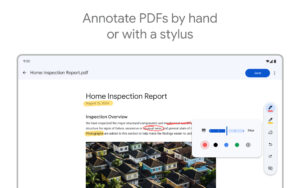
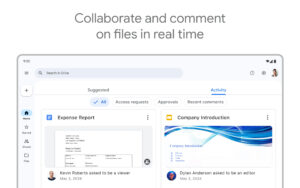
File Information
| Package Name | com.google.android.apps.docs |
|---|---|
| Version Name | 2.22.057.8.all.alldpi |
| Version Code | 212669171 |
| Architecture | arm64-v8a |
| Min Android Version | Android 23 (API 31) |
| Main Activity | com.google.android.apps.docs.app.NewMainProxyActivity |
| Framework | Native (Java/Kotlin) |
| File Size | 38.68 MB |
| Signature (SHA1) | 38918A453D07199354F8B19AF05EC6562CED5788 |
| File Hash (SHA256) | ed14431583e77495a5832739e82f392865aceca5c1e204d2390a272e1d08883c |
What's New
* In this release we are rolling out Material You design updates
App Description
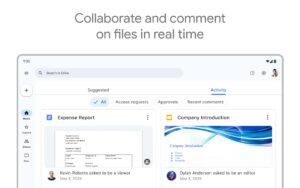
Google Drive, part of Google Workspace, is a safe place to back up and access all your files from any device. Easily invite others to view, edit, or leave comments on any of your files or folders.
With Drive, you can:
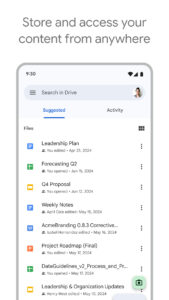
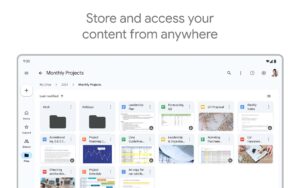
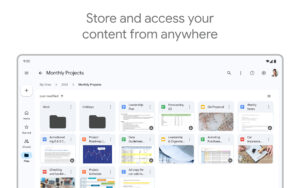
• Safely store and access your files anywhere
• Quickly access recent and important files
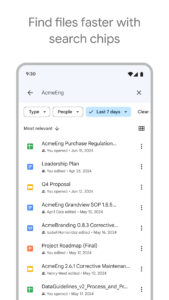
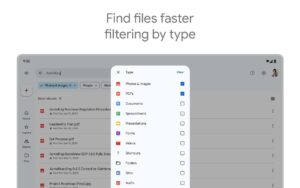
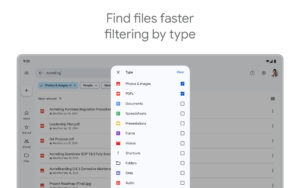
• Search for files by name and content
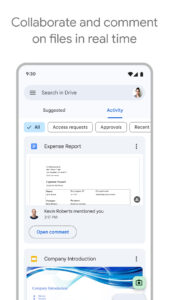
• Share and set permissions for files and folders
• View your content on the go while offline
• Receive notifications about important activity on your files
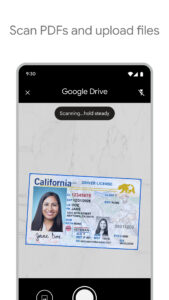
• Use your device’s camera to scan paper documents
Google Workspace subscribers have access to additional Drive functionality, including:
• Easily managing users and file sharing to help meet data compliance needs
• Sharing files and folders directly with groups or teams within your organization
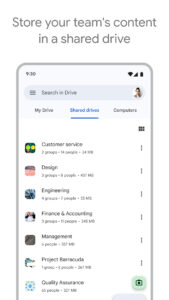
• Creating a shared drive to store all of your team’s content
Learn more about Google Workspace Drive:
workspace.google.com/products/drive/
Learn more about Google Apps update policy:
support.google.com/a/answer/6288871
Google accounts get 15GB of storage free, shared across Google Drive, Gmail, and Google Photos. For additional storage, you can upgrade to Google Workspace or Google One as an in-app purchase. Subscriptions start at $1.99/month for 100 GB in the US, and can vary by region.
Google Privacy Policy:
www.google.com/intl/en_US/policies/privacy
Google Drive Terms of Service:
www.google.com/drive/terms-of-service
Follow us for more:
Twitter:
twitter.com/googleworkspace
Linkedin:
www.linkedin.com/showcase/googleworkspace
Facebook:
www.facebook.com/googleworkspace/
With Drive, you can:
• Safely store and access your files anywhere
• Quickly access recent and important files
• Search for files by name and content
• Share and set permissions for files and folders
• View your content on the go while offline
• Receive notifications about important activity on your files
• Use your device’s camera to scan paper documents
Google Workspace subscribers have access to additional Drive functionality, including:
• Easily managing users and file sharing to help meet data compliance needs
• Sharing files and folders directly with groups or teams within your organization
• Creating a shared drive to store all of your team’s content
Learn more about Google Workspace Drive:
workspace.google.com/products/drive/
Learn more about Google Apps update policy:
support.google.com/a/answer/6288871
Google accounts get 15GB of storage free, shared across Google Drive, Gmail, and Google Photos. For additional storage, you can upgrade to Google Workspace or Google One as an in-app purchase. Subscriptions start at $1.99/month for 100 GB in the US, and can vary by region.
Google Privacy Policy:
www.google.com/intl/en_US/policies/privacy
Google Drive Terms of Service:
www.google.com/drive/terms-of-service
Follow us for more:
Twitter:
twitter.com/googleworkspace
Linkedin:
www.linkedin.com/showcase/googleworkspace
Facebook:
www.facebook.com/googleworkspace/
Download Google Drive APK
Fast, free and safe download.
APK Permissions 35
- android.permission.ACCESS_NETWORK_STATE
- android.permission.ACCESS_WIFI_STATE
- android.permission.CAMERA
- android.permission.DOWNLOAD_WITHOUT_NOTIFICATION
- android.permission.FOREGROUND_SERVICE
- android.permission.GET_ACCOUNTS
- android.permission.GET_PACKAGE_SIZE
- android.permission.INTERNET
- android.permission.MANAGE_ACCOUNTS
- android.permission.NFC
- android.permission.READ_CONTACTS
- android.permission.READ_EXTERNAL_STORAGE
- android.permission.READ_SYNC_SETTINGS
- android.permission.READ_SYNC_STATS
- android.permission.RECEIVE_BOOT_COMPLETED
- android.permission.SUBSCRIBED_FEEDS_READ
- android.permission.SUBSCRIBED_FEEDS_WRITE
- android.permission.USE_CREDENTIALS
- android.permission.VIBRATE
- android.permission.WAKE_LOCK
- android.permission.WRITE_EXTERNAL_STORAGE
- android.permission.WRITE_SYNC_SETTINGS
- com.android.launcher.permission.INSTALL_SHORTCUT
- com.android.launcher.permission.UNINSTALL_SHORTCUT
- com.google.android.apps.docs.permission.C2D_MESSAGE
- com.google.android.apps.docs.permission.READ_MY_DATA
- com.google.android.apps.docs.permission.SYNC_STATUS
- com.google.android.c2dm.permission.RECEIVE
- com.google.android.gm.permission.READ_GMAIL
- com.google.android.googleapps.permission.GOOGLE_AUTH
- com.google.android.googleapps.permission.GOOGLE_AUTH.ALL_SERVICES
- com.google.android.googleapps.permission.GOOGLE_AUTH.OTHER_SERVICES
- com.google.android.googleapps.permission.GOOGLE_AUTH.wise
- com.google.android.googleapps.permission.GOOGLE_AUTH.writely
- com.google.android.providers.gsf.permission.READ_GSERVICES
APK Verified
The cryptographic signature guarantees that the file is safe to install and was not tampered with in any way.
Similar in Productivity


Frequently Asked Questions about Google Drive APK
This variant is built for 64-bit ARM (most Android phones made since 2017). If your device's CPU matches, this is the smallest, fastest version to install.
Yes — the APK's signature has been cryptographically verified against the publisher's signing key. The SHA-256 hash is shown in the File Information panel so you can independently confirm the file matches the original release.
Android 23 (API level 31) or newer. Older devices will refuse the install.
Install a free app like 'CPU-Z' or 'Droid Hardware Info' from the Play Store and look at the ABI / Instruction Set row. Most phones made after 2017 are arm64-v8a; if in doubt, download the universal variant.
All variants are functionally identical — same features, same version. They differ only in which CPU architectures the native code is compiled for, and (sometimes) which screen densities the included graphics target. Pick the one that matches your device for the smallest install size, or pick 'Universal' if you're unsure.