
Download Google Meet (formerly Google Duo) APK 159.0.427847019.duo.android_20220123.13_p13 arm64-v8a · Android 23+
Download APK
Verified Safe
This is the arm64-v8a build of Google Meet (formerly Google Duo) 159.0.427847019.duo.android_20220123.13_p13 — the modern 64-bit ARM build that runs on virtually every Android phone released since 2017. It's smaller and faster than the universal variant because Android only loads the native code your CPU actually needs. If your phone is from the last 8 years, this is the right pick.
File size: 69.0 MB • Min Android: 23 • Target Android: 31 • Version code: 3463244 • Framework: Native (Java/Kotlin) • Permissions: 50
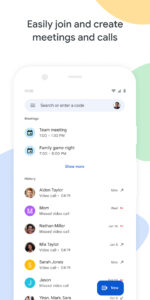
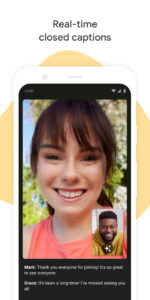
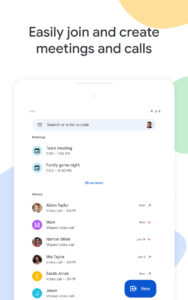
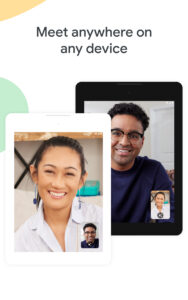
Screenshots






File Information
| Package Name | com.google.android.apps.tachyon |
|---|---|
| Version Name | 159.0.427847019.duo.android_20220123.13_p13 |
| Version Code | 3463244 |
| Architecture | arm64-v8a |
| Min Android Version | Android 23 (API 31) |
| Main Activity | com.google.android.apps.tachyon.MainActivity |
| Framework | Native (Java/Kotlin) |
| File Size | 69.03 MB |
| Signature (SHA1) | A0BC09AF527B6397C7A9EF171D6CF76F757BECC3 |
| File Hash (SHA256) | f0118657631efd18f854b5bc1597e3da78e3ea1511289f9907c1db1d1a5058aa |
What's New
•Make group video calls with up to 32 people
•Share and join group calls with a link
•Take photos of your video calls
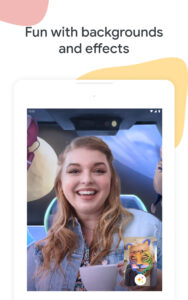
•Try doodles, masks and fun effects with Family mode (Sign-in required with a Google account)
•Share and join group calls with a link
•Take photos of your video calls
•Try doodles, masks and fun effects with Family mode (Sign-in required with a Google account)
App Description
Google Duo is the highest quality video calling app*. It’s simple, reliable, and works across Android and iOS phones and tablets, smart devices, and on the web.
Features:
Make calls between Android and iOS
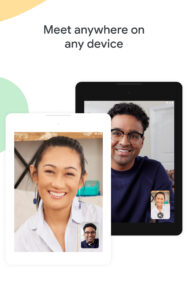
Whether you’re on your phone, tablet, or on the web, you can stay in touch with Duo. You can also share and join group calls with just a link.
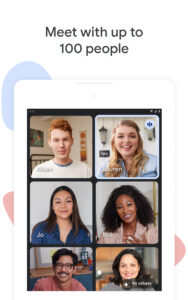
Group call with up to 32 people
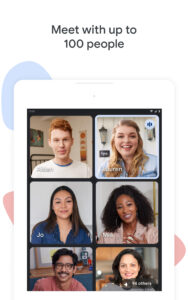
Bring together all the people who matter most, even when you're apart, with group calling. Duo now supports 32 people in group video calls.
Bring everyone together with Family mode**
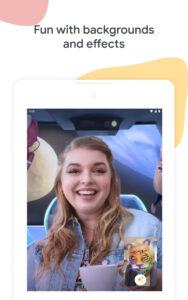
Doodle on video calls and surprise loved ones with fun masks and effects that transform you into astronauts, cats and more.
Capture special moments
Take photos of your video calls to capture any moment and share it automatically with everyone on the call.
Send video and voice messages, photos, and more
Short on time or your friends can’t pick up? Leave a personalized video message with fun effects, or share voice messages, photos, notes, and emojis.
Low Light Mode
Duo lets you make video calls even in poor lighting conditions.
Voice calling
Make voice-only calls to your friends when you can’t chat over video.
*Based on Signals Research Group technical study comparing video degradation time over 3G, LTE, and WiFi.
**Requires sign-in with a Google account.
***Data charges may apply. Check your carrier for details.
****Specific feature availability may vary based on device specifications.
*****If your Android TV does not have a built-in camera, you will need to connect a USB camera and microphone to your Android TV device.
******Duo works on Android TV devices with Android 8.0 or higher.
Features:
Make calls between Android and iOS
Whether you’re on your phone, tablet, or on the web, you can stay in touch with Duo. You can also share and join group calls with just a link.
Group call with up to 32 people
Bring together all the people who matter most, even when you're apart, with group calling. Duo now supports 32 people in group video calls.
Bring everyone together with Family mode**
Doodle on video calls and surprise loved ones with fun masks and effects that transform you into astronauts, cats and more.
Capture special moments
Take photos of your video calls to capture any moment and share it automatically with everyone on the call.
Send video and voice messages, photos, and more
Short on time or your friends can’t pick up? Leave a personalized video message with fun effects, or share voice messages, photos, notes, and emojis.
Low Light Mode
Duo lets you make video calls even in poor lighting conditions.
Voice calling
Make voice-only calls to your friends when you can’t chat over video.
*Based on Signals Research Group technical study comparing video degradation time over 3G, LTE, and WiFi.
**Requires sign-in with a Google account.
***Data charges may apply. Check your carrier for details.
****Specific feature availability may vary based on device specifications.
*****If your Android TV does not have a built-in camera, you will need to connect a USB camera and microphone to your Android TV device.
******Duo works on Android TV devices with Android 8.0 or higher.
Download Google Meet (formerly Google Duo) APK
Fast, free and safe download.
APK Permissions 50
- android.permission.ACCESS_NETWORK_STATE
- android.permission.ACCESS_WIFI_STATE
- android.permission.AUTHENTICATE_ACCOUNTS
- android.permission.BLUETOOTH
- android.permission.BROADCAST_STICKY
- android.permission.CAMERA
- android.permission.CHANGE_NETWORK_STATE
- android.permission.FOREGROUND_SERVICE
- android.permission.GET_ACCOUNTS
- android.permission.GET_PACKAGE_SIZE
- android.permission.INTERNET
- android.permission.MANAGE_ACCOUNTS
- android.permission.MODIFY_AUDIO_SETTINGS
- android.permission.READ_APP_BADGE
- android.permission.READ_CONTACTS
- android.permission.READ_PHONE_STATE
- android.permission.READ_PROFILE
- android.permission.READ_SYNC_STATS
- android.permission.RECEIVE_BOOT_COMPLETED
- android.permission.RECORD_AUDIO
- android.permission.STATUS_BAR
- android.permission.STOP_APP_SWITCHES
- android.permission.VIBRATE
- android.permission.WAKE_LOCK
- android.permission.WRITE_CALL_LOG
- android.permission.WRITE_CONTACTS
- android.permission.WRITE_SYNC_SETTINGS
- com.anddoes.launcher.permission.UPDATE_COUNT
- com.android.launcher.permission.INSTALL_SHORTCUT
- com.google.android.c2dm.permission.RECEIVE
- com.google.android.providers.gsf.permission.READ_GSERVICES
- com.htc.launcher.permission.READ_SETTINGS
- com.htc.launcher.permission.UPDATE_SHORTCUT
- com.huawei.android.launcher.permission.CHANGE_BADGE
- com.huawei.android.launcher.permission.READ_SETTINGS
- com.huawei.android.launcher.permission.WRITE_SETTINGS
- com.majeur.launcher.permission.UPDATE_BADGE
- com.oppo.launcher.permission.READ_SETTINGS
- com.oppo.launcher.permission.WRITE_SETTINGS
- com.samsung.android.app.telephonyui.permission.READ_SETTINGS_PROVIDER
- com.samsung.android.app.telephonyui.permission.WRITE_SETTINGS_PROVIDER
- com.samsung.android.aremoji.provider.permission.READ_STICKER_PROVIDER
- com.samsung.android.livestickers.provider.permission.READ_STICKER_PROVIDER
- com.samsung.android.mcfds.permission.AUTOSWITCH_EXTRA_CALL
- com.samsung.android.provider.filterprovider.permission.READ_FILTER
- com.samsung.android.provider.stickerprovider.permission.READ_STICKER_PROVIDER
- com.sec.android.provider.badge.permission.READ
- com.sec.android.provider.badge.permission.WRITE
- com.sonyericsson.home.permission.BROADCAST_BADGE
- com.sonymobile.home.permission.PROVIDER_INSERT_BADGE
APK Verified
The cryptographic signature guarantees that the file is safe to install and was not tampered with in any way.
Similar in Communication


Frequently Asked Questions about Google Meet (formerly Google Duo) APK
This variant is built for 64-bit ARM (most Android phones made since 2017). If your device's CPU matches, this is the smallest, fastest version to install.
Yes — the APK's signature has been cryptographically verified against the publisher's signing key. The SHA-256 hash is shown in the File Information panel so you can independently confirm the file matches the original release.
Android 23 (API level 31) or newer. Older devices will refuse the install.
Install a free app like 'CPU-Z' or 'Droid Hardware Info' from the Play Store and look at the ABI / Instruction Set row. Most phones made after 2017 are arm64-v8a; if in doubt, download the universal variant.
All variants are functionally identical — same features, same version. They differ only in which CPU architectures the native code is compiled for, and (sometimes) which screen densities the included graphics target. Pick the one that matches your device for the smallest install size, or pick 'Universal' if you're unsure.