
Download Google Meet (formerly Google Duo) APK 321.0.797889894.duo.android_20250818.01_p1.s arm64-v8a, armeabi-v7a, x86, x86_64 · Android 23+
Download APK
Verified Safe
This is the arm64-v8a, armeabi-v7a, x86, x86_64 build of Google Meet (formerly Google Duo) 321.0.797889894.duo.android_20250818.01_p1.s. Pick this build if your device's primary ABI matches.
File size: 129.0 MB • Min Android: 23 • Target Android: 35 • Version code: 6486327 • Framework: Native (Java/Kotlin) • Permissions: 60
Screenshots












File Information
| Package Name | com.google.android.apps.tachyon |
|---|---|
| Version Name | 321.0.797889894.duo.android_20250818.01_p1.s |
| Version Code | 6486327 |
| Architecture | arm64-v8a, armeabi-v7a, x86, x86_64 |
| Min Android Version | Android 23 (API 35) |
| Main Activity | com.google.android.apps.tachyon.MainActivity |
| Framework | Native (Java/Kotlin) |
| File Size | 129.04 MB |
| Signature (SHA1) | A0BC09AF527B6397C7A9EF171D6CF76F757BECC3 |
| File Hash (SHA256) | c644df0cb58e7e47f6cc200b6d455688edb2ab121acca84fc23e4186554388e5 |
What's New
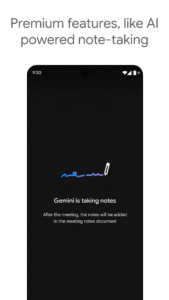
Premium features, like AI-powered note-taking and real-time speech-to-speech translation, can help everyone focus on the conversation and bridge language barriers.
App Description
Google Meet offers secure, high-quality video calling for everyone. Whether you're catching up with family and friends or collaborating with your team, you can count on features like automatic light adjustment, noise cancellation, and real-time captions to ensure everyone can be seen and heard. Express yourself with fun effects, filters, reactions, and backgrounds. Premium features, like AI-powered note-taking and real-time speech-to-speech translation, can help everyone focus on the conversation and bridge language barriers.
Meet also helps you get things done. It integrates with other Google Workspace apps like Gmail, Docs, Slides, and Calendar, and offers a number of features to help you run smooth and engaging meetings, like noise cancellation, in-call chat, recordings, and more.*
Features to look forward to:
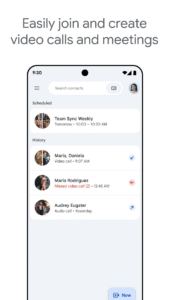
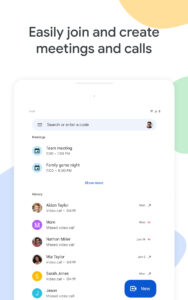
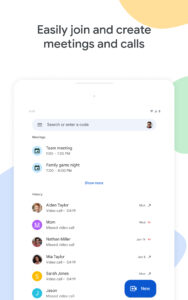
Make spontaneous calls or host video meetings with your friends and colleagues, all in one app.
Enjoy one-on-one video calls for up to 24 hours and host meetings for up to 60 minutes and 100 people at no cost.
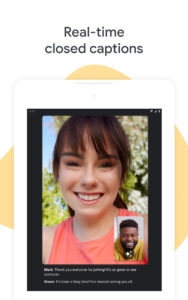
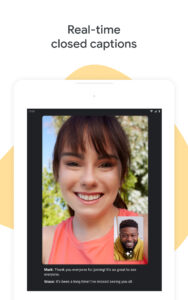
Follow along in your preferred language with real-time translated captions in over 70 languages.
Use in-call chat to share ideas, ask questions, or provide feedback without interrupting the flow of the conversation.
Make your calls more engaging with in-call emojis that allow you to express yourself seamlessly without interrupting the conversation.
Share visuals like photos, videos, and presentations during your call to collaborate or simply share memories from your recent vacation.
Make your calls with family and friends more fun with stackable effects that allow participants to add multiple backgrounds, filters, and animations, to create a personalized experience.
Use on-the-go mode for an audio-only experience with larger call controls, making it easier to take calls with fewer distractions while walking, driving, or using public transportation.
Access on any device: Meet works across mobile, tablet, web, and smart devices,** so everyone can join.
High quality video: Show up looking your best with up to 4k video quality video***.
Learn more about Google Meet:
workspace.google.com/products/meet/
Follow us for more:
Twitter:
twitter.com/googleworkspace
Linkedin:
www.linkedin.com/showcase/googleworkspace
Facebook:
www.facebook.com/googleworkspace/
*Meeting recording, noise cancellation are available as premium features. See
workspace.google.com/pricing.html
for more details
**Not available in every language.
***Bandwidth permitting. Google Meet automatically adjusts to the highest video quality possible based on your bandwidth.
Data charges may apply. Check your carrier for details.
Specific feature availability may vary based on device specifications.
Meet also helps you get things done. It integrates with other Google Workspace apps like Gmail, Docs, Slides, and Calendar, and offers a number of features to help you run smooth and engaging meetings, like noise cancellation, in-call chat, recordings, and more.*
Features to look forward to:
Make spontaneous calls or host video meetings with your friends and colleagues, all in one app.
Enjoy one-on-one video calls for up to 24 hours and host meetings for up to 60 minutes and 100 people at no cost.
Follow along in your preferred language with real-time translated captions in over 70 languages.
Use in-call chat to share ideas, ask questions, or provide feedback without interrupting the flow of the conversation.
Make your calls more engaging with in-call emojis that allow you to express yourself seamlessly without interrupting the conversation.
Share visuals like photos, videos, and presentations during your call to collaborate or simply share memories from your recent vacation.
Make your calls with family and friends more fun with stackable effects that allow participants to add multiple backgrounds, filters, and animations, to create a personalized experience.
Use on-the-go mode for an audio-only experience with larger call controls, making it easier to take calls with fewer distractions while walking, driving, or using public transportation.
Access on any device: Meet works across mobile, tablet, web, and smart devices,** so everyone can join.
High quality video: Show up looking your best with up to 4k video quality video***.
Learn more about Google Meet:
workspace.google.com/products/meet/
Follow us for more:
Twitter:
twitter.com/googleworkspace
Linkedin:
www.linkedin.com/showcase/googleworkspace
Facebook:
www.facebook.com/googleworkspace/
*Meeting recording, noise cancellation are available as premium features. See
workspace.google.com/pricing.html
for more details
**Not available in every language.
***Bandwidth permitting. Google Meet automatically adjusts to the highest video quality possible based on your bandwidth.
Data charges may apply. Check your carrier for details.
Specific feature availability may vary based on device specifications.
Download Google Meet (formerly Google Duo) APK
Fast, free and safe download.
APK Permissions 60
- android.permission.ACCESS_NETWORK_STATE
- android.permission.ACCESS_WIFI_STATE
- android.permission.AUTHENTICATE_ACCOUNTS
- android.permission.BLUETOOTH
- android.permission.BLUETOOTH_CONNECT
- android.permission.BROADCAST_STICKY
- android.permission.CALL_PHONE
- android.permission.CAMERA
- android.permission.CHANGE_NETWORK_STATE
- android.permission.FOREGROUND_SERVICE
- android.permission.FOREGROUND_SERVICE_CAMERA
- android.permission.FOREGROUND_SERVICE_DATA_SYNC
- android.permission.FOREGROUND_SERVICE_MEDIA_PLAYBACK
- android.permission.FOREGROUND_SERVICE_MEDIA_PROJECTION
- android.permission.FOREGROUND_SERVICE_MICROPHONE
- android.permission.FOREGROUND_SERVICE_PHONE_CALL
- android.permission.GET_ACCOUNTS
- android.permission.GET_PACKAGE_SIZE
- android.permission.INTERNET
- android.permission.MANAGE_ACCOUNTS
- android.permission.MODIFY_AUDIO_SETTINGS
- android.permission.POST_NOTIFICATIONS
- android.permission.READ_APP_BADGE
- android.permission.READ_CONTACTS
- android.permission.READ_PHONE_STATE
- android.permission.READ_PROFILE
- android.permission.READ_SYNC_STATS
- android.permission.RECEIVE_BOOT_COMPLETED
- android.permission.RECORD_AUDIO
- android.permission.STATUS_BAR
- android.permission.STOP_APP_SWITCHES
- android.permission.VIBRATE
- android.permission.WAKE_LOCK
- android.permission.WRITE_CALL_LOG
- android.permission.WRITE_CONTACTS
- android.permission.WRITE_SYNC_SETTINGS
- com.anddoes.launcher.permission.UPDATE_COUNT
- com.android.launcher.permission.INSTALL_SHORTCUT
- com.google.android.apps.tachyon.DYNAMIC_RECEIVER_NOT_EXPORTED_PERMISSION
- com.google.android.c2dm.permission.RECEIVE
- com.google.android.providers.gsf.permission.READ_GSERVICES
- com.htc.launcher.permission.READ_SETTINGS
- com.htc.launcher.permission.UPDATE_SHORTCUT
- com.huawei.android.launcher.permission.CHANGE_BADGE
- com.huawei.android.launcher.permission.READ_SETTINGS
- com.huawei.android.launcher.permission.WRITE_SETTINGS
- com.majeur.launcher.permission.UPDATE_BADGE
- com.oppo.launcher.permission.READ_SETTINGS
- com.oppo.launcher.permission.WRITE_SETTINGS
- com.samsung.android.app.telephonyui.permission.READ_SETTINGS_PROVIDER
- com.samsung.android.app.telephonyui.permission.WRITE_SETTINGS_PROVIDER
- com.samsung.android.aremoji.provider.permission.READ_STICKER_PROVIDER
- com.samsung.android.livestickers.provider.permission.READ_STICKER_PROVIDER
- com.samsung.android.mcfds.permission.AUTOSWITCH_EXTRA_CALL
- com.samsung.android.provider.filterprovider.permission.READ_FILTER
- com.samsung.android.provider.stickerprovider.permission.READ_STICKER_PROVIDER
- com.sec.android.provider.badge.permission.READ
- com.sec.android.provider.badge.permission.WRITE
- com.sonyericsson.home.permission.BROADCAST_BADGE
- com.sonymobile.home.permission.PROVIDER_INSERT_BADGE
APK Verified
The cryptographic signature guarantees that the file is safe to install and was not tampered with in any way.
Similar in Communication


Frequently Asked Questions about Google Meet (formerly Google Duo) APK
This variant is built for devices that report `arm64-v8a, armeabi-v7a, x86, x86_64` as their primary ABI. If your device's CPU matches, this is the smallest, fastest version to install.
Yes — the APK's signature has been cryptographically verified against the publisher's signing key. The SHA-256 hash is shown in the File Information panel so you can independently confirm the file matches the original release.
Android 23 (API level 35) or newer. Older devices will refuse the install.
Install a free app like 'CPU-Z' or 'Droid Hardware Info' from the Play Store and look at the ABI / Instruction Set row. Most phones made after 2017 are arm64-v8a; if in doubt, download the universal variant.
All variants are functionally identical — same features, same version. They differ only in which CPU architectures the native code is compiled for, and (sometimes) which screen densities the included graphics target. Pick the one that matches your device for the smallest install size, or pick 'Universal' if you're unsure.