
Download Gboard - the Google Keyboard (Android TV) APK 15.8.6.793526320-release-arm64-v8a arm64-v8a · Android 26+
This is the arm64-v8a build of Gboard - the Google Keyboard (Android TV) 15.8.6.793526320-release-arm64-v8a — the modern 64-bit ARM build that runs on virtually every Android phone released since 2017. It's smaller and faster than the universal variant because Android only loads the native code your CPU actually needs. If your phone is from the last 8 years, this is the right pick.
File size: 40.3 MB • Min Android: 26 • Target Android: 35 • Version code: 175330310 • Framework: Native (Java/Kotlin) • Permissions: 16
Screenshots
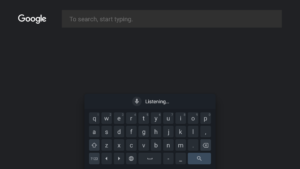
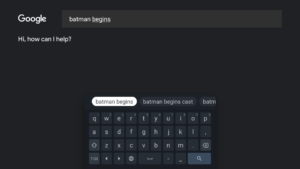
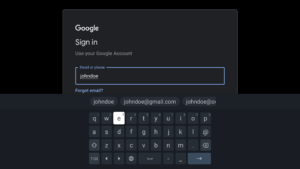
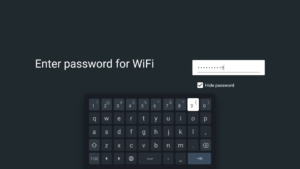
File Information
| Package Name | com.google.android.inputmethod.latin |
|---|---|
| Version Name | 15.8.6.793526320-release-arm64-v8a |
| Version Code | 175330310 |
| Architecture | arm64-v8a |
| Min Android Version | Android 26 (API 35) |
| Main Activity | com.google.android.libraries.inputmethod.launcher.LauncherActivity |
| Framework | Native (Java/Kotlin) |
| File Size | 40.35 MB |
| Signature (SHA1) | 38918A453D07199354F8B19AF05EC6562CED5788 |
| File Hash (SHA256) | 32036dbc1ea4c45fd64a12ab1b367400b5c1e2b6bfcbeca57cbce1b063fc8c8d |
What's New
• Download the beta version to give feedback on upcoming improvements
goo.gl/8Ksj7x
App Description
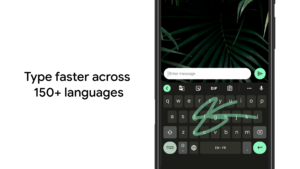
Glide Typing
— Type faster by sliding your finger from letter to letter
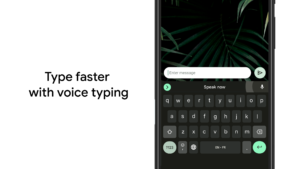
Voice typing
— Easily dictate text on the go
Handwriting*
— Write in cursive and printed letters
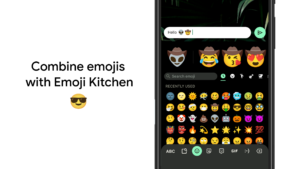
Emoji Search*
— Find that emoji, faster
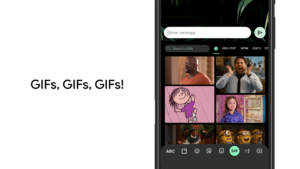
GIFs*
— Search and share GIFs for the perfect reaction.
Multilingual typing
— No more switching between languages manually. Gboard will autocorrect and suggest from any of your enabled languages.
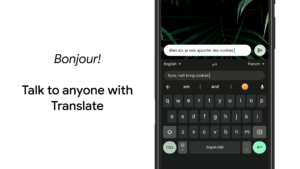
Google Translate
— Translate as you type in the keyboard
* Not supported on Android Go devices
Hundreds of language varieties, including:
Afrikaans, Amharic, Arabic, Assamese, Azerbaijani, Bavarian, Bengali, Bhojpuri, Burmese, Cebuano, Chhattisgarhi, Chinese (Mandarin, Cantonese, and others), Chittagonian, Czech, Deccan, Dutch, English, Filipino, French, German, Greek, Gujarati, Hausa, Hindi, Igbo, Indonesian, Italian, Japanese, Javanese, Kannada, Khmer, Korean, Kurdish, Magahi, Maithili, Malay, Malayalam, Marathi, Nepali, Northern Sotho, Odia, Pashto, Persian, Polish, Portuguese, Punjabi, Romanian, Russian, Saraiki, Sindhi, Sinhala, Somali, Southern Sotho, Spanish, Sundanese, Swahili, Tamil, Telugu, Thai, Tswana, Turkish, Ukrainian, Urdu, Uzbek, Vietnamese, Xhosa, Yoruba, Zulu, and
many more
! Visit
goo.gl/fMQ85U
for the full list of languages supported
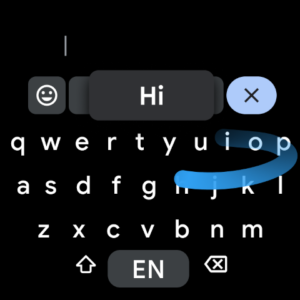
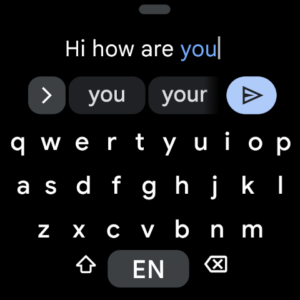
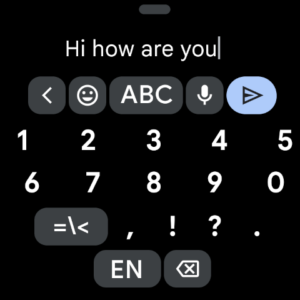
Wear OS support
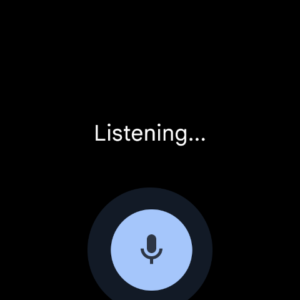
: Everything you love about the Google Keyboard now available on your watch—speed and reliability, Glide Typing, Voice Typing, and more
Glide Typing
— Type faster by sliding your finger from letter to letter
Voice Typing
— Easily dictate text on the go
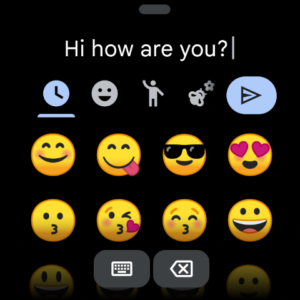
Emoji Typing
— Find your favorite emojis on your wrist
All Wear OS languages supported, including:
Chinese (Mandarin, Cantonese, and others), Czech, Danish, Dutch, English, Finnish, French, German, Hindi, Indonesian, Italian, Korean, Norwegian, Polish, Portuguese, Russian, Spanish, Swedish, Thai, Turkish, Vietnamese, and
many more
!
Pro tips:
• Gesture cursor control: Slide your finger across the space bar to move the cursor
• Gesture delete: Slide left from the delete key to quickly delete multiple words
• Make the number row always available (enable in Settings → Preferences → Number Row)
• Symbols hints: Show quick hints on your keys to access symbols with a long press (enable in Settings → Preferences → Long press for symbols)
• One handed mode: On large screen phones, pin keyboard to the left or the right of the screen
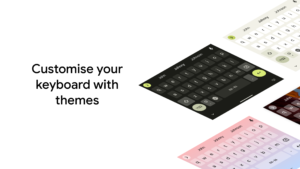
• Themes: Choose your own theme, with or without key borders
Fast, free and safe download.
APK Permissions 16
- android.permission.ACCESS_NETWORK_STATE
- android.permission.ACCESS_WIFI_STATE
- android.permission.FOREGROUND_SERVICE
- android.permission.GET_ACCOUNTS
- android.permission.GET_PACKAGE_SIZE
- android.permission.INTERNET
- android.permission.QUERY_USERS
- android.permission.READ_CONTACTS
- android.permission.READ_USER_DICTIONARY
- android.permission.RECEIVE_BOOT_COMPLETED
- android.permission.VIBRATE
- android.permission.WAKE_LOCK
- android.permission.WRITE_USER_DICTIONARY
- com.bitstrips.imoji.provider.READ
- com.google.android.apps.aicore.service.BIND_SERVICE
- com.google.android.providers.gsf.permission.READ_GSERVICES
APK Verified
The cryptographic signature guarantees that the file is safe to install and was not tampered with in any way.
Other Variants
This release has multiple variants (e.g. diff architectures).
arm64-v8a armeabi-v7a armeabi-v7a


