
This is the universal build of Pixel Camera 2.0.002 (1148727-30). It contains native libraries for every CPU architecture (arm64-v8a, armeabi-v7a, x86, x86_64), so it installs on any Android device. The trade-off is size — it's larger than per-architecture variants. Pick this one if you're unsure which CPU your phone has, or if you plan to share the APK with multiple devices.
File size: 6.5 MB • Min Android: 14 • Target Android: 17 • Version code: 20002130 • Framework: Native (Java/Kotlin) • Permissions: 26
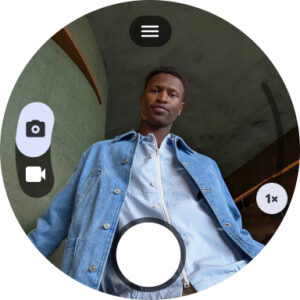
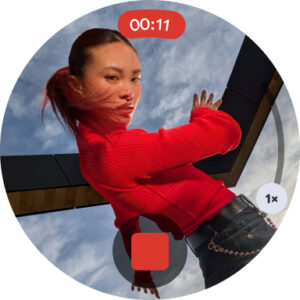
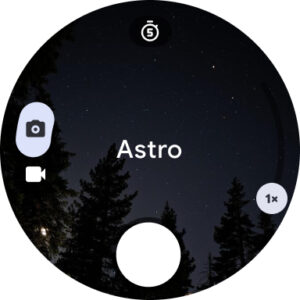
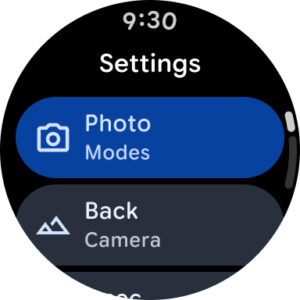
Screenshots
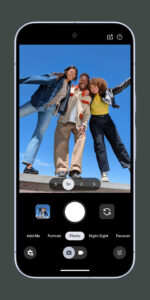
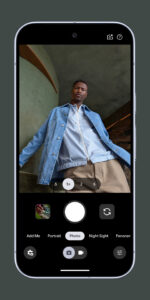
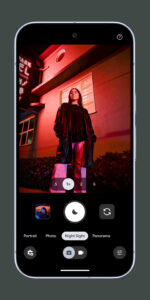
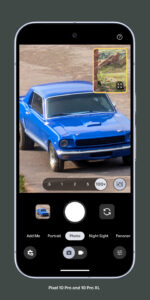
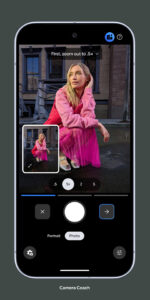
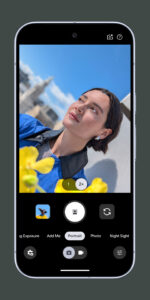
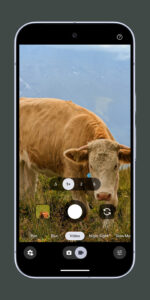
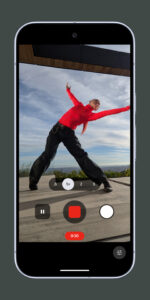
File Information
| Package Name | com.google.android.GoogleCamera |
|---|---|
| Version Name | 2.0.002 (1148727-30) |
| Version Code | 20002130 |
| Architecture | Universal |
| Min Android Version | Android 14 (API 17) |
| Main Activity | com.android.camera.CameraLauncher |
| Framework | Native (Java/Kotlin) |
| File Size | 6.49 MB |
| Signature (SHA1) | 38918A453D07199354F8B19AF05EC6562CED5788 |
| File Hash (SHA256) | 71db1b46784c0197b3f1c35af8ca90acd9da33bb09797bdec8e7d0c40c0570c8 |
What's New
•
Night Sight in Portrait and Camera modes
- Get the same Night Sight results in low light without having to switch modes.
•
Video stabilization modes
- Use Locked for videos of long performances, when you want to look away from the camera. Use Active in heavy moments. Use Cinematic Pan for smooth, panning shots.
•
New zoom buttons
- Use zoom buttons to quickly zoom in or out. To use the full zoom slider, tap and hold a zoom button or pinch-zoom.
Night Sight in Portrait and Camera modes
- Get the same Night Sight results in low light without having to switch modes.
•
Video stabilization modes
- Use Locked for videos of long performances, when you want to look away from the camera. Use Active in heavy moments. Use Cinematic Pan for smooth, panning shots.
•
New zoom buttons
- Use zoom buttons to quickly zoom in or out. To use the full zoom slider, tap and hold a zoom button or pinch-zoom.
App Description
Never miss a moment with Google Camera, and take fantastic pictures and videos using features such as Portrait, Night Sight, and the video stabilization modes.
Features
•
HDR+ with dual exposure controls
- Take pictures using HDR+ to capture fantastic photos, especially in low-light or backlit scenes.
•
Night Sight
- You’ll never want to use your flash again. Night Sight brings out all the best details and colors that get lost in the dark. You can even take photos of the Milky Way!
•
Super Res Zoom
- Super Res Zoom keeps your pictures sharp when you zoom in—without the blur.
•
Top Shot
- Pick the perfect moment with Top Shot. Automatically recommends the best pics, where no one is blinking and everything looks just right.
•
Portrait
- Add elegant background blur (bokeh) to pictures. Google Photos can also make the subject of your photo pop by leaving them in color, while changing the background to black and white.
•
Long Shot
- Take casual, quick videos by simply long-pressing the shutter key in the default camera mode.
Requirements - The latest version of Google Camera only works on Pixel phones running Android 11 and above. Some features are not available on all devices.
Features
•
HDR+ with dual exposure controls
- Take pictures using HDR+ to capture fantastic photos, especially in low-light or backlit scenes.
•
Night Sight
- You’ll never want to use your flash again. Night Sight brings out all the best details and colors that get lost in the dark. You can even take photos of the Milky Way!
•
Super Res Zoom
- Super Res Zoom keeps your pictures sharp when you zoom in—without the blur.
•
Top Shot
- Pick the perfect moment with Top Shot. Automatically recommends the best pics, where no one is blinking and everything looks just right.
•
Portrait
- Add elegant background blur (bokeh) to pictures. Google Photos can also make the subject of your photo pop by leaving them in color, while changing the background to black and white.
•
Long Shot
- Take casual, quick videos by simply long-pressing the shutter key in the default camera mode.
Requirements - The latest version of Google Camera only works on Pixel phones running Android 11 and above. Some features are not available on all devices.
Download Pixel Camera APK
Fast, free and safe download.
APK Permissions 26
- android.permission.ACCESS_COARSE_LOCATION
- android.permission.ACCESS_FINE_LOCATION
- android.permission.ACCESS_NETWORK_STATE
- android.permission.ACCESS_WIFI_STATE
- android.permission.BIND_WALLPAPER
- android.permission.CAMERA
- android.permission.CHANGE_WIFI_STATE
- android.permission.GET_ACCOUNTS
- android.permission.INTERNET
- android.permission.MANAGE_ACCOUNTS
- android.permission.NFC
- android.permission.READ_CONTACTS
- android.permission.READ_SYNC_SETTINGS
- android.permission.RECEIVE_BOOT_COMPLETED
- android.permission.RECORD_AUDIO
- android.permission.SET_WALLPAPER
- android.permission.SUBSCRIBED_FEEDS_READ
- android.permission.SUBSCRIBED_FEEDS_WRITE
- android.permission.USE_CREDENTIALS
- android.permission.VIBRATE
- android.permission.WAKE_LOCK
- android.permission.WRITE_EXTERNAL_STORAGE
- android.permission.WRITE_SETTINGS
- android.permission.WRITE_SYNC_SETTINGS
- com.google.android.gallery3d.permission.GALLERY_PROVIDER
- com.google.android.providers.gsf.permission.READ_GSERVICES
APK Verified
The cryptographic signature guarantees that the file is safe to install and was not tampered with in any way.
Similar in Photography


Frequently Asked Questions about Pixel Camera APK
This is the universal variant — a single APK that contains native libraries for every CPU architecture. It installs on any Android device but is larger than per-architecture variants.
Yes — the APK's signature has been cryptographically verified against the publisher's signing key. The SHA-256 hash is shown in the File Information panel so you can independently confirm the file matches the original release.
Android 14 (API level 17) or newer. Older devices will refuse the install.
Install a free app like 'CPU-Z' or 'Droid Hardware Info' from the Play Store and look at the ABI / Instruction Set row. Most phones made after 2017 are arm64-v8a; if in doubt, download the universal variant.
All variants are functionally identical — same features, same version. They differ only in which CPU architectures the native code is compiled for, and (sometimes) which screen densities the included graphics target. Pick the one that matches your device for the smallest install size, or pick 'Universal' if you're unsure.