
This is the universal build of Pixel Camera 2.4.008 (1602158-30). It contains native libraries for every CPU architecture (arm64-v8a, armeabi-v7a, x86, x86_64), so it installs on any Android device. The trade-off is size — it's larger than per-architecture variants. Pick this one if you're unsure which CPU your phone has, or if you plan to share the APK with multiple devices.
File size: 7.4 MB • Min Android: 19 • Target Android: 21 • Version code: 24008130 • Framework: Native (Java/Kotlin) • Permissions: 26
Screenshots
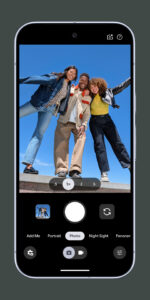
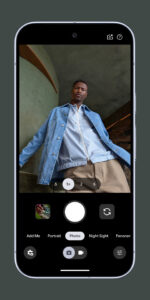
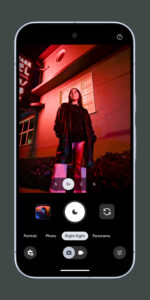
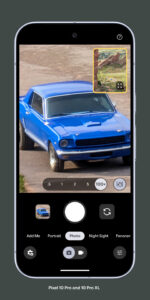
File Information
| Package Name | com.google.android.GoogleCamera |
|---|---|
| Version Name | 2.4.008 (1602158-30) |
| Version Code | 24008130 |
| Architecture | Universal |
| Min Android Version | Android 19 (API 21) |
| Main Activity | com.android.camera.CameraLauncher |
| Framework | Native (Java/Kotlin) |
| File Size | 7.38 MB |
| Signature (SHA1) | 38918A453D07199354F8B19AF05EC6562CED5788 |
| File Hash (SHA256) | eed1b117207b08838c01b6b5b5f994d2ed8eb524644a784456c1b93a0afb91c5 |
What's New
From version
3.1.021
:
- New UI with the quick photo/video mode switch.
- Auto HDR+ on some devices that support it (like Nexus 6).
- Tapping on the screen while taking a video now focuses on the tapped spot instead of taking a still photo.
3.1.021
:
- New UI with the quick photo/video mode switch.
- Auto HDR+ on some devices that support it (like Nexus 6).
- Tapping on the screen while taking a video now focuses on the tapped spot instead of taking a still photo.
App Description
From version
10.3.183.888945295.14
:
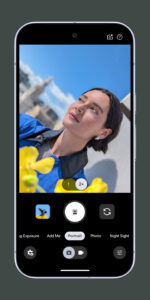
Never miss a moment with Pixel Camera! Take fantastic photos and videos using features like Portrait, Night Sight, Time Lapse, and Cinematic Blur.
Take stunning photos
• HDR+ with Exposure and White Balance Controls - Take incredible photos using HDR+, especially in low-light or backlit scenes.
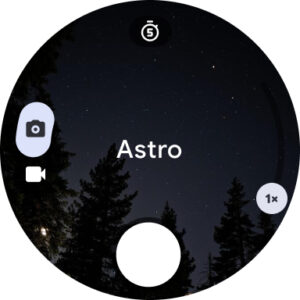
• Night Sight - You’ll never want to use your flash again. Night Sight brings out all the details and colors that get lost in the dark. You can even take photos of the Milky Way with Astrophotography!
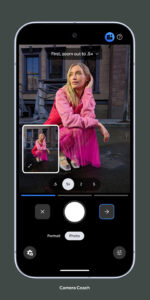
• Camera Coach - Get suggestions and guidance with the help of Gemini models to take better photos
• Auto Best Take - With a single shutter button press, never miss the moment of all your friends
• Super Res Zoom - Get way close from far away. Super Res Zoom makes your pictures sharper when you zoom in.
• Pro Zoom - Zoom up to 100x, powered by an advanced generative imaging model
• Add Me - Get the whole group in your pics, even the person taking the photograph
• Long Exposure - Add a creative blur to moving subjects in the scene
• Action Pan - Add a creative blur to the background while keeping your subject in focus
• Macro Focus - Vivid color and striking contrast in even the smallest subjects
• Pro Controls - Unlock advanced camera settings like shutter speed, ISO, and more
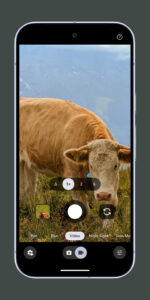
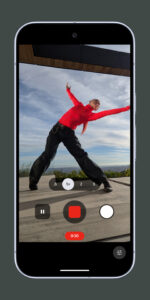
Incredible videos on every take
• Video Boost - Get ultra sharp video through AI processing in the cloud
• Night Sight Video - Relive that perfect moment, even after dark
• Record fluid high fidelity videos in stunning resolution with crisp audio, even in crowded places
• Cinematic Blur - Create a cinematic effect by blurring the background behind your subject
• Cinematic Pan - Slow down your phone’s panning movements
• Long Shot - Take casual, quick videos by simply long-pressing the shutter key while in the default photo mode
Requirements
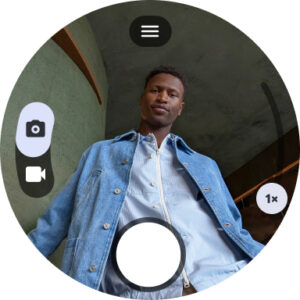
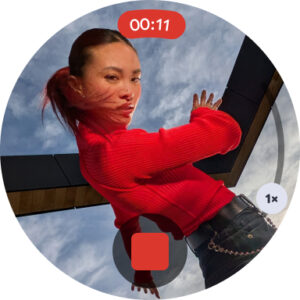
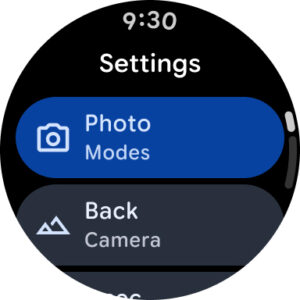
- The latest version of Pixel Camera only works on Pixel devices running Android 16 and above. The latest version of Pixel Camera for Wear OS only works on Wear OS 5.1 (and above) devices connected to Pixel phones. Some features are not available on all devices.
10.3.183.888945295.14
:
Never miss a moment with Pixel Camera! Take fantastic photos and videos using features like Portrait, Night Sight, Time Lapse, and Cinematic Blur.
Take stunning photos
• HDR+ with Exposure and White Balance Controls - Take incredible photos using HDR+, especially in low-light or backlit scenes.
• Night Sight - You’ll never want to use your flash again. Night Sight brings out all the details and colors that get lost in the dark. You can even take photos of the Milky Way with Astrophotography!
• Camera Coach - Get suggestions and guidance with the help of Gemini models to take better photos
• Auto Best Take - With a single shutter button press, never miss the moment of all your friends
• Super Res Zoom - Get way close from far away. Super Res Zoom makes your pictures sharper when you zoom in.
• Pro Zoom - Zoom up to 100x, powered by an advanced generative imaging model
• Add Me - Get the whole group in your pics, even the person taking the photograph
• Long Exposure - Add a creative blur to moving subjects in the scene
• Action Pan - Add a creative blur to the background while keeping your subject in focus
• Macro Focus - Vivid color and striking contrast in even the smallest subjects
• Pro Controls - Unlock advanced camera settings like shutter speed, ISO, and more
Incredible videos on every take
• Video Boost - Get ultra sharp video through AI processing in the cloud
• Night Sight Video - Relive that perfect moment, even after dark
• Record fluid high fidelity videos in stunning resolution with crisp audio, even in crowded places
• Cinematic Blur - Create a cinematic effect by blurring the background behind your subject
• Cinematic Pan - Slow down your phone’s panning movements
• Long Shot - Take casual, quick videos by simply long-pressing the shutter key while in the default photo mode
Requirements
- The latest version of Pixel Camera only works on Pixel devices running Android 16 and above. The latest version of Pixel Camera for Wear OS only works on Wear OS 5.1 (and above) devices connected to Pixel phones. Some features are not available on all devices.
Download Pixel Camera APK
Fast, free and safe download.
APK Permissions 26
- android.permission.ACCESS_COARSE_LOCATION
- android.permission.ACCESS_FINE_LOCATION
- android.permission.ACCESS_NETWORK_STATE
- android.permission.ACCESS_WIFI_STATE
- android.permission.BIND_WALLPAPER
- android.permission.CAMERA
- android.permission.CHANGE_WIFI_STATE
- android.permission.GET_ACCOUNTS
- android.permission.INTERNET
- android.permission.MANAGE_ACCOUNTS
- android.permission.NFC
- android.permission.READ_CONTACTS
- android.permission.READ_SYNC_SETTINGS
- android.permission.RECEIVE_BOOT_COMPLETED
- android.permission.RECORD_AUDIO
- android.permission.SET_WALLPAPER
- android.permission.SUBSCRIBED_FEEDS_READ
- android.permission.SUBSCRIBED_FEEDS_WRITE
- android.permission.USE_CREDENTIALS
- android.permission.VIBRATE
- android.permission.WAKE_LOCK
- android.permission.WRITE_EXTERNAL_STORAGE
- android.permission.WRITE_SETTINGS
- android.permission.WRITE_SYNC_SETTINGS
- com.google.android.gallery3d.permission.GALLERY_PROVIDER
- com.google.android.providers.gsf.permission.READ_GSERVICES


Frequently Asked Questions about Pixel Camera APK
This is the universal variant — a single APK that contains native libraries for every CPU architecture. It installs on any Android device but is larger than per-architecture variants.
Yes — the APK's signature has been cryptographically verified against the publisher's signing key. The SHA-256 hash is shown in the File Information panel so you can independently confirm the file matches the original release.
Android 19 (API level 21) or newer. Older devices will refuse the install.
Install a free app like 'CPU-Z' or 'Droid Hardware Info' from the Play Store and look at the ABI / Instruction Set row. Most phones made after 2017 are arm64-v8a; if in doubt, download the universal variant.
All variants are functionally identical — same features, same version. They differ only in which CPU architectures the native code is compiled for, and (sometimes) which screen densities the included graphics target. Pick the one that matches your device for the smallest install size, or pick 'Universal' if you're unsure.