
This is the armeabi-v7a build of Pixel Camera 9.4.060.634131045.04, compiled for 32-bit ARM processors found in older Android phones (roughly 2013-2017). Use this build if your device's primary ABI is armeabi-v7a — modern 64-bit phones should pick the arm64-v8a or universal variant for better performance.
File size: 6.8 MB • Min Android: 30 • Target Android: 34 • Version code: 67519968 • Framework: Native (Java/Kotlin) • Permissions: 5
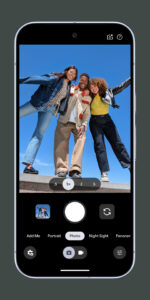
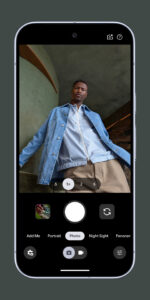
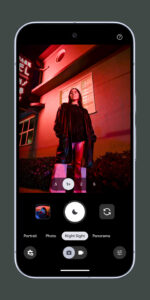
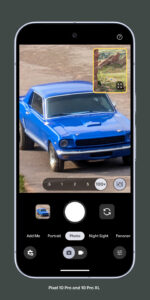
Screenshots
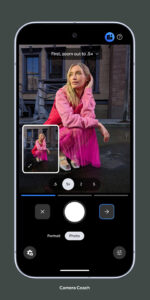
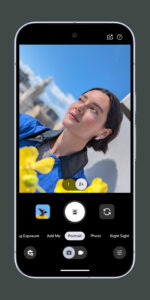
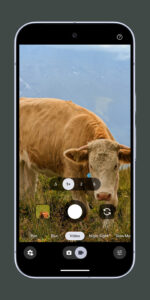
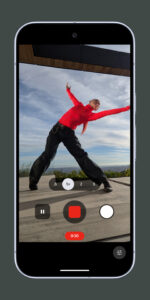
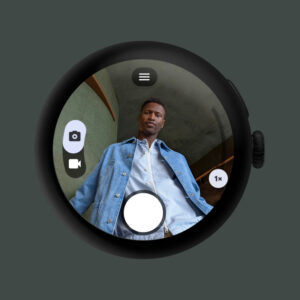
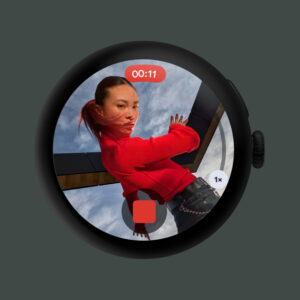
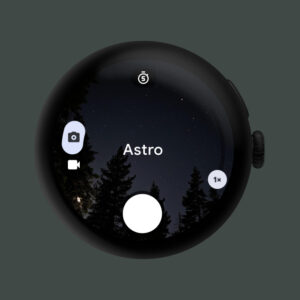
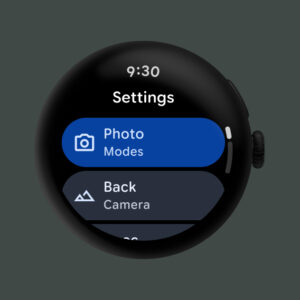
File Information
| Package Name | com.google.android.GoogleCamera |
|---|---|
| Version Name | 9.4.060.634131045.04 |
| Version Code | 67519968 |
| Architecture | armeabi-v7a |
| Min Android Version | Android 30 (API 34) |
| Main Activity | com.google.android.apps.camera.wear.wearappv2.WearCameraActivity |
| Framework | Native (Java/Kotlin) |
| File Size | 6.84 MB |
| Signature (SHA1) | 38918A453D07199354F8B19AF05EC6562CED5788 |
| File Hash (SHA256) | 154922c890a30edc74f823fc5433c79cdbe7f9e538f64c042583d710ef7281d8 |
What's New
From version
9.1.098.571038950.24
:
•
Material You
- Experience a new interface with dynamic colors and components from Google’s Material You design system.
•
General bugfixes and improvements
9.1.098.571038950.24
:
•
Material You
- Experience a new interface with dynamic colors and components from Google’s Material You design system.
•
General bugfixes and improvements
App Description
Never miss a moment with the fully redesigned Pixel Camera, and take fantastic photos and videos using features like Portrait, Night Sight, Time Lapse, and Cinematic Blur.
Take stunning photos
• HDR+ with Exposure and White Balance Controls - Take incredible photos using HDR+, especially in low-light or backlit scenes.
• Night Sight - You’ll never want to use your flash again. Night Sight brings out all the details and colors that get lost in the dark. You can even take photos of the Milky Way with Astrophotography!
• Super Res Zoom - Get way close from far away. Super Res Zoom makes your pictures sharper when you zoom in.
• Long Exposure - Add a creative blur to moving subjects in the scene
• Action Pan - Add a creative blur to the background while keeping your subject in focus
• Macro Focus - Vivid color and striking contrast in even the smallest subjects
Incredible videos on every take
• Record smooth videos with stunning resolution and clear audio, even in crowded, dimly lit places
• Cinematic Blur - Create a cinematic effect by blurring the background behind your subject
• Cinematic Pan - Slow down your phone’s panning movements
• Long Shot - Take casual, quick videos by simply long-pressing the shutter key while in the default photo mode
Pixel 8 Pro Exclusive Features
• 50MP High Res - Take high resolution photos with richer detail
• Pro Controls - Take even more creative control with the ability to adjust things like focus, shutter speed, and more
Requirements
- The latest version of Pixel Camera only works on Pixel devices running Android 14 and above. The latest version of Pixel Camera for Wear OS only works on Wear OS 3 (and above) devices connected to Pixel phones. Some features are not available on all devices.
Take stunning photos
• HDR+ with Exposure and White Balance Controls - Take incredible photos using HDR+, especially in low-light or backlit scenes.
• Night Sight - You’ll never want to use your flash again. Night Sight brings out all the details and colors that get lost in the dark. You can even take photos of the Milky Way with Astrophotography!
• Super Res Zoom - Get way close from far away. Super Res Zoom makes your pictures sharper when you zoom in.
• Long Exposure - Add a creative blur to moving subjects in the scene
• Action Pan - Add a creative blur to the background while keeping your subject in focus
• Macro Focus - Vivid color and striking contrast in even the smallest subjects
Incredible videos on every take
• Record smooth videos with stunning resolution and clear audio, even in crowded, dimly lit places
• Cinematic Blur - Create a cinematic effect by blurring the background behind your subject
• Cinematic Pan - Slow down your phone’s panning movements
• Long Shot - Take casual, quick videos by simply long-pressing the shutter key while in the default photo mode
Pixel 8 Pro Exclusive Features
• 50MP High Res - Take high resolution photos with richer detail
• Pro Controls - Take even more creative control with the ability to adjust things like focus, shutter speed, and more
Requirements
- The latest version of Pixel Camera only works on Pixel devices running Android 14 and above. The latest version of Pixel Camera for Wear OS only works on Wear OS 3 (and above) devices connected to Pixel phones. Some features are not available on all devices.
Download Pixel Camera APK
Fast, free and safe download.
APK Permissions 5
- android.permission.GET_PACKAGE_SIZE
- android.permission.POST_NOTIFICATIONS
- android.permission.VIBRATE
- android.permission.WAKE_LOCK
- com.google.android.providers.gsf.permission.READ_GSERVICES
APK Verified
The cryptographic signature guarantees that the file is safe to install and was not tampered with in any way.
Similar in Photography


Frequently Asked Questions about Pixel Camera APK
This variant is built for 32-bit ARM (older Android phones, ~2013–2017). If your device's CPU matches, this is the smallest, fastest version to install.
Yes — the APK's signature has been cryptographically verified against the publisher's signing key. The SHA-256 hash is shown in the File Information panel so you can independently confirm the file matches the original release.
Android 30 (API level 34) or newer. Older devices will refuse the install.
Install a free app like 'CPU-Z' or 'Droid Hardware Info' from the Play Store and look at the ABI / Instruction Set row. Most phones made after 2017 are arm64-v8a; if in doubt, download the universal variant.
All variants are functionally identical — same features, same version. They differ only in which CPU architectures the native code is compiled for, and (sometimes) which screen densities the included graphics target. Pick the one that matches your device for the smallest install size, or pick 'Universal' if you're unsure.