
Screenshots
File Information
| Package Name | com.google.android.apps.chromecast.app |
|---|---|
| Version Name | 3.41.50.5 |
| Version Code | 30514594 |
| Architecture | Universal |
| Min Android Version | Android 28 (API 35) |
| Main Activity | com.google.android.apps.chromecast.app.DiscoveryActivity |
| Framework | Native (Java/Kotlin) |
| File Size | 54.19 MB |
| Signature (SHA1) | 24BB24C05E47E0AEFA68A58A766179D9B613A600 |
| File Hash (SHA256) | b30cfa845fc028e9a979fcfbb67524094c6559c198aa56ec3ee3ba965a57208e |
What's New
We improve the app with new features, improvements and bug fixes each release. See what's new:
g.co/home/notes
g.co/home/notes
App Description
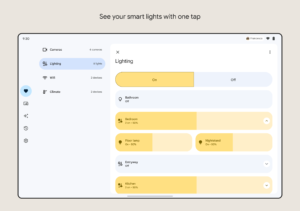
Create a more organized and personalized smart home with Google Home. Set up, manage, and control your Google Nest, Wifi, and Chromecast devices, plus thousands of compatible smart home products like lights, cameras, thermostats, and more – all from the Google Home app.
Personalize your home view.
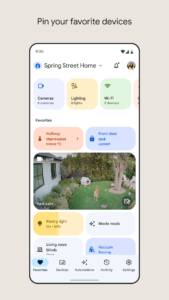
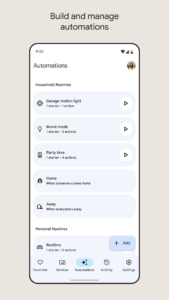
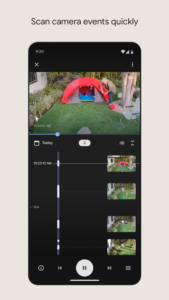
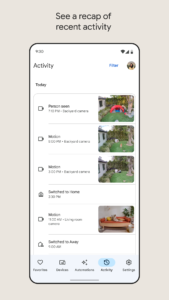
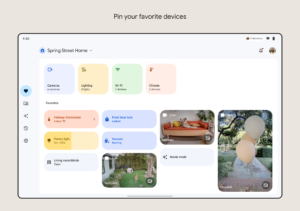
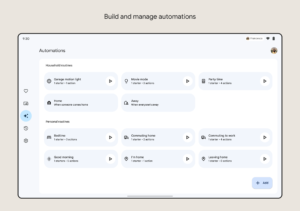
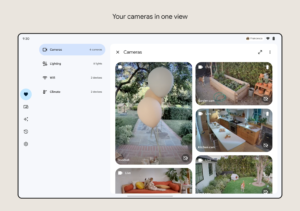
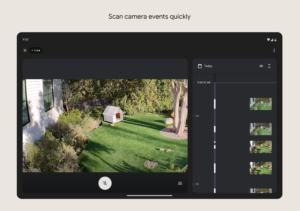
Pin your most-used devices, automations, and actions to the Favorites tab for easy access right when you open the app. View your Nest cameras and doorbell live feeds, and easily scan through event history. Set up and manage Routines in the Automations tab. And quickly edit any permissions in the consolidated Settings tab.
Understand what’s going on at home with a glance.
The Google Home app is designed to show you the status of your home and keep you up to date with what you may have missed. Check in on your home anytime and see a recap of recent events.
Control your home from anywhere.
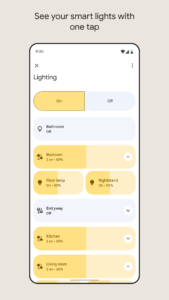
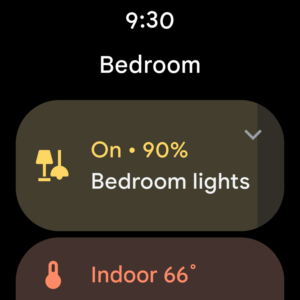
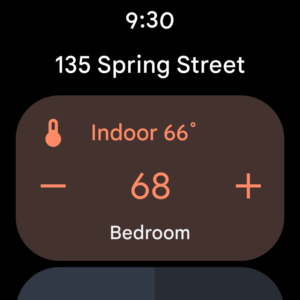
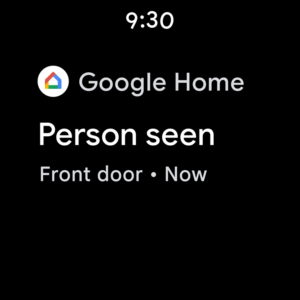
Google Home for Wear OS allows you to control compatible smart home devices from your watch. Turn on the lights, adjust the thermostat, or get an alert when there’s a person or package at your front door. Use the favorites tile or add a device to your watch face to make managing your home as easy as a tap on the wrist.
A helpful home is a private home.
Protecting your privacy starts with one of the world’s most advanced security infrastructures, which we build directly into Google products so they’re secure by default. And Google uses your compatible devices and data to make your home helpful, but only in the ways you allow. Visit the Google Nest Safety Center at safety.google/nest to learn more about how we protect your information and respect your privacy.
* Some products and features may not be available in all regions. Compatible devices required.
Personalize your home view.
Pin your most-used devices, automations, and actions to the Favorites tab for easy access right when you open the app. View your Nest cameras and doorbell live feeds, and easily scan through event history. Set up and manage Routines in the Automations tab. And quickly edit any permissions in the consolidated Settings tab.
Understand what’s going on at home with a glance.
The Google Home app is designed to show you the status of your home and keep you up to date with what you may have missed. Check in on your home anytime and see a recap of recent events.
Control your home from anywhere.
Google Home for Wear OS allows you to control compatible smart home devices from your watch. Turn on the lights, adjust the thermostat, or get an alert when there’s a person or package at your front door. Use the favorites tile or add a device to your watch face to make managing your home as easy as a tap on the wrist.
A helpful home is a private home.
Protecting your privacy starts with one of the world’s most advanced security infrastructures, which we build directly into Google products so they’re secure by default. And Google uses your compatible devices and data to make your home helpful, but only in the ways you allow. Visit the Google Nest Safety Center at safety.google/nest to learn more about how we protect your information and respect your privacy.
* Some products and features may not be available in all regions. Compatible devices required.
Download Google Home APK
Fast, free and safe download.
APK Permissions 37
- android.permission.ACCESS_COARSE_LOCATION
- android.permission.ACCESS_FINE_LOCATION
- android.permission.ACCESS_NETWORK_STATE
- android.permission.ACCESS_WIFI_STATE
- android.permission.BLUETOOTH
- android.permission.BLUETOOTH_ADMIN
- android.permission.BLUETOOTH_CONNECT
- android.permission.BLUETOOTH_SCAN
- android.permission.CALL_PHONE
- android.permission.CAMERA
- android.permission.CHANGE_NETWORK_STATE
- android.permission.CHANGE_WIFI_STATE
- android.permission.FOREGROUND_SERVICE
- android.permission.FOREGROUND_SERVICE_CONNECTED_DEVICE
- android.permission.FOREGROUND_SERVICE_DATA_SYNC
- android.permission.GET_ACCOUNTS
- android.permission.INTERNET
- android.permission.MANAGE_ACCOUNTS
- android.permission.MODIFY_AUDIO_SETTINGS
- android.permission.POST_NOTIFICATIONS
- android.permission.QUERY_ALL_PACKAGES
- android.permission.READ_CONTACTS
- android.permission.RECEIVE_BOOT_COMPLETED
- android.permission.RECORD_AUDIO
- android.permission.USE_BIOMETRIC
- android.permission.USE_FULL_SCREEN_INTENT
- android.permission.VIBRATE
- android.permission.WAKE_LOCK
- android.permission.WRITE_EXTERNAL_STORAGE
- com.android.vending.BILLING
- com.google.android.apps.aicore.service.BIND_SERVICE
- com.google.android.apps.chromecast.app.DYNAMIC_RECEIVER_NOT_EXPORTED_PERMISSION
- com.google.android.apps.nest.CAST_AUTH_SERVICE
- com.google.android.apps.nest.DOCK_MANAGER_SERVICE
- com.google.android.c2dm.permission.RECEIVE
- com.google.android.providers.gsf.permission.READ_GSERVICES
- com.google.android.settings.setup.dock.RUN_DOCK_SETUP
APK Verified
The cryptographic signature guarantees that the file is safe to install and was not tampered with in any way.


