
Download Gemini Notebook APK 2025.09.03.802852780 Universal · Android 29+
Download APK
Verified Safe
This is the universal build of Gemini Notebook 2025.09.03.802852780. It contains native libraries for every CPU architecture (arm64-v8a, armeabi-v7a, x86, x86_64), so it installs on any Android device. The trade-off is size — it's larger than per-architecture variants. Pick this one if you're unsure which CPU your phone has, or if you plan to share the APK with multiple devices.
File size: 32.7 MB • Min Android: 29 • Target Android: 35 • Version code: 88176 • Framework: Native (Java/Kotlin) • Permissions: 12
Screenshots
File Information
| Package Name | com.google.android.apps.labs.language.tailwind |
|---|---|
| Version Name | 2025.09.03.802852780 |
| Version Code | 88176 |
| Architecture | Universal |
| Min Android Version | Android 29 (API 35) |
| Main Activity | com.google.android.apps.labs.language.tailwind.MainActivityDev |
| Framework | Native (Java/Kotlin) |
| File Size | 32.75 MB |
| Signature (SHA1) | A3382ADF91991E6EF1E7E7DE309C1FEBFEDF3283 |
| File Hash (SHA256) | d7667f48654e157388c849621ae7c46cf6ac4b2e8099dcbde4b3cc099c5fc095 |
What's New
Thanks for using this early version of the NotebookLM app! This release includes lots of bug fixes and performance improvements based on your feedback reports, with more to come soon.
As always, submit feedback in the app or tag @NotebookLM on social to share your thoughts, bug reports, hopes, and dreams with us.
As always, submit feedback in the app or tag @NotebookLM on social to share your thoughts, bug reports, hopes, and dreams with us.
App Description
Turn complexity into clarity with NotebookLM, your brain’s new best friend. Join the millions of students, creators, researchers, professionals, CEOs, and more who are saving time, getting stuff done, and learning in new ways.
“NotebookLM Blew Our Mind” – Hard Fork
“One of the most compelling and completely flabbergasting demonstrations of AI’s potential yet.” – The Wall Street Journal
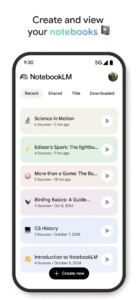
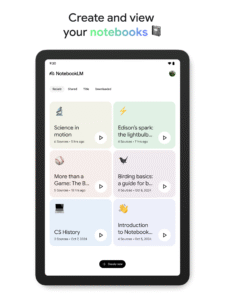
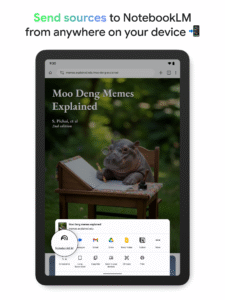
Now, with the NotebookLM app, you can create and access notebooks, ask questions whenever you think of them, and listen to your podcast-style Audio Overviews on the go with background playback and offline support.
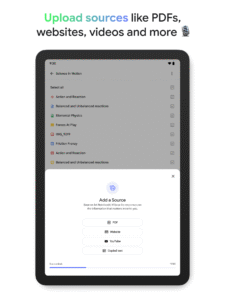
📚 UPLOAD SOURCES
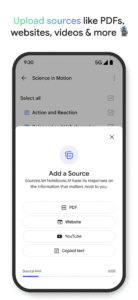
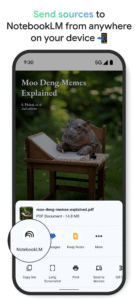
Upload all your long and complex PDFs, websites, YouTube videos, or text into a notebook.
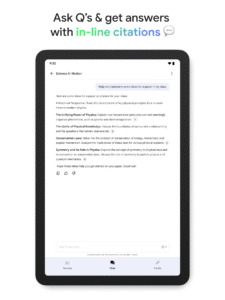
💬 INSIGHTS YOU CAN TRUST
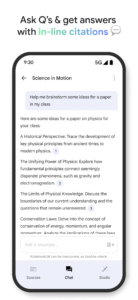
NotebookLM becomes an expert on your sources, summarizing them and making interesting connections. Then, you can ask it questions about, well, anything — and you can trust the answers, since your sources are cited in-line.
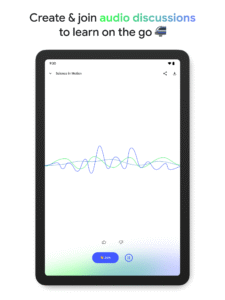
🎧 LEARN ON YOUR TERMS
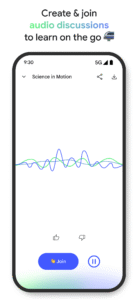
Long blocks of text not your preferred way to learn? Transform what you uploaded into something more your speed, like a podcast-style audio discussion with two engaging AI hosts. You can even join the show to ask questions or steer the conversation in a different direction.
“NotebookLM Blew Our Mind” – Hard Fork
“One of the most compelling and completely flabbergasting demonstrations of AI’s potential yet.” – The Wall Street Journal
Now, with the NotebookLM app, you can create and access notebooks, ask questions whenever you think of them, and listen to your podcast-style Audio Overviews on the go with background playback and offline support.
📚 UPLOAD SOURCES
Upload all your long and complex PDFs, websites, YouTube videos, or text into a notebook.
💬 INSIGHTS YOU CAN TRUST
NotebookLM becomes an expert on your sources, summarizing them and making interesting connections. Then, you can ask it questions about, well, anything — and you can trust the answers, since your sources are cited in-line.
🎧 LEARN ON YOUR TERMS
Long blocks of text not your preferred way to learn? Transform what you uploaded into something more your speed, like a podcast-style audio discussion with two engaging AI hosts. You can even join the show to ask questions or steer the conversation in a different direction.
Download Gemini Notebook APK
Fast, free and safe download.
APK Permissions 12
- android.permission.ACCESS_NETWORK_STATE
- android.permission.CAMERA
- android.permission.FOREGROUND_SERVICE
- android.permission.FOREGROUND_SERVICE_MEDIA_PLAYBACK
- android.permission.GET_PACKAGE_SIZE
- android.permission.INTERNET
- android.permission.MANAGE_ACCOUNTS
- android.permission.READ_MEDIA_VISUAL_USER_SELECTED
- android.permission.RECORD_AUDIO
- android.permission.WAKE_LOCK
- com.android.vending.BILLING
- com.google.android.providers.gsf.permission.READ_GSERVICES
APK Verified
The cryptographic signature guarantees that the file is safe to install and was not tampered with in any way.
Similar in Productivity


Frequently Asked Questions about Gemini Notebook APK
This is the universal variant — a single APK that contains native libraries for every CPU architecture. It installs on any Android device but is larger than per-architecture variants.
Yes — the APK's signature has been cryptographically verified against the publisher's signing key. The SHA-256 hash is shown in the File Information panel so you can independently confirm the file matches the original release.
Android 29 (API level 35) or newer. Older devices will refuse the install.
Install a free app like 'CPU-Z' or 'Droid Hardware Info' from the Play Store and look at the ABI / Instruction Set row. Most phones made after 2017 are arm64-v8a; if in doubt, download the universal variant.
All variants are functionally identical — same features, same version. They differ only in which CPU architectures the native code is compiled for, and (sometimes) which screen densities the included graphics target. Pick the one that matches your device for the smallest install size, or pick 'Universal' if you're unsure.