Google Pixel Buds

Download Google Pixel Buds APK

com.google.android.apps.wearables.maestro.companion · by Google LLC

Latest Version: 1.0.797129669 • Updated: Mar 21, 2026
Download Google Pixel Buds APK
v1.0.797129669 · APK

Screenshots

About Google Pixel Buds

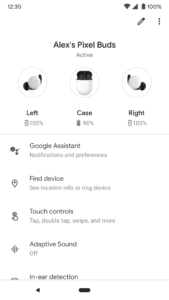
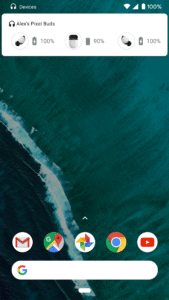
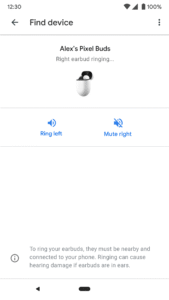
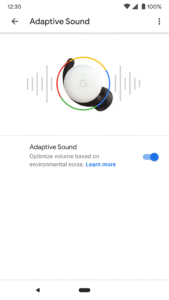
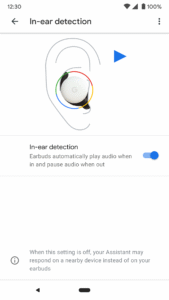
Set up and manage your Pixel Buds right from your Android 6.0+ device with the Google Pixel Buds app. You can easily check your earbuds and case battery levels, and control features like Adaptive Sound, in-ear detection, find device, Google Assistant, and spoken notifications. Here are some of the things you can do with the Google Pixel Buds app: • Check battery levels • Learn how to use touch controls • Turn on/off Adaptive Sound • Turn on/off in-ear detection • Ring your earbuds to help find them • Control your Assistant and spoken notifications • Get tips & support To open the Pixel Buds app: • On Pixel, connect your earbuds > Bluetooth settings > tap the ⚙️next to Pixel Buds. • On other Android phones, look for the Pixel Buds app icon on your Home screen. Note: This app is for Google Pixel Buds (2nd Gen)

Frequently Asked Questions

Yes. Every Google Pixel Buds APK on APK.now is automatically scanned and the cryptographic signature is verified against the original publisher's certificate (Google LLC). Files that fail verification are removed before they ever reach the catalog.

Enable 'Install from unknown sources' for your browser (or the file manager you use to open the APK) under Settings → Apps → Special access. Tap the downloaded Google Pixel Buds APK, confirm the prompts, and Android installs it just like any app from the Play Store.

The latest Google Pixel Buds version available on APK.now is 1.0.797129669. We track new releases from Google LLC continuously and add them to the catalog as soon as they pass verification.

Yes — every Google Pixel Buds APK and every version on APK.now is free to download. We never gate downloads behind sign-up, surveys, or paywalls.

APK.now keeps a full archive of every Google Pixel Buds release, including older versions that the Play Store has already replaced. The APKs work on devices without Google Play Services (Huawei, GrapheneOS, Amazon Fire) and are signature-verified so you can be confident the file is genuine.