
This is the universal build of Google Wallet 25.34.802243441. It contains native libraries for every CPU architecture (arm64-v8a, armeabi-v7a, x86, x86_64), so it installs on any Android device. The trade-off is size — it's larger than per-architecture variants. Pick this one if you're unsure which CPU your phone has, or if you plan to share the APK with multiple devices.
File size: 14.3 MB • Min Android: 28 • Target Android: 35 • Version code: 932902748 • Framework: Native (Java/Kotlin) • Permissions: 34
Screenshots
File Information
| Package Name | com.google.android.apps.walletnfcrel |
|---|---|
| Version Name | 25.34.802243441 |
| Version Code | 932902748 |
| Architecture | Universal |
| Min Android Version | Android 28 (API 35) |
| Main Activity | com.google.android.apps.wallet.GooglePayActivity |
| Framework | Native (Java/Kotlin) |
| File Size | 14.33 MB |
| Signature (SHA1) | 82759E2DB43F9CCBAFCE313BC674F35748FABD7A |
| File Hash (SHA256) | 19d942a3c18ce6b4b1bf0fec2aac5801b68f9861d79834b9c0fc51bd0fd33524 |
What's New
From version
25.34.797623885
:
• Keep everything protected in one place, no matter where you go with the new Google Wallet.
• Enjoy faster, safer, easier access to essentials like your payment cards, loyalty cards, concert tickets and more – all from your Android phone.
25.34.797623885
:
• Keep everything protected in one place, no matter where you go with the new Google Wallet.
• Enjoy faster, safer, easier access to essentials like your payment cards, loyalty cards, concert tickets and more – all from your Android phone.
App Description
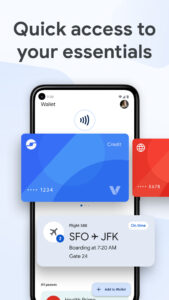
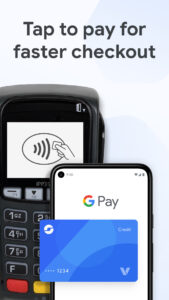
Google Wallet gives you fast, secure access to your everyday essentials. Tap to pay everywhere Google Pay is accepted, board a flight, go to a movie, and more – all with just your phone. Keep everything protected in one place, no matter where you go.
CONVENIENT
Get what you need fast
+ Three quick ways for accessing your everyday essentials: use your phone’s quick settings for fast access, open the Wallet app from your homescreen or use Google Assistant when your hands are busy.
Access Google Wallet from your Wear OS watch
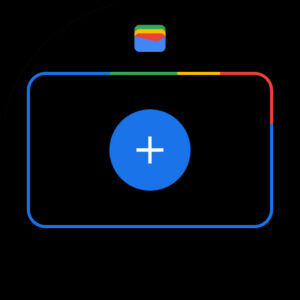
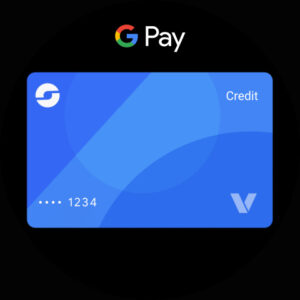
+ Get instant access to Wallet on the Wear OS main watch face with complications.
Carry cards, tickets, passes, and more
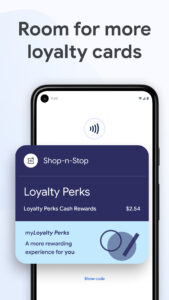
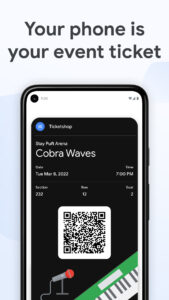
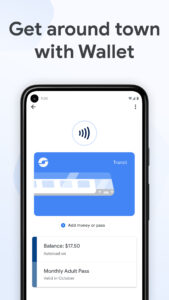
+ Catch a train, see a concert, or earn rewards at your favorite stores with a digital wallet that carries more
+ [US Only] Unlock the world around you with a digital wallet that carries your drivers license and digital car keys
What you need, right when you need it
+ Your Wallet can suggest what you need, right when you need it. Get a notification for your boarding pass on the day of travel, so you’ll never have to fumble in your bag again.
HELPFUL
Keep track of receipts
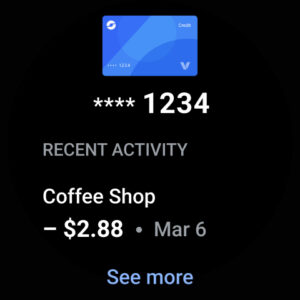
+ Easily find transaction details in Wallet, including smart details like location pulled from Google Maps
Seamless integration across Google
+ Sync your Wallet to keep your Calendar and Assistant up to date with the latest info like flight updates and event notifications
+ Shop smarter by seeing your point balances and loyalty benefits in Maps, Shopping, and more
Get started in a snap
+ Set up is seamless with the ability to import cards, transit passes, loyalty cards and more that you’ve saved on Gmail.
Stay in the know on the go
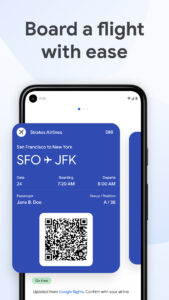
+ Make boarding flights a breeze with the latest information pulled from Google Search. Google Wallet can keep you posted on gate changes or unexpected flight delays.
SAFE & PRIVATE
A secure way to carry it all
+ Security and privacy are built into every part of Google Wallet to keep all your essentials protected.
Android security you can count on
+ Keep your data and essentials secure with advanced Android security features like 2-Step Verification, Find My Phone, and remotely erasing data.
Tap to pay keeps your card secure
ALT: + When you tap to pay with your Android phone, Google Pay doesn’t share your real credit card number with the business, so your payment info stays safe.
You’re in control of your data
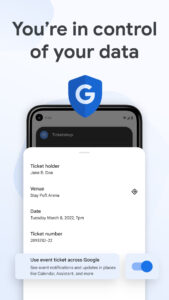
+ Easy to use privacy controls allow you to opt-in to sharing information across Google products for a tailored experience.
Google Wallet is available on all Android phones (Lollipop 5.0+), Wear OS and Fitbit devices.
Not all features are available for supervised accounts. Learn more about Wallet for supervised accounts here:
support.google.com/wallet?p=about_wallet_supervised
.
Still have questions? Head over to support.google.com/wallet.
CONVENIENT
Get what you need fast
+ Three quick ways for accessing your everyday essentials: use your phone’s quick settings for fast access, open the Wallet app from your homescreen or use Google Assistant when your hands are busy.
Access Google Wallet from your Wear OS watch
+ Get instant access to Wallet on the Wear OS main watch face with complications.
Carry cards, tickets, passes, and more
+ Catch a train, see a concert, or earn rewards at your favorite stores with a digital wallet that carries more
+ [US Only] Unlock the world around you with a digital wallet that carries your drivers license and digital car keys
What you need, right when you need it
+ Your Wallet can suggest what you need, right when you need it. Get a notification for your boarding pass on the day of travel, so you’ll never have to fumble in your bag again.
HELPFUL
Keep track of receipts
+ Easily find transaction details in Wallet, including smart details like location pulled from Google Maps
Seamless integration across Google
+ Sync your Wallet to keep your Calendar and Assistant up to date with the latest info like flight updates and event notifications
+ Shop smarter by seeing your point balances and loyalty benefits in Maps, Shopping, and more
Get started in a snap
+ Set up is seamless with the ability to import cards, transit passes, loyalty cards and more that you’ve saved on Gmail.
Stay in the know on the go
+ Make boarding flights a breeze with the latest information pulled from Google Search. Google Wallet can keep you posted on gate changes or unexpected flight delays.
SAFE & PRIVATE
A secure way to carry it all
+ Security and privacy are built into every part of Google Wallet to keep all your essentials protected.
Android security you can count on
+ Keep your data and essentials secure with advanced Android security features like 2-Step Verification, Find My Phone, and remotely erasing data.
Tap to pay keeps your card secure
ALT: + When you tap to pay with your Android phone, Google Pay doesn’t share your real credit card number with the business, so your payment info stays safe.
You’re in control of your data
+ Easy to use privacy controls allow you to opt-in to sharing information across Google products for a tailored experience.
Google Wallet is available on all Android phones (Lollipop 5.0+), Wear OS and Fitbit devices.
Not all features are available for supervised accounts. Learn more about Wallet for supervised accounts here:
support.google.com/wallet?p=about_wallet_supervised
.
Still have questions? Head over to support.google.com/wallet.
Download Google Wallet APK
Fast, free and safe download.
APK Permissions 34
- android.permission.ACCESS_BACKGROUND_LOCATION
- android.permission.ACCESS_COARSE_LOCATION
- android.permission.ACCESS_FINE_LOCATION
- android.permission.ACCESS_NETWORK_STATE
- android.permission.ACCESS_WIFI_STATE
- android.permission.BLUETOOTH_CONNECT
- android.permission.CAMERA
- android.permission.FOREGROUND_SERVICE
- android.permission.FOREGROUND_SERVICE_DATA_SYNC
- android.permission.FOREGROUND_SERVICE_LOCATION
- android.permission.GET_ACCOUNTS
- android.permission.GET_PACKAGE_SIZE
- android.permission.INTERNET
- android.permission.NFC
- android.permission.NFC_TRANSACTION_EVENT
- android.permission.POST_NOTIFICATIONS
- android.permission.POST_PROMOTED_NOTIFICATIONS
- android.permission.READ_CONTACTS
- android.permission.READ_EXTERNAL_STORAGE
- android.permission.READ_MEDIA_IMAGES
- android.permission.READ_MEDIA_VISUAL_USER_SELECTED
- android.permission.READ_PHONE_STATE
- android.permission.RECEIVE_BOOT_COMPLETED
- android.permission.USE_BIOMETRIC
- android.permission.USE_FINGERPRINT
- android.permission.VIBRATE
- android.permission.WAKE_LOCK
- android.permission.WRITE_EXTERNAL_STORAGE
- com.felicanetworks.mfc.permission.MFC_ACCESS
- com.google.android.apps.walletnfcrel.permission.C2D_MESSAGE
- com.google.android.c2dm.permission.RECEIVE
- com.google.android.finsky.permission.BIND_GET_INSTALL_REFERRER_SERVICE
- com.google.android.gms.permission.AD_ID
- com.google.android.providers.gsf.permission.READ_GSERVICES
APK Verified
The cryptographic signature guarantees that the file is safe to install and was not tampered with in any way.
Similar in Finance


Frequently Asked Questions about Google Wallet APK
This is the universal variant — a single APK that contains native libraries for every CPU architecture. It installs on any Android device but is larger than per-architecture variants.
Yes — the APK's signature has been cryptographically verified against the publisher's signing key. The SHA-256 hash is shown in the File Information panel so you can independently confirm the file matches the original release.
Android 28 (API level 35) or newer. Older devices will refuse the install.
Install a free app like 'CPU-Z' or 'Droid Hardware Info' from the Play Store and look at the ABI / Instruction Set row. Most phones made after 2017 are arm64-v8a; if in doubt, download the universal variant.
All variants are functionally identical — same features, same version. They differ only in which CPU architectures the native code is compiled for, and (sometimes) which screen densities the included graphics target. Pick the one that matches your device for the smallest install size, or pick 'Universal' if you're unsure.