Magnifier

Download Magnifier APK

com.google.android.apps.accessibility.magnifier · by Google LLC

Latest Version: 1.0.0.610614818.release • Updated: Dec 09, 2025
Download Magnifier APK
v1.0.0.610614818.release · APK

Screenshots

About Magnifier

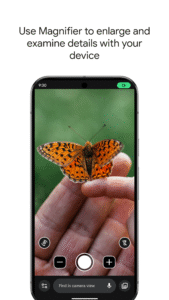
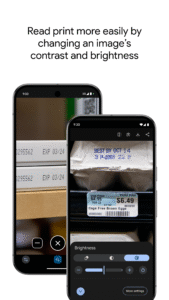
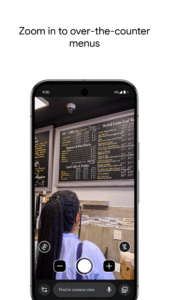
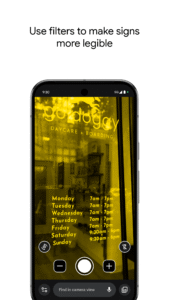
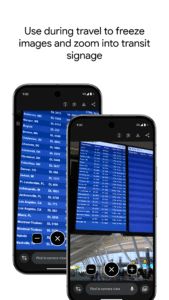
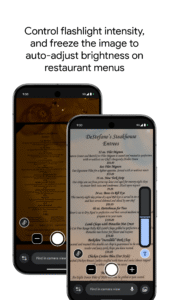
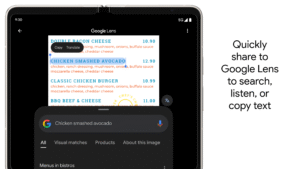
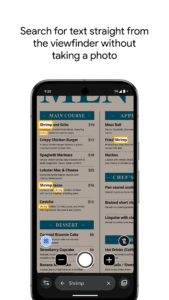
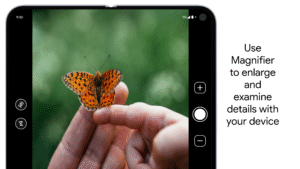
Use your camera to magnify small text, see object details, or zoom in on faraway text like street signs or restaurant menus behind a service counter. Search for words before or after you take a picture to find what you need on a menu, a departure board, or anything containing text. Apply visual effects to make low contrast text more visible. In low light environments brightness is automatically adjusted. You can also take photos and zoom in as much as you need. Get started: 1. Download Magnifier from the Play Store. 2. (Optional) Set up Magnifier to easily open via Quick tap: a. Open your phone's Settings app. b. Go to System > Gestures > Quick tap. c. Turn on Use Quick tap. d. Choose open app. Next to "Open app," tap Settings. Then select Magnifier. e. To open Magnifier, tap twice on the back of your phone. Magnifier requires Pixel 5 or later model.

Frequently Asked Questions

Yes. Every Magnifier APK on APK.now is automatically scanned and the cryptographic signature is verified against the original publisher's certificate (Google LLC). Files that fail verification are removed before they ever reach the catalog.

Enable 'Install from unknown sources' for your browser (or the file manager you use to open the APK) under Settings → Apps → Special access. Tap the downloaded Magnifier APK, confirm the prompts, and Android installs it just like any app from the Play Store.

The latest Magnifier version available on APK.now is 1.0.0.610614818.release. We track new releases from Google LLC continuously and add them to the catalog as soon as they pass verification.

Yes — every Magnifier APK and every version on APK.now is free to download. We never gate downloads behind sign-up, surveys, or paywalls.

APK.now keeps a full archive of every Magnifier release, including older versions that the Play Store has already replaced. The APKs work on devices without Google Play Services (Huawei, GrapheneOS, Amazon Fire) and are signature-verified so you can be confident the file is genuine.