
Download Google Messages messages.android_20240802_01_RC00.phone.openbeta_dynamic beta (nodpi) (Android APK messages.android_20240708_03_RC05.phone_dynamic arm64-v8a · Android 26+
This is the arm64-v8a build of Google Messages messages.android_20240802_01_RC00.phone.openbeta_dynamic beta (nodpi) (Android messages.android_20240708_03_RC05.phone_dynamic — the modern 64-bit ARM build that runs on virtually every Android phone released since 2017. It's smaller and faster than the universal variant because Android only loads the native code your CPU actually needs. If your phone is from the last 8 years, this is the right pick.
File size: 140.9 MB • Min Android: 26 • Target Android: 35 • Version code: 239286063 • Framework: Native (Java/Kotlin) • Permissions: 78
Screenshots
File Information
| Package Name | com.google.android.apps.messaging |
|---|---|
| Version Name | messages.android_20240708_03_RC05.phone_dynamic |
| Version Code | 239286063 |
| Architecture | arm64-v8a |
| Min Android Version | Android 26 (API 35) |
| Main Activity | com.google.android.apps.messaging.ui.ConversationListActivity |
| Framework | Native (Java/Kotlin) |
| File Size | 140.90 MB |
| Signature (SHA1) | 0980A12BE993528C19107BC21AD811478C63CEFC |
| File Hash (SHA256) | ce8b96ba4d91dc18dcc1e448a3edaa82e9ac57336a09c8f6b0f91c45392293d9 |
What's New
20250422_03_RC00
:
• Bug fixes and stability improvements.
App Description
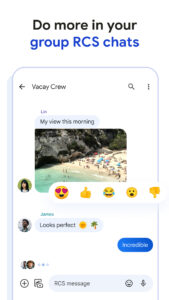
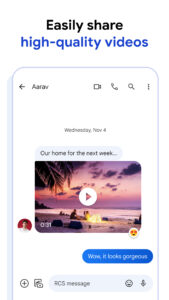
Know when friends are typing or when they've read your message, share high-resolution images and videos, easily add people to a group chat, and experience an all-around richer messaging experience.
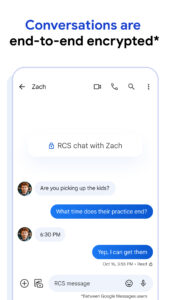
End-to-end encryption secures your eligible communications, so no one (including Google and third parties) can read or view your messages and attachments except the person you’re messaging.
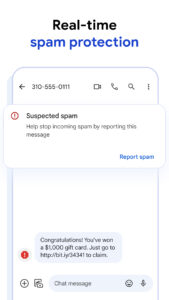
If a website is suspicious or unsafe, you’ll be warned before clicking any links. You can also block and report potential spammers to help stop unwanted and fraudulent messages.
Share high-resolution videos directly from your Google Photos library.
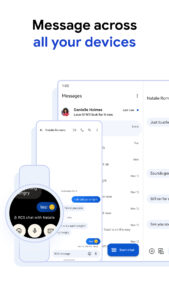
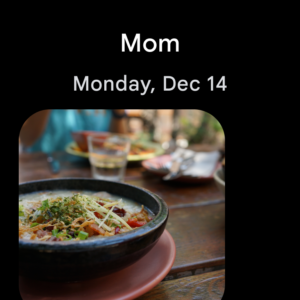
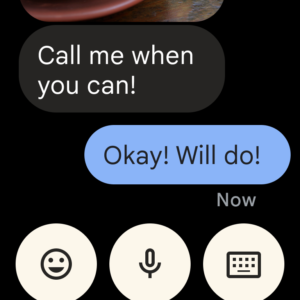
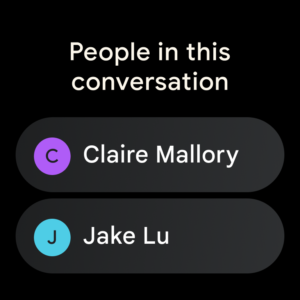
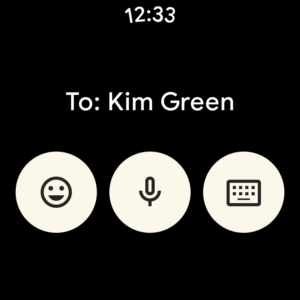
Keep the conversation going no matter what device you're on. Enjoy RCS chats with friends on your phone, computer, Android tablet, or smart watch with the Messages app.
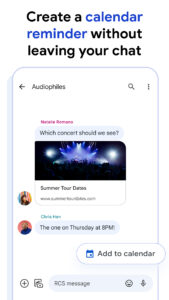
Access suggested replies, one-tap calendar reminders, link sharing, and more without leaving your message. Reply quicker and get more out of your conversations with smart actions.
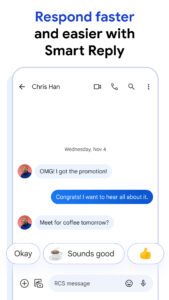
Suggested responses, gifs, and emojis make conversations faster and more fun. Reply back to messages with just a tap and keep the conversation going.
App also available on Wear OS
Fast, free and safe download.
APK Permissions 78
- android.permission.ACCESS_COARSE_LOCATION
- android.permission.ACCESS_FINE_LOCATION
- android.permission.ACCESS_MESSAGES_ON_ICC
- android.permission.ACCESS_NETWORK_STATE
- android.permission.ACCESS_RCS_USER_CAPABILITY_EXCHANGE
- android.permission.CALL_PHONE
- android.permission.CAMERA
- android.permission.CHANGE_NETWORK_STATE
- android.permission.CONNECTIVITY_USE_RESTRICTED_NETWORKS
- android.permission.DETECT_SCREEN_RECORDING
- android.permission.DOWNLOAD_WITHOUT_NOTIFICATION
- android.permission.FOREGROUND_SERVICE
- android.permission.FOREGROUND_SERVICE_DATA_SYNC
- android.permission.FOREGROUND_SERVICE_MEDIA_PROCESSING
- android.permission.FOREGROUND_SERVICE_REMOTE_MESSAGING
- android.permission.GET_ACCOUNTS
- android.permission.GET_PACKAGE_SIZE
- android.permission.INTERNET
- android.permission.MANAGE_ACCOUNTS
- android.permission.MODIFY_PHONE_STATE
- android.permission.PERFORM_IMS_SINGLE_REGISTRATION
- android.permission.POST_NOTIFICATIONS
- android.permission.QUERY_USERS
- android.permission.READ_APP_BADGE
- android.permission.READ_CALL_LOG
- android.permission.READ_CONTACTS
- android.permission.READ_EXTERNAL_STORAGE
- android.permission.READ_MEDIA_AUDIO
- android.permission.READ_MEDIA_IMAGES
- android.permission.READ_MEDIA_VIDEO
- android.permission.READ_MEDIA_VISUAL_USER_SELECTED
- android.permission.READ_PHONE_NUMBERS
- android.permission.READ_PHONE_STATE
- android.permission.READ_PRECISE_PHONE_STATE
- android.permission.READ_PRIVILEGED_PHONE_STATE
- android.permission.READ_PROFILE
- android.permission.READ_SMS
- android.permission.READ_SYSTEM_GRAMMATICAL_GENDER
- android.permission.RECEIVE_BOOT_COMPLETED
- android.permission.RECEIVE_MMS
- android.permission.RECEIVE_SMS
- android.permission.RECEIVE_WAP_PUSH
- android.permission.RECORD_AUDIO
- android.permission.SATELLITE_COMMUNICATION
- android.permission.SCHEDULE_EXACT_ALARM
- android.permission.SEND_SMS
- android.permission.START_FOREGROUND_SERVICES_FROM_BACKGROUND
- android.permission.VIBRATE
- android.permission.WAKE_LOCK
- android.permission.WRITE_CONTACTS
- android.permission.WRITE_EXTERNAL_STORAGE
- android.permission.WRITE_SMS
- com.anddoes.launcher.permission.UPDATE_COUNT
- com.cequint.ecid.CALLER_ID_EXTERNAL_LOOKUP_SMS
- com.google.android.apps.aicore.service.BIND_SERVICE
- com.google.android.apps.stargate.endpointservice.ACCESS_ENDPOINT_SERVICE
- com.google.android.apps.stargate.permission.END_EMERGENCY_INTENTS
- com.google.android.apps.stargate.permission.SEND_EMERGENCY_INTENTS
- com.google.android.c2dm.permission.RECEIVE
- com.google.android.finsky.permission.BIND_GET_INSTALL_REFERRER_SERVICE
- com.google.android.ims.LOG_ACCESS
- com.google.android.ims.providers.ACCESS_DATA
- com.google.android.providers.gsf.permission.READ_GSERVICES
- com.google.android.setupwizard.READ_DEVICE_ORIGIN
- com.google.android.setupwizard.READ_DEVICE_ORIGIN_FIRST_PARTY
- com.htc.launcher.permission.READ_SETTINGS
- com.htc.launcher.permission.UPDATE_SHORTCUT
- com.huawei.android.launcher.permission.CHANGE_BADGE
- com.huawei.android.launcher.permission.READ_SETTINGS
- com.huawei.android.launcher.permission.WRITE_SETTINGS
- com.majeur.launcher.permission.UPDATE_BADGE
- com.oppo.launcher.permission.READ_SETTINGS
- com.oppo.launcher.permission.WRITE_SETTINGS
- com.sec.android.provider.badge.permission.READ
- com.sec.android.provider.badge.permission.WRITE
- com.sonyericsson.home.permission.BROADCAST_BADGE
- com.sonymobile.home.permission.PROVIDER_INSERT_BADGE
- com.sonymobile.launcher.permission.PROVIDER_INSERT_BADGE
APK Verified
The cryptographic signature guarantees that the file is safe to install and was not tampered with in any way.


