
This is the universal build of Google Photos 7.9.0.702546637. It contains native libraries for every CPU architecture (arm64-v8a, armeabi-v7a, x86, x86_64), so it installs on any Android device. The trade-off is size — it's larger than per-architecture variants. Pick this one if you're unsure which CPU your phone has, or if you plan to share the APK with multiple devices.
File size: 43.4 MB • Min Android: 23 • Target Android: 35 • Version code: 49358867 • Framework: Native (Java/Kotlin) • Permissions: 42
Screenshots
File Information
| Package Name | com.google.android.apps.photos |
|---|---|
| Version Name | 7.9.0.702546637 |
| Version Code | 49358867 |
| Architecture | Universal |
| Min Android Version | Android 23 (API 35) |
| Main Activity | com.google.android.apps.photos.home.HomeActivity |
| Framework | Native (Java/Kotlin) |
| File Size | 43.38 MB |
| Signature (SHA1) | 24BB24C05E47E0AEFA68A58A766179D9B613A600 |
| File Hash (SHA256) | 1b2401f5a6b78c9062c81355c8163a6955d14eb5eb928fcae5ba7b1e387a5077 |
What's New
We are introducing a new storage management tool to help you easily manage the photos that count toward your storage quota. This tool will surface photos or videos you might want to delete — like blurry photos, screenshots and large videos.
App Description
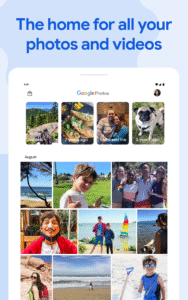
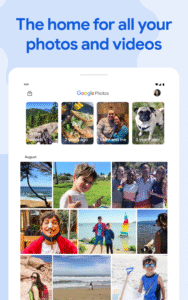
Google Photos is the home for all your photos and videos, automatically organized and easy to share.
- “The best photo product on Earth” – The Verge
- “Google Photos is your new essential picture app” – Wired
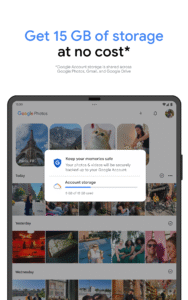
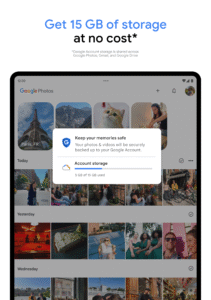
The official Google Photos app is made for the way you take photos today and includes essential features like shared albums, automatic creations and an advanced editing suite. Additionally every Google Account comes with 15 GB of storage and you can choose to automatically back up all your photos and videos in High quality or Original quality. You can then access them from any connected device and on photos.google.com.
With the official app, you get:
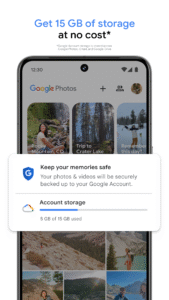
15 GB OF STORAGE: Back up 15 GB of photos and videos and access them from any device and photos.google.com—your photos are safe, secure, and private to you. All photos and videos you back up in high quality before June 1, 2021 will not count toward your Google Account storage.
FREE UP SPACE: Never worry about running out of space on your phone again. Photos that are safely backed up can be removed from your device's storage in just a tap.
NO ADS: Google Photos doesn't sell your photos, videos, or personal information to anyone and we don't use your photos and videos for advertising.
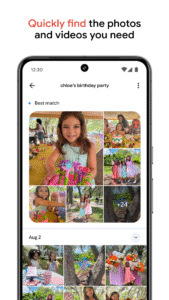
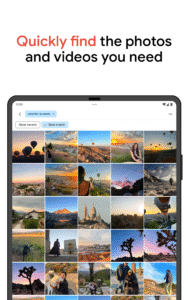
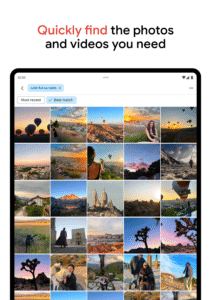
FAST AND POWERFUL SEARCH: Your photos are now searchable by the people, places and things in them — no tagging required.
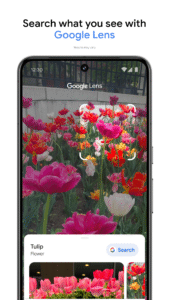
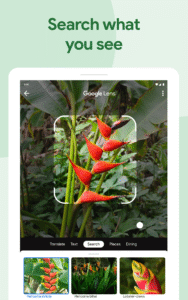
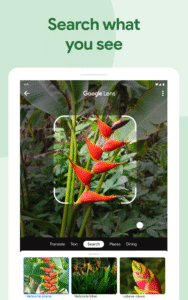
GOOGLE LENS: Search the hard-to-describe and get stuff done, right from a photo. Copy and translate text, identify plants and animals, add events to your calendar, find products online, and more.
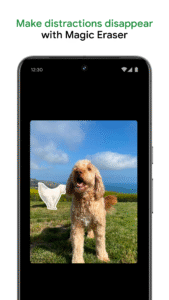
ADVANCED EDITING SUITE: Transform photos with a tap. Use intuitive and powerful photo editing tools to apply content-aware filters, adjust lighting, and more.
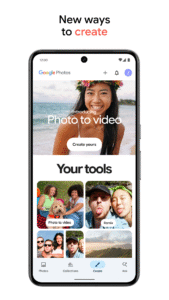
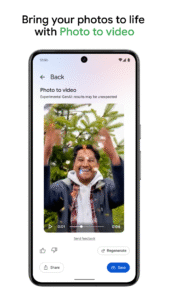
AUTOMATIC CREATIONS: Bring photos to life with automatically created movies, collages, animations, panoramas, and more from your photos. Or easily create them yourself.
SHARING SUGGESTIONS: With smart sharing suggestions, giving your friends the photos you took of them is painless. And they can add their photos, too, so you’ll finally get the photos you’re actually in.
LIVE ALBUMS: Select the people and pets you want to see and Google Photos will automatically add photos of them as you take them, no manual updates needed.*
PHOTO BOOKS: Create a photo book in just minutes from your phone or computer. You can also see suggested photo books based on your best shots from a trip or period of time.*
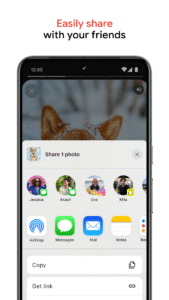
SEND PHOTOS IN SECONDS: Instantly share photos with any contact, email, or phone number.
SHARED LIBRARIES: Grant a trusted person access to all of your photos.
You can also upgrade storage for your Google Account, used for Original Quality photos and videos by subscribing to Google One. Subscriptions start at $1.99/month for 100 GB in the US. Pricing and availability can vary by region.
- Google One Terms of Service:
one.google.com/terms-of-service
- One Google Pricing:
one.google.com/about
For additional help visit
support.google.com/photos
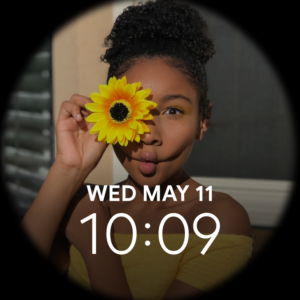
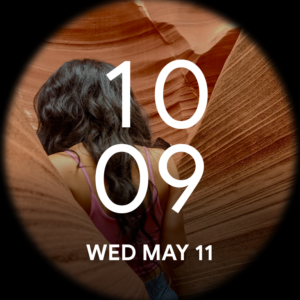
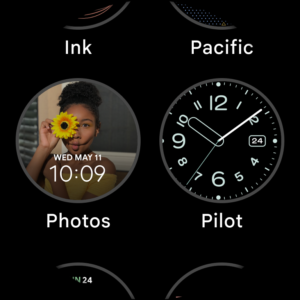
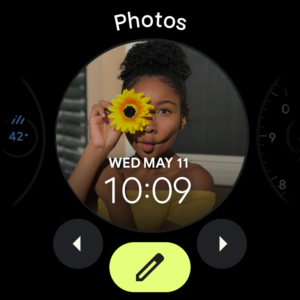
Google Photos is also available on Wear OS for the Google Pixel Watch. Set your favorite photos as your watch face.
*Face grouping, live albums and photo books are not available in all countries.
- “The best photo product on Earth” – The Verge
- “Google Photos is your new essential picture app” – Wired
The official Google Photos app is made for the way you take photos today and includes essential features like shared albums, automatic creations and an advanced editing suite. Additionally every Google Account comes with 15 GB of storage and you can choose to automatically back up all your photos and videos in High quality or Original quality. You can then access them from any connected device and on photos.google.com.
With the official app, you get:
15 GB OF STORAGE: Back up 15 GB of photos and videos and access them from any device and photos.google.com—your photos are safe, secure, and private to you. All photos and videos you back up in high quality before June 1, 2021 will not count toward your Google Account storage.
FREE UP SPACE: Never worry about running out of space on your phone again. Photos that are safely backed up can be removed from your device's storage in just a tap.
NO ADS: Google Photos doesn't sell your photos, videos, or personal information to anyone and we don't use your photos and videos for advertising.
FAST AND POWERFUL SEARCH: Your photos are now searchable by the people, places and things in them — no tagging required.
GOOGLE LENS: Search the hard-to-describe and get stuff done, right from a photo. Copy and translate text, identify plants and animals, add events to your calendar, find products online, and more.
ADVANCED EDITING SUITE: Transform photos with a tap. Use intuitive and powerful photo editing tools to apply content-aware filters, adjust lighting, and more.
AUTOMATIC CREATIONS: Bring photos to life with automatically created movies, collages, animations, panoramas, and more from your photos. Or easily create them yourself.
SHARING SUGGESTIONS: With smart sharing suggestions, giving your friends the photos you took of them is painless. And they can add their photos, too, so you’ll finally get the photos you’re actually in.
LIVE ALBUMS: Select the people and pets you want to see and Google Photos will automatically add photos of them as you take them, no manual updates needed.*
PHOTO BOOKS: Create a photo book in just minutes from your phone or computer. You can also see suggested photo books based on your best shots from a trip or period of time.*
SEND PHOTOS IN SECONDS: Instantly share photos with any contact, email, or phone number.
SHARED LIBRARIES: Grant a trusted person access to all of your photos.
You can also upgrade storage for your Google Account, used for Original Quality photos and videos by subscribing to Google One. Subscriptions start at $1.99/month for 100 GB in the US. Pricing and availability can vary by region.
- Google One Terms of Service:
one.google.com/terms-of-service
- One Google Pricing:
one.google.com/about
For additional help visit
support.google.com/photos
Google Photos is also available on Wear OS for the Google Pixel Watch. Set your favorite photos as your watch face.
*Face grouping, live albums and photo books are not available in all countries.
Download Google Photos APK
Fast, free and safe download.
APK Permissions 42
- android.permission.ACCESS_COARSE_LOCATION
- android.permission.ACCESS_FINE_LOCATION
- android.permission.ACCESS_NETWORK_STATE
- android.permission.BLUETOOTH
- android.permission.CHANGE_NETWORK_STATE
- android.permission.CHANGE_WIFI_STATE
- android.permission.DOWNLOAD_WITHOUT_NOTIFICATION
- android.permission.FOREGROUND_SERVICE
- android.permission.FOREGROUND_SERVICE_CONNECTED_DEVICE
- android.permission.FOREGROUND_SERVICE_DATA_SYNC
- android.permission.FOREGROUND_SERVICE_MEDIA_PLAYBACK
- android.permission.GET_ACCOUNTS
- android.permission.GET_PACKAGE_SIZE
- android.permission.INTERNET
- android.permission.MANAGE_ACCOUNTS
- android.permission.MANAGE_MEDIA
- android.permission.NFC
- android.permission.READ_CALENDAR
- android.permission.READ_CONTACTS
- android.permission.READ_MEDIA_AUDIO
- android.permission.READ_MEDIA_IMAGES
- android.permission.READ_MEDIA_VIDEO
- android.permission.READ_MEDIA_VISUAL_USER_SELECTED
- android.permission.READ_PHONE_STATE
- android.permission.READ_PROFILE
- android.permission.READ_SYNC_SETTINGS
- android.permission.RECEIVE_BOOT_COMPLETED
- android.permission.SET_WALLPAPER
- android.permission.SUBSCRIBED_FEEDS_READ
- android.permission.SUBSCRIBED_FEEDS_WRITE
- android.permission.SYSTEM_ALERT_WINDOW
- android.permission.USE_CREDENTIALS
- android.permission.VIBRATE
- android.permission.WAKE_LOCK
- android.permission.WRITE_CALENDAR
- android.permission.WRITE_EXTERNAL_STORAGE
- android.permission.WRITE_SETTINGS
- android.permission.WRITE_SYNC_SETTINGS
- com.google.android.apps.photos.DYNAMIC_RECEIVER_NOT_EXPORTED_PERMISSION
- com.google.android.c2dm.permission.RECEIVE
- com.google.android.googlequicksearchbox.permission.LENS_SERVICE
- com.google.android.providers.gsf.permission.READ_GSERVICES


Frequently Asked Questions about Google Photos APK
This is the universal variant — a single APK that contains native libraries for every CPU architecture. It installs on any Android device but is larger than per-architecture variants.
Yes — the APK's signature has been cryptographically verified against the publisher's signing key. The SHA-256 hash is shown in the File Information panel so you can independently confirm the file matches the original release.
Android 23 (API level 35) or newer. Older devices will refuse the install.
Install a free app like 'CPU-Z' or 'Droid Hardware Info' from the Play Store and look at the ABI / Instruction Set row. Most phones made after 2017 are arm64-v8a; if in doubt, download the universal variant.
All variants are functionally identical — same features, same version. They differ only in which CPU architectures the native code is compiled for, and (sometimes) which screen densities the included graphics target. Pick the one that matches your device for the smallest install size, or pick 'Universal' if you're unsure.