
Screenshots
File Information
| Package Name | com.google.android.apps.docs.editors.slides |
|---|---|
| Version Name | 1.25.431.04.90 |
| Version Code | 220661432 |
| Architecture | arm64-v8a, armeabi-v7a, x86, x86_64 |
| Min Android Version | Android 26 (API 36) |
| Main Activity | com.google.android.apps.docs.app.NewMainProxyActivity |
| Framework | Native (Java/Kotlin) |
| File Size | 149.09 MB |
| Signature (SHA1) | 24BB24C05E47E0AEFA68A58A766179D9B613A600 |
| File Hash (SHA256) | c56c1b6b73f07cd51c2ff3161d65c8e7cb305121f1fc2a7f5657409d03334b13 |
What's New
* Bug fixes and performance improvements
App Description
Create, edit, and collaborate on presentations from your Android phone or tablet with the Google Slides app. With Slides, you can:
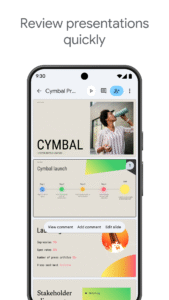
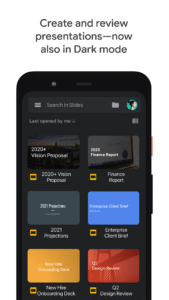
- Create new presentations or edit existing ones
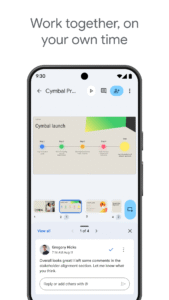
- Share presentations and collaborate in the same presentation at the same time
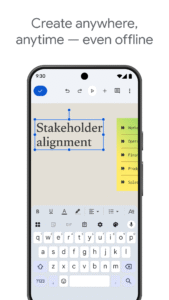
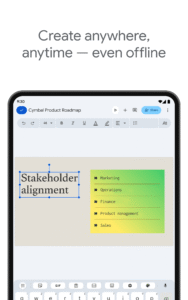
- Work anywhere, anytime - even offline
- Add and respond to comments
- Add and rearrange slides, format text and shapes, and more
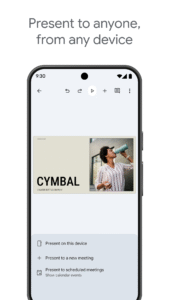
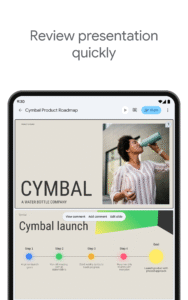
- Present straight from your mobile device
- Never worry about losing your work – everything is saved automatically as you type
- Make beautiful slides, instantly - with smart suggestions
- Present slides to video calls - scheduled meetings will automatically appear
- Open, edit, and save PowerPoint files
Google Slides is part of Google Workspace: where teams of any size can chat, create, and collaborate.
Google Workspace subscribers have access to additional Google Slides features, including:
- Collaborating on a single presentation online with your business partner, your whole team, or external contacts. You control who gets permission to edit, view, or just add comments.
- Starting from scratch or expediting the process by choosing a template. You can enhance your presentations with videos, images, drawings, and smooth transitions.
- Working across PCs, Macs, mobiles, and tablets—View or even present your slides from your phone or tablet, so you always have the option to practice your presentation up until the last minute.
Learn more about Google Workspace:
workspace.google.com/products/slides/
Follow us for more:
Twitter:
twitter.com/googleworkspace
LinkedIn:
www.LinkedIn.com/showcase/googleworkspace
Facebook:
www.facebook.com/googleworkspace/
Permissions Notice
Calendar: This is used to join video calls from calendar invites.
Camera: This is used for camera mode in video calls and to insert images taken with the camera.
Contacts: This is used to give suggestions of people to add to files and share with.
Microphone: This is used to transmit audio in video calls.
Storage: This is used to insert images and to open files from USB or SD storage.
- Create new presentations or edit existing ones
- Share presentations and collaborate in the same presentation at the same time
- Work anywhere, anytime - even offline
- Add and respond to comments
- Add and rearrange slides, format text and shapes, and more
- Present straight from your mobile device
- Never worry about losing your work – everything is saved automatically as you type
- Make beautiful slides, instantly - with smart suggestions
- Present slides to video calls - scheduled meetings will automatically appear
- Open, edit, and save PowerPoint files
Google Slides is part of Google Workspace: where teams of any size can chat, create, and collaborate.
Google Workspace subscribers have access to additional Google Slides features, including:
- Collaborating on a single presentation online with your business partner, your whole team, or external contacts. You control who gets permission to edit, view, or just add comments.
- Starting from scratch or expediting the process by choosing a template. You can enhance your presentations with videos, images, drawings, and smooth transitions.
- Working across PCs, Macs, mobiles, and tablets—View or even present your slides from your phone or tablet, so you always have the option to practice your presentation up until the last minute.
Learn more about Google Workspace:
workspace.google.com/products/slides/
Follow us for more:
Twitter:
twitter.com/googleworkspace
LinkedIn:
www.LinkedIn.com/showcase/googleworkspace
Facebook:
www.facebook.com/googleworkspace/
Permissions Notice
Calendar: This is used to join video calls from calendar invites.
Camera: This is used for camera mode in video calls and to insert images taken with the camera.
Contacts: This is used to give suggestions of people to add to files and share with.
Microphone: This is used to transmit audio in video calls.
Storage: This is used to insert images and to open files from USB or SD storage.
Download Google Slides APK
Fast, free and safe download.
APK Permissions 39
- android.permission.ACCESS_NETWORK_STATE
- android.permission.ACCESS_WIFI_STATE
- android.permission.BLUETOOTH
- android.permission.CAMERA
- android.permission.FOREGROUND_SERVICE
- android.permission.FOREGROUND_SERVICE_DATA_SYNC
- android.permission.FOREGROUND_SERVICE_MEDIA_PLAYBACK
- android.permission.GET_ACCOUNTS
- android.permission.GET_PACKAGE_SIZE
- android.permission.INTERNET
- android.permission.MANAGE_ACCOUNTS
- android.permission.MODIFY_AUDIO_SETTINGS
- android.permission.POST_NOTIFICATIONS
- android.permission.READ_CALENDAR
- android.permission.READ_CONTACTS
- android.permission.READ_SYNC_SETTINGS
- android.permission.READ_SYNC_STATS
- android.permission.RECEIVE_BOOT_COMPLETED
- android.permission.RECORD_AUDIO
- android.permission.RUN_USER_INITIATED_JOBS
- android.permission.SUBSCRIBED_FEEDS_READ
- android.permission.SUBSCRIBED_FEEDS_WRITE
- android.permission.USE_CREDENTIALS
- android.permission.VIBRATE
- android.permission.WAKE_LOCK
- android.permission.WRITE_EXTERNAL_STORAGE
- android.permission.WRITE_SYNC_SETTINGS
- com.android.launcher.permission.INSTALL_SHORTCUT
- com.google.android.apps.docs.editors.punch.permission.READ_MY_DATA
- com.google.android.apps.docs.editors.punch.permission.SYNC_STATUS
- com.google.android.apps.docs.editors.punch.permission.WRITE_IMAGES
- com.google.android.apps.docs.editors.slides.DYNAMIC_RECEIVER_NOT_EXPORTED_PERMISSION
- com.google.android.gm.permission.READ_GMAIL
- com.google.android.googleapps.permission.GOOGLE_AUTH
- com.google.android.googleapps.permission.GOOGLE_AUTH.ALL_SERVICES
- com.google.android.googleapps.permission.GOOGLE_AUTH.OTHER_SERVICES
- com.google.android.googleapps.permission.GOOGLE_AUTH.wise
- com.google.android.googleapps.permission.GOOGLE_AUTH.writely
- com.google.android.providers.gsf.permission.READ_GSERVICES
APK Verified
The cryptographic signature guarantees that the file is safe to install and was not tampered with in any way.


