
This is the armeabi-v7a build of Voice Access 6.1.530397167, compiled for 32-bit ARM processors found in older Android phones (roughly 2013-2017). Use this build if your device's primary ABI is armeabi-v7a — modern 64-bit phones should pick the arm64-v8a or universal variant for better performance.
File size: 9.4 MB • Min Android: 26 • Target Android: 33 • Version code: 81265 • Framework: Native (Java/Kotlin) • Permissions: 21
Screenshots

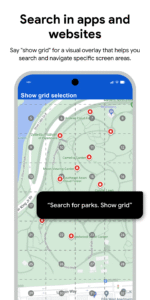
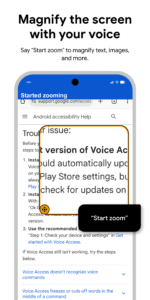
File Information
| Package Name | com.google.android.apps.accessibility.voiceaccess |
|---|---|
| Version Name | 6.1.530397167 |
| Version Code | 81265 |
| Architecture | armeabi-v7a |
| Min Android Version | Android 26 (API 33) |
| Main Activity | com.google.android.apps.accessibility.voiceaccess.activities.LaunchActivity |
| Framework | Native (Java/Kotlin) |
| File Size | 9.43 MB |
| Signature (SHA1) | 9DDA347424376A377F78C4F2966F247270E16974 |
| File Hash (SHA256) | dc9c1f3c04baedf52a03067f9f0719224f231b54e18471abcb1b86e961df1f7c |
What's New
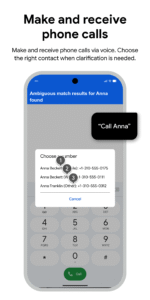
With this update, we continue to make Voice Access more reliable. We've improved system navigation support (like opening the taskbar in tablets), fixed some number label issues, and simplified the phone call initiation process (no more exact contact names needed!). Plus, enjoy better text editing, including selection and input.
App Description
Voice Access helps anyone who has difficulty manipulating a touch screen (e.g. due to paralysis, tremor, or temporary injury) use their Android device by voice.
Voice Access provides many voice commands for:
- Basic navigation (e.g. "go back", "go home", "open Gmail")
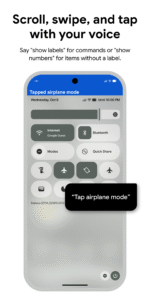
- Controlling the current screen (e.g. "tap next", "scroll down")
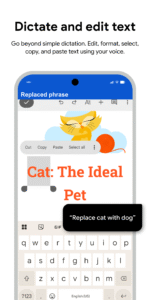
- Text editing and dictation (e.g. "type hello", "replace coffee with tea")
You can also say "Help" any time to see a short list of commands.
Voice Access includes a tutorial which introduces the most common voice commands (starting Voice Access, tapping, scrolling, basic text editing, and getting help).
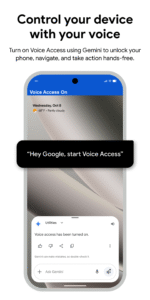
You can use the Google Assistant to start Voice Access by saying "Hey Google, Voice Access". To do this, you’ll need to enable "Hey Google" detection. You can also tap either the Voice Access notification or a blue Voice Access button and start talking.
To pause Voice Access temporarily, just say "stop listening". To disable Voice Access completely, go to Settings > Accessibility > Voice Access and turn off the switch.
For additional support, see
Voice Access help
.
This app uses the AccessibilityService API to help users with motor impairments. It uses the API to collect information about the controls on the screen and activate them based on the user’s spoken instructions.
Voice Access provides many voice commands for:
- Basic navigation (e.g. "go back", "go home", "open Gmail")
- Controlling the current screen (e.g. "tap next", "scroll down")
- Text editing and dictation (e.g. "type hello", "replace coffee with tea")
You can also say "Help" any time to see a short list of commands.
Voice Access includes a tutorial which introduces the most common voice commands (starting Voice Access, tapping, scrolling, basic text editing, and getting help).
You can use the Google Assistant to start Voice Access by saying "Hey Google, Voice Access". To do this, you’ll need to enable "Hey Google" detection. You can also tap either the Voice Access notification or a blue Voice Access button and start talking.
To pause Voice Access temporarily, just say "stop listening". To disable Voice Access completely, go to Settings > Accessibility > Voice Access and turn off the switch.
For additional support, see
Voice Access help
.
This app uses the AccessibilityService API to help users with motor impairments. It uses the API to collect information about the controls on the screen and activate them based on the user’s spoken instructions.
Download Voice Access APK
Fast, free and safe download.
APK Permissions 21
- android.permission.ACCESS_NETWORK_STATE
- android.permission.ACCESS_NOTIFICATION_POLICY
- android.permission.ACCESS_WIFI_STATE
- android.permission.BLUETOOTH
- android.permission.BLUETOOTH_ADMIN
- android.permission.CALL_PHONE
- android.permission.CAMERA
- android.permission.CHANGE_WIFI_STATE
- android.permission.GET_PACKAGE_SIZE
- android.permission.INTERNET
- android.permission.MODIFY_AUDIO_SETTINGS
- android.permission.POST_NOTIFICATIONS
- android.permission.QUERY_ALL_PACKAGES
- android.permission.READ_CONTACTS
- android.permission.READ_PHONE_STATE
- android.permission.RECEIVE_BOOT_COMPLETED
- android.permission.RECORD_AUDIO
- android.permission.SYSTEM_ALERT_WINDOW
- android.permission.VIBRATE
- android.permission.WAKE_LOCK
- com.google.android.providers.gsf.permission.READ_GSERVICES


Frequently Asked Questions about Voice Access APK
This variant is built for 32-bit ARM (older Android phones, ~2013–2017). If your device's CPU matches, this is the smallest, fastest version to install.
Yes — the APK's signature has been cryptographically verified against the publisher's signing key. The SHA-256 hash is shown in the File Information panel so you can independently confirm the file matches the original release.
Android 26 (API level 33) or newer. Older devices will refuse the install.
Install a free app like 'CPU-Z' or 'Droid Hardware Info' from the Play Store and look at the ABI / Instruction Set row. Most phones made after 2017 are arm64-v8a; if in doubt, download the universal variant.
All variants are functionally identical — same features, same version. They differ only in which CPU architectures the native code is compiled for, and (sometimes) which screen densities the included graphics target. Pick the one that matches your device for the smallest install size, or pick 'Universal' if you're unsure.