
Download YouTube Kids APK 9.20.0 arm64-v8a, armeabi-v7a, x86, x86_64 · Android 21+
Download APK
Verified Safe
This is the arm64-v8a, armeabi-v7a, x86, x86_64 build of YouTube Kids 9.20.0. Pick this build if your device's primary ABI matches.
File size: 88.0 MB • Min Android: 21 • Target Android: 34 • Version code: 152000030 • Framework: Native (Java/Kotlin) • Permissions: 16
Screenshots
File Information
| Package Name | com.google.android.apps.youtube.kids |
|---|---|
| Version Name | 9.20.0 |
| Version Code | 152000030 |
| Architecture | arm64-v8a, armeabi-v7a, x86, x86_64 |
| Min Android Version | Android 21 (API 34) |
| Main Activity | com.google.android.apps.youtube.kids.splash.SplashScreenActivity |
| Framework | Native (Java/Kotlin) |
| File Size | 88.05 MB |
| Signature (SHA1) | 24BB24C05E47E0AEFA68A58A766179D9B613A600 |
| File Hash (SHA256) | 4d6c22b598d832f7b03295e37fa5d3d07d123b7da9d3e63c37e6c37dbfeecb81 |
What's New
Bug fixes and stability improvements
App Description
A video app made just for kids
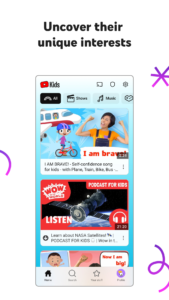
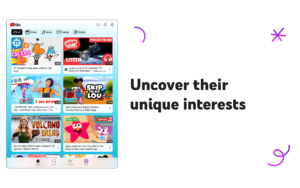
YouTube Kids was created to give kids a more contained environment filled with family-friendly videos on all different topics, igniting your kids’ inner creativity and playfulness. Parents and caregivers can guide the journey as your kids discover new and exciting interests along the way. Learn more at youtube.com/kids
A safer online experience for kids
We work hard to keep the videos on YouTube Kids family-friendly and use a mix of automated filters built by our engineering teams, human review, and feedback from parents to protect our youngest users online. But no system is perfect and inappropriate videos can slip through, so we’re constantly working to improve our safeguards and offer more features to help parents create the right experience for their families.
Customize your child’s experience with Parental Controls
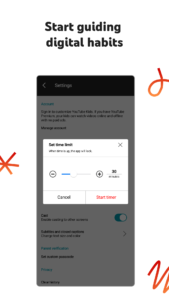
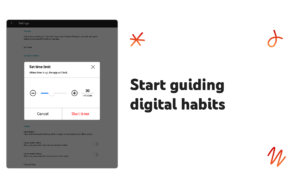
Limit screen time:
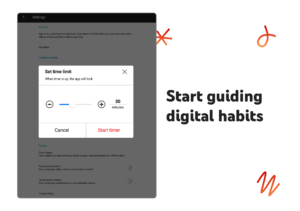
Set a time limit for how long your kids can watch and help encourage their transition from watching to doing.
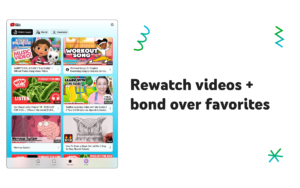
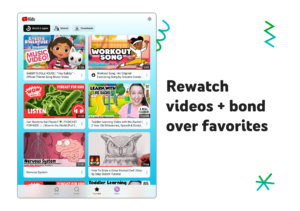
Keep up with what they watch:
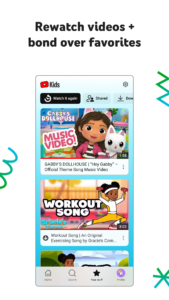
Simply check the watch it again page and you’ll always know what they’ve watched and the newest interests they’re exploring.
Blocking:
Don’t like a video? Block the video or whole channel, and never see it again.
Flagging:
You can always alert us to inappropriate content by flagging a video for review. Flagged videos are reviewed 24 hours a day, seven days a week.
Create individual experiences as unique as your kids
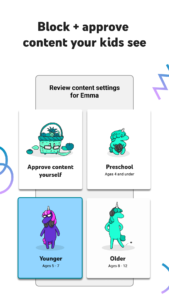
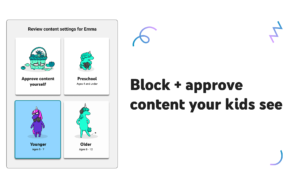
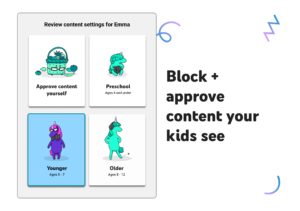
Create up to eight kid profiles, each with their own viewing preferences, video recommendations, and settings. Choose from “Approved Content Only” mode or select an age category that fits your child, “Preschool”, “Younger”, or “Older”.
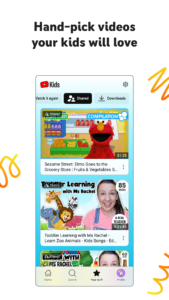
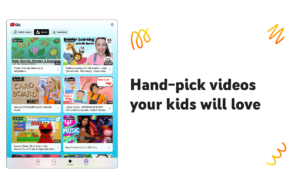
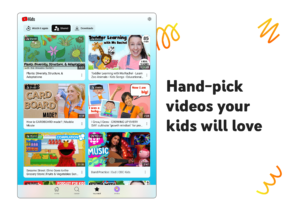
Select the “Approved Content Only” mode if you want to handpick the videos, channels and/or collections that you’ve approved your child to watch. In this mode, kids won’t be able to search for videos. The “Preschool” Mode designed for kids 4 and under curates videos that promote creativity, playfulness, learning, and exploration. The “Younger” Mode allows kids 5-8 to explore their interests in a wide variety of topics including songs, cartoons, and crafts. While our “Older” Mode gives kids 9 and up the chance to search and explore additional content such as popular music and gaming videos for kids.
All kinds of videos for all kinds of kids
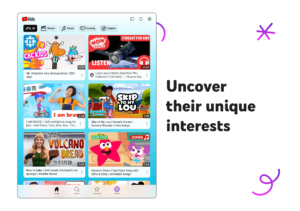
Our library is filled with family-friendly videos on all different topics, igniting your kids’ inner creativity and playfulness. It’s everything from their favorite shows and music to learning how to build a model volcano (or make slime ;-), and everything in between.
Other important information:
Parental setup is needed to ensure the best experience possible for your kid.
Your kid may also see videos with commercial content from YouTube creators that are not paid ads.The Privacy Notice for Google Accounts managed with Family Link describes our privacy practices when your kid uses YouTube Kids with their Google Account. When your kid uses YouTube Kids without signing into their Google Account, the YouTube Kids Privacy Notice applies.
YouTube Kids was created to give kids a more contained environment filled with family-friendly videos on all different topics, igniting your kids’ inner creativity and playfulness. Parents and caregivers can guide the journey as your kids discover new and exciting interests along the way. Learn more at youtube.com/kids
A safer online experience for kids
We work hard to keep the videos on YouTube Kids family-friendly and use a mix of automated filters built by our engineering teams, human review, and feedback from parents to protect our youngest users online. But no system is perfect and inappropriate videos can slip through, so we’re constantly working to improve our safeguards and offer more features to help parents create the right experience for their families.
Customize your child’s experience with Parental Controls
Limit screen time:
Set a time limit for how long your kids can watch and help encourage their transition from watching to doing.
Keep up with what they watch:
Simply check the watch it again page and you’ll always know what they’ve watched and the newest interests they’re exploring.
Blocking:
Don’t like a video? Block the video or whole channel, and never see it again.
Flagging:
You can always alert us to inappropriate content by flagging a video for review. Flagged videos are reviewed 24 hours a day, seven days a week.
Create individual experiences as unique as your kids
Create up to eight kid profiles, each with their own viewing preferences, video recommendations, and settings. Choose from “Approved Content Only” mode or select an age category that fits your child, “Preschool”, “Younger”, or “Older”.
Select the “Approved Content Only” mode if you want to handpick the videos, channels and/or collections that you’ve approved your child to watch. In this mode, kids won’t be able to search for videos. The “Preschool” Mode designed for kids 4 and under curates videos that promote creativity, playfulness, learning, and exploration. The “Younger” Mode allows kids 5-8 to explore their interests in a wide variety of topics including songs, cartoons, and crafts. While our “Older” Mode gives kids 9 and up the chance to search and explore additional content such as popular music and gaming videos for kids.
All kinds of videos for all kinds of kids
Our library is filled with family-friendly videos on all different topics, igniting your kids’ inner creativity and playfulness. It’s everything from their favorite shows and music to learning how to build a model volcano (or make slime ;-), and everything in between.
Other important information:
Parental setup is needed to ensure the best experience possible for your kid.
Your kid may also see videos with commercial content from YouTube creators that are not paid ads.The Privacy Notice for Google Accounts managed with Family Link describes our privacy practices when your kid uses YouTube Kids with their Google Account. When your kid uses YouTube Kids without signing into their Google Account, the YouTube Kids Privacy Notice applies.
Download YouTube Kids APK
Fast, free and safe download.
APK Permissions 16
- android.permission.ACCESS_NETWORK_STATE
- android.permission.ACCESS_WIFI_STATE
- android.permission.FOREGROUND_SERVICE
- android.permission.FOREGROUND_SERVICE_DATA_SYNC
- android.permission.FOREGROUND_SERVICE_MEDIA_PLAYBACK
- android.permission.GET_ACCOUNTS
- android.permission.GET_PACKAGE_SIZE
- android.permission.INTERNET
- android.permission.POST_NOTIFICATIONS
- android.permission.RECEIVE_BOOT_COMPLETED
- android.permission.RECORD_AUDIO
- android.permission.RUN_USER_INITIATED_JOBS
- android.permission.WAKE_LOCK
- android.permission.WRITE_EXTERNAL_STORAGE
- com.google.android.apps.youtube.kids.DYNAMIC_RECEIVER_NOT_EXPORTED_PERMISSION
- com.google.android.providers.gsf.permission.READ_GSERVICES
APK Verified
The cryptographic signature guarantees that the file is safe to install and was not tampered with in any way.
Similar in Entertainment


Frequently Asked Questions about YouTube Kids APK
This variant is built for devices that report `arm64-v8a, armeabi-v7a, x86, x86_64` as their primary ABI. If your device's CPU matches, this is the smallest, fastest version to install.
Yes — the APK's signature has been cryptographically verified against the publisher's signing key. The SHA-256 hash is shown in the File Information panel so you can independently confirm the file matches the original release.
Android 21 (API level 34) or newer. Older devices will refuse the install.
Install a free app like 'CPU-Z' or 'Droid Hardware Info' from the Play Store and look at the ABI / Instruction Set row. Most phones made after 2017 are arm64-v8a; if in doubt, download the universal variant.
All variants are functionally identical — same features, same version. They differ only in which CPU architectures the native code is compiled for, and (sometimes) which screen densities the included graphics target. Pick the one that matches your device for the smallest install size, or pick 'Universal' if you're unsure.