
This is the universal build of Auto Screen Dimmer 6.5.7. It contains native libraries for every CPU architecture (arm64-v8a, armeabi-v7a, x86, x86_64), so it installs on any Android device. The trade-off is size — it's larger than per-architecture variants. Pick this one if you're unsure which CPU your phone has, or if you plan to share the APK with multiple devices.
File size: 10.7 MB • Min Android: 24 • Target Android: 36 • Version code: 6050790 • Framework: Native (Java/Kotlin) • Permissions: 23
Screenshots
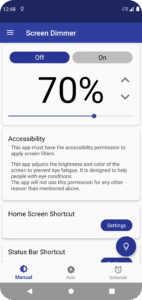
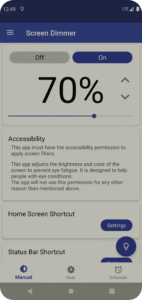
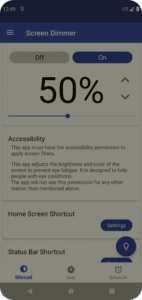
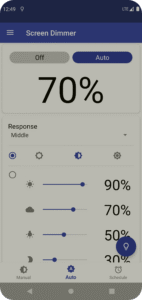
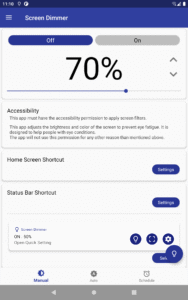
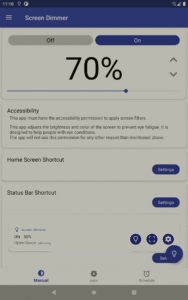
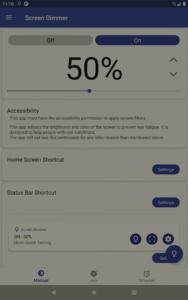
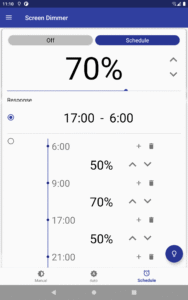
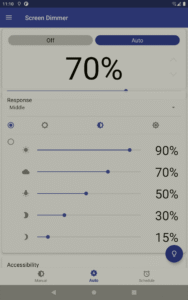
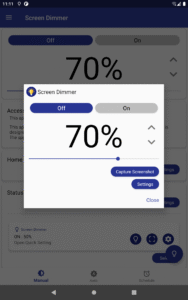
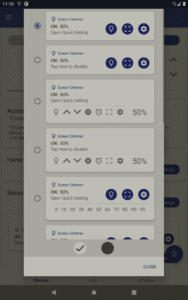
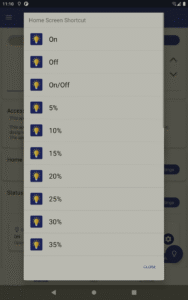
File Information
| Package Name | com.hardyinfinity.screendimmer |
|---|---|
| Version Name | 6.5.7 |
| Version Code | 6050790 |
| Architecture | Universal |
| Min Android Version | Android 24 (API 36) |
| Main Activity | jp.ne.hardyinfinity.bluelightfilter.free.ui.activity.FilterSettingLiteActivity |
| Framework | Native (Java/Kotlin) |
| File Size | 10.67 MB |
| Signature (SHA1) | B7B0474CDF30004B9EB66D88D998FC3EAC32E985 |
| File Hash (SHA256) | daafda5a3584717881ad2ca1626285996c03ef65fb3aecaa19515057fc7a08f1 |
What's New
Supports Android 16
Bug fix
Bug fix
App Description
Automatically adjusts screen brightness darker than system settings.
Free Screen Filter App to Protect Your Eyes
You can reduce the strain on your eyes easily.
It is simple but effective!
All you have to do is launch this app.
Auto mode
Automatically adjust screen color according to external light to protect eyes.
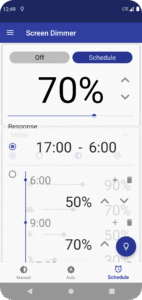
Schedule mode
Turn on/off the screen filter according to the scheduled time.
Screenshots without screen filter
Remove screen filters from the screenshots with the image processing AI technology.
Easy Operation
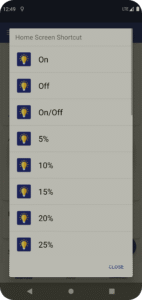
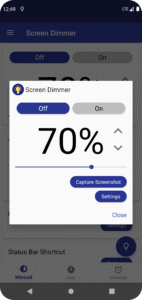
It is easy to turn on or off with just one tap.
You can adjust the opacity of the filter.
You can choose from 7 different filter colors.
Turn on or off Quickly and Easily
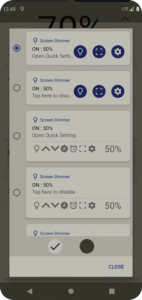
You can choose to show or hide a filter icon in the status bar, making it easy to adjust the settings any time
Startup Automatically
You can choose to launch this filter on startup.
Simple App
This app doesn`t drain your battery except when setting up the filter, since it only adjusts the color temperature. Moreover, memory usage is also low.
Reliable App
This app's developer has been registered as an official developer by an independent organization in Japan.
* This app must have the accessibility permission to apply screen filters.
This app adjusts the brightness and color of the screen to prevent eye fatigue. It is designed to help people with eye conditions.
The app will not use this permission for any other reason than mentioned above.
* If other screen adjustment apps are already running on your smartphone or tablet, it may affect the screen color making it too dark for your eyes.
Free Screen Filter App to Protect Your Eyes
You can reduce the strain on your eyes easily.
It is simple but effective!
All you have to do is launch this app.
Auto mode
Automatically adjust screen color according to external light to protect eyes.
Schedule mode
Turn on/off the screen filter according to the scheduled time.
Screenshots without screen filter
Remove screen filters from the screenshots with the image processing AI technology.
Easy Operation
It is easy to turn on or off with just one tap.
You can adjust the opacity of the filter.
You can choose from 7 different filter colors.
Turn on or off Quickly and Easily
You can choose to show or hide a filter icon in the status bar, making it easy to adjust the settings any time
Startup Automatically
You can choose to launch this filter on startup.
Simple App
This app doesn`t drain your battery except when setting up the filter, since it only adjusts the color temperature. Moreover, memory usage is also low.
Reliable App
This app's developer has been registered as an official developer by an independent organization in Japan.
* This app must have the accessibility permission to apply screen filters.
This app adjusts the brightness and color of the screen to prevent eye fatigue. It is designed to help people with eye conditions.
The app will not use this permission for any other reason than mentioned above.
* If other screen adjustment apps are already running on your smartphone or tablet, it may affect the screen color making it too dark for your eyes.
Download Auto Screen Dimmer APK
Fast, free and safe download.
APK Permissions 23
- android.permission.ACCESS_ADSERVICES_AD_ID
- android.permission.ACCESS_ADSERVICES_ATTRIBUTION
- android.permission.ACCESS_ADSERVICES_TOPICS
- android.permission.ACCESS_NETWORK_STATE
- android.permission.ACCESS_WIFI_STATE
- android.permission.EXPAND_STATUS_BAR
- android.permission.FOREGROUND_SERVICE
- android.permission.FOREGROUND_SERVICE_MEDIA_PROJECTION
- android.permission.FOREGROUND_SERVICE_SPECIAL_USE
- android.permission.INTERNET
- android.permission.POST_NOTIFICATIONS
- android.permission.READ_EXTERNAL_STORAGE
- android.permission.RECEIVE_BOOT_COMPLETED
- android.permission.SYSTEM_ALERT_WINDOW
- android.permission.WAKE_LOCK
- android.permission.WRITE_EXTERNAL_STORAGE
- com.android.launcher.permission.INSTALL_SHORTCUT
- com.android.vending.BILLING
- com.google.android.c2dm.permission.RECEIVE
- com.google.android.finsky.permission.BIND_GET_INSTALL_REFERRER_SERVICE
- com.google.android.gms.permission.AD_ID
- com.hardyinfinity.screendimmer.DYNAMIC_RECEIVER_NOT_EXPORTED_PERMISSION
- com.hardyinfinity.screendimmer.permission.C2D_MESSAGE
APK Verified
The cryptographic signature guarantees that the file is safe to install and was not tampered with in any way.


Frequently Asked Questions about Auto Screen Dimmer APK
This is the universal variant — a single APK that contains native libraries for every CPU architecture. It installs on any Android device but is larger than per-architecture variants.
Yes — the APK's signature has been cryptographically verified against the publisher's signing key. The SHA-256 hash is shown in the File Information panel so you can independently confirm the file matches the original release.
Android 24 (API level 36) or newer. Older devices will refuse the install.
Install a free app like 'CPU-Z' or 'Droid Hardware Info' from the Play Store and look at the ABI / Instruction Set row. Most phones made after 2017 are arm64-v8a; if in doubt, download the universal variant.
All variants are functionally identical — same features, same version. They differ only in which CPU architectures the native code is compiled for, and (sometimes) which screen densities the included graphics target. Pick the one that matches your device for the smallest install size, or pick 'Universal' if you're unsure.