
Download @Voice: Text to Speech Reader APK 35.7.1 Universal · Android 26+
Download APK
Verified Safe
This is the universal build of @Voice: Text to Speech Reader 35.7.1. It contains native libraries for every CPU architecture (arm64-v8a, armeabi-v7a, x86, x86_64), so it installs on any Android device. The trade-off is size — it's larger than per-architecture variants. Pick this one if you're unsure which CPU your phone has, or if you plan to share the APK with multiple devices.
File size: 50.2 MB • Min Android: 26 • Target Android: 35 • Version code: 1635070140 • Framework: Native (Java/Kotlin) • Permissions: 25
Screenshots










File Information
| Package Name | com.hyperionics.avar |
|---|---|
| Version Name | 35.7.1 |
| Version Code | 1635070140 |
| Architecture | Universal |
| Min Android Version | Android 26 (API 35) |
| Main Activity | com.hyperionics.avar.SpeakReferenceActivity |
| Framework | Native (Java/Kotlin) |
| File Size | 50.24 MB |
| Signature (SHA1) | F3151ADEAA72E2C09C9D0E0F511A67362685524B |
| File Hash (SHA256) | 927a26a23f33813ca2b24c0dc357a75e5403324290851ad12e37436616e4b368 |
What's New
Ver. 35.7.1
* Added MP3 options to "Record sound file" function
* Better handling of Markdown (.md) files, can be sent to @Voice with Android Share functions
* Stability and performance improvements
* Added MP3 options to "Record sound file" function
* Better handling of Markdown (.md) files, can be sent to @Voice with Android Share functions
* Stability and performance improvements
App Description
Transform your reading experience with @Voice Aloud Reader - the ultimate accessibility and productivity app that lets you listen to any text in any language while you multitask!
🎧 PERFECT FOR: • Busy professionals reading emails and documents during commutes • Language learners listening to foreign texts with translation • Students listening to textbooks and research papers while exercising
• Accessibility users who need audio content • Multitaskers who want to consume content hands-free • Anyone with reading difficulties or eye strain
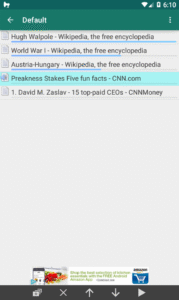
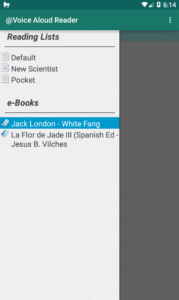
📚 READS EVERYTHING: ✓ PDFs, Word docs, ePub eBooks, HTML, RTF ✓ Web pages and news articles (built-in browser) ✓ Long emails and text messages ✓ Clipboard content from any app ✓ 50+ file formats supported
🌍 TRANSLATION & MULTILINGUAL: • Real-time Translation - Translate and listen to foreign content • 100+ Languages supported for reading and translation • Auto Language Detection - Seamlessly switches between languages • Perfect for Language Learning - Hear pronunciation while reading
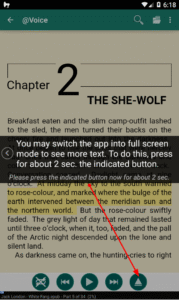
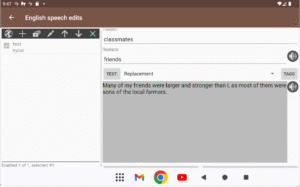
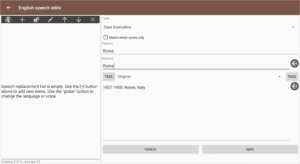
🎭 ADVANCED VOICE FEATURES: • Multiple Voice Characters - Change voices for different speakers/dialog • Voice Definitions - Assign specific voices to characters in stories • Smart Voice Management - Local, cloud, and premium voices • Dialog Enhancement - Perfect for audiobook-style listening • Custom Pronunciation - Edit how words are spoken
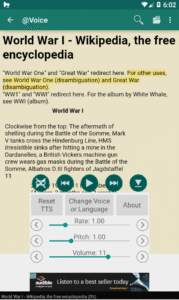
🚀 PRODUCTIVITY FEATURES: • Background Reading - Listen while using other apps • Customizable Speech - Adjust speed, pitch, and pronunciation • Sleep Timer - Perfect for bedtime listening • Bookmarks & Navigation - Never lose your place • Cloud Integration - Google Drive, Dropbox sync
⭐ HIGHLY RATED by users for:
- Excellent translation and multilingual support
- Unique voice changing capabilities for dialog
- Reliable performance for long documents
- Great multitasking capabilities
- Intuitive interface design
🔒 PRIVACY FIRST: No user data collection, secure local processing
💎 Premium Features: Remove ads, advanced voice controls, pronunciation editor, dialog voice management
Turn any text into engaging multilingual audio content. Perfect for language learning, accessibility, and hands-free productivity!
Download @Voice and experience the freedom of listening to the world's content in your preferred language and voice!
🎧 PERFECT FOR: • Busy professionals reading emails and documents during commutes • Language learners listening to foreign texts with translation • Students listening to textbooks and research papers while exercising
• Accessibility users who need audio content • Multitaskers who want to consume content hands-free • Anyone with reading difficulties or eye strain
📚 READS EVERYTHING: ✓ PDFs, Word docs, ePub eBooks, HTML, RTF ✓ Web pages and news articles (built-in browser) ✓ Long emails and text messages ✓ Clipboard content from any app ✓ 50+ file formats supported
🌍 TRANSLATION & MULTILINGUAL: • Real-time Translation - Translate and listen to foreign content • 100+ Languages supported for reading and translation • Auto Language Detection - Seamlessly switches between languages • Perfect for Language Learning - Hear pronunciation while reading
🎭 ADVANCED VOICE FEATURES: • Multiple Voice Characters - Change voices for different speakers/dialog • Voice Definitions - Assign specific voices to characters in stories • Smart Voice Management - Local, cloud, and premium voices • Dialog Enhancement - Perfect for audiobook-style listening • Custom Pronunciation - Edit how words are spoken
🚀 PRODUCTIVITY FEATURES: • Background Reading - Listen while using other apps • Customizable Speech - Adjust speed, pitch, and pronunciation • Sleep Timer - Perfect for bedtime listening • Bookmarks & Navigation - Never lose your place • Cloud Integration - Google Drive, Dropbox sync
⭐ HIGHLY RATED by users for:
- Excellent translation and multilingual support
- Unique voice changing capabilities for dialog
- Reliable performance for long documents
- Great multitasking capabilities
- Intuitive interface design
🔒 PRIVACY FIRST: No user data collection, secure local processing
💎 Premium Features: Remove ads, advanced voice controls, pronunciation editor, dialog voice management
Turn any text into engaging multilingual audio content. Perfect for language learning, accessibility, and hands-free productivity!
Download @Voice and experience the freedom of listening to the world's content in your preferred language and voice!
Download @Voice: Text to Speech Reader APK
Fast, free and safe download.
APK Permissions 25
- android.permission.ACCESS_ADSERVICES_AD_ID
- android.permission.ACCESS_ADSERVICES_ATTRIBUTION
- android.permission.ACCESS_ADSERVICES_TOPICS
- android.permission.ACCESS_NETWORK_STATE
- android.permission.ACCESS_WIFI_STATE
- android.permission.BLUETOOTH
- android.permission.BLUETOOTH_CONNECT
- android.permission.FOREGROUND_SERVICE
- android.permission.FOREGROUND_SERVICE_DATA_SYNC
- android.permission.FOREGROUND_SERVICE_MEDIA_PLAYBACK
- android.permission.INTERNET
- android.permission.MANAGE_EXTERNAL_STORAGE
- android.permission.POST_NOTIFICATIONS
- android.permission.QUERY_ALL_PACKAGES
- android.permission.READ_EXTERNAL_STORAGE
- android.permission.RECORD_AUDIO
- android.permission.VIBRATE
- android.permission.WAKE_LOCK
- android.permission.WRITE_EXTERNAL_STORAGE
- com.android.vending.BILLING
- com.applovin.array.apphub.permission.BIND_APPHUB_SERVICE
- com.google.android.finsky.permission.BIND_GET_INSTALL_REFERRER_SERVICE
- com.google.android.gms.permission.AD_ID
- com.hyperionics.avar.DYNAMIC_RECEIVER_NOT_EXPORTED_PERMISSION
- com.hyperionics.avar.LICENSE_QUERY
APK Verified
The cryptographic signature guarantees that the file is safe to install and was not tampered with in any way.


Frequently Asked Questions about @Voice: Text to Speech Reader APK
This is the universal variant — a single APK that contains native libraries for every CPU architecture. It installs on any Android device but is larger than per-architecture variants.
Yes — the APK's signature has been cryptographically verified against the publisher's signing key. The SHA-256 hash is shown in the File Information panel so you can independently confirm the file matches the original release.
Android 26 (API level 35) or newer. Older devices will refuse the install.
Install a free app like 'CPU-Z' or 'Droid Hardware Info' from the Play Store and look at the ABI / Instruction Set row. Most phones made after 2017 are arm64-v8a; if in doubt, download the universal variant.
All variants are functionally identical — same features, same version. They differ only in which CPU architectures the native code is compiled for, and (sometimes) which screen densities the included graphics target. Pick the one that matches your device for the smallest install size, or pick 'Universal' if you're unsure.