
This is the universal build of IP Tools: Network Utilities 9.4.4. It contains native libraries for every CPU architecture (arm64-v8a, armeabi-v7a, x86, x86_64), so it installs on any Android device. The trade-off is size — it's larger than per-architecture variants. Pick this one if you're unsure which CPU your phone has, or if you plan to share the APK with multiple devices.
File size: 15.9 MB • Min Android: 26 • Target Android: 36 • Version code: 596 • Framework: Native (Java/Kotlin) • Permissions: 30
Screenshots
File Information
| Package Name | com.ddm.iptools |
|---|---|
| Version Name | 9.4.4 |
| Version Code | 596 |
| Architecture | Universal |
| Min Android Version | Android 26 (API 36) |
| Main Activity | com.ddm.iptools.ui.MainActivity |
| Framework | Native (Java/Kotlin) |
| File Size | 15.90 MB |
| Signature (SHA1) | 17288B6282658D1AB569AD0E6CEE90D60E185C61 |
| File Hash (SHA256) | 321693127f44fa378975881ab0e11a01308793d7b462305427145b26965394a5 |
What's New
IP Tools v9.4.4
● Overall stability improvements
We value your feedback. Leave feedbacks and reviews if you like the app!
● Overall stability improvements
We value your feedback. Leave feedbacks and reviews if you like the app!
App Description
Powerful tool for checking, analyzing and setting up networks. Helps to quickly detect any computer net problems, IP address and help to improve Wi-Fi and mobile connection performance. This is a must-have app for all home wireless router users, IT experts and network administrators.
The app combines the most popular utilities usually found on your desktop PC. Tools will help you fix a problem with signal strength, Wi Fi router or optimize the connection in home network when you are hundreds of miles away. You also can turn on or reboot devices in home or on corporate networks with Wake on LAN feature.
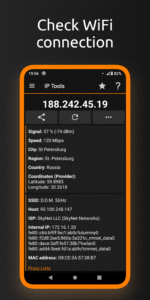
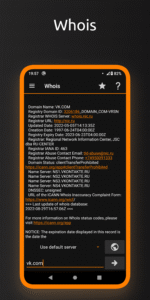
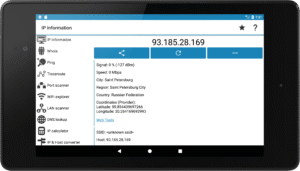
IP Tools has a simple interface, so you can receive within seconds full information about connection, find out local, internal or external address (with my IP), SSID, BSSID, DNS, ping time, Wi Fi speed, signal, broadcast address, gateway, mask, country, region, city, ISP provider’s geographical coordinates (latitude and longitude), whois, netstat and other basic information.
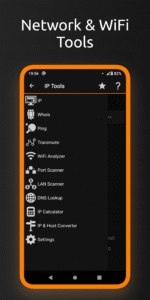
The IP Tools app provides access to the most popular Wi-Fi utilities that administrators and users often use on their computers.
FEATURES:
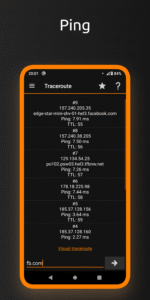
• Ping
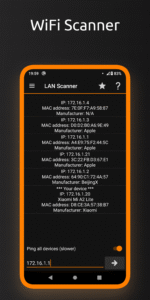
• Wi-Fi & LAN Scanner
• Port Scanner
• DNS Lookup
• WHOIS - Provides information about a website and its owner
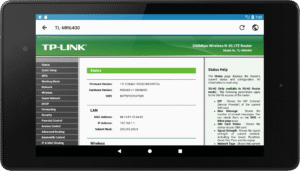
• Router Setup Page and router admin tool
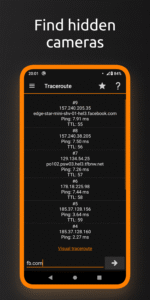
• Traceroute
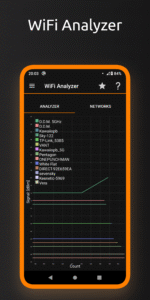
• WiFi Analyzer
• Find address with "my ip" feature
• Connection Log
• IP Calculator
• IP & Host Converter
• Netstat statistics
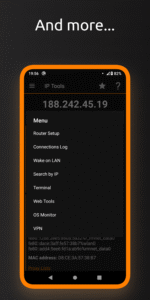
• … and more!
Wi Fi analyzer will help you get a full and clear picture of your network state, check wifi signal. With IP Tools, analysis and optimization are fast, easy and friendly. The app’s benefits go far beyond the above list. Download an app and check the Wi-Fi network today!
The app combines the most popular utilities usually found on your desktop PC. Tools will help you fix a problem with signal strength, Wi Fi router or optimize the connection in home network when you are hundreds of miles away. You also can turn on or reboot devices in home or on corporate networks with Wake on LAN feature.
IP Tools has a simple interface, so you can receive within seconds full information about connection, find out local, internal or external address (with my IP), SSID, BSSID, DNS, ping time, Wi Fi speed, signal, broadcast address, gateway, mask, country, region, city, ISP provider’s geographical coordinates (latitude and longitude), whois, netstat and other basic information.
The IP Tools app provides access to the most popular Wi-Fi utilities that administrators and users often use on their computers.
FEATURES:
• Ping
• Wi-Fi & LAN Scanner
• Port Scanner
• DNS Lookup
• WHOIS - Provides information about a website and its owner
• Router Setup Page and router admin tool
• Traceroute
• WiFi Analyzer
• Find address with "my ip" feature
• Connection Log
• IP Calculator
• IP & Host Converter
• Netstat statistics
• … and more!
Wi Fi analyzer will help you get a full and clear picture of your network state, check wifi signal. With IP Tools, analysis and optimization are fast, easy and friendly. The app’s benefits go far beyond the above list. Download an app and check the Wi-Fi network today!
Download IP Tools: Network Utilities APK
Fast, free and safe download.
APK Permissions 30
- android.permission.ACCESS_ADSERVICES_AD_ID
- android.permission.ACCESS_ADSERVICES_ATTRIBUTION
- android.permission.ACCESS_ADSERVICES_TOPICS
- android.permission.ACCESS_COARSE_LOCATION
- android.permission.ACCESS_FINE_LOCATION
- android.permission.ACCESS_NETWORK_STATE
- android.permission.ACCESS_NOTIFICATION_POLICY
- android.permission.ACCESS_WIFI_STATE
- android.permission.CHANGE_WIFI_MULTICAST_STATE
- android.permission.CHANGE_WIFI_STATE
- android.permission.FOREGROUND_SERVICE
- android.permission.FOREGROUND_SERVICE_CONNECTED_DEVICE
- android.permission.FOREGROUND_SERVICE_DATA_SYNC
- android.permission.FOREGROUND_SERVICE_LOCATION
- android.permission.FOREGROUND_SERVICE_SPECIAL_USE
- android.permission.INTERNET
- android.permission.NEARBY_WIFI_DEVICES
- android.permission.POST_NOTIFICATIONS
- android.permission.READ_BASIC_PHONE_STATE
- android.permission.RECEIVE_BOOT_COMPLETED
- android.permission.RUN_USER_INITIATED_JOBS
- android.permission.USE_FULL_SCREEN_INTENT
- android.permission.VIBRATE
- android.permission.WAKE_LOCK
- com.android.vending.BILLING
- com.android.vending.CHECK_LICENSE
- com.applovin.array.apphub.permission.BIND_APPHUB_SERVICE
- com.ddm.iptools.DYNAMIC_RECEIVER_NOT_EXPORTED_PERMISSION
- com.google.android.finsky.permission.BIND_GET_INSTALL_REFERRER_SERVICE
- com.google.android.gms.permission.AD_ID
APK Verified
The cryptographic signature guarantees that the file is safe to install and was not tampered with in any way.


Frequently Asked Questions about IP Tools: Network Utilities APK
This is the universal variant — a single APK that contains native libraries for every CPU architecture. It installs on any Android device but is larger than per-architecture variants.
Yes — the APK's signature has been cryptographically verified against the publisher's signing key. The SHA-256 hash is shown in the File Information panel so you can independently confirm the file matches the original release.
Android 26 (API level 36) or newer. Older devices will refuse the install.
Install a free app like 'CPU-Z' or 'Droid Hardware Info' from the Play Store and look at the ABI / Instruction Set row. Most phones made after 2017 are arm64-v8a; if in doubt, download the universal variant.
All variants are functionally identical — same features, same version. They differ only in which CPU architectures the native code is compiled for, and (sometimes) which screen densities the included graphics target. Pick the one that matches your device for the smallest install size, or pick 'Universal' if you're unsure.