
Download IRCTC Rail Connect APK 4.2.44 arm64-v8a, armeabi-v7a, x86, x86_64 · Android 27+
Download APK
Verified Safe
This is the arm64-v8a, armeabi-v7a, x86, x86_64 build of IRCTC Rail Connect 4.2.44. Pick this build if your device's primary ABI matches.
File size: 42.5 MB • Min Android: 27 • Target Android: 36 • Version code: 300 • Framework: Native (Java/Kotlin) • Permissions: 22
Screenshots
File Information
| Package Name | cris.org.in.prs.ima |
|---|---|
| Version Name | 4.2.44 |
| Version Code | 300 |
| Architecture | arm64-v8a, armeabi-v7a, x86, x86_64 |
| Min Android Version | Android 27 (API 36) |
| Main Activity | cris.org.in.ima.activities.IRCTCConnectActivity |
| Framework | Native (Java/Kotlin) |
| File Size | 42.51 MB |
| Signature (SHA1) | 15633036C07ECCAE96E92913D9311DB10503906E |
| File Hash (SHA256) | dd26a763bedb60a2dfbe164717755a2e73b233428ece4721f0ec7919ddaf3292 |
What's New
From version
4.2.43
:
- UI and bug fixes.
4.2.43
:
- UI and bug fixes.
App Description
OFFICIAL MOBILE APP by Indian Railway Catering And Tourism Corporation Limited (IRCTC)
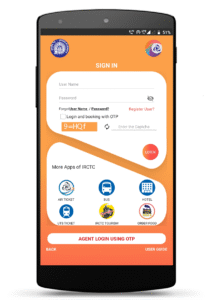
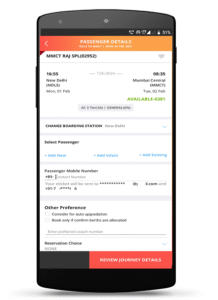
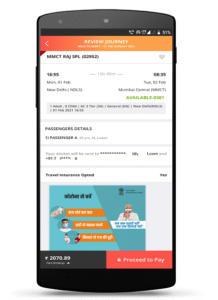
IRCTC Train ticketing now made simpler just by SWIPE and SHUFFLE, SELECT and BOOK. Install "IRCTC RAIL CONNECT" android app and book a railway ticket anywhere in India at your fingertips.
Experience the latest features
in addition to existing train ticketing services:
:: Advanced security features of
self-assigned PIN to login
without entering username and password on each login.
:: Biometric Based Login
:: Enhanced Dashboard with
Integrated Menu Bar
.
::
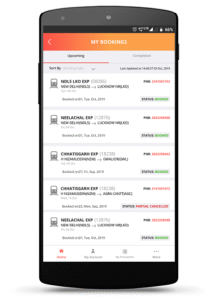
Seamless Account & Transaction Management
directly from app Dashboard.
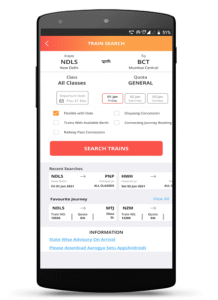
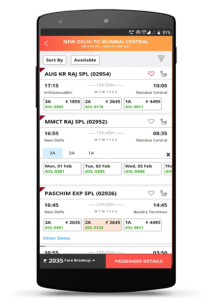
:: Train Search, Train Route and Train Seat Availability Enquiries.
::
Enquire without login
for trains, routes and seat availability.
::
Any PNR Enquiry
facility to check the PNR reservation status.
:: Check
PNR Confirmation Chances Probability
before and after booking train tickets for waitlisted availability/tickets.
:: Supports
Ladies, Tatkal, Premium Tatkal, Divyangjan and Lower Berth/Sr. Citizen
in addition to General Quota train tickets.
:: Divyangjan passengers can book Train Tickets at concessional rates through Photo Identity Card issued by Indian Railways.
::
Google Talk Back feature to assist visually impaired
to book train e-tickets.
::
Current Reservation
train tickets booking facility.
:: Master Passenger List feature to
manage frequent travelling passengers.
::
Recover your forgotten user Id
through Forgot User Id facility.
:: Integrated with
IRCTC e-wallet
for faster and hassle free transactions.
::
Boarding point change
facility.
::
Syncing of IRCTC's Official Web Site (
www.irctc.co.in
) and IRCTC Rail Connect Mobile Apps tickets.
Now users can view, cancel or file TDR of train e-tickets booked through official website or IRCTC Rail Connect mobile apps and vice-versa.
:: Users can view status of train e-tickets booked through our authorized Online Travel Agents (OTA).
:: Book train tickets through
Various Payment Modes
like BHIM/UPI, e-Wallets, Net banking, Credit and Debit cards.
::
Vikalp scheme
which provides an option to avail confirmed berth / seat in alternate train to the wait listed passengers.
::
Aadhaar Linking facility
through mobile app to avail up to 12 train tickets booking in a month.
::
Online Reservation Chart
facility.
IRCTC Website:
www.irctc.co.in/nget
Give feedback: Let us know what you think and help improvements in IRCTC Rail Connect Android App.
Enjoy the never before experience of online train ticketing with all new IRCTC Rail Connect Mobile App.
Registered Office / Corporate Office
4th Floor, Tower-D, World Trade Center, Nauroji Nagar, New Delhi-110029
IRCTC Train ticketing now made simpler just by SWIPE and SHUFFLE, SELECT and BOOK. Install "IRCTC RAIL CONNECT" android app and book a railway ticket anywhere in India at your fingertips.
Experience the latest features
in addition to existing train ticketing services:
:: Advanced security features of
self-assigned PIN to login
without entering username and password on each login.
:: Biometric Based Login
:: Enhanced Dashboard with
Integrated Menu Bar
.
::
Seamless Account & Transaction Management
directly from app Dashboard.
:: Train Search, Train Route and Train Seat Availability Enquiries.
::
Enquire without login
for trains, routes and seat availability.
::
Any PNR Enquiry
facility to check the PNR reservation status.
:: Check
PNR Confirmation Chances Probability
before and after booking train tickets for waitlisted availability/tickets.
:: Supports
Ladies, Tatkal, Premium Tatkal, Divyangjan and Lower Berth/Sr. Citizen
in addition to General Quota train tickets.
:: Divyangjan passengers can book Train Tickets at concessional rates through Photo Identity Card issued by Indian Railways.
::
Google Talk Back feature to assist visually impaired
to book train e-tickets.
::
Current Reservation
train tickets booking facility.
:: Master Passenger List feature to
manage frequent travelling passengers.
::
Recover your forgotten user Id
through Forgot User Id facility.
:: Integrated with
IRCTC e-wallet
for faster and hassle free transactions.
::
Boarding point change
facility.
::
Syncing of IRCTC's Official Web Site (
www.irctc.co.in
) and IRCTC Rail Connect Mobile Apps tickets.
Now users can view, cancel or file TDR of train e-tickets booked through official website or IRCTC Rail Connect mobile apps and vice-versa.
:: Users can view status of train e-tickets booked through our authorized Online Travel Agents (OTA).
:: Book train tickets through
Various Payment Modes
like BHIM/UPI, e-Wallets, Net banking, Credit and Debit cards.
::
Vikalp scheme
which provides an option to avail confirmed berth / seat in alternate train to the wait listed passengers.
::
Aadhaar Linking facility
through mobile app to avail up to 12 train tickets booking in a month.
::
Online Reservation Chart
facility.
IRCTC Website:
www.irctc.co.in/nget
Give feedback: Let us know what you think and help improvements in IRCTC Rail Connect Android App.
Enjoy the never before experience of online train ticketing with all new IRCTC Rail Connect Mobile App.
Registered Office / Corporate Office
4th Floor, Tower-D, World Trade Center, Nauroji Nagar, New Delhi-110029
Download IRCTC Rail Connect APK
Fast, free and safe download.
APK Permissions 22
- android.permission.ACCESS_ADSERVICES_AD_ID
- android.permission.ACCESS_ADSERVICES_ATTRIBUTION
- android.permission.ACCESS_ADSERVICES_TOPICS
- android.permission.ACCESS_NETWORK_STATE
- android.permission.ACCESS_WIFI_STATE
- android.permission.CAMERA
- android.permission.FOREGROUND_SERVICE
- android.permission.INTERNET
- android.permission.NFC
- android.permission.POST_NOTIFICATIONS
- android.permission.READ_BASIC_PHONE_STATE
- android.permission.READ_EXTERNAL_STORAGE
- android.permission.RECEIVE_BOOT_COMPLETED
- android.permission.USE_BIOMETRIC
- android.permission.USE_FINGERPRINT
- android.permission.VIBRATE
- android.permission.WAKE_LOCK
- android.permission.WRITE_EXTERNAL_STORAGE
- com.google.android.c2dm.permission.RECEIVE
- com.google.android.finsky.permission.BIND_GET_INSTALL_REFERRER_SERVICE
- com.google.android.gms.permission.AD_ID
- cris.org.in.prs.ima.DYNAMIC_RECEIVER_NOT_EXPORTED_PERMISSION
APK Verified
The cryptographic signature guarantees that the file is safe to install and was not tampered with in any way.
Similar in Travel & Local


Frequently Asked Questions about IRCTC Rail Connect APK
This variant is built for devices that report `arm64-v8a, armeabi-v7a, x86, x86_64` as their primary ABI. If your device's CPU matches, this is the smallest, fastest version to install.
Yes — the APK's signature has been cryptographically verified against the publisher's signing key. The SHA-256 hash is shown in the File Information panel so you can independently confirm the file matches the original release.
Android 27 (API level 36) or newer. Older devices will refuse the install.
Install a free app like 'CPU-Z' or 'Droid Hardware Info' from the Play Store and look at the ABI / Instruction Set row. Most phones made after 2017 are arm64-v8a; if in doubt, download the universal variant.
All variants are functionally identical — same features, same version. They differ only in which CPU architectures the native code is compiled for, and (sometimes) which screen densities the included graphics target. Pick the one that matches your device for the smallest install size, or pick 'Universal' if you're unsure.