
Download Batch Rename and Organize APK
eu.duong.picturemanager · by JD Android-Apps
Screenshots
About Batch Rename and Organize
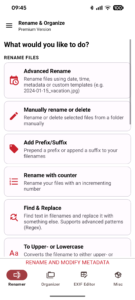
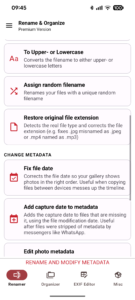
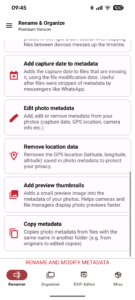
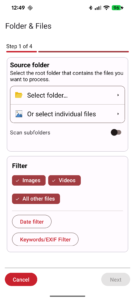
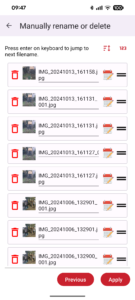
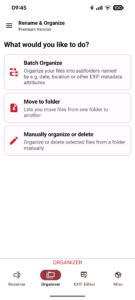
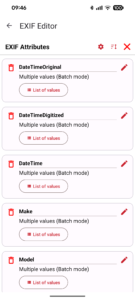
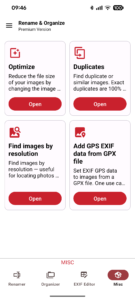
Rename and Organize Files: Simplify Your File Management! Tired of manually renaming and organizing your files? With Rename and Organize Files, you can batch rename, automate folder organization, and streamline file handling effortlessly. From setting up folder automations to creating powerful workflows, this app saves you time and makes file management hassle-free. Key Features: 🚀 Easy Batch Renaming Rename multiple files at once using customizable formats, including timestamps and metadata. • Add prefixes, suffixes, counters, or randomize filenames • Replace text, convert to uppercase/lowercase, and more • Manually rename or delete files with ease 📂 Automatic File Organization Sort files into folders automatically by date, location, or metadata 📤 Folder Automations Set up folder monitoring to rename or move files as soon as they’re saved. Create custom rules for specific folders and automate your workflow. 📆 Powerful Workflows Combine multiple batch presets for seamless, automated file management. • Schedule workflows to run on specific days or at set intervals • Run tasks in the background, so you never have to worry about interruptions 🔄 Effortless File Moving Move files between internal storage, SD cards, and even SMB network storage. Use filters and keywords to move only the files you want. 💥 Tasker Integration Automate batch renaming and organizing through Tasker Advanced Tools for Image Management: 📝 EXIF Editor Directly edit EXIF metadata for your images and set conditions to edit attributes only when they match specific criteria. Special features include: • Batch set dates and increment by hours/minutes/seconds • Adjust timezones or fix incorrect timestamps across multiple files 📏 Optimize Image Size Reduce image sizes without losing quality by resizing and compressing images using WebP, freeing up space efficiently. 🔍 Find Duplicates Identify and delete duplicate images on your device to reclaim storage space. 📸 Find Similar Images Use advanced algorithms like PHash and AverageHash to detect and organize visually similar images. 🌍 Add GPS Data from GPX Files If your camera doesn’t have GPS, sync GPS data from a GPX file. Match timestamps with locations and add GPS data to your images. 📸 Add Missing EXIF Thumbnails Easily add thumbnails to your images' EXIF metadata for faster previews in file explorers and on camera screens. Premium Features (In-App Purchase): Unlock advanced features with the premium version: • Create multiple renaming presets and custom formats for flexible file management • Real-time folder monitoring with instant renaming and organizing • Full SMB support for managing files on network storage All files access (have MANAGE_EXTERNAL_STORAGE) permission : With Android 11 a new permission was introduced that is required to access all files on the device. For the app to work this permission is required. Using more user friendly alteratives like the Media Store API unfortunately do not work, because the Media Store API only provides access to images and videos and not other file types. The Storage access framework is not usable either because it has huge performance issues. Processing thousands of files can take up to hours, which only takes minutes using direce File API access. ❗Information regarding usage of android.permission.FOREGROUND_SERVICE: Processing all your files can take several minutes, even hours, depening on your device, amount of images or storage you are selecting. To ensure all files are getting processed and the process is not getting interrupted, which could cause wrong results and media not showing in the gallery anymore, this permission is required to prevent the app getting killed by the system while your images are getting processed. While the service is running a statusbar notification will be shown.
