
This is the universal build of JioAICloud 21.28.20. It contains native libraries for every CPU architecture (arm64-v8a, armeabi-v7a, x86, x86_64), so it installs on any Android device. The trade-off is size — it's larger than per-architecture variants. Pick this one if you're unsure which CPU your phone has, or if you plan to share the APK with multiple devices.
File size: 127.4 MB • Min Android: 24 • Target Android: 35 • Version code: 1902128020 • Framework: React Native • Permissions: 51
Screenshots


File Information
| Package Name | jio.cloud.drive |
|---|---|
| Version Name | 21.28.20 |
| Version Code | 1902128020 |
| Architecture | Universal |
| Min Android Version | Android 24 (API 35) |
| Main Activity | com.rjil.cloud.tej.client.app.AppStartActivity |
| Framework | React Native |
| File Size | 127.39 MB |
| Signature (SHA1) | D0F3282FAD6447D5069C1C69B7BDBAB1F3330D8D |
| File Hash (SHA256) | 9138d29f38456c8cc610d07a0c4df137428851b4e7ed1f74059a15b4c1101a7e |
What's New
Bug fixes And Performance improvement
App Description
Experience all new JioAICloud.
JioAICloud is now available with free cloud storage for every Indian. Get latest AI tools to help you live intelligently.
Download and Install Now.
Salient features of JioAICloud are-
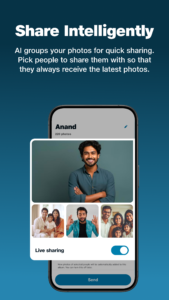
EasyShare - AI groups your photos for instant, automatic sharing. Pick who to share with once, and they'll always receive the latest photos.
People - Find photos of specific people with our AI face detection. Just name the faces and search by name.
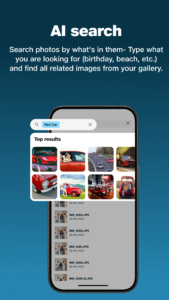
AI Search - Search photos by what's in them - Simply type what you are looking for. eg "birthday", "beach".
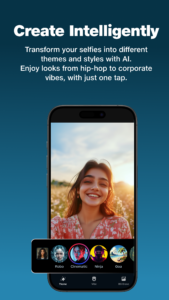
AI Photo Play - Play with fun photo (selfie) transformations with AI - different themes and styles. Try new looks from hip-hop to corporate vibes with just one tap.
AI Memories - Our AI automatically creates photo collections based on dates, places, and events.
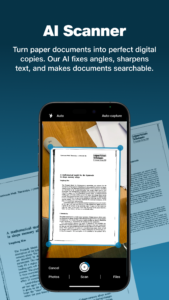
AI Scanner - Turn paper documents into perfect digital copies. Our AI fixes angles, sharpens text, and makes documents searchable.
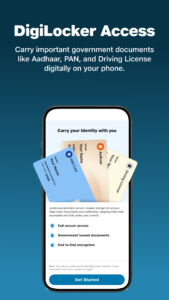
DigiLocker Access - Carry important government documents like Aadhar, PAN, and Driving License digitally on your phone.
Storage and Backup - Simply enable backup to keep your phone data safe on JioAICloud. All your existing and new photos, videos and contacts will be backed up automatically to JioAICloud as per your backup settings.
Access from Anywhere - Access your backed up files from anywhere, anytime using JioAICloud app or website (
www.jioaicloud.com
) on any smartphone, computer or TV. Once uploaded to JioAICloud, your files are instantly synced across all your devices.
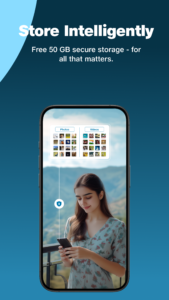
Secure Storage - We securely store multiple copies of your data with us so you never lose any file and can access them whenever you need them.
We are listening to your feedback and constantly working on it. Please reach out to us at
care.jiocloud@jio.com
for any queries or feedback.
JioAICloud is now available with free cloud storage for every Indian. Get latest AI tools to help you live intelligently.
Download and Install Now.
Salient features of JioAICloud are-
EasyShare - AI groups your photos for instant, automatic sharing. Pick who to share with once, and they'll always receive the latest photos.
People - Find photos of specific people with our AI face detection. Just name the faces and search by name.
AI Search - Search photos by what's in them - Simply type what you are looking for. eg "birthday", "beach".
AI Photo Play - Play with fun photo (selfie) transformations with AI - different themes and styles. Try new looks from hip-hop to corporate vibes with just one tap.
AI Memories - Our AI automatically creates photo collections based on dates, places, and events.
AI Scanner - Turn paper documents into perfect digital copies. Our AI fixes angles, sharpens text, and makes documents searchable.
DigiLocker Access - Carry important government documents like Aadhar, PAN, and Driving License digitally on your phone.
Storage and Backup - Simply enable backup to keep your phone data safe on JioAICloud. All your existing and new photos, videos and contacts will be backed up automatically to JioAICloud as per your backup settings.
Access from Anywhere - Access your backed up files from anywhere, anytime using JioAICloud app or website (
www.jioaicloud.com
) on any smartphone, computer or TV. Once uploaded to JioAICloud, your files are instantly synced across all your devices.
Secure Storage - We securely store multiple copies of your data with us so you never lose any file and can access them whenever you need them.
We are listening to your feedback and constantly working on it. Please reach out to us at
care.jiocloud@jio.com
for any queries or feedback.
Download JioAICloud APK
Fast, free and safe download.
APK Permissions 51
- android.permission.ACCESS_ADSERVICES_AD_ID
- android.permission.ACCESS_ADSERVICES_ATTRIBUTION
- android.permission.ACCESS_COARSE_LOCATION
- android.permission.ACCESS_FINE_LOCATION
- android.permission.ACCESS_MEDIA_LOCATION
- android.permission.ACCESS_NETWORK_STATE
- android.permission.ACCESS_WIFI_STATE
- android.permission.AUTHENTICATE_ACCOUNTS
- android.permission.BLUETOOTH
- android.permission.BROADCAST_SMS
- android.permission.BROADCAST_STICKY
- android.permission.CALL_PHONE
- android.permission.CAMERA
- android.permission.CHANGE_WIFI_MULTICAST_STATE
- android.permission.DOWNLOAD_WITHOUT_NOTIFICATION
- android.permission.FOREGROUND_SERVICE
- android.permission.FOREGROUND_SERVICE_DATA_SYNC
- android.permission.FOREGROUND_SERVICE_MEDIA_PLAYBACK
- android.permission.GET_ACCOUNTS
- android.permission.GET_TASKS
- android.permission.INTERACT_ACROSS_USERS
- android.permission.INTERNET
- android.permission.MANAGE_ACCOUNTS
- android.permission.MANAGE_EXTERNAL_STORAGE
- android.permission.POST_NOTIFICATIONS
- android.permission.READ_CALENDAR
- android.permission.READ_CONTACTS
- android.permission.READ_EXTERNAL_STORAGE
- android.permission.READ_MEDIA_IMAGES
- android.permission.READ_PHONE_STATE
- android.permission.READ_SMS
- android.permission.READ_SYNC_SETTINGS
- android.permission.RECEIVE_BOOT_COMPLETED
- android.permission.RECEIVE_SMS
- android.permission.RECORD_AUDIO
- android.permission.REQUEST_IGNORE_BATTERY_OPTIMIZATIONS
- android.permission.SCHEDULE_EXACT_ALARM
- android.permission.SET_WALLPAPER
- android.permission.USE_CREDENTIALS
- android.permission.VIBRATE
- android.permission.WAKE_LOCK
- android.permission.WRITE_CALENDAR
- android.permission.WRITE_CONTACTS
- android.permission.WRITE_EXTERNAL_STORAGE
- android.permission.WRITE_SETTINGS
- android.permission.WRITE_SYNC_SETTINGS
- com.google.android.c2dm.permission.RECEIVE
- com.google.android.finsky.permission.BIND_GET_INSTALL_REFERRER_SERVICE
- com.sonyericsson.home.action.UPDATE_BADGE
- jio.cloud.drive.DYNAMIC_RECEIVER_NOT_EXPORTED_PERMISSION
- jio.cloud.drive.permission.C2D_MESSAGE
APK Verified
The cryptographic signature guarantees that the file is safe to install and was not tampered with in any way.
Similar in Productivity


More by Jio Platforms Limited


Frequently Asked Questions about JioAICloud APK
This is the universal variant — a single APK that contains native libraries for every CPU architecture. It installs on any Android device but is larger than per-architecture variants.
Yes — the APK's signature has been cryptographically verified against the publisher's signing key. The SHA-256 hash is shown in the File Information panel so you can independently confirm the file matches the original release.
Android 24 (API level 35) or newer. Older devices will refuse the install.
Install a free app like 'CPU-Z' or 'Droid Hardware Info' from the Play Store and look at the ABI / Instruction Set row. Most phones made after 2017 are arm64-v8a; if in doubt, download the universal variant.
All variants are functionally identical — same features, same version. They differ only in which CPU architectures the native code is compiled for, and (sometimes) which screen densities the included graphics target. Pick the one that matches your device for the smallest install size, or pick 'Universal' if you're unsure.