
Download Tasker (Play Store version) APK 6.6.13-rc (READ NOTES) arm64-v8a, armeabi-v7a · Android 27+
Download APK
Verified Safe
This is the arm64-v8a, armeabi-v7a build of Tasker (Play Store version) 6.6.13-rc (READ NOTES). Pick this build if your device's primary ABI matches.
File size: 29.7 MB • Min Android: 27 • Target Android: 35 • Version code: 5438 • Framework: Native (Java/Kotlin) • Permissions: 110
Screenshots
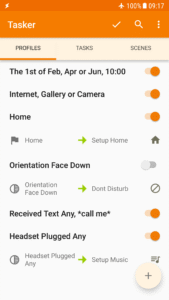
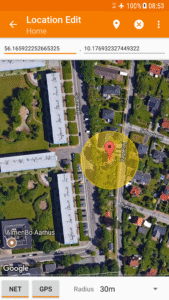
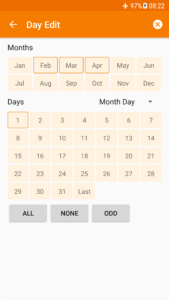
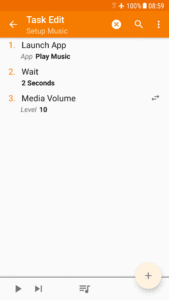
File Information
| Package Name | net.dinglisch.android.taskerm |
|---|---|
| Version Name | 6.6.13-rc (READ NOTES) |
| Version Code | 5438 |
| Architecture | arm64-v8a, armeabi-v7a |
| Min Android Version | Android 27 (API 35) |
| Main Activity | com.joaomgcd.taskerm.util.ActivitySecondaryApp |
| Framework | Native (Java/Kotlin) |
| File Size | 29.71 MB |
| Signature (SHA1) | FEADD18B23781CFD4EAC71118C76FB35C1AB39C7 |
| File Hash (SHA256) | 3826c2a57a07b88371a6f6bd9db3bf2e4c266fe42f43c061ae1ff85ab03efbb9 |
What's New
Release Video:
bit.ly/tasker6_5_video
Comment/More:
bit.ly/tasker6_5_comment
- AI Generator: Automate with natural language!
- Receive Share: Tasker as a share target for any app on your device!
- 7 New Calendar Actions and Calendar Changed Event: Full Calendar Automation to the Max!
- Change Keyboard Action
- Custom Fonts in Widget
... and more!!
bit.ly/tasker6_5_video
Comment/More:
bit.ly/tasker6_5_comment
- AI Generator: Automate with natural language!
- Receive Share: Tasker as a share target for any app on your device!
- 7 New Calendar Actions and Calendar Changed Event: Full Calendar Automation to the Max!
- Change Keyboard Action
- Custom Fonts in Widget
... and more!!
App Description
⚙No repetitive tasks for you, let your Android device handle it!⚙
Total Automation, From Settings to SMS.
Here are only
some
of the things you could do with Tasker. Its real power is the flexibility to combine contexts and tasks however you wish:
tasker.joaoapps.com/exampleuses.html
☑
Automations
Make your phone a true
smart
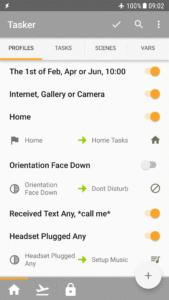
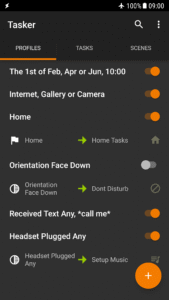
phone! Why remember to change the volume every day when you leave home when your phone can do it for you?
Automate stuff based on the
app you're in
, the
time of day
, your
location
, your
Wi-Fi network
,
Received SMS or Calls
, the currently playing
song
and many other (130+) states and events!
Check out how easy it is to create an automation:
www.youtube.com/watch?v=s6EAbLW5WSk
☑
Actions
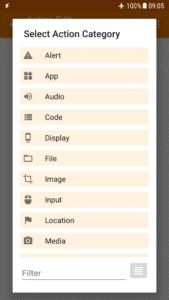
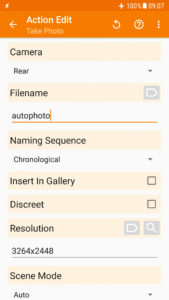
350+ actions allow you to truly customize your phone like never before! Send SMS, create notifications, change almost any system setting like Wifi Tether, Dark Mode, Always On Display, change any volume, control Do Not Disturb, open apps, file manipulation, control music playback, get your location... you get the idea. If you can think of it, Tasker can probably do it for you!
Note: root is NOT (I repeat NOT) required for majority of the functions.
However, a few of the actions (like the Kill App and Mobile Data action on some devices) require root. This is because of Android security policies that developers cannot work around.
☑
Automatic File Backups
If you set it up to do so, Tasker can automatically backup your files to a specific folder on the device, SD card, USB key or even Google Drive! This is useful if you want to keep your files safe even if you lose your phone.
☑
Download and Install APKs directly
By your request (if you set up a task to do so), Tasker can automatically check a website for updated APKs, receive those APKs from said websites and initiate installation of any files!
☑
Other Triggers
Manually trigger your actions via launcher shortcuts, quick setting tiles, widgets, long-pressing volume buttons, media buttons (like the ones on your BT headsets or headphones), Bixby button, Navigation Bar, Notifications and more!
☑
Join - Remote Tasker
Adding Join (
play.google.com/store/apps/details?id=com.joaomgcd.join
) to the mix will even allow you to trigger tasks from another Android device or PC!
☑
Scenes
Design your own UI and use it to display any info you want or trigger any task!
☑
App Creation
Create your own standalone apps to share or sell with the Tasker App Factory :
play.google.com/store/apps/details?id=net.dinglisch.android.appfactory
☑
Developer Friendly
Many 3rd party developers already allow you to perform actions in their apps and listen to their events/states through Tasker!
Check out some of them:
tasker.joaoapps.com/pluginlist.html
You can also call most of the Web APIs from Tasker with the powerful HTTP Auth and HTTP Request actions! Check out an example Video of HTTP Auth and Request:
youtu.be/yAt2D1XmgUI
.
☑
7 day trial - one time payment to unlock
Get it here:
tasker.joaoapps.com/download.html
☑
Useful Links
Privacy Policy:
tasker.joaoapps.com/privacy.html
Starter Guides:
tasker.joaoapps.com/guides.html
Pre-made projects:
forum.joaoapps.com/index.php?resources/
Official Support Forum:
groups.google.com/forum/#!forum/tasker
Tasker Community:
www.reddit.com/r/tasker/
It's not possible to fix problems reported via Play Store Comments so please use the "Report Issue To Developer" option in the app > Menu to do so.
Note 1
: Tasker uses the BIND_DEVICE_ADMIN permission in order to provide the System Lock functionality
Note 2
: Tasker uses an accessibility service for some of its features like closing the notification tray, checking which app is currently opened and more.
Total Automation, From Settings to SMS.
Here are only
some
of the things you could do with Tasker. Its real power is the flexibility to combine contexts and tasks however you wish:
tasker.joaoapps.com/exampleuses.html
☑
Automations
Make your phone a true
smart
phone! Why remember to change the volume every day when you leave home when your phone can do it for you?
Automate stuff based on the
app you're in
, the
time of day
, your
location
, your
Wi-Fi network
,
Received SMS or Calls
, the currently playing
song
and many other (130+) states and events!
Check out how easy it is to create an automation:
www.youtube.com/watch?v=s6EAbLW5WSk
☑
Actions
350+ actions allow you to truly customize your phone like never before! Send SMS, create notifications, change almost any system setting like Wifi Tether, Dark Mode, Always On Display, change any volume, control Do Not Disturb, open apps, file manipulation, control music playback, get your location... you get the idea. If you can think of it, Tasker can probably do it for you!
Note: root is NOT (I repeat NOT) required for majority of the functions.
However, a few of the actions (like the Kill App and Mobile Data action on some devices) require root. This is because of Android security policies that developers cannot work around.
☑
Automatic File Backups
If you set it up to do so, Tasker can automatically backup your files to a specific folder on the device, SD card, USB key or even Google Drive! This is useful if you want to keep your files safe even if you lose your phone.
☑
Download and Install APKs directly
By your request (if you set up a task to do so), Tasker can automatically check a website for updated APKs, receive those APKs from said websites and initiate installation of any files!
☑
Other Triggers
Manually trigger your actions via launcher shortcuts, quick setting tiles, widgets, long-pressing volume buttons, media buttons (like the ones on your BT headsets or headphones), Bixby button, Navigation Bar, Notifications and more!
☑
Join - Remote Tasker
Adding Join (
play.google.com/store/apps/details?id=com.joaomgcd.join
) to the mix will even allow you to trigger tasks from another Android device or PC!
☑
Scenes
Design your own UI and use it to display any info you want or trigger any task!
☑
App Creation
Create your own standalone apps to share or sell with the Tasker App Factory :
play.google.com/store/apps/details?id=net.dinglisch.android.appfactory
☑
Developer Friendly
Many 3rd party developers already allow you to perform actions in their apps and listen to their events/states through Tasker!
Check out some of them:
tasker.joaoapps.com/pluginlist.html
You can also call most of the Web APIs from Tasker with the powerful HTTP Auth and HTTP Request actions! Check out an example Video of HTTP Auth and Request:
youtu.be/yAt2D1XmgUI
.
☑
7 day trial - one time payment to unlock
Get it here:
tasker.joaoapps.com/download.html
☑
Useful Links
Privacy Policy:
tasker.joaoapps.com/privacy.html
Starter Guides:
tasker.joaoapps.com/guides.html
Pre-made projects:
forum.joaoapps.com/index.php?resources/
Official Support Forum:
groups.google.com/forum/#!forum/tasker
Tasker Community:
www.reddit.com/r/tasker/
It's not possible to fix problems reported via Play Store Comments so please use the "Report Issue To Developer" option in the app > Menu to do so.
Note 1
: Tasker uses the BIND_DEVICE_ADMIN permission in order to provide the System Lock functionality
Note 2
: Tasker uses an accessibility service for some of its features like closing the notification tray, checking which app is currently opened and more.
Download Tasker (Play Store version) APK
Fast, free and safe download.
APK Permissions 110
- android.permission.ACCESS_BACKGROUND_LOCATION
- android.permission.ACCESS_COARSE_LOCATION
- android.permission.ACCESS_FINE_LOCATION
- android.permission.ACCESS_NETWORK_STATE
- android.permission.ACCESS_NOTIFICATION_POLICY
- android.permission.ACCESS_WIFI_STATE
- android.permission.ACCESS_WIMAX_STATE
- android.permission.ACTIVITY_RECOGNITION
- android.permission.ANSWER_PHONE_CALLS
- android.permission.BATTERY_STATS
- android.permission.BIND_APPWIDGET
- android.permission.BLUETOOTH
- android.permission.BLUETOOTH_ADMIN
- android.permission.BLUETOOTH_CONNECT
- android.permission.BLUETOOTH_PRIVILEGED
- android.permission.BLUETOOTH_SCAN
- android.permission.BODY_SENSORS
- android.permission.CALL_COMPANION_APP
- android.permission.CALL_PHONE
- android.permission.CAMERA
- android.permission.CAPTURE_AUDIO_OUTPUT
- android.permission.CHANGE_CONFIGURATION
- android.permission.CHANGE_NETWORK_STATE
- android.permission.CHANGE_WIFI_MULTICAST_STATE
- android.permission.CHANGE_WIFI_STATE
- android.permission.CHANGE_WIMAX_STATE
- android.permission.DISABLE_KEYGUARD
- android.permission.DUMP
- android.permission.EXPAND_STATUS_BAR
- android.permission.FOREGROUND_SERVICE
- android.permission.FOREGROUND_SERVICE_CAMERA
- android.permission.FOREGROUND_SERVICE_LOCATION
- android.permission.FOREGROUND_SERVICE_MEDIA_PLAYBACK
- android.permission.FOREGROUND_SERVICE_MEDIA_PROJECTION
- android.permission.FOREGROUND_SERVICE_MICROPHONE
- android.permission.FOREGROUND_SERVICE_SPECIAL_USE
- android.permission.GET_TASKS
- android.permission.HIGH_SAMPLING_RATE_SENSORS
- android.permission.INTERACT_ACROSS_USERS
- android.permission.INTERNET
- android.permission.KILL_BACKGROUND_PROCESSES
- android.permission.MANAGE_EXTERNAL_STORAGE
- android.permission.MODIFY_AUDIO_SETTINGS
- android.permission.MODIFY_PHONE_STATE
- android.permission.MODIFY_QUIET_MODE
- android.permission.NEARBY_WIFI_DEVICES
- android.permission.NFC
- android.permission.PACKAGE_USAGE_STATS
- android.permission.POST_NOTIFICATIONS
- android.permission.POST_PROMOTED_NOTIFICATIONS
- android.permission.PROCESS_OUTGOING_CALLS
- android.permission.QUERY_ALL_PACKAGES
- android.permission.READ_CALENDAR
- android.permission.READ_CALL_LOG
- android.permission.READ_CLIPBOARD_IN_BACKGROUND
- android.permission.READ_CONTACTS
- android.permission.READ_LOGS
- android.permission.READ_MEDIA_AUDIO
- android.permission.READ_MEDIA_IMAGES
- android.permission.READ_MEDIA_VIDEO
- android.permission.READ_PHONE_NUMBERS
- android.permission.READ_PHONE_STATE
- android.permission.READ_SMS
- android.permission.READ_SYNC_SETTINGS
- android.permission.RECEIVE_BOOT_COMPLETED
- android.permission.RECEIVE_SMS
- android.permission.RECORD_AUDIO
- android.permission.REQUEST_COMPANION_RUN_IN_BACKGROUND
- android.permission.REQUEST_COMPANION_USE_DATA_IN_BACKGROUND
- android.permission.REQUEST_DELETE_PACKAGES
- android.permission.REQUEST_IGNORE_BATTERY_OPTIMIZATIONS
- android.permission.RESTART_PACKAGES
- android.permission.SCHEDULE_EXACT_ALARM
- android.permission.SEND_SMS
- android.permission.SET_MEDIA_KEY_LISTENER
- android.permission.SET_PROCESS_LIMIT
- android.permission.SET_TIME_ZONE
- android.permission.SET_VOLUME_KEY_LONG_PRESS_LISTENER
- android.permission.SET_WALLPAPER
- android.permission.SET_WALLPAPER_COMPONENT
- android.permission.SYSTEM_ALERT_WINDOW
- android.permission.TETHER_PRIVILEGED
- android.permission.USE_BIOMETRIC
- android.permission.USE_FINGERPRINT
- android.permission.VIBRATE
- android.permission.WAKE_LOCK
- android.permission.WRITE_CALENDAR
- android.permission.WRITE_CALL_LOG
- android.permission.WRITE_CONTACTS
- android.permission.WRITE_EXTERNAL_STORAGE
- android.permission.WRITE_SECURE_SETTINGS
- android.permission.WRITE_SETTINGS
- android.permission.WRITE_SMS
- android.permission.WRITE_SYNC_SETTINGS
- com.android.alarm.permission.SET_ALARM
- com.android.phone.CHANGE_NETWORK_MODE
- com.android.vending.CHECK_LICENSE
- com.google.android.c2dm.permission.RECEIVE
- com.google.android.gms.permission.ACTIVITY_RECOGNITION
- com.joaomgcd.taskerexternal.TRIGGER_FROM_EXTERNAL_TASKER_APP
- com.joaomgcd.taskersettings.SET_SETTING
- com.latedroid.juicedefender.permission.CONTROL_JUICEDEFENDER
- com.latedroid.juicedefender.permission.TOGGLE_MOBILE_DATA
- com.samsung.android.app.routines.permission.READ_ROUTINE_INFO
- com.termux.permission.RUN_COMMAND
- com.wireguard.android.permission.CONTROL_TUNNELS
- cyanogenmod.permission.PUBLISH_CUSTOM_TILE
- moe.shizuku.manager.permission.API_V23
- net.dinglisch.android.taskerm.DYNAMIC_RECEIVER_NOT_EXPORTED_PERMISSION
- net.dinglisch.android.zoom.permission.MAKE_CHANGES
APK Verified
The cryptographic signature guarantees that the file is safe to install and was not tampered with in any way.
Similar in Tools


Frequently Asked Questions about Tasker (Play Store version) APK
This variant is built for devices that report `arm64-v8a, armeabi-v7a` as their primary ABI. If your device's CPU matches, this is the smallest, fastest version to install.
Yes — the APK's signature has been cryptographically verified against the publisher's signing key. The SHA-256 hash is shown in the File Information panel so you can independently confirm the file matches the original release.
Android 27 (API level 35) or newer. Older devices will refuse the install.
Install a free app like 'CPU-Z' or 'Droid Hardware Info' from the Play Store and look at the ABI / Instruction Set row. Most phones made after 2017 are arm64-v8a; if in doubt, download the universal variant.
All variants are functionally identical — same features, same version. They differ only in which CPU architectures the native code is compiled for, and (sometimes) which screen densities the included graphics target. Pick the one that matches your device for the smallest install size, or pick 'Universal' if you're unsure.