
This is the universal build of Wakey: Keep Screen On 11.1.0. It contains native libraries for every CPU architecture (arm64-v8a, armeabi-v7a, x86, x86_64), so it installs on any Android device. The trade-off is size — it's larger than per-architecture variants. Pick this one if you're unsure which CPU your phone has, or if you plan to share the APK with multiple devices.
File size: 5.0 MB • Min Android: 28 • Target Android: 36 • Version code: 805810700 • Framework: Native (Java/Kotlin) • Permissions: 19
Screenshots
File Information
| Package Name | com.doublep.wakey |
|---|---|
| Version Name | 11.1.0 |
| Version Code | 805810700 |
| Architecture | Universal |
| Min Android Version | Android 28 (API 36) |
| Main Activity | com.doublep.wakey.ui.MainActivity |
| Framework | Native (Java/Kotlin) |
| File Size | 4.96 MB |
| Signature (SHA1) | 127E6CBBBBB67DA9CC6C9D0BEB8A48A75421B613 |
| File Hash (SHA256) | 472f6ee0b7cbe9de3bfd6698f89b9b09785111f6c1ec3ac50a93bbdd2e45d2d9 |
What's New
- Tasker support is back, but you will have to reconfigure your tasks as I've had to completely rewrite it.
- Many, many updates for performance and stability.
- Many, many updates for performance and stability.
App Description
Have you ever wanted to keep your device's screen on longer than your device display's default sleep timeout? Want to make your screen go to max brightness when you are using navigation or viewing your vacation photos? With Wakey, you can keep your screen on as long as you like.
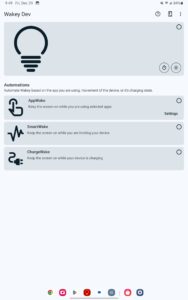
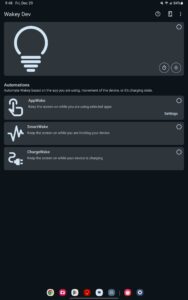
Wakey keeps your screen lit on your terms. Make the screen fully bright, dim, or even completely dark while the phone is still awake and working. Wakey can also be set to keep your screen on when certain apps or games are active, when the device is charging, when connected to certain Bluetooth devices, or when you the device.
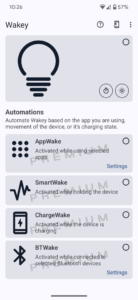
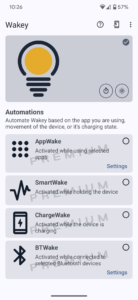
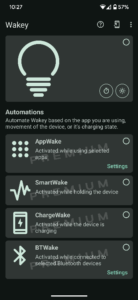
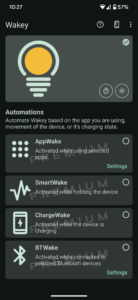
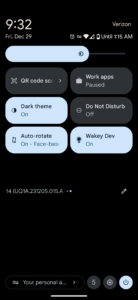
Enable Wakey manually with the big bulb right in the app at any time and tap it again to disable it. There's also a Quick-Setting Tile or a Widget to make toggling even more convenient. Set up Wakey just how you like it!
Wakey Premium (available as an in-app upgrade) has several features that will make your life even easier:
SmartWake
Keep your screen awake while you are using the device.
AppWake
Automatically keep your screen awake when certain apps are in the foreground. If you want to keep the screen on to see album art while music is playing or while playing games, this feature is great for you.
If you have limited dexterity, AppWake allows you to ensure the screen stays on while you use apps requiring extra time to navigate and allows the screen turn off quickly all other times.
Note: When the AppWake Accessibility Service is enabled, it monitors which apps are foreground on your device so it can enable Wakey as the configured. The Wakey accessibility service cannot see the contents of the window or anything that you type, nor can it listen to the microphone or use the camera. No data about your specific use of AppWake is collected or shared with anyone.
ChargeWake
Automatically keep your screen awake when it's charging.
BtWake
Keep your screen on when you have Bluetooth devices connected to the device.
Tasker Plugin
You can use Tasker or Locale to customize Wakey more than ever! Set Wakey to react to whatever triggers Tasker supports. Night-time browsing? Set the screen to remain on & dim. Using nav during the day? Set the screen to full brightness. You now have more control than ever!
Wakey keeps your screen lit on your terms. Make the screen fully bright, dim, or even completely dark while the phone is still awake and working. Wakey can also be set to keep your screen on when certain apps or games are active, when the device is charging, when connected to certain Bluetooth devices, or when you the device.
Enable Wakey manually with the big bulb right in the app at any time and tap it again to disable it. There's also a Quick-Setting Tile or a Widget to make toggling even more convenient. Set up Wakey just how you like it!
Wakey Premium (available as an in-app upgrade) has several features that will make your life even easier:
SmartWake
Keep your screen awake while you are using the device.
AppWake
Automatically keep your screen awake when certain apps are in the foreground. If you want to keep the screen on to see album art while music is playing or while playing games, this feature is great for you.
If you have limited dexterity, AppWake allows you to ensure the screen stays on while you use apps requiring extra time to navigate and allows the screen turn off quickly all other times.
Note: When the AppWake Accessibility Service is enabled, it monitors which apps are foreground on your device so it can enable Wakey as the configured. The Wakey accessibility service cannot see the contents of the window or anything that you type, nor can it listen to the microphone or use the camera. No data about your specific use of AppWake is collected or shared with anyone.
ChargeWake
Automatically keep your screen awake when it's charging.
BtWake
Keep your screen on when you have Bluetooth devices connected to the device.
Tasker Plugin
You can use Tasker or Locale to customize Wakey more than ever! Set Wakey to react to whatever triggers Tasker supports. Night-time browsing? Set the screen to remain on & dim. Using nav during the day? Set the screen to full brightness. You now have more control than ever!
Download Wakey: Keep Screen On APK
Fast, free and safe download.
APK Permissions 19
- android.permission.ACCESS_ADSERVICES_AD_ID
- android.permission.ACCESS_ADSERVICES_ATTRIBUTION
- android.permission.ACCESS_ADSERVICES_TOPICS
- android.permission.ACCESS_NETWORK_STATE
- android.permission.BLUETOOTH
- android.permission.BLUETOOTH_CONNECT
- android.permission.FOREGROUND_SERVICE
- android.permission.FOREGROUND_SERVICE_SPECIAL_USE
- android.permission.INTERNET
- android.permission.POST_NOTIFICATIONS
- android.permission.RECEIVE_BOOT_COMPLETED
- android.permission.WAKE_LOCK
- android.permission.WRITE_SETTINGS
- com.android.vending.BILLING
- com.android.vending.CHECK_LICENSE
- com.doublep.wakey.DYNAMIC_RECEIVER_NOT_EXPORTED_PERMISSION
- com.google.android.finsky.permission.BIND_GET_INSTALL_REFERRER_SERVICE
- com.google.android.gms.permission.AD_ID
- com.huawei.android.launcher.permission.WRITE_SETTINGS
APK Verified
The cryptographic signature guarantees that the file is safe to install and was not tampered with in any way.


Frequently Asked Questions about Wakey: Keep Screen On APK
This is the universal variant — a single APK that contains native libraries for every CPU architecture. It installs on any Android device but is larger than per-architecture variants.
Yes — the APK's signature has been cryptographically verified against the publisher's signing key. The SHA-256 hash is shown in the File Information panel so you can independently confirm the file matches the original release.
Android 28 (API level 36) or newer. Older devices will refuse the install.
Install a free app like 'CPU-Z' or 'Droid Hardware Info' from the Play Store and look at the ABI / Instruction Set row. Most phones made after 2017 are arm64-v8a; if in doubt, download the universal variant.
All variants are functionally identical — same features, same version. They differ only in which CPU architectures the native code is compiled for, and (sometimes) which screen densities the included graphics target. Pick the one that matches your device for the smallest install size, or pick 'Universal' if you're unsure.