
Download Macrorify - Image Auto Clicker APK 1.6.0.2 Universal · Android 21+
Download APK
Verified Safe
This is the universal build of Macrorify - Image Auto Clicker 1.6.0.2. It contains native libraries for every CPU architecture (arm64-v8a, armeabi-v7a, x86, x86_64), so it installs on any Android device. The trade-off is size — it's larger than per-architecture variants. Pick this one if you're unsure which CPU your phone has, or if you plan to share the APK with multiple devices.
File size: 56.0 MB • Min Android: 21 • Target Android: 35 • Version code: 218 • Framework: Native (Java/Kotlin) • Permissions: 8
Screenshots
File Information
| Package Name | com.kok_emm.mobile |
|---|---|
| Version Name | 1.6.0.2 |
| Version Code | 218 |
| Architecture | Universal |
| Min Android Version | Android 21 (API 35) |
| Main Activity | com.kok_emm.mobile.activity.ActivityMain |
| Framework | Native (Java/Kotlin) |
| File Size | 55.95 MB |
| Signature (SHA1) | AF41C9DDB517AFCEC995B8FB20C5767351C02EBB |
| File Hash (SHA256) | b48cd3b5d230324cf54c8847b032aa305f90eebc754652ff2829cef9de10bfc1 |
What's New
1.6.0.1-1.6.0.2
- Fix crash in Custom Action list
- Fix delete resource in Abstract
1.6.0
- Add Custom Setting for job and variable in Abstract Mode.
- Add resource management in Abstract Mode.
- Fix toast on newer Android.
- Fix crash in Custom Action list
- Fix delete resource in Abstract
1.6.0
- Add Custom Setting for job and variable in Abstract Mode.
- Add resource management in Abstract Mode.
- Fix toast on newer Android.
App Description
Tell Me About Yourself
Hi, I’m Macrorify and I’m a Macro Maker. You might know me as an Auto Clicker.
However, I can do more than any other auto clicker. Using Image Detection and Text Recognition, I can help make your macros as powerful as possible.
What Are Your Strengths?
•
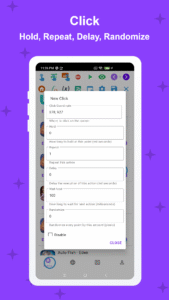
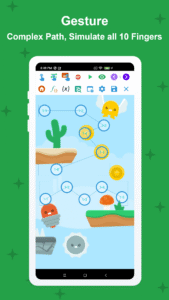
Click, Swipe
: Long clicks, double clicks,...Any swipes or gestures (drag and drop, pinch, zoom,...) and I can do it with all 10 fingers!
•
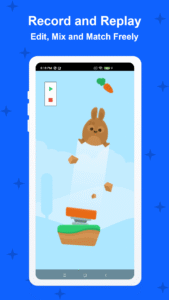
Record and Replay
: Record your touches and replay them. This recording can be edited freely, mixed and matched in any order, played at different speeds and intervals. You can even randomize every touch point in it.
•
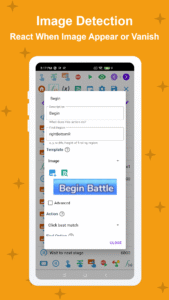
Image Detection
: This is what I do best. I click on an image when it appears and react to it when it disappears. I can detect multiple images, one after another, and chain multiple triggers together to create complex conditional logic statements.
•
Text Recognition
: I can also see words too, those are images too right?. I can recognize if there is text on the screen or not and let you decide what you want me to do from there.
•
Intuitive UI
: Everything from simple clicks and swipes to Image Detection can be set up in an easy-to-use interface. You can even create your own custom UI.
•
Compatibility
: Best of all, you don't need to root your device! It works from Kitkat onwards and even in emulators!
•
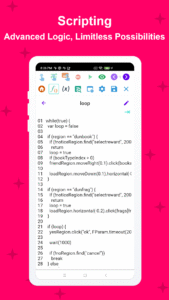
Optional Scripting
: You can write code with me. EMScript is easy to learn and work with. If you're looking to up your macro-making game, this will open the door to limitless possibilities!
•
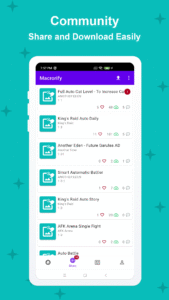
Built-in Macro Store
: Don’t feel like doing the work? You can also download macros from other users and earn rewards from uploading your own.
What Are Your Hobbies and Interests?
Some other things I'm good at? Well, I can:
• Auto turn screen off to save battery life.
• Pause and resume macros.
• Adjust the area you want me to click.
• Limit the number of items shown on screen.
• Run specific actions for testing purposes.
What Are Your Weaknesses?
In an app my size, there are bound to be mistakes, bugs. Please contact my developer on my website or reach them on Discord if you run into any problems.
** For Android 6 and below users: You need to install a Native Service using a PC for me to work correctly. Please follow the Installation Guide in the app carefully
Thank you for your time, we’ll get back to you soon
Thank you for having me. I hope you'll give me a chance to show you just how much I can do.
Note
The app requires Accessibility Service to perform auto-clicking, paste text, press navigation button, etc. No data is collected or shared
Hi, I’m Macrorify and I’m a Macro Maker. You might know me as an Auto Clicker.
However, I can do more than any other auto clicker. Using Image Detection and Text Recognition, I can help make your macros as powerful as possible.
What Are Your Strengths?
•
Click, Swipe
: Long clicks, double clicks,...Any swipes or gestures (drag and drop, pinch, zoom,...) and I can do it with all 10 fingers!
•
Record and Replay
: Record your touches and replay them. This recording can be edited freely, mixed and matched in any order, played at different speeds and intervals. You can even randomize every touch point in it.
•
Image Detection
: This is what I do best. I click on an image when it appears and react to it when it disappears. I can detect multiple images, one after another, and chain multiple triggers together to create complex conditional logic statements.
•
Text Recognition
: I can also see words too, those are images too right?. I can recognize if there is text on the screen or not and let you decide what you want me to do from there.
•
Intuitive UI
: Everything from simple clicks and swipes to Image Detection can be set up in an easy-to-use interface. You can even create your own custom UI.
•
Compatibility
: Best of all, you don't need to root your device! It works from Kitkat onwards and even in emulators!
•
Optional Scripting
: You can write code with me. EMScript is easy to learn and work with. If you're looking to up your macro-making game, this will open the door to limitless possibilities!
•
Built-in Macro Store
: Don’t feel like doing the work? You can also download macros from other users and earn rewards from uploading your own.
What Are Your Hobbies and Interests?
Some other things I'm good at? Well, I can:
• Auto turn screen off to save battery life.
• Pause and resume macros.
• Adjust the area you want me to click.
• Limit the number of items shown on screen.
• Run specific actions for testing purposes.
What Are Your Weaknesses?
In an app my size, there are bound to be mistakes, bugs. Please contact my developer on my website or reach them on Discord if you run into any problems.
** For Android 6 and below users: You need to install a Native Service using a PC for me to work correctly. Please follow the Installation Guide in the app carefully
Thank you for your time, we’ll get back to you soon
Thank you for having me. I hope you'll give me a chance to show you just how much I can do.
Note
The app requires Accessibility Service to perform auto-clicking, paste text, press navigation button, etc. No data is collected or shared
Download Macrorify - Image Auto Clicker APK
Fast, free and safe download.
APK Permissions 8
- android.permission.ACCESS_NETWORK_STATE
- android.permission.FOREGROUND_SERVICE
- android.permission.FOREGROUND_SERVICE_MEDIA_PROJECTION
- android.permission.INTERNET
- android.permission.SYSTEM_ALERT_WINDOW
- android.permission.WAKE_LOCK
- com.android.vending.BILLING
- com.kok_emm.mobile.DYNAMIC_RECEIVER_NOT_EXPORTED_PERMISSION
APK Verified
The cryptographic signature guarantees that the file is safe to install and was not tampered with in any way.


Frequently Asked Questions about Macrorify - Image Auto Clicker APK
This is the universal variant — a single APK that contains native libraries for every CPU architecture. It installs on any Android device but is larger than per-architecture variants.
Yes — the APK's signature has been cryptographically verified against the publisher's signing key. The SHA-256 hash is shown in the File Information panel so you can independently confirm the file matches the original release.
Android 21 (API level 35) or newer. Older devices will refuse the install.
Install a free app like 'CPU-Z' or 'Droid Hardware Info' from the Play Store and look at the ABI / Instruction Set row. Most phones made after 2017 are arm64-v8a; if in doubt, download the universal variant.
All variants are functionally identical — same features, same version. They differ only in which CPU architectures the native code is compiled for, and (sometimes) which screen densities the included graphics target. Pick the one that matches your device for the smallest install size, or pick 'Universal' if you're unsure.