
This is the universal build of eFootball™ 10.0.2. It contains native libraries for every CPU architecture (arm64-v8a, armeabi-v7a, x86, x86_64), so it installs on any Android device. The trade-off is size — it's larger than per-architecture variants. Pick this one if you're unsure which CPU your phone has, or if you plan to share the APK with multiple devices.
File size: 2269.3 MB • Min Android: 24 • Target Android: 35 • Version code: 310000201 • Framework: Native (Java/Kotlin) • Permissions: 29
Screenshots
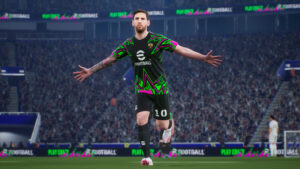



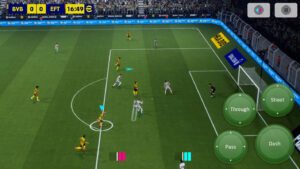

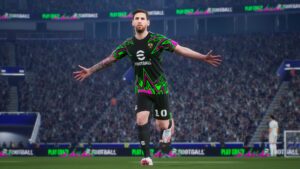



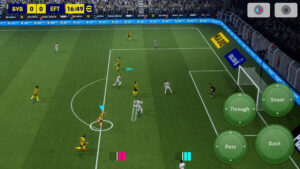

File Information
| Package Name | jp.konami.pesam |
|---|---|
| Version Name | 10.0.2 |
| Version Code | 310000201 |
| Architecture | Universal |
| Min Android Version | Android 24 (API 35) |
| Main Activity | com.epicgames.ue4.SplashActivity |
| Framework | Native (Java/Kotlin) |
| File Size | 2.22 GB |
| Signature (SHA1) | 5A13965FF84EE9E59DF081671272AB0D430E385F |
| File Hash (SHA256) | 0b5b2b7a62c472815f6d732d2117779d8581388225432afaeed67f1eb548a17a |
What's New
A number of issues were fixed.
Check out the News section in-game for more information.
Check out the News section in-game for more information.
App Description
■ "eFootball™" - An Evolution from "PES"
It's an all-new era of digital soccer: "PES" has now evolved into "eFootball™"! And now you can experience the next generation of soccer gaming with "eFootball™"!
■ Welcoming Newcomers
After downloading, you can learn the basic controls of the game via a step-by-step tutorial that includes practical demonstrations! Complete them all, and receive Lionel Messi!
We have also added the Smart Assist setting to help users enjoy the fun and excitement of playing matches.
Without entering complex commands, get past the opposing defense with a brilliant dribble or pass, then score a goal with a powerful shot.
[Ways of Playing]
■Start Off With Your Favorite Team
Whether it's a club or national side from Europe, the Americas, Asia, or elsewhere around the world, begin a new game with the team you support!
■ Sign Players
After creating your team, it's time to get some signings in! From current superstars to soccer legends, sign players and take your team to new heights!
■ Playing Matches
Once you have built a team with your favorite players, it's time to take them to the field.
From testing your skills against the AI, to competing for ranking in Online Matches, enjoy eFootball™ the way you like!
■ Player Development
Depending on Player Types, signed players can be further developed.
Level up players by putting them in matches or using in-game items, then spend the Progression Points acquired to increase Player Stats.
In case you prefer to customize a player to fit your personal preferences, you have the option to allocate the Progression Points manually.
When in doubt about how to develop the player, you can use the [Recommended] function to automatically allocate his Points.
Develop your players to your exact liking!
[For More Fun]
■ Weekly Live Updates
The Live Update is the feature that reflects player transfers and match achievements from soccer in real life.
Take note of the Live Updates released each week, adjust your squad, and make your mark out on the field.
■ Customize a Stadium
Choose your favorite Stadium Elements, such as Tifos and Giant Props, and watch them appear at your stadium during the matches you play.
Add color to the game by arranging your stadium however you like!
*Users that reside in Belgium will not have access to loot boxes that require eFootball™ Coins as payment.
[For the Latest News]
New features, modes, events, and gameplay improvements will be continuously implemented.
For more information, see the official eFootball™ website.
[Downloading the Game]
Approximately 2.7 GB of free storage space is required to download and install eFootball™.
Please make sure you have enough free space before beginning the download.
We also recommend that you use a Wi-Fi connection to download the base game and any of its updates.
[Online Connectivity]
An internet connection is required to play eFootball™. We also strongly recommend playing with a stable connection to ensure you get the most out of the game.
It's an all-new era of digital soccer: "PES" has now evolved into "eFootball™"! And now you can experience the next generation of soccer gaming with "eFootball™"!
■ Welcoming Newcomers
After downloading, you can learn the basic controls of the game via a step-by-step tutorial that includes practical demonstrations! Complete them all, and receive Lionel Messi!
We have also added the Smart Assist setting to help users enjoy the fun and excitement of playing matches.
Without entering complex commands, get past the opposing defense with a brilliant dribble or pass, then score a goal with a powerful shot.
[Ways of Playing]
■Start Off With Your Favorite Team
Whether it's a club or national side from Europe, the Americas, Asia, or elsewhere around the world, begin a new game with the team you support!
■ Sign Players
After creating your team, it's time to get some signings in! From current superstars to soccer legends, sign players and take your team to new heights!
■ Playing Matches
Once you have built a team with your favorite players, it's time to take them to the field.
From testing your skills against the AI, to competing for ranking in Online Matches, enjoy eFootball™ the way you like!
■ Player Development
Depending on Player Types, signed players can be further developed.
Level up players by putting them in matches or using in-game items, then spend the Progression Points acquired to increase Player Stats.
In case you prefer to customize a player to fit your personal preferences, you have the option to allocate the Progression Points manually.
When in doubt about how to develop the player, you can use the [Recommended] function to automatically allocate his Points.
Develop your players to your exact liking!
[For More Fun]
■ Weekly Live Updates
The Live Update is the feature that reflects player transfers and match achievements from soccer in real life.
Take note of the Live Updates released each week, adjust your squad, and make your mark out on the field.
■ Customize a Stadium
Choose your favorite Stadium Elements, such as Tifos and Giant Props, and watch them appear at your stadium during the matches you play.
Add color to the game by arranging your stadium however you like!
*Users that reside in Belgium will not have access to loot boxes that require eFootball™ Coins as payment.
[For the Latest News]
New features, modes, events, and gameplay improvements will be continuously implemented.
For more information, see the official eFootball™ website.
[Downloading the Game]
Approximately 2.7 GB of free storage space is required to download and install eFootball™.
Please make sure you have enough free space before beginning the download.
We also recommend that you use a Wi-Fi connection to download the base game and any of its updates.
[Online Connectivity]
An internet connection is required to play eFootball™. We also strongly recommend playing with a stable connection to ensure you get the most out of the game.
Download eFootball™ APK
Fast, free and safe download.
APK Permissions 29
- android.permission.ACCESS_ADSERVICES_AD_ID
- android.permission.ACCESS_ADSERVICES_ATTRIBUTION
- android.permission.ACCESS_ADSERVICES_TOPICS
- android.permission.ACCESS_NETWORK_STATE
- android.permission.ACCESS_WIFI_STATE
- android.permission.BLUETOOTH
- android.permission.BLUETOOTH_ADMIN
- android.permission.BLUETOOTH_ADVERTISE
- android.permission.BLUETOOTH_CONNECT
- android.permission.BLUETOOTH_SCAN
- android.permission.CHANGE_NETWORK_STATE
- android.permission.CHANGE_WIFI_MULTICAST_STATE
- android.permission.CHANGE_WIFI_STATE
- android.permission.DISABLE_KEYGUARD
- android.permission.FOREGROUND_SERVICE
- android.permission.FOREGROUND_SERVICE_DATA_SYNC
- android.permission.INTERNET
- android.permission.MODIFY_AUDIO_SETTINGS
- android.permission.POST_NOTIFICATIONS
- android.permission.READ_EXTERNAL_STORAGE
- android.permission.VIBRATE
- android.permission.WAKE_LOCK
- android.permission.WRITE_EXTERNAL_STORAGE
- com.android.vending.BILLING
- com.android.vending.CHECK_LICENSE
- com.google.android.c2dm.permission.RECEIVE
- com.google.android.finsky.permission.BIND_GET_INSTALL_REFERRER_SERVICE
- com.google.android.gms.permission.AD_ID
- jp.konami.pesam.DYNAMIC_RECEIVER_NOT_EXPORTED_PERMISSION
APK Verified
The cryptographic signature guarantees that the file is safe to install and was not tampered with in any way.
Similar in Sports Games


Frequently Asked Questions about eFootball™ APK
This is the universal variant — a single APK that contains native libraries for every CPU architecture. It installs on any Android device but is larger than per-architecture variants.
Yes — the APK's signature has been cryptographically verified against the publisher's signing key. The SHA-256 hash is shown in the File Information panel so you can independently confirm the file matches the original release.
Android 24 (API level 35) or newer. Older devices will refuse the install.
Install a free app like 'CPU-Z' or 'Droid Hardware Info' from the Play Store and look at the ABI / Instruction Set row. Most phones made after 2017 are arm64-v8a; if in doubt, download the universal variant.
All variants are functionally identical — same features, same version. They differ only in which CPU architectures the native code is compiled for, and (sometimes) which screen densities the included graphics target. Pick the one that matches your device for the smallest install size, or pick 'Universal' if you're unsure.