
Download KWGT Kustom Widget Maker APK 3.80b522706 Universal · Android 26+
Download APK
Verified Safe
This is the universal build of KWGT Kustom Widget Maker 3.80b522706. It contains native libraries for every CPU architecture (arm64-v8a, armeabi-v7a, x86, x86_64), so it installs on any Android device. The trade-off is size — it's larger than per-architecture variants. Pick this one if you're unsure which CPU your phone has, or if you plan to share the APK with multiple devices.
File size: 33.3 MB • Min Android: 26 • Target Android: 36 • Version code: 380522706 • Framework: Native (Java/Kotlin) • Permissions: 50
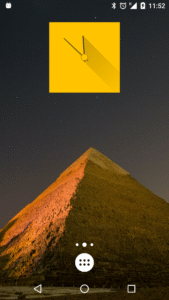
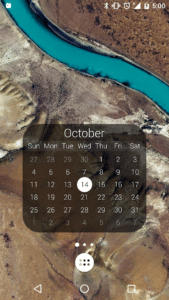
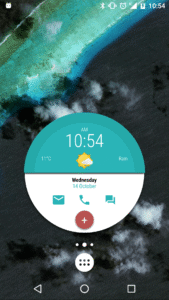
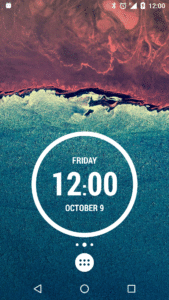
Screenshots
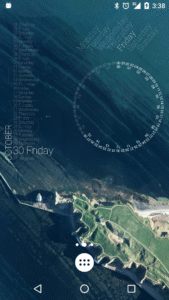
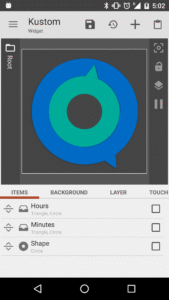
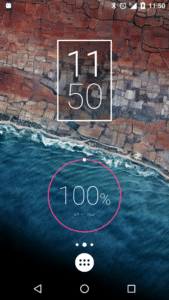
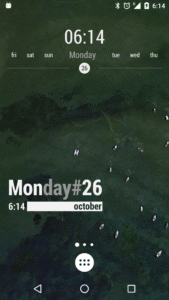
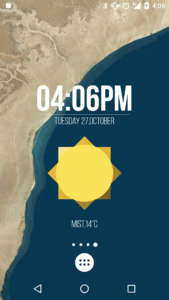
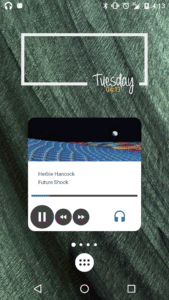
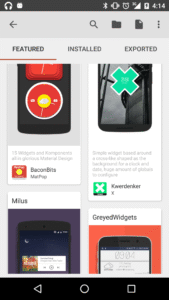
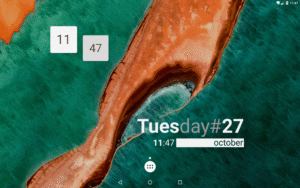
File Information
| Package Name | org.kustom.widget |
|---|---|
| Version Name | 3.80b522706 |
| Version Code | 380522706 |
| Architecture | Universal |
| Min Android Version | Android 26 (API 36) |
| Main Activity | org.kustom.widget.picker.WidgetPicker |
| Framework | Native (Java/Kotlin) |
| File Size | 33.31 MB |
| Signature (SHA1) | 88054F149B45571DF997EE465F44F3F82885E825 |
| File Hash (SHA256) | 177410f8ff3a0b9f7fc5a689734324bc5f3d6767ffd5cd1bdc64375169cd8bfb |
What's New
### v3.80 ###
- Brand new icon picker with iconify support
- Added si(visible) to check if kustom is visible (or screen is on in KWGT)
- Added "ignore http errors" to web get flow action
- Added "#code" local var for web get flow action to get the HTTP code
- Fixed drag handle in flow UI
- Brand new icon picker with iconify support
- Added si(visible) to check if kustom is visible (or screen is on in KWGT)
- Added "ignore http errors" to web get flow action
- Added "#code" local var for web get flow action to get the HTTP code
- Fixed drag handle in flow UI
App Description
Tired of the same old widgets? With KWGT, the most powerful widget maker on Google Play, you have the freedom to design your own custom widgets. Make your Android home screen a masterpiece of your own creation, displaying any data you need, exactly how you want it. Stop settling for presets and build a truly personal and unique phone experience. Imagination is the only limit!
Unleash Your Creativity: The Ultimate WYSIWYG Editor
Our "What You See Is What You Get" editor gives you total control to build any widget layout you can dream of. Start with a blank canvas or use one of our included starter skins.
• ✍️
Total Text Control:
Design the perfect text widget with any custom font, color, size, and a full suite of effects like 3D transformations, curved text, and shadows.
• 🎨
Shapes & Images:
Build with shapes like circles, rectangles, and triangles, or use your own images (PNG, JPG, WEBP) and Scalable Vector Graphics (SVG) for ultimate flexibility.
• 🖼️
Pro-Level Layers:
Like a professional photo editor, you can layer objects, apply gradients, color filters, and overlay effects like blur and saturation to create stunning designs.
• 👆
Interactive Widgets:
Add touch actions and hotspots to any element. Launch apps, toggle settings, or trigger actions with a single tap on your custom widget.
Build Any Widget Imaginable
KWGT is the only tool you need for home screen customization. Its powerful features allow you to create an infinite variety of widgets, including:
•
Aesthetic & Photo Widgets:
Create beautiful photo galleries or minimalist widgets that match your theme.
•
Data-Rich Weather Widgets:
Display detailed weather information from multiple providers, including wind chill, "feels like" temperature, and more.
•
Custom Digital & Analog Clocks:
Design unique timepieces, world clocks, or even astronomy widgets showing sunrise and sunset times.
•
Sophisticated System Monitors:
Build custom battery meters, memory monitors, and CPU speed indicators.
•
Personalized Music Players:
Create a music widget that shows the current song title, album, and cover art, perfectly integrated with your home screen design.
•
Fitness & Calendar Widgets:
Track your Google Fitness data (steps, calories, distance) and display your upcoming calendar events in a beautifully designed widget.
For the Power User: Unmatched Functionality
KWGT is built for those who demand more. Go beyond basic customization with advanced features:
•
Complex Logic:
Use a full programming language with functions, conditionals, and global variables to create dynamic widgets.
•
Dynamic Data:
Automatically download content via HTTP to create live maps or pull data from any online source using RSS and XML/XPATH/Text parsing.
•
Tasker Integration:
Seamlessly connect KWGT with Tasker to load presets and change variables for the ultimate automation experience.
•
Vast Data Display:
Access and display a huge amount of data, including date, time, battery estimates, Wi-Fi status, traffic info, next alarm, location, moving speed, and much more.
Upgrade to KWGT Pro
• 🚫 Remove the Ads
• ❤️ Support the developer!
• 🔓 Unlock importing presets from SD cards and all external skins
• 🚀 Recover presets and save the world from alien invasion
Community & Support
PLEASE do not use reviews for support questions. For issues or refunds, please email
help@kustom.rocks
. For help with presets and to see what others are creating, join our active Reddit community!
•
Support Site:
kustom.rocks/
•
Reddit:
reddit.com/r/Kustom
Unleash Your Creativity: The Ultimate WYSIWYG Editor
Our "What You See Is What You Get" editor gives you total control to build any widget layout you can dream of. Start with a blank canvas or use one of our included starter skins.
• ✍️
Total Text Control:
Design the perfect text widget with any custom font, color, size, and a full suite of effects like 3D transformations, curved text, and shadows.
• 🎨
Shapes & Images:
Build with shapes like circles, rectangles, and triangles, or use your own images (PNG, JPG, WEBP) and Scalable Vector Graphics (SVG) for ultimate flexibility.
• 🖼️
Pro-Level Layers:
Like a professional photo editor, you can layer objects, apply gradients, color filters, and overlay effects like blur and saturation to create stunning designs.
• 👆
Interactive Widgets:
Add touch actions and hotspots to any element. Launch apps, toggle settings, or trigger actions with a single tap on your custom widget.
Build Any Widget Imaginable
KWGT is the only tool you need for home screen customization. Its powerful features allow you to create an infinite variety of widgets, including:
•
Aesthetic & Photo Widgets:
Create beautiful photo galleries or minimalist widgets that match your theme.
•
Data-Rich Weather Widgets:
Display detailed weather information from multiple providers, including wind chill, "feels like" temperature, and more.
•
Custom Digital & Analog Clocks:
Design unique timepieces, world clocks, or even astronomy widgets showing sunrise and sunset times.
•
Sophisticated System Monitors:
Build custom battery meters, memory monitors, and CPU speed indicators.
•
Personalized Music Players:
Create a music widget that shows the current song title, album, and cover art, perfectly integrated with your home screen design.
•
Fitness & Calendar Widgets:
Track your Google Fitness data (steps, calories, distance) and display your upcoming calendar events in a beautifully designed widget.
For the Power User: Unmatched Functionality
KWGT is built for those who demand more. Go beyond basic customization with advanced features:
•
Complex Logic:
Use a full programming language with functions, conditionals, and global variables to create dynamic widgets.
•
Dynamic Data:
Automatically download content via HTTP to create live maps or pull data from any online source using RSS and XML/XPATH/Text parsing.
•
Tasker Integration:
Seamlessly connect KWGT with Tasker to load presets and change variables for the ultimate automation experience.
•
Vast Data Display:
Access and display a huge amount of data, including date, time, battery estimates, Wi-Fi status, traffic info, next alarm, location, moving speed, and much more.
Upgrade to KWGT Pro
• 🚫 Remove the Ads
• ❤️ Support the developer!
• 🔓 Unlock importing presets from SD cards and all external skins
• 🚀 Recover presets and save the world from alien invasion
Community & Support
PLEASE do not use reviews for support questions. For issues or refunds, please email
help@kustom.rocks
. For help with presets and to see what others are creating, join our active Reddit community!
•
Support Site:
kustom.rocks/
•
Reddit:
reddit.com/r/Kustom
Download KWGT Kustom Widget Maker APK
Fast, free and safe download.
APK Permissions 50
- android.permission.ACCESS_ADSERVICES_AD_ID
- android.permission.ACCESS_ADSERVICES_ATTRIBUTION
- android.permission.ACCESS_ADSERVICES_TOPICS
- android.permission.ACCESS_BACKGROUND_LOCATION
- android.permission.ACCESS_COARSE_LOCATION
- android.permission.ACCESS_FINE_LOCATION
- android.permission.ACCESS_NETWORK_STATE
- android.permission.ACCESS_WIFI_STATE
- android.permission.BLUETOOTH
- android.permission.BLUETOOTH_ADMIN
- android.permission.BLUETOOTH_CONNECT
- android.permission.CHANGE_WIFI_STATE
- android.permission.FOREGROUND_SERVICE
- android.permission.FOREGROUND_SERVICE_LOCATION
- android.permission.FOREGROUND_SERVICE_SPECIAL_USE
- android.permission.GET_TASKS
- android.permission.health.READ_ACTIVE_CALORIES_BURNED
- android.permission.health.READ_DISTANCE
- android.permission.health.READ_ELEVATION_GAINED
- android.permission.health.READ_EXERCISE
- android.permission.health.READ_FLOORS_CLIMBED
- android.permission.health.READ_HEALTH_DATA_IN_BACKGROUND
- android.permission.health.READ_HEART_RATE
- android.permission.health.READ_POWER
- android.permission.health.READ_SLEEP
- android.permission.health.READ_SPEED
- android.permission.health.READ_STEPS
- android.permission.health.READ_TOTAL_CALORIES_BURNED
- android.permission.health.READ_VO2_MAX
- android.permission.INTERNET
- android.permission.LOCATION
- android.permission.POST_NOTIFICATIONS
- android.permission.QUERY_ALL_PACKAGES
- android.permission.READ_CALENDAR
- android.permission.READ_EXTERNAL_STORAGE
- android.permission.READ_PHONE_STATE
- android.permission.REQUEST_IGNORE_BATTERY_OPTIMIZATIONS
- android.permission.VIBRATE
- android.permission.WAKE_LOCK
- android.permission.WRITE_EXTERNAL_STORAGE
- com.android.vending.BILLING
- com.android.vending.CHECK_LICENSE
- com.google.android.c2dm.permission.RECEIVE
- com.google.android.finsky.permission.BIND_GET_INSTALL_REFERRER_SERVICE
- com.google.android.gms.permission.AD_ID
- com.google.android.providers.gsf.permission.READ_GSERVICES
- org.kustom.weather.permission.ACCESS_CONFIG
- org.kustom.weather.permission.ACCESS_DATA
- org.kustom.widget.DYNAMIC_RECEIVER_NOT_EXPORTED_PERMISSION
- org.kustom.widget.permission.ACCESS_DATA
APK Verified
The cryptographic signature guarantees that the file is safe to install and was not tampered with in any way.
Similar in Personalization


More by Kustom Industries


Frequently Asked Questions about KWGT Kustom Widget Maker APK
This is the universal variant — a single APK that contains native libraries for every CPU architecture. It installs on any Android device but is larger than per-architecture variants.
Yes — the APK's signature has been cryptographically verified against the publisher's signing key. The SHA-256 hash is shown in the File Information panel so you can independently confirm the file matches the original release.
Android 26 (API level 36) or newer. Older devices will refuse the install.
Install a free app like 'CPU-Z' or 'Droid Hardware Info' from the Play Store and look at the ABI / Instruction Set row. Most phones made after 2017 are arm64-v8a; if in doubt, download the universal variant.
All variants are functionally identical — same features, same version. They differ only in which CPU architectures the native code is compiled for, and (sometimes) which screen densities the included graphics target. Pick the one that matches your device for the smallest install size, or pick 'Universal' if you're unsure.