
Screenshots

File Information
| Package Name | com.cls.networkwidget |
|---|---|
| Version Name | 29.0.8 |
| Version Code | 2908 |
| Architecture | Universal |
| Min Android Version | Android 29 (API 35) |
| Main Activity | com.cls.networkwidget.activities.MainActivity |
| Framework | Native (Java/Kotlin) |
| File Size | 2.92 MB |
| Signature (SHA1) | F0622DDDE746477BD79A811831A9D1F65AC0C2B7 |
| File Hash (SHA256) | f54d773979ff90ffeceaf8c9c1fca80cd2234929e8a751745f886377eb601da0 |
What's New
• Bug fixes
App Description
Are you living or working in a low signal area ?
Are you sure that your internet is connected ?
Is your 5G connection actually connected to 5G?
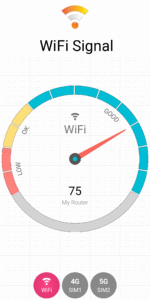
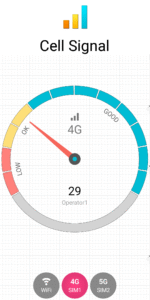
Then this is the app for you. With this app you can get a good idea of the Cellular and WiFi signal strength and find out which corners of your office or home are having the best reception.
What this app gives you:-
General User
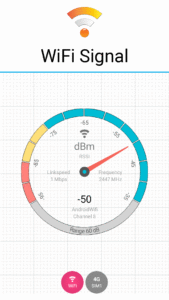
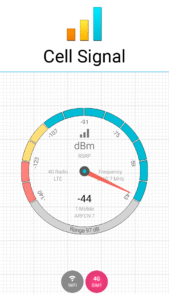
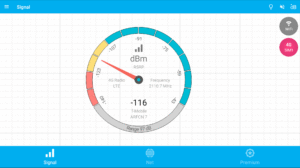
• Signal meter 2G, 3G, 4G, 5G, WiFi
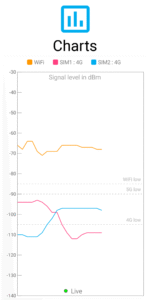
• Signal Charts including logger
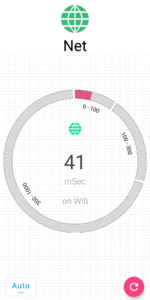
• Connectivity check
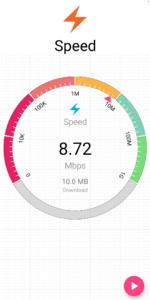
• Speed test
• WiFi scan
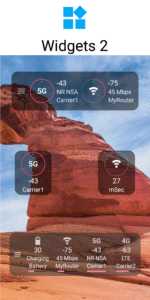
• Home screen signal widgets including signal, connectivity/latency, network, battery, clock and storage (Pro feature)
• Signal notification in status bar (Pro feature)
Advanced User
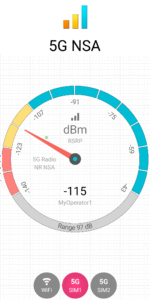
• RF dBm, Channel, bandwidth, linkspeed, frequency
• Network stats
• Cell towers
• Latency
• Out of service, low signal and roaming alerts.
Permissions
The app uses these sensitive permissions only for the purpose of displaying the signal information.
• Phone permissions. This permission is essentially required for accessing and diplaying SIM, network and phone state.
• Location permission. The app does not use location data. However app requires to display cellular and wifi signal details which are protected by precise location permission.
• Background location access. Signal Widgets, notifications, log and alerts are a core feature of this app which need to work in the background and respond while the app is not in use. For correct operation of these features in addition to location permission, app will also need background location permission.
Pro Features(Inapp Purchase)
• AdFree
• Signal widgets (5 types)
• Connectivity widget (1 type)
• Signal Notification in status bar
Important
• A very few phones are not following the signal reporting standard fully especially 5G/dual SIM related. Consider sending a debug report by email from app menu to incorporate workarounds.
Are you sure that your internet is connected ?
Is your 5G connection actually connected to 5G?
Then this is the app for you. With this app you can get a good idea of the Cellular and WiFi signal strength and find out which corners of your office or home are having the best reception.
What this app gives you:-
General User
• Signal meter 2G, 3G, 4G, 5G, WiFi
• Signal Charts including logger
• Connectivity check
• Speed test
• WiFi scan
• Home screen signal widgets including signal, connectivity/latency, network, battery, clock and storage (Pro feature)
• Signal notification in status bar (Pro feature)
Advanced User
• RF dBm, Channel, bandwidth, linkspeed, frequency
• Network stats
• Cell towers
• Latency
• Out of service, low signal and roaming alerts.
Permissions
The app uses these sensitive permissions only for the purpose of displaying the signal information.
• Phone permissions. This permission is essentially required for accessing and diplaying SIM, network and phone state.
• Location permission. The app does not use location data. However app requires to display cellular and wifi signal details which are protected by precise location permission.
• Background location access. Signal Widgets, notifications, log and alerts are a core feature of this app which need to work in the background and respond while the app is not in use. For correct operation of these features in addition to location permission, app will also need background location permission.
Pro Features(Inapp Purchase)
• AdFree
• Signal widgets (5 types)
• Connectivity widget (1 type)
• Signal Notification in status bar
Important
• A very few phones are not following the signal reporting standard fully especially 5G/dual SIM related. Consider sending a debug report by email from app menu to incorporate workarounds.
Download Signal Strength APK
Fast, free and safe download.
APK Permissions 20
- android.permission.ACCESS_ADSERVICES_AD_ID
- android.permission.ACCESS_ADSERVICES_ATTRIBUTION
- android.permission.ACCESS_ADSERVICES_TOPICS
- android.permission.ACCESS_BACKGROUND_LOCATION
- android.permission.ACCESS_COARSE_LOCATION
- android.permission.ACCESS_FINE_LOCATION
- android.permission.ACCESS_NETWORK_STATE
- android.permission.ACCESS_WIFI_STATE
- android.permission.CHANGE_WIFI_STATE
- android.permission.FOREGROUND_SERVICE
- android.permission.INTERNET
- android.permission.POST_NOTIFICATIONS
- android.permission.READ_PHONE_STATE
- android.permission.RECEIVE_BOOT_COMPLETED
- android.permission.WAKE_LOCK
- com.android.vending.BILLING
- com.android.vending.CHECK_LICENSE
- com.cls.networkwidget.DYNAMIC_RECEIVER_NOT_EXPORTED_PERMISSION
- com.google.android.finsky.permission.BIND_GET_INSTALL_REFERRER_SERVICE
- com.google.android.gms.permission.AD_ID
APK Verified
The cryptographic signature guarantees that the file is safe to install and was not tampered with in any way.


