
Screenshots
File Information
| Package Name | com.lastpass.authenticator |
|---|---|
| Version Name | 2.24.0 |
| Version Code | 37712 |
| Architecture | Universal |
| Min Android Version | Android 31 (API 34) |
| Main Activity | com.lastpass.authenticator.wearos.ui.main.MainActivity |
| Framework | Native (Java/Kotlin) |
| File Size | 2.03 MB |
| Signature (SHA1) | 363E09E9B74557CEF8B80D2F020A0719E0F88A9D |
| File Hash (SHA256) | 95d0c6fde1b4fc88a218d0b5f4893d27d98f693a2a8a17629ed60ce023619136 |
What's New
You'll have a more reliable experience thanks to various minor bug fixes.
App Description
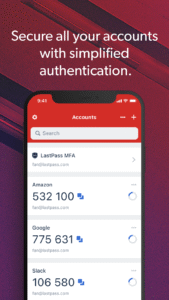
LastPass Authenticator offers effortless two-factor authentication for your LastPass account and other supported apps. With one-tap verification and secure cloud backup, LastPass Authenticator gives you all the security, without any of the frustration.
ADD MORE SECURITY
Safeguard your LastPass account by requiring two-factor authentication codes when signing in. Two-factor authentication improves your digital security by protecting your account with an additional login step. Even if your password is compromised, your account can’t be accessed without the two-factor authentication code.
You can even mark a device as “trusted”, so you won’t be prompted for codes on that device while your account remains protected by two-factor authentication.
TURNING IT ON
To turn on LastPass Authenticator for your LastPass account:
1. Download LastPass Authenticator to your mobile device.
2. Log in to LastPass on your computer and launch “Account Settings” from your vault.
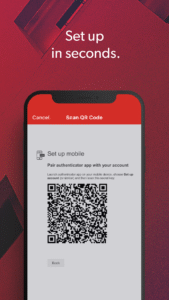
3. In “Multifactor Options”, edit LastPass Authenticator and view the barcode.
4. Scan the barcode with the LastPass Authenticator app.
5. Set your preferences and save your changes.
LastPass Authenticator can also be turned on for any service or app that supports Google Authenticator or TOTP-based two-factor authentication.
LOGGING IN
To login to your LastPass account or other supported vendor service:
1. Open the app to generate a 6-digit, 30-second code OR approve/deny an automated push notification
2. Alternatively, send SMS code
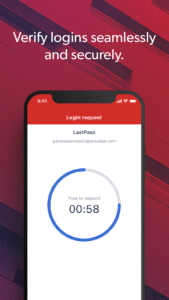
3. Enter the code into the login prompt on your device OR hit approve/deny request
FEATURES
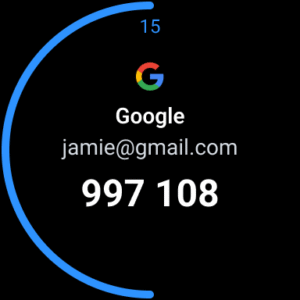
- Generates 6-digit codes every 30 seconds
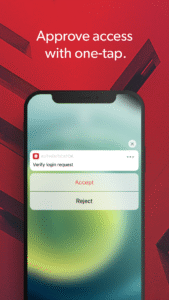
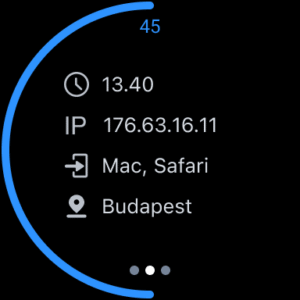
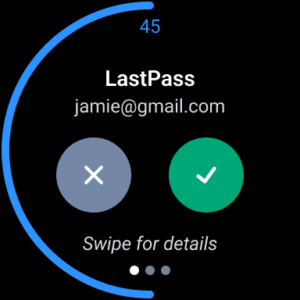
- Push notifications for one-tap approval
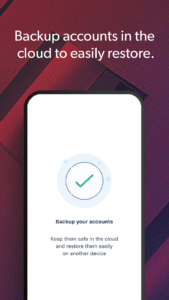
- Free encrypted backup to restore your tokens on a new/reinstalled device
- Support for SMS codes
- Automated set-up via QR code
- Support for LastPass accounts
- Support for other TOTP-compatible services and apps (including any that support Google Authenticator)
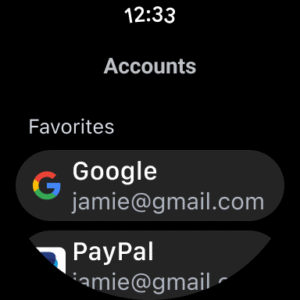
- Add multiple accounts
- Available on Android and iOS
- Wear OS support for LastPass Premium, Families, Business and Teams customers
ADD MORE SECURITY
Safeguard your LastPass account by requiring two-factor authentication codes when signing in. Two-factor authentication improves your digital security by protecting your account with an additional login step. Even if your password is compromised, your account can’t be accessed without the two-factor authentication code.
You can even mark a device as “trusted”, so you won’t be prompted for codes on that device while your account remains protected by two-factor authentication.
TURNING IT ON
To turn on LastPass Authenticator for your LastPass account:
1. Download LastPass Authenticator to your mobile device.
2. Log in to LastPass on your computer and launch “Account Settings” from your vault.
3. In “Multifactor Options”, edit LastPass Authenticator and view the barcode.
4. Scan the barcode with the LastPass Authenticator app.
5. Set your preferences and save your changes.
LastPass Authenticator can also be turned on for any service or app that supports Google Authenticator or TOTP-based two-factor authentication.
LOGGING IN
To login to your LastPass account or other supported vendor service:
1. Open the app to generate a 6-digit, 30-second code OR approve/deny an automated push notification
2. Alternatively, send SMS code
3. Enter the code into the login prompt on your device OR hit approve/deny request
FEATURES
- Generates 6-digit codes every 30 seconds
- Push notifications for one-tap approval
- Free encrypted backup to restore your tokens on a new/reinstalled device
- Support for SMS codes
- Automated set-up via QR code
- Support for LastPass accounts
- Support for other TOTP-compatible services and apps (including any that support Google Authenticator)
- Add multiple accounts
- Available on Android and iOS
- Wear OS support for LastPass Premium, Families, Business and Teams customers
Download LastPass Authenticator (Wear OS) APK
Fast, free and safe download.
APK Permissions 4
- android.permission.ACCESS_NETWORK_STATE
- android.permission.INTERNET
- android.permission.POST_NOTIFICATIONS
- com.lastpass.authenticator.DYNAMIC_RECEIVER_NOT_EXPORTED_PERMISSION
APK Verified
The cryptographic signature guarantees that the file is safe to install and was not tampered with in any way.


