
Download Joplin (f-droid version) APK 3.4.7 arm64-v8a, armeabi-v7a, x86, x86_64 · Android 24+
Download APK
Verified Safe
This is the arm64-v8a, armeabi-v7a, x86, x86_64 build of Joplin (f-droid version) 3.4.7. Pick this build if your device's primary ABI matches.
File size: 154.2 MB • Min Android: 24 • Target Android: 35 • Version code: 2097780 • Framework: React Native • Permissions: 16
Screenshots
File Information
| Package Name | net.cozic.joplin |
|---|---|
| Version Name | 3.4.7 |
| Version Code | 2097780 |
| Architecture | arm64-v8a, armeabi-v7a, x86, x86_64 |
| Min Android Version | Android 24 (API 35) |
| Main Activity | net.cozic.joplin.MainActivity |
| Framework | React Native |
| File Size | 154.21 MB |
| Signature (SHA1) | 43B470001D7B150CA9A9B6CC65564230F62B6ECB |
| File Hash (SHA256) | 717a9e13a7c171b2662d63869d24eb413bb68c8994b21e72d9769ccb6b23ba3e |
App Description
Note: This release can lag significantly behind the official release which can be an issue when a timely update is needed. It may be less secure because the app might have a known security vulnerability for several days, even if the official app has been patched. It does not have camera capabilities nor location functions. Issues with this version might be raised on
gitlab.com/fdroid/fdroiddata
for user @muelli
Joplin
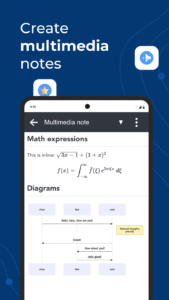
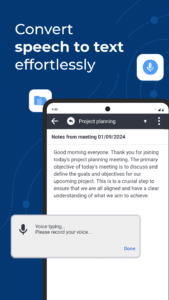
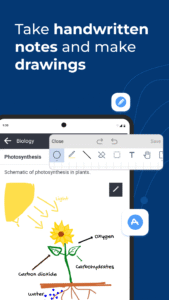
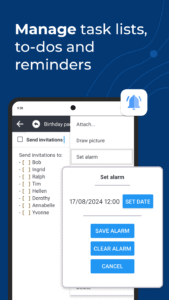
is a note taking and to-do application, which can handle a large number of notes organised into notebooks. The notes are searchable, can be copied, tagged and modified either from the applications directly or from your own text editor. The notes are in
Markdown format
.
Notes exported from Evernote and other applications
can be imported
into Joplin, including the formatted content (which is converted to Markdown), resources (images, attachments, etc.) and complete metadata (geolocation, updated time, created time, etc.). Plain Markdown files can also be imported.
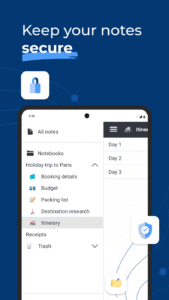
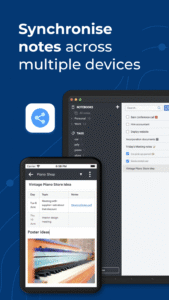
The notes can be securely
synchronised
using
end-to-end encryption
with various cloud services including Nextcloud, Dropbox, OneDrive and
Joplin Cloud
.
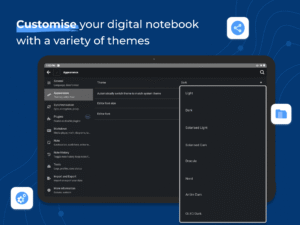
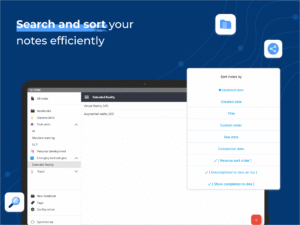
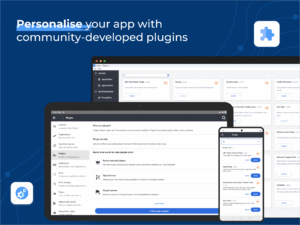
Full text search is available on all platforms to quickly find the information you need. The app can be customised using plugins and themes, and you can also easily create your own.
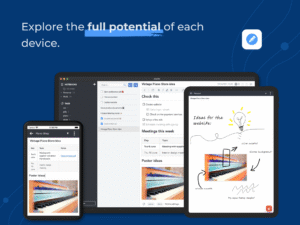
The application is available for Windows, Linux, macOS, Android and iOS. A
Web Clipper
, to save web pages and screenshots from your browser, is also available for
Firefox
and
Chrome
.
License:
MIT License
Website
Translation
Source Code
Changelog
Build Metadata
Reproducibility Status
gitlab.com/fdroid/fdroiddata
for user @muelli
Joplin
is a note taking and to-do application, which can handle a large number of notes organised into notebooks. The notes are searchable, can be copied, tagged and modified either from the applications directly or from your own text editor. The notes are in
Markdown format
.
Notes exported from Evernote and other applications
can be imported
into Joplin, including the formatted content (which is converted to Markdown), resources (images, attachments, etc.) and complete metadata (geolocation, updated time, created time, etc.). Plain Markdown files can also be imported.
The notes can be securely
synchronised
using
end-to-end encryption
with various cloud services including Nextcloud, Dropbox, OneDrive and
Joplin Cloud
.
Full text search is available on all platforms to quickly find the information you need. The app can be customised using plugins and themes, and you can also easily create your own.
The application is available for Windows, Linux, macOS, Android and iOS. A
Web Clipper
, to save web pages and screenshots from your browser, is also available for
Firefox
and
Chrome
.
License:
MIT License
Website
Translation
Source Code
Changelog
Build Metadata
Reproducibility Status
Download Joplin (f-droid version) APK
Fast, free and safe download.
APK Permissions 16
- android.permission.ACCESS_FINE_LOCATION
- android.permission.ACCESS_NETWORK_STATE
- android.permission.ACCESS_WIFI_STATE
- android.permission.CAMERA
- android.permission.INTERNET
- android.permission.POST_NOTIFICATIONS
- android.permission.READ_EXTERNAL_STORAGE
- android.permission.READ_MEDIA_IMAGES
- android.permission.RECEIVE_BOOT_COMPLETED
- android.permission.RECORD_AUDIO
- android.permission.USE_BIOMETRIC
- android.permission.USE_FINGERPRINT
- android.permission.VIBRATE
- android.permission.WAKE_LOCK
- android.permission.WRITE_EXTERNAL_STORAGE
- net.cozic.joplin.DYNAMIC_RECEIVER_NOT_EXPORTED_PERMISSION
APK Verified
The cryptographic signature guarantees that the file is safe to install and was not tampered with in any way.


Frequently Asked Questions about Joplin (f-droid version) APK
This variant is built for devices that report `arm64-v8a, armeabi-v7a, x86, x86_64` as their primary ABI. If your device's CPU matches, this is the smallest, fastest version to install.
Yes — the APK's signature has been cryptographically verified against the publisher's signing key. The SHA-256 hash is shown in the File Information panel so you can independently confirm the file matches the original release.
Android 24 (API level 35) or newer. Older devices will refuse the install.
Install a free app like 'CPU-Z' or 'Droid Hardware Info' from the Play Store and look at the ABI / Instruction Set row. Most phones made after 2017 are arm64-v8a; if in doubt, download the universal variant.
All variants are functionally identical — same features, same version. They differ only in which CPU architectures the native code is compiled for, and (sometimes) which screen densities the included graphics target. Pick the one that matches your device for the smallest install size, or pick 'Universal' if you're unsure.