
Download Xb Remote Play Game Controller APK 2.2.9 Universal · Android 26+
Download APK
Verified Safe
This is the universal build of Xb Remote Play Game Controller 2.2.9. It contains native libraries for every CPU architecture (arm64-v8a, armeabi-v7a, x86, x86_64), so it installs on any Android device. The trade-off is size — it's larger than per-architecture variants. Pick this one if you're unsure which CPU your phone has, or if you plan to share the APK with multiple devices.
File size: 81.8 MB • Min Android: 26 • Target Android: 35 • Version code: 53 • Framework: Native (Java/Kotlin) • Permissions: 24
Screenshots
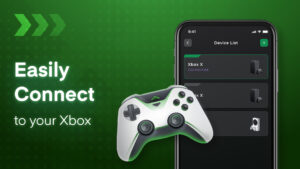
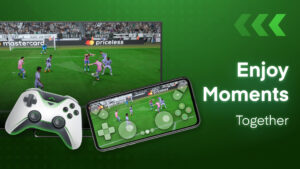
File Information
| Package Name | xbox.controller.remote.control |
|---|---|
| Version Name | 2.2.9 |
| Version Code | 53 |
| Architecture | Universal |
| Min Android Version | Android 26 (API 35) |
| Main Activity | controller.xbox.remote.control.features.MainActivity |
| Framework | Native (Java/Kotlin) |
| File Size | 81.85 MB |
| Signature (SHA1) | 51FD57020E15BBF9A34C1C15297C454FACB7E290 |
| File Hash (SHA256) | 3d7b41df1991885079bf703f3f4fbd9bda08573e3a2dd8a9a533cd9764f7a820 |
What's New
From version
2.2.6
:
We updated the app regularly to support you better.
Still having issues? Please leave us a message at
support@leostudio.global
2.2.6
:
We updated the app regularly to support you better.
Still having issues? Please leave us a message at
support@leostudio.global
App Description
Turn Your Phone into an Xbox Controller for Remote Play 🎮
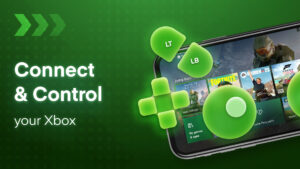
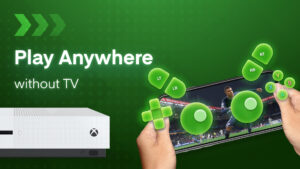
Leave your Xbox controller at home and use your smartphone as a portable controller with the Xbox Stream app. Stream and control your Xbox One, Xbox Series X/S games remotely from any room in the house or when you're on the go. 📱
Play Multiplayer Xbox Games Remotely with Friends 🕹️
No need to purchase extra controllers - remotely join multiplayer sessions over WiFi. Your friends can use their phones as controllers too. Enjoy cooperative and competitive games together without being in the same room. 🙌
Key Features: ⭐
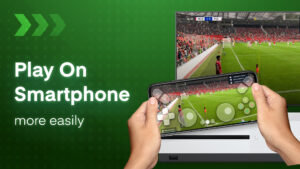
Stream Xbox games directly to your phone screen in remote mode 📺
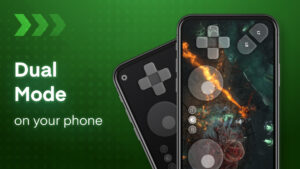
Use gamepad mode for native controller input like a standard Xbox controller 🎮
Easily connect your Xbox console and phone to the same network 💻
Supports voice chat and Bluetooth keyboard for text chat 💬
Customizable button mapping and controller sensitivity 🛠
Switch seamlessly between paired Xbox devices 💻
How to Set Up Your Phone as an Xbox Controller: 📱
Download the Xbox Stream app on iOS/Android 📥
Connect Xbox and phone to your home network 🏡
Select your Xbox console and login with your Xbox account 👤
Choose gamepad mode or remote display streaming 📺
The Xbox Stream app allows you to extend your gaming anywhere by turning your phone into a fully-functioning Xbox controller for remote play on Xbox One/Series X consoles. 💻
Leave your Xbox controller at home and use your smartphone as a portable controller with the Xbox Stream app. Stream and control your Xbox One, Xbox Series X/S games remotely from any room in the house or when you're on the go. 📱
Play Multiplayer Xbox Games Remotely with Friends 🕹️
No need to purchase extra controllers - remotely join multiplayer sessions over WiFi. Your friends can use their phones as controllers too. Enjoy cooperative and competitive games together without being in the same room. 🙌
Key Features: ⭐
Stream Xbox games directly to your phone screen in remote mode 📺
Use gamepad mode for native controller input like a standard Xbox controller 🎮
Easily connect your Xbox console and phone to the same network 💻
Supports voice chat and Bluetooth keyboard for text chat 💬
Customizable button mapping and controller sensitivity 🛠
Switch seamlessly between paired Xbox devices 💻
How to Set Up Your Phone as an Xbox Controller: 📱
Download the Xbox Stream app on iOS/Android 📥
Connect Xbox and phone to your home network 🏡
Select your Xbox console and login with your Xbox account 👤
Choose gamepad mode or remote display streaming 📺
The Xbox Stream app allows you to extend your gaming anywhere by turning your phone into a fully-functioning Xbox controller for remote play on Xbox One/Series X consoles. 💻
Download Xb Remote Play Game Controller APK
Fast, free and safe download.
APK Permissions 24
- android.permission.ACCESS_ADSERVICES_AD_ID
- android.permission.ACCESS_ADSERVICES_ATTRIBUTION
- android.permission.ACCESS_ADSERVICES_CUSTOM_AUDIENCE
- android.permission.ACCESS_ADSERVICES_TOPICS
- android.permission.ACCESS_NETWORK_STATE
- android.permission.ACCESS_WIFI_STATE
- android.permission.CHANGE_WIFI_MULTICAST_STATE
- android.permission.FOREGROUND_SERVICE
- android.permission.FOREGROUND_SERVICE_REMOTE_MESSAGING
- android.permission.INTERNET
- android.permission.POST_NOTIFICATIONS
- android.permission.READ_EXTERNAL_STORAGE
- android.permission.READ_MEDIA_AUDIO
- android.permission.READ_MEDIA_IMAGES
- android.permission.READ_MEDIA_VIDEO
- android.permission.READ_MEDIA_VISUAL_USER_SELECTED
- android.permission.RECORD_AUDIO
- android.permission.WAKE_LOCK
- com.android.vending.BILLING
- com.applovin.array.apphub.permission.BIND_APPHUB_SERVICE
- com.google.android.c2dm.permission.RECEIVE
- com.google.android.finsky.permission.BIND_GET_INSTALL_REFERRER_SERVICE
- com.google.android.gms.permission.AD_ID
- xbox.controller.remote.control.DYNAMIC_RECEIVER_NOT_EXPORTED_PERMISSION
APK Verified
The cryptographic signature guarantees that the file is safe to install and was not tampered with in any way.


Frequently Asked Questions about Xb Remote Play Game Controller APK
This is the universal variant — a single APK that contains native libraries for every CPU architecture. It installs on any Android device but is larger than per-architecture variants.
Yes — the APK's signature has been cryptographically verified against the publisher's signing key. The SHA-256 hash is shown in the File Information panel so you can independently confirm the file matches the original release.
Android 26 (API level 35) or newer. Older devices will refuse the install.
Install a free app like 'CPU-Z' or 'Droid Hardware Info' from the Play Store and look at the ABI / Instruction Set row. Most phones made after 2017 are arm64-v8a; if in doubt, download the universal variant.
All variants are functionally identical — same features, same version. They differ only in which CPU architectures the native code is compiled for, and (sometimes) which screen densities the included graphics target. Pick the one that matches your device for the smallest install size, or pick 'Universal' if you're unsure.