
This is the universal build of Ziggo SmartWifi 3.2.9. It contains native libraries for every CPU architecture (arm64-v8a, armeabi-v7a, x86, x86_64), so it installs on any Android device. The trade-off is size — it's larger than per-architecture variants. Pick this one if you're unsure which CPU your phone has, or if you plan to share the APK with multiple devices.
File size: 122.0 MB • Min Android: 26 • Target Android: 34 • Version code: 30209010 • Framework: Native (Java/Kotlin) • Permissions: 17
Screenshots
File Information
| Package Name | nl.ziggo.connect.android.release |
|---|---|
| Version Name | 3.2.9 |
| Version Code | 30209010 |
| Architecture | Universal |
| Min Android Version | Android 26 (API 34) |
| Main Activity | com.lgi.connect.android.flows.start.startscreen.StartActivity |
| Framework | Native (Java/Kotlin) |
| File Size | 121.97 MB |
| Signature (SHA1) | 6C2CF3B8FF4BFB3EA23D5D6BAC14917717725854 |
| File Hash (SHA256) | 327dc45fca2ad7a104faa1c3a6d6a497514e879e6bf0fcbd7b575d4af4a17184 |
What's New
In this version:
• The homepage has been updated: My network navigation, Wifi details, My household, Homescan (Wifiscan) and ‘Our tip’ have been updated
• Home screen widgets now show loading icons until they are ready, starting with 'My network'
• The Wifiscan journey has been improved
• The network overview is now visible at a glance to easily detect problems
• The wired mode has been improved
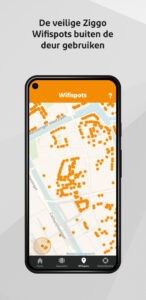
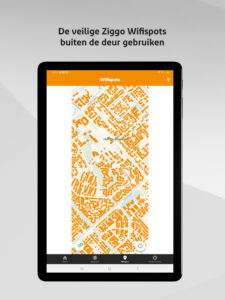
• The Wifispots tab has been removed
• General improvements and bug fixes
• The homepage has been updated: My network navigation, Wifi details, My household, Homescan (Wifiscan) and ‘Our tip’ have been updated
• Home screen widgets now show loading icons until they are ready, starting with 'My network'
• The Wifiscan journey has been improved
• The network overview is now visible at a glance to easily detect problems
• The wired mode has been improved
• The Wifispots tab has been removed
• General improvements and bug fixes
App Description
De Ziggo SmartWifi app
Haal nog meer uit je wifi-verbinding
Met de Ziggo SmartWifi app kun je zelf makkelijk:
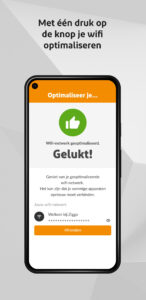
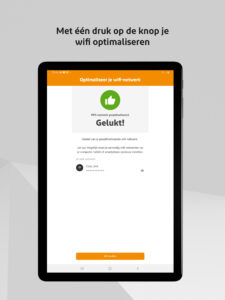
• Met één druk op de knop je wifi optimaliseren
• Je wifi- en internetsnelheid meten
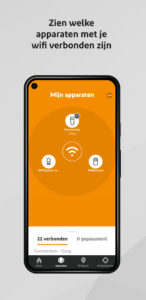
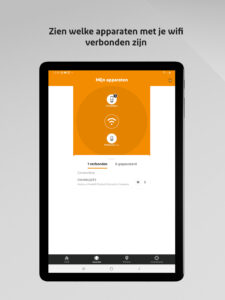
• Zien welke apparaten met je wifi verbonden zijn
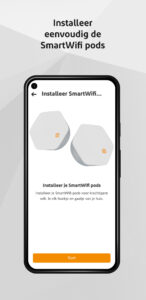
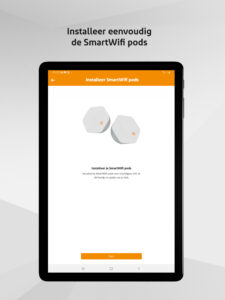
• Kun je de Ziggo SmartWifi pods toevoegen en beheren
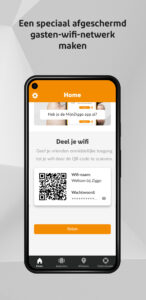
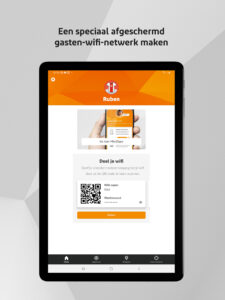
• Een speciaal afgeschermd gasten-wifi-netwerk maken
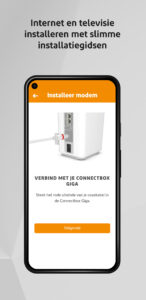
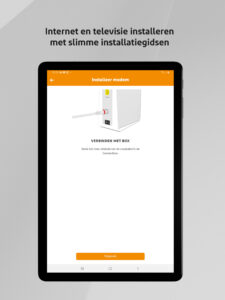
• Internet en televisie installeren met slimme installatiegidsen
• Zelf makkelijk de netwerknaam van je wifi aanpassen
• Je netwerk personaliseren door profielen aan te maken voor je huishouden
• Kun je de verbinding van eenvoudig apparaten pauzeren en hervatten.
Je logt in met je Mijn Ziggo account, gebruik makend van twee-stap verificatie. Mocht je vragen hebben over het verbeteren van je wifi, klik dan in de SmartWifi app door naar de Mijn Ziggo app. Daarin neem je met de handige Messenger-functie 24/7 snel contact op met een wifi-expert.
Deze app voelt zich het meest thuis op je smartphone.
Let op: Heb je je modem in de bridge-modus staan? Dan kun je de meeste onderdelen van deze app niet gebruiken.
Haal nog meer uit je wifi-verbinding
Met de Ziggo SmartWifi app kun je zelf makkelijk:
• Met één druk op de knop je wifi optimaliseren
• Je wifi- en internetsnelheid meten
• Zien welke apparaten met je wifi verbonden zijn
• Kun je de Ziggo SmartWifi pods toevoegen en beheren
• Een speciaal afgeschermd gasten-wifi-netwerk maken
• Internet en televisie installeren met slimme installatiegidsen
• Zelf makkelijk de netwerknaam van je wifi aanpassen
• Je netwerk personaliseren door profielen aan te maken voor je huishouden
• Kun je de verbinding van eenvoudig apparaten pauzeren en hervatten.
Je logt in met je Mijn Ziggo account, gebruik makend van twee-stap verificatie. Mocht je vragen hebben over het verbeteren van je wifi, klik dan in de SmartWifi app door naar de Mijn Ziggo app. Daarin neem je met de handige Messenger-functie 24/7 snel contact op met een wifi-expert.
Deze app voelt zich het meest thuis op je smartphone.
Let op: Heb je je modem in de bridge-modus staan? Dan kun je de meeste onderdelen van deze app niet gebruiken.
Download Ziggo SmartWifi APK
Fast, free and safe download.
APK Permissions 17
- android.permission.ACCESS_COARSE_LOCATION
- android.permission.ACCESS_FINE_LOCATION
- android.permission.ACCESS_NETWORK_STATE
- android.permission.ACCESS_WIFI_STATE
- android.permission.BROADCAST_STICKY
- android.permission.CAMERA
- android.permission.CHANGE_WIFI_STATE
- android.permission.FOREGROUND_SERVICE
- android.permission.INTERNET
- android.permission.PACKAGE_USAGE_STATS
- android.permission.POST_NOTIFICATIONS
- android.permission.READ_EXTERNAL_STORAGE
- android.permission.RECEIVE_BOOT_COMPLETED
- android.permission.WAKE_LOCK
- com.google.android.c2dm.permission.RECEIVE
- com.google.android.finsky.permission.BIND_GET_INSTALL_REFERRER_SERVICE
- nl.ziggo.connect.android.release.DYNAMIC_RECEIVER_NOT_EXPORTED_PERMISSION
APK Verified
The cryptographic signature guarantees that the file is safe to install and was not tampered with in any way.
Similar in Tools


Frequently Asked Questions about Ziggo SmartWifi APK
This is the universal variant — a single APK that contains native libraries for every CPU architecture. It installs on any Android device but is larger than per-architecture variants.
Yes — the APK's signature has been cryptographically verified against the publisher's signing key. The SHA-256 hash is shown in the File Information panel so you can independently confirm the file matches the original release.
Android 26 (API level 34) or newer. Older devices will refuse the install.
Install a free app like 'CPU-Z' or 'Droid Hardware Info' from the Play Store and look at the ABI / Instruction Set row. Most phones made after 2017 are arm64-v8a; if in doubt, download the universal variant.
All variants are functionally identical — same features, same version. They differ only in which CPU architectures the native code is compiled for, and (sometimes) which screen densities the included graphics target. Pick the one that matches your device for the smallest install size, or pick 'Universal' if you're unsure.