
Screenshots

File Information
| Package Name | de.crysxd.octoapp |
|---|---|
| Version Name | 3.0.30 |
| Version Code | 300063 |
| Architecture | Universal |
| Min Android Version | Android 27 (API 35) |
| Main Activity | de.crysxd.octoapp.ui.screens.main.MainActivity |
| Framework | Native (Java/Kotlin) |
| File Size | 21.91 MB |
| Signature (SHA1) | 897D09B043FE6107CF0F1AB37F5EE277F5EC1BEC |
| File Hash (SHA256) | e513e0229eb48464fa9a091306e02e73975e2f6adcb8c4ba6ca01361dc90944f |
What's New
Last major update:
🐼 Bambu Lab support
🐴 Elegoo Centauri support
🎥 Configure webcams in the app
Last bugfix update:- Added option to link menu shortcut widget to a printer
- Added option to add HTTP headers at login
- Fixed Elegoo printer URL can't be edited
🐼 Bambu Lab support
🐴 Elegoo Centauri support
🎥 Configure webcams in the app
Last bugfix update:- Added option to link menu shortcut widget to a printer
- Added option to add HTTP headers at login
- Fixed Elegoo printer URL can't be edited
App Description
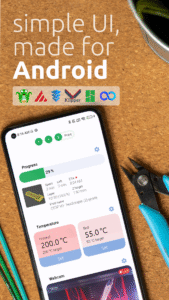
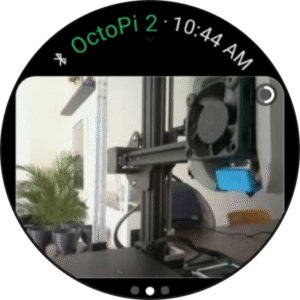
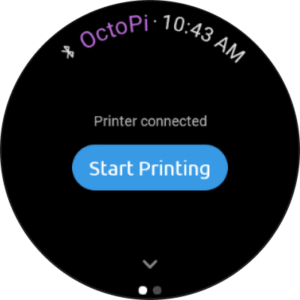
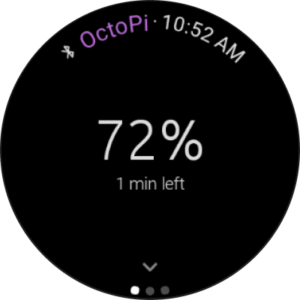
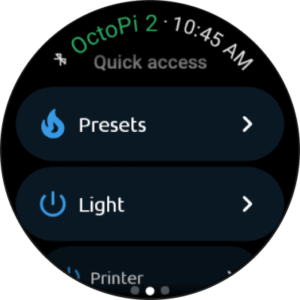
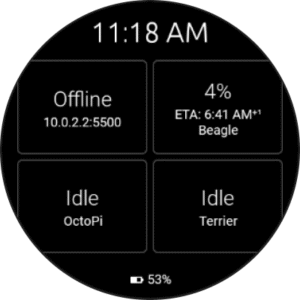
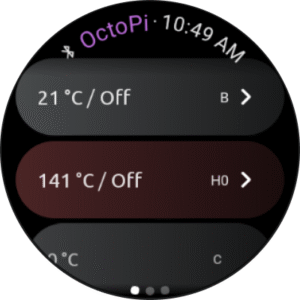
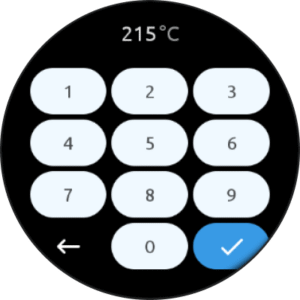
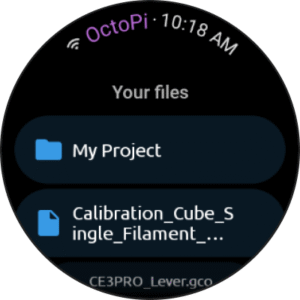
OctoApp is build with Android in mind and is completely optimized for being used on your phone. Of course OctoApp also supports Wear OS!
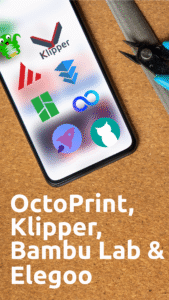
The app supports OctoPrint, Klipper (Moonraker, Fluidd, Mainsail), Bambu Lab and Elegoo Centauri.
The UI is structured into three workspaces: Connect, Prepare, Print. The Connect workspace helps you get your printer connected to OctoPrint and as soon as a printer is available OctoApp will move to the Prepare workspace. Here you can get ready for your next print! Heat your hotend, swap filament or level the bed. When you are ready and start your print, OctoApp shows the Print workspace where you can control and tune your print!
This concepts allows for a simple and fast UI while not sacrificing on features!
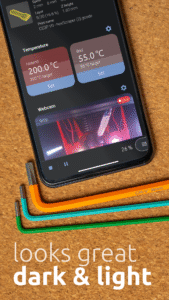
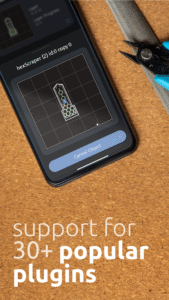
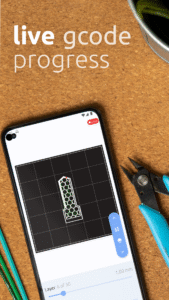
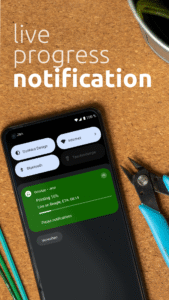
OctoApp already offers you: 🖨 Easy print preparation 🕹 Control your print 🗄 Full file access and management 📟 Full terminal access 🎛 Flow rate, Feed rate and fan controls 📷 Webcam support (also muticam support) 🌛 Dark mode 🏎️ High performance 🔉 Notifications about your print and filament 🔍 Gcode Viewer 🖨 Support for multiple printers 🔌 Many power control plugins like PSU Control or IKEA Tradfri 💡 Automatic lights 🔮 PrintTimeGenius support 💜 Support for many of your favourite plugins, like ArcWelder or SpoolManager 🌎 Remote connection with supported plugin or manual setup, the app switches automatically 🚀 OctoEverywhere integration 🕵️♂️ Obico integration 🔐 Works with VPNs, HTTPS and Basic Auth ⌚️ WearOS app with many features 🖖 And much, much more!
There is a new feature update roughly 4-8 weeks! Let me know what you are missing!
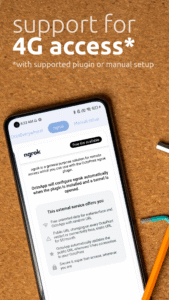
Important notice for remote connections: The app does not provide required servers. You can either set something up yourself and provide the app with a URL reachable over the internet or use a plugin like OctoEverywhere, Obico or ngrok.
---
OctoApp is made for and compatible with but not officially associated with OctoPrint. OctoApp is not officially associated with Mainsail, Fluidd, Moonraker or Klipper.
OctoPrint is a registered trademark. Learn more at octoprint.org
The app supports OctoPrint, Klipper (Moonraker, Fluidd, Mainsail), Bambu Lab and Elegoo Centauri.
The UI is structured into three workspaces: Connect, Prepare, Print. The Connect workspace helps you get your printer connected to OctoPrint and as soon as a printer is available OctoApp will move to the Prepare workspace. Here you can get ready for your next print! Heat your hotend, swap filament or level the bed. When you are ready and start your print, OctoApp shows the Print workspace where you can control and tune your print!
This concepts allows for a simple and fast UI while not sacrificing on features!
OctoApp already offers you: 🖨 Easy print preparation 🕹 Control your print 🗄 Full file access and management 📟 Full terminal access 🎛 Flow rate, Feed rate and fan controls 📷 Webcam support (also muticam support) 🌛 Dark mode 🏎️ High performance 🔉 Notifications about your print and filament 🔍 Gcode Viewer 🖨 Support for multiple printers 🔌 Many power control plugins like PSU Control or IKEA Tradfri 💡 Automatic lights 🔮 PrintTimeGenius support 💜 Support for many of your favourite plugins, like ArcWelder or SpoolManager 🌎 Remote connection with supported plugin or manual setup, the app switches automatically 🚀 OctoEverywhere integration 🕵️♂️ Obico integration 🔐 Works with VPNs, HTTPS and Basic Auth ⌚️ WearOS app with many features 🖖 And much, much more!
There is a new feature update roughly 4-8 weeks! Let me know what you are missing!
Important notice for remote connections: The app does not provide required servers. You can either set something up yourself and provide the app with a URL reachable over the internet or use a plugin like OctoEverywhere, Obico or ngrok.
---
OctoApp is made for and compatible with but not officially associated with OctoPrint. OctoApp is not officially associated with Mainsail, Fluidd, Moonraker or Klipper.
OctoPrint is a registered trademark. Learn more at octoprint.org
Download OctoApp: OctoPrint & Klipper (Wear OS) APK
Fast, free and safe download.
APK Permissions 15
- android.permission.ACCESS_ADSERVICES_AD_ID
- android.permission.ACCESS_ADSERVICES_ATTRIBUTION
- android.permission.ACCESS_NETWORK_STATE
- android.permission.ACCESS_WIFI_STATE
- android.permission.CHANGE_WIFI_MULTICAST_STATE
- android.permission.INTERNET
- android.permission.POST_NOTIFICATIONS
- android.permission.READ_PHONE_STATE
- android.permission.SCHEDULE_EXACT_ALARM
- android.permission.VIBRATE
- android.permission.WAKE_LOCK
- com.android.vending.BILLING
- com.google.android.c2dm.permission.RECEIVE
- com.google.android.finsky.permission.BIND_GET_INSTALL_REFERRER_SERVICE
- de.crysxd.octoapp.DYNAMIC_RECEIVER_NOT_EXPORTED_PERMISSION
APK Verified
The cryptographic signature guarantees that the file is safe to install and was not tampered with in any way.


