
Download Automate APK 1.48.1 arm64-v8a, armeabi-v7a, x86, x86_64 · Android 14+
Download APK
Verified Safe
This is the arm64-v8a, armeabi-v7a, x86, x86_64 build of Automate 1.48.1. Pick this build if your device's primary ABI matches.
File size: 8.8 MB • Min Android: 14 • Target Android: 35 • Version code: 256 • Framework: Native (Java/Kotlin) • Permissions: 109
Screenshots
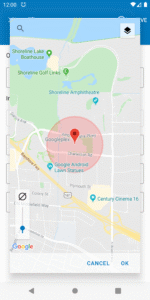
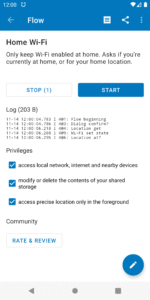
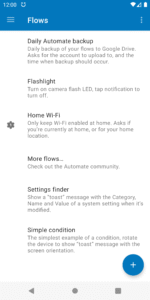
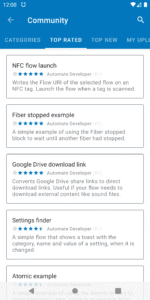
File Information
| Package Name | com.llamalab.automate |
|---|---|
| Version Name | 1.48.1 |
| Version Code | 256 |
| Architecture | arm64-v8a, armeabi-v7a, x86, x86_64 |
| Min Android Version | Android 14 (API 35) |
| Main Activity | com.llamalab.automate.FlowListActivity |
| Framework | Native (Java/Kotlin) |
| File Size | 8.76 MB |
| Signature (SHA1) | F2D60AC32E77C42784E8578601E7D6BE7F13E09B |
| File Hash (SHA256) | 51207c3e3eaa53fb596d4a4674d7c4139925bc1d591bea208b9fca5348b98584 |
What's New
• File multipart extract block
• HTTP accept block
• HTTP response block
• Duration pick got Title input argument
• HTTP request block got Keychain alias input argument
• Network throughput block got Network interface input argument
• Quick Settings tile show got Flags input argument
• Time zone get got Offset output variable
• urlDecode function got Flags input argument
• HTTP accept block
• HTTP response block
• Duration pick got Title input argument
• HTTP request block got Keychain alias input argument
• Network throughput block got Network interface input argument
• Quick Settings tile show got Flags input argument
• Time zone get got Offset output variable
• urlDecode function got Flags input argument
App Description
Android device automation made easy. Let Automate perform your daily routine automatically:
📂 Manage files on device and remote storage
☁️ Backup apps and files
✉️ Send and receive messages
📞 Control phone calls
🌐 Access online content
📷 Take pictures, record audio and video
🎛️ Configure device settings
🧩 Integrate other apps
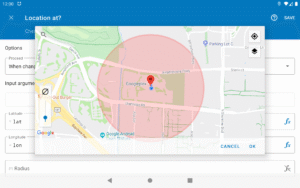
⏰ Start tasks manually, on a schedule, when reaching a location, starting a physical activity and much more
SIMPLE, YET POWERFUL
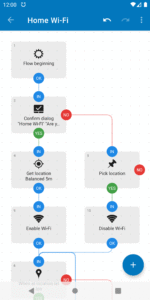
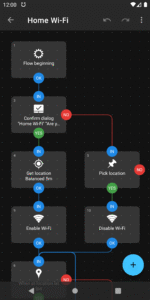
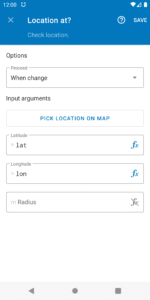
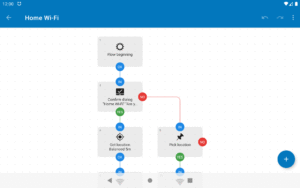
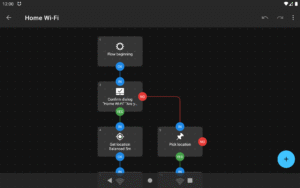
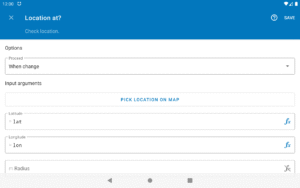
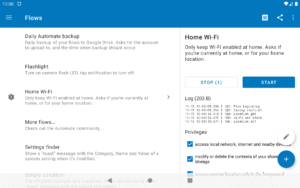
Create your automated tasks by drawing flowcharts, simply add and connect blocks, novices can then configure them with predefined options, while experienced users may use expressions, variables and functions.
ALL-INCLUSIVE
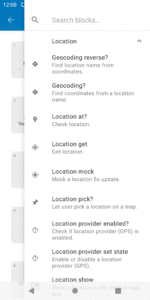
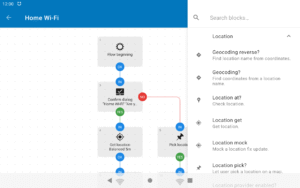
Almost every feature on your Android smartphone or tablet can be controlled using the more than 410 building blocks that’s included:
llamalab.com/automate/doc/block/
SHARE YOUR WORK
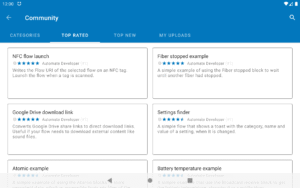
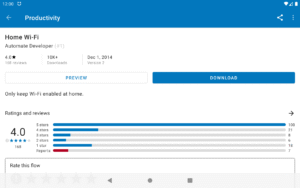
Save time by downloading complete automation “flows” that other users already made and shared through the in-app community section:
llamalab.com/automate/community/
CONTEXT AWARE
Perform recurring tasks based on the time of day, your location (geofencing), physical activity, heart rate, steps taken, events in your calendar, app currently open, connected Wi-Fi network, remaining battery, and hundreds of other conditions and triggers.
TOTAL CONTROL
Not everything needs to be automatic, manually start complex tasks by clicking home screen widgets & shortcuts, Quick Settings tiles, notifications, media buttons on your Bluetooth headset, volume & other hardware buttons, by scanning NFC tags and more.
FILE MANAGEMENT
Delete, copy, move and rename files on your device, SD card and external USB drive. Extract and compress zip archives. Process text files, CSV, XML and other documents.
DAILY BACKUPS
Backup your apps and files to removable SD card and remote storage.
FILE TRANSFER
Upload and download files stored on Google Drive, Microsoft OneDrive, FTP server, and online when accessible through HTTP.
COMMUNICATIONS
Send SMS, MMS, e-mail, Gmail, and other data through the built-in cloud messaging service. Manage incoming phone calls, perform call screening.
CAMERA, SOUND, ACTION
Quickly take photos using the camera, take screenshots, and record audio or video. Bulk process images, crop, scale and rotate them then save as JPEG or PNG. Read text in images using OCR. Generate QR codes and scan barcodes.
DEVICE CONFIGURATION
Change most system settings, adjust audio volume, lower screen brightness, control Do Not Disturb, switch mobile network (3G/4G/5G), toggle Wi-Fi, tethering, airplane mode, power save mode and much more.
APP INTEGRATION
Easily integrate apps supporting the Locale/Tasker plug-in API. Otherwise, use every Android capability to do so, start app activities & services, send & receive broadcasts, access content providers, or as a last resort, screen scraping and simulated user inputs.
EXTENSIVE DOCUMENTATION
The full documentation is readily available within the app:
llamalab.com/automate/doc/
SUPPORT & FEEDBACK
Please don’t report problems or ask for support through Google Play store review comment, use the Help & feedback menu or the links below:
• Reddit:
www.reddit.com/r/AutomateUser/
• Forum:
groups.google.com/g/automate-user
• E-mail:
info@llamalab.com
This app uses the Accessibility API to provide features that interact with the UI, intercept key presses, take screenshots, read “toast” messages, determine foreground app and capture fingerprint gestures.
This app uses the Device Administrator permission to provide features that check for failed login attempts and engage screen lock.
📂 Manage files on device and remote storage
☁️ Backup apps and files
✉️ Send and receive messages
📞 Control phone calls
🌐 Access online content
📷 Take pictures, record audio and video
🎛️ Configure device settings
🧩 Integrate other apps
⏰ Start tasks manually, on a schedule, when reaching a location, starting a physical activity and much more
SIMPLE, YET POWERFUL
Create your automated tasks by drawing flowcharts, simply add and connect blocks, novices can then configure them with predefined options, while experienced users may use expressions, variables and functions.
ALL-INCLUSIVE
Almost every feature on your Android smartphone or tablet can be controlled using the more than 410 building blocks that’s included:
llamalab.com/automate/doc/block/
SHARE YOUR WORK
Save time by downloading complete automation “flows” that other users already made and shared through the in-app community section:
llamalab.com/automate/community/
CONTEXT AWARE
Perform recurring tasks based on the time of day, your location (geofencing), physical activity, heart rate, steps taken, events in your calendar, app currently open, connected Wi-Fi network, remaining battery, and hundreds of other conditions and triggers.
TOTAL CONTROL
Not everything needs to be automatic, manually start complex tasks by clicking home screen widgets & shortcuts, Quick Settings tiles, notifications, media buttons on your Bluetooth headset, volume & other hardware buttons, by scanning NFC tags and more.
FILE MANAGEMENT
Delete, copy, move and rename files on your device, SD card and external USB drive. Extract and compress zip archives. Process text files, CSV, XML and other documents.
DAILY BACKUPS
Backup your apps and files to removable SD card and remote storage.
FILE TRANSFER
Upload and download files stored on Google Drive, Microsoft OneDrive, FTP server, and online when accessible through HTTP.
COMMUNICATIONS
Send SMS, MMS, e-mail, Gmail, and other data through the built-in cloud messaging service. Manage incoming phone calls, perform call screening.
CAMERA, SOUND, ACTION
Quickly take photos using the camera, take screenshots, and record audio or video. Bulk process images, crop, scale and rotate them then save as JPEG or PNG. Read text in images using OCR. Generate QR codes and scan barcodes.
DEVICE CONFIGURATION
Change most system settings, adjust audio volume, lower screen brightness, control Do Not Disturb, switch mobile network (3G/4G/5G), toggle Wi-Fi, tethering, airplane mode, power save mode and much more.
APP INTEGRATION
Easily integrate apps supporting the Locale/Tasker plug-in API. Otherwise, use every Android capability to do so, start app activities & services, send & receive broadcasts, access content providers, or as a last resort, screen scraping and simulated user inputs.
EXTENSIVE DOCUMENTATION
The full documentation is readily available within the app:
llamalab.com/automate/doc/
SUPPORT & FEEDBACK
Please don’t report problems or ask for support through Google Play store review comment, use the Help & feedback menu or the links below:
• Reddit:
www.reddit.com/r/AutomateUser/
• Forum:
groups.google.com/g/automate-user
• E-mail:
info@llamalab.com
This app uses the Accessibility API to provide features that interact with the UI, intercept key presses, take screenshots, read “toast” messages, determine foreground app and capture fingerprint gestures.
This app uses the Device Administrator permission to provide features that check for failed login attempts and engage screen lock.
Download Automate APK
Fast, free and safe download.
APK Permissions 109
- android.permission.ACCESS_BACKGROUND_LOCATION
- android.permission.ACCESS_COARSE_LOCATION
- android.permission.ACCESS_FINE_LOCATION
- android.permission.ACCESS_MEDIA_LOCATION
- android.permission.ACCESS_MOCK_LOCATION
- android.permission.ACCESS_NETWORK_STATE
- android.permission.ACCESS_NOTIFICATION_POLICY
- android.permission.ACCESS_SUPERUSER
- android.permission.ACCESS_WIFI_STATE
- android.permission.ACTIVITY_RECOGNITION
- android.permission.ANSWER_PHONE_CALLS
- android.permission.AUTHENTICATE_ACCOUNTS
- android.permission.BLUETOOTH
- android.permission.BLUETOOTH_ADMIN
- android.permission.BLUETOOTH_CONNECT
- android.permission.BLUETOOTH_SCAN
- android.permission.BODY_SENSORS
- android.permission.BODY_SENSORS_BACKGROUND
- android.permission.CALL_PHONE
- android.permission.CAMERA
- android.permission.CHANGE_CONFIGURATION
- android.permission.CHANGE_NETWORK_STATE
- android.permission.CHANGE_WIFI_STATE
- android.permission.DISABLE_KEYGUARD
- android.permission.DUMP
- android.permission.FLASHLIGHT
- android.permission.FOREGROUND_SERVICE
- android.permission.FOREGROUND_SERVICE_CAMERA
- android.permission.FOREGROUND_SERVICE_CONNECTED_DEVICE
- android.permission.FOREGROUND_SERVICE_DATA_SYNC
- android.permission.FOREGROUND_SERVICE_HEALTH
- android.permission.FOREGROUND_SERVICE_LOCATION
- android.permission.FOREGROUND_SERVICE_MEDIA_PLAYBACK
- android.permission.FOREGROUND_SERVICE_MICROPHONE
- android.permission.FOREGROUND_SERVICE_SPECIAL_USE
- android.permission.GET_ACCOUNTS
- android.permission.GET_PACKAGE_SIZE
- android.permission.GET_TASKS
- android.permission.INTERACT_ACROSS_USERS
- android.permission.INTERNET
- android.permission.KILL_BACKGROUND_PROCESSES
- android.permission.MANAGE_EXTERNAL_STORAGE
- android.permission.MANAGE_ONGOING_CALLS
- android.permission.MODIFY_AUDIO_SETTINGS
- android.permission.MODIFY_QUIET_MODE
- android.permission.NFC
- android.permission.PACKAGE_USAGE_STATS
- android.permission.POST_NOTIFICATIONS
- android.permission.PROCESS_OUTGOING_CALLS
- android.permission.QUERY_ALL_PACKAGES
- android.permission.READ_CALENDAR
- android.permission.READ_CALL_LOG
- android.permission.READ_CONTACTS
- android.permission.READ_EXTERNAL_STORAGE
- android.permission.READ_LOGS
- android.permission.READ_MEDIA_AUDIO
- android.permission.READ_MEDIA_IMAGES
- android.permission.READ_MEDIA_VIDEO
- android.permission.READ_PHONE_NUMBERS
- android.permission.READ_PHONE_STATE
- android.permission.READ_SMS
- android.permission.READ_SYNC_SETTINGS
- android.permission.RECEIVE_BOOT_COMPLETED
- android.permission.RECEIVE_SMS
- android.permission.RECORD_AUDIO
- android.permission.REQUEST_DELETE_PACKAGES
- android.permission.REQUEST_IGNORE_BATTERY_OPTIMIZATIONS
- android.permission.SCHEDULE_EXACT_ALARM
- android.permission.SEND_SMS
- android.permission.SET_PROCESS_LIMIT
- android.permission.SET_TIME_ZONE
- android.permission.SET_VOLUME_KEY_LONG_PRESS_LISTENER
- android.permission.SET_WALLPAPER
- android.permission.SYSTEM_ALERT_WINDOW
- android.permission.TRANSMIT_IR
- android.permission.USE_BIOMETRIC
- android.permission.USE_CREDENTIALS
- android.permission.USE_FINGERPRINT
- android.permission.USE_FULL_SCREEN_INTENT
- android.permission.VIBRATE
- android.permission.WAKE_LOCK
- android.permission.WRITE_CALENDAR
- android.permission.WRITE_CALL_LOG
- android.permission.WRITE_CONTACTS
- android.permission.WRITE_EXTERNAL_STORAGE
- android.permission.WRITE_SECURE_SETTINGS
- android.permission.WRITE_SETTINGS
- android.permission.WRITE_SYNC_SETTINGS
- com.android.alarm.permission.SET_ALARM
- com.android.launcher.permission.INSTALL_SHORTCUT
- com.android.phone.CHANGE_NETWORK_MODE
- com.android.vending.BILLING
- com.google.android.c2dm.permission.RECEIVE
- com.google.android.gm.permission.READ_CONTENT_PROVIDER
- com.google.android.gms.permission.ACTIVITY_RECOGNITION
- com.google.android.providers.gsf.permission.READ_GSERVICES
- com.llamalab.automate.DYNAMIC_RECEIVER_NOT_EXPORTED_PERMISSION
- com.llamalab.automate.permission.ACCESS_PRIVILEGED
- com.llamalab.automate.permission.ACCESS_SUPERUSER
- com.llamalab.automate.permission.BIND_LEGACY_SERVICE
- com.llamalab.automate.permission.BIND_PRIVILEGED_SERVICE
- com.llamalab.automate.permission.EXECUTE_SHELL_COMMAND
- com.llamalab.automate.permission.REQUEST_INSTALL_PACKAGES
- com.termux.permission.RUN_COMMAND
- com.wireguard.android.permission.CONTROL_TUNNELS
- cyanogenmod.permission.PUBLISH_CUSTOM_TILE
- net.dinglisch.android.tasker.PERMISSION_RUN_TASKS
- net.dinglisch.android.tasker.PERMISSION_SEND_COMMAND
- org.adaway.permission.SEND_COMMAND
APK Verified
The cryptographic signature guarantees that the file is safe to install and was not tampered with in any way.
Similar in Tools


More by LlamaLab

Frequently Asked Questions about Automate APK
This variant is built for devices that report `arm64-v8a, armeabi-v7a, x86, x86_64` as their primary ABI. If your device's CPU matches, this is the smallest, fastest version to install.
Yes — the APK's signature has been cryptographically verified against the publisher's signing key. The SHA-256 hash is shown in the File Information panel so you can independently confirm the file matches the original release.
Android 14 (API level 35) or newer. Older devices will refuse the install.
Install a free app like 'CPU-Z' or 'Droid Hardware Info' from the Play Store and look at the ABI / Instruction Set row. Most phones made after 2017 are arm64-v8a; if in doubt, download the universal variant.
All variants are functionally identical — same features, same version. They differ only in which CPU architectures the native code is compiled for, and (sometimes) which screen densities the included graphics target. Pick the one that matches your device for the smallest install size, or pick 'Universal' if you're unsure.