
Download Network Cell Info Lite & Wifi APK 7.2.22 Universal · Android 24+
Download APK
Verified Safe
This is the universal build of Network Cell Info Lite & Wifi 7.2.22. It contains native libraries for every CPU architecture (arm64-v8a, armeabi-v7a, x86, x86_64), so it installs on any Android device. The trade-off is size — it's larger than per-architecture variants. Pick this one if you're unsure which CPU your phone has, or if you plan to share the APK with multiple devices.
File size: 26.6 MB • Min Android: 24 • Target Android: 34 • Version code: 227222 • Framework: Native (Java/Kotlin) • Permissions: 25
Screenshots
File Information
| Package Name | com.wilysis.cellinfolite |
|---|---|
| Version Name | 7.2.22 |
| Version Code | 227222 |
| Architecture | Universal |
| Min Android Version | Android 24 (API 34) |
| Main Activity | com.wilysis.cellinfo.Arxikh |
| Framework | Native (Java/Kotlin) |
| File Size | 26.62 MB |
| Signature (SHA1) | C1828AF62187194903BC304A083DED26D9282B71 |
| File Hash (SHA256) | 783b79244eef50078af87da61baeb6e58740291b8d913be241a00017e60b7b74 |
What's New
- Bug fixes
App Description
Network Cell Info Lite is an extensive mobile network and Wi-Fi monitoring app with measurement and diagnostic tools (5G, LTE+, LTE, CDMA, WCDMA, GSM). Network Cell Info can help troubleshoot your reception and connectivity problems while keeping you in the know about your local cellular coverage.
Network Cell Info Lite is for anyone looking to improve their mobile experience and achieve their strongest cellular and Wi-Fi signal strength. This app also shows users which cellular tower they're connected to along with stats on the history of their signal strength. Users also report when they experience bad signals via the key feature below.
Key Feature: The Bad Signal Reporter
Wouldn’t it be terrific if every bad mobile signal you encountered was automatically reported to your mobile network operator? How much better would our mobile networks be if the operators had access to this information and then acted upon it?
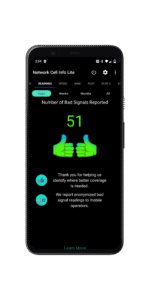
The good news is that such access is available today through Network Cell Info Lite. This powerful app collects bad signal (either no signal or fringe coverage) data from the mobile devices of app users who have consented to such collection, and then generates a Bad Signal Report that we make available for FREE to every MNO in the world.
📡Main features📡
:
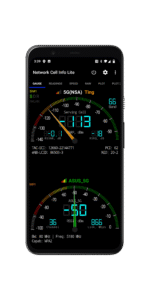
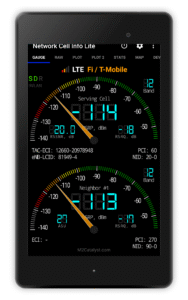
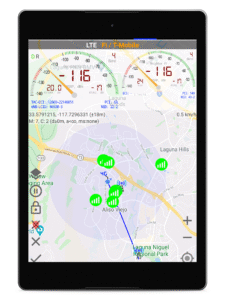
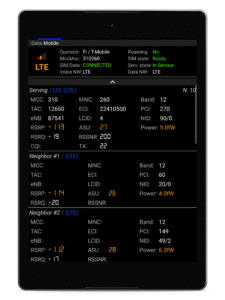
☆Almost Real-Time (1 sec.) monitoring of cellular carrier and WiFi signals in Gauge/Raw Tabs
☆5G, LTE+, LTE, IWLAN, UMTS, GSM, CDMA support
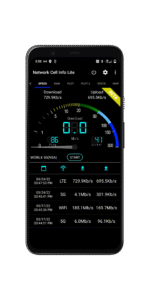
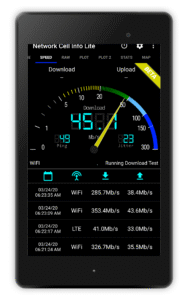
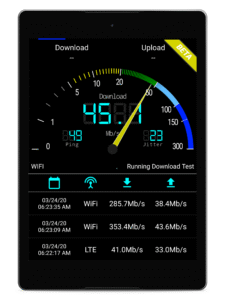
☆One-tap WiFi/mobile internet performance speed test (download, upload, ping, and jitter)
☆Dual-SIM support
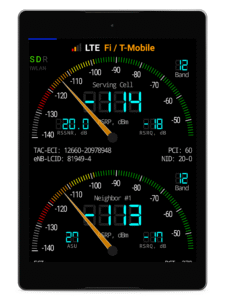
☆2-3 Signal-meter gauges for both SIMs and WiFi
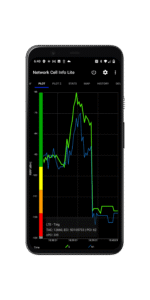
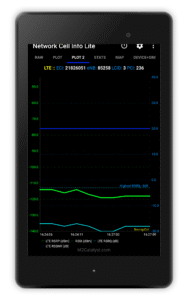
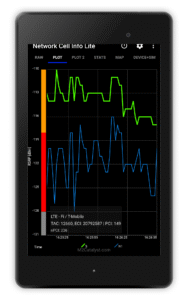
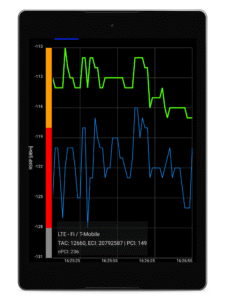
☆Signal Plots, up to 2 cells
☆Band number
☆SIM# preference option, for other than Gauge tab
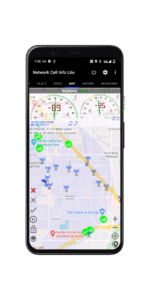
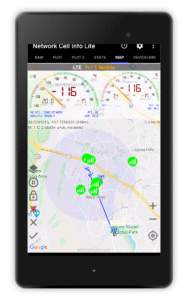
☆Map with network cellular info and signal-meter gauges
☆History Logs, Measurements of cellular signals (in the Map tab)
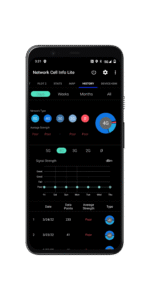
☆Readings Tab reporting the number of bad signals
☆Indication of cell locations (not carrier cell towers) in the Map from Mozilla Location Service (MLS), excl. CDMA
☆Personal Best Signal Finder map layer shows your signal strength history by location
☆Crowdsourced Best Signal Finder shows your carrier's nearest best signals
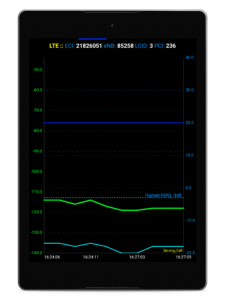
☆Personal Best Signal Finder history graphs your signal strength over time
☆Measurement settings (minimum distance, minimum accuracy, motion sensor, etc.)
☆Database export history measurements
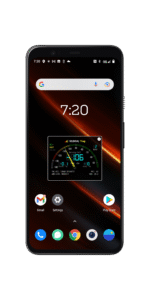
☆Network information in Status Bar
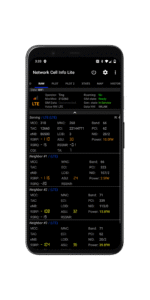
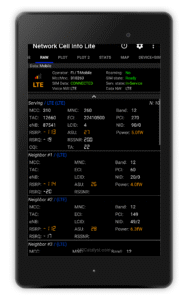
☆Raw view of carrier network cellular info
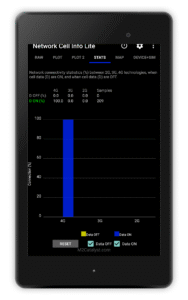
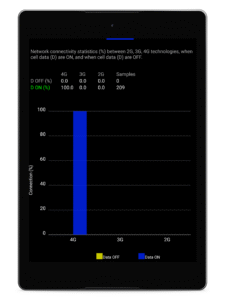
☆Connection statistics (2G/3G/4G/5G)
☆SIM and device info
Want to remove ads, access more gauges and other features?
View the comparison chart here:
m2catalyst.com/apps/network-cell-info/features
Check out the Paid Version and Pro Subscription Plan.
play.google.com/store/apps/details?id=com.wilysis.cellinfo
Network Cell Info Lite is for anyone looking to improve their mobile experience and achieve their strongest cellular and Wi-Fi signal strength. This app also shows users which cellular tower they're connected to along with stats on the history of their signal strength. Users also report when they experience bad signals via the key feature below.
Key Feature: The Bad Signal Reporter
Wouldn’t it be terrific if every bad mobile signal you encountered was automatically reported to your mobile network operator? How much better would our mobile networks be if the operators had access to this information and then acted upon it?
The good news is that such access is available today through Network Cell Info Lite. This powerful app collects bad signal (either no signal or fringe coverage) data from the mobile devices of app users who have consented to such collection, and then generates a Bad Signal Report that we make available for FREE to every MNO in the world.
📡Main features📡
:
☆Almost Real-Time (1 sec.) monitoring of cellular carrier and WiFi signals in Gauge/Raw Tabs
☆5G, LTE+, LTE, IWLAN, UMTS, GSM, CDMA support
☆One-tap WiFi/mobile internet performance speed test (download, upload, ping, and jitter)
☆Dual-SIM support
☆2-3 Signal-meter gauges for both SIMs and WiFi
☆Signal Plots, up to 2 cells
☆Band number
☆SIM# preference option, for other than Gauge tab
☆Map with network cellular info and signal-meter gauges
☆History Logs, Measurements of cellular signals (in the Map tab)
☆Readings Tab reporting the number of bad signals
☆Indication of cell locations (not carrier cell towers) in the Map from Mozilla Location Service (MLS), excl. CDMA
☆Personal Best Signal Finder map layer shows your signal strength history by location
☆Crowdsourced Best Signal Finder shows your carrier's nearest best signals
☆Personal Best Signal Finder history graphs your signal strength over time
☆Measurement settings (minimum distance, minimum accuracy, motion sensor, etc.)
☆Database export history measurements
☆Network information in Status Bar
☆Raw view of carrier network cellular info
☆Connection statistics (2G/3G/4G/5G)
☆SIM and device info
Want to remove ads, access more gauges and other features?
View the comparison chart here:
m2catalyst.com/apps/network-cell-info/features
Check out the Paid Version and Pro Subscription Plan.
play.google.com/store/apps/details?id=com.wilysis.cellinfo
Download Network Cell Info Lite & Wifi APK
Fast, free and safe download.
APK Permissions 25
- android.permission.ACCESS_ADSERVICES_AD_ID
- android.permission.ACCESS_ADSERVICES_ATTRIBUTION
- android.permission.ACCESS_ADSERVICES_TOPICS
- android.permission.ACCESS_BACKGROUND_LOCATION
- android.permission.ACCESS_COARSE_LOCATION
- android.permission.ACCESS_FINE_LOCATION
- android.permission.ACCESS_NETWORK_STATE
- android.permission.ACCESS_WIFI_STATE
- android.permission.CHANGE_WIFI_STATE
- android.permission.FOREGROUND_SERVICE
- android.permission.INTERNET
- android.permission.POST_NOTIFICATIONS
- android.permission.READ_EXTERNAL_STORAGE
- android.permission.READ_PHONE_NUMBERS
- android.permission.READ_PHONE_STATE
- android.permission.RECEIVE_BOOT_COMPLETED
- android.permission.REORDER_TASKS
- android.permission.WAKE_LOCK
- android.permission.WRITE_EXTERNAL_STORAGE
- com.android.vending.BILLING
- com.android.vending.CHECK_LICENSE
- com.google.android.c2dm.permission.RECEIVE
- com.google.android.finsky.permission.BIND_GET_INSTALL_REFERRER_SERVICE
- com.google.android.gms.permission.AD_ID
- com.wilysis.cellinfolite.DYNAMIC_RECEIVER_NOT_EXPORTED_PERMISSION
APK Verified
The cryptographic signature guarantees that the file is safe to install and was not tampered with in any way.
Similar in Tools


Frequently Asked Questions about Network Cell Info Lite & Wifi APK
This is the universal variant — a single APK that contains native libraries for every CPU architecture. It installs on any Android device but is larger than per-architecture variants.
Yes — the APK's signature has been cryptographically verified against the publisher's signing key. The SHA-256 hash is shown in the File Information panel so you can independently confirm the file matches the original release.
Android 24 (API level 34) or newer. Older devices will refuse the install.
Install a free app like 'CPU-Z' or 'Droid Hardware Info' from the Play Store and look at the ABI / Instruction Set row. Most phones made after 2017 are arm64-v8a; if in doubt, download the universal variant.
All variants are functionally identical — same features, same version. They differ only in which CPU architectures the native code is compiled for, and (sometimes) which screen densities the included graphics target. Pick the one that matches your device for the smallest install size, or pick 'Universal' if you're unsure.