
This is the universal build of Phases of the Moon 7.7.0. It contains native libraries for every CPU architecture (arm64-v8a, armeabi-v7a, x86, x86_64), so it installs on any Android device. The trade-off is size — it's larger than per-architecture variants. Pick this one if you're unsure which CPU your phone has, or if you plan to share the APK with multiple devices.
File size: 62.7 MB • Min Android: 24 • Target Android: 35 • Version code: 70700 • Framework: Native (Java/Kotlin) • Permissions: 18
Screenshots
File Information
| Package Name | com.universetoday.moon.free |
|---|---|
| Version Name | 7.7.0 |
| Version Code | 70700 |
| Architecture | Universal |
| Min Android Version | Android 24 (API 35) |
| Main Activity | com.universetoday.moon.free.MoonPhases |
| Framework | Native (Java/Kotlin) |
| File Size | 62.68 MB |
| Signature (SHA1) | 773E9D6A608EC206F109F0CF253B6B185A896442 |
| File Hash (SHA256) | 6727e4380811448cc6b615400d048b336864e8ae3a55d764f994a96841585b84 |
What's New
* Targeting API 35
* Bug fixes
* Bug fixes
App Description
Love the Moon? If so, Phases of the Moon is the moon app for you. Explore each Moon Phase and Get this 3-D Moon simulation, with Atlas, Monthly Lunar Calendar, Live Moon Wallpaper, Check Moon Phases for Hunting/Fishing forecast and Farmer's Almanac, Widget, Astrology Zodiac Signs, moon alerts and more to track the upcoming Full Moon, New Moon, and Eclipse.
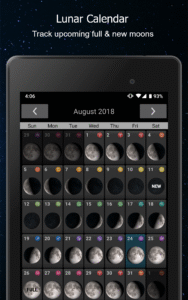
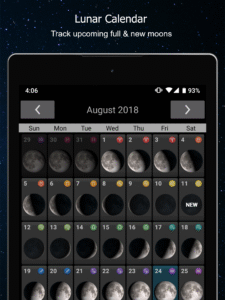
Hold the Moon in your hand with this 3-D simulation of Moon phases with data updated in real time. Swipe back and forth to move through the phases of the Moon. This app has all the data you need including moon rise and set times, moon illumination, phase name, astrology zodiac sign and the distance to the Moon, all in a beautiful, elegant Moon app that's fun to use. It even has a monthly moon calendar so you can see what the Moon will look like over time.
This app is an efficient way of keeping up with the moon, its phases, the lunar calendar, and anything else related to the moon.
Key Features:
Moon Phase Alerts:
Add a reminder for specific moon events/astrology zodiac signs or choose your own day/time. Is there a special lunar event coming up? Set an alarm in advance to ensure you don't miss the lunar eclipse, or hunting/fishing moon phase venture.
- Track all cycles of the moon
(including full moon, new moon, waning gibbous, waxing crescent, first quarter, and more) through live moon wallpaper or through moon phase calendar app. See how the moon looks during every stage, including the total solar eclipse.
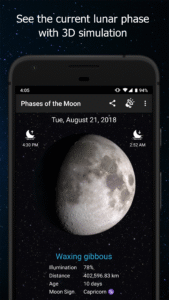
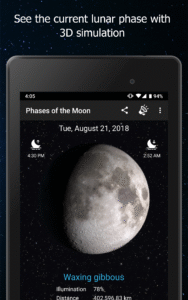
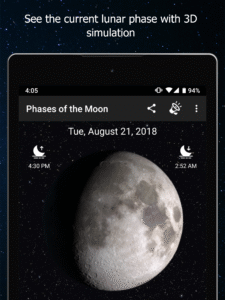
- See the current lunar phase with a 3-D simulation made by NASA data:
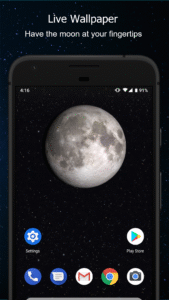
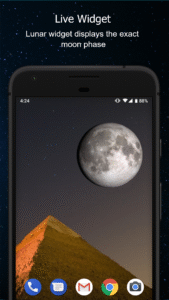
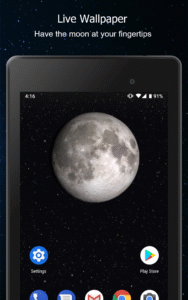
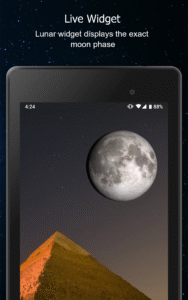
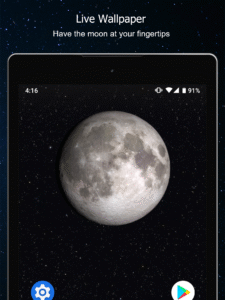
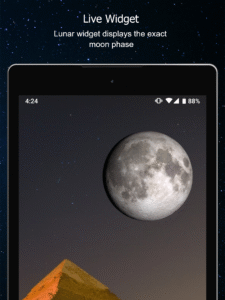
You can even see the shadows change. Includes a Live Lunar Wallpaper and a Widget so you don't need to enter the app to always know what phase it is.
- Moon rise and moon set times:
View for today or look into the past or future for updated times.
- Hunting and Fishing forecast:
Before your hunting/fishing venture, check the moon phase for your location.
- Find the next Full Moon or New Moon:
You can click a button to take you to the next Full Moon or New Moon.
Interactive and informative free moon app:
Smoothly drag the Moon phase back and forth with your finger, or even "spin it" to quickly advance forward or backward. - See the current date, distance, phase name, astrology zodiac sign and moon illumination percentage: updated in real time. GPS detection of your hemisphere and location to make sure the Moon looks right for you.
- See the Moon's libration (wobble)
as it completes an orbit around the Earth.
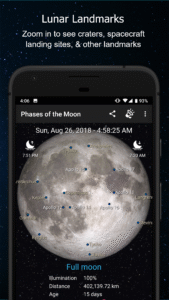
- View craters and moon landing sites:
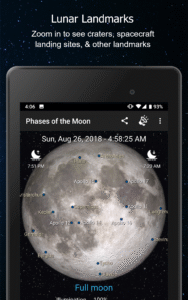
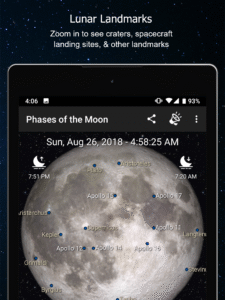
Pinch-zoom the Moon to see a full lunar atlas with spacecraft landing sites, mare, and large craters
- Share with friends:
Share your images on all the popular social networks
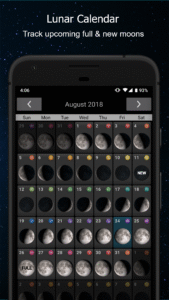
- Moon Events Calendar:
Reminders for major moon events so you don't miss out on any spectacular moon events happening this month.
The eight phases of the Moon covered in this app are:
new Moon
waxing crescent Moon
first quarter Moon
waxing gibbous Moon
full Moon
waning gibbous Moon
last quarter Moon
waning crescent Moon
Developed by M2Catalyst. Please email us if you have any questions or if there are any problems with your specific version of Android. We'd also love to hear your feature ideas.
Moon app images created by NASA/Goddard Space Flight Center Scientific Visualization Studio
This powerful moon app has been translated into various languages so that moon fanatics all over the world can enjoy it. They are:
Afrikaans
Arabic
Azerbaijani
Catalan
Danish
German
Greek
Spanish
Estonian
Finnish
Filipino/Tagalog
French
Hindi
Hungarian
Indonesian
Indonesian
Italian
Japanese
Korean
Malay (Malaysia)
Norwegian (Bokmal)
Dutch
Norwegian
Polish
Portuguese (Brazil)
Romanian
Russian
Swedish
Swahili
Thai
Turkish
Ukranian
Chinese (simplified)
Chinese (traditional)
Hold the Moon in your hand with this 3-D simulation of Moon phases with data updated in real time. Swipe back and forth to move through the phases of the Moon. This app has all the data you need including moon rise and set times, moon illumination, phase name, astrology zodiac sign and the distance to the Moon, all in a beautiful, elegant Moon app that's fun to use. It even has a monthly moon calendar so you can see what the Moon will look like over time.
This app is an efficient way of keeping up with the moon, its phases, the lunar calendar, and anything else related to the moon.
Key Features:
Moon Phase Alerts:
Add a reminder for specific moon events/astrology zodiac signs or choose your own day/time. Is there a special lunar event coming up? Set an alarm in advance to ensure you don't miss the lunar eclipse, or hunting/fishing moon phase venture.
- Track all cycles of the moon
(including full moon, new moon, waning gibbous, waxing crescent, first quarter, and more) through live moon wallpaper or through moon phase calendar app. See how the moon looks during every stage, including the total solar eclipse.
- See the current lunar phase with a 3-D simulation made by NASA data:
You can even see the shadows change. Includes a Live Lunar Wallpaper and a Widget so you don't need to enter the app to always know what phase it is.
- Moon rise and moon set times:
View for today or look into the past or future for updated times.
- Hunting and Fishing forecast:
Before your hunting/fishing venture, check the moon phase for your location.
- Find the next Full Moon or New Moon:
You can click a button to take you to the next Full Moon or New Moon.
Interactive and informative free moon app:
Smoothly drag the Moon phase back and forth with your finger, or even "spin it" to quickly advance forward or backward. - See the current date, distance, phase name, astrology zodiac sign and moon illumination percentage: updated in real time. GPS detection of your hemisphere and location to make sure the Moon looks right for you.
- See the Moon's libration (wobble)
as it completes an orbit around the Earth.
- View craters and moon landing sites:
Pinch-zoom the Moon to see a full lunar atlas with spacecraft landing sites, mare, and large craters
- Share with friends:
Share your images on all the popular social networks
- Moon Events Calendar:
Reminders for major moon events so you don't miss out on any spectacular moon events happening this month.
The eight phases of the Moon covered in this app are:
new Moon
waxing crescent Moon
first quarter Moon
waxing gibbous Moon
full Moon
waning gibbous Moon
last quarter Moon
waning crescent Moon
Developed by M2Catalyst. Please email us if you have any questions or if there are any problems with your specific version of Android. We'd also love to hear your feature ideas.
Moon app images created by NASA/Goddard Space Flight Center Scientific Visualization Studio
This powerful moon app has been translated into various languages so that moon fanatics all over the world can enjoy it. They are:
Afrikaans
Arabic
Azerbaijani
Catalan
Danish
German
Greek
Spanish
Estonian
Finnish
Filipino/Tagalog
French
Hindi
Hungarian
Indonesian
Indonesian
Italian
Japanese
Korean
Malay (Malaysia)
Norwegian (Bokmal)
Dutch
Norwegian
Polish
Portuguese (Brazil)
Romanian
Russian
Swedish
Swahili
Thai
Turkish
Ukranian
Chinese (simplified)
Chinese (traditional)
Download Phases of the Moon APK
Fast, free and safe download.
APK Permissions 18
- android.permission.ACCESS_ADSERVICES_AD_ID
- android.permission.ACCESS_ADSERVICES_ATTRIBUTION
- android.permission.ACCESS_ADSERVICES_TOPICS
- android.permission.ACCESS_BACKGROUND_LOCATION
- android.permission.ACCESS_COARSE_LOCATION
- android.permission.ACCESS_FINE_LOCATION
- android.permission.ACCESS_NETWORK_STATE
- android.permission.ACCESS_WIFI_STATE
- android.permission.FOREGROUND_SERVICE
- android.permission.INTERNET
- android.permission.POST_NOTIFICATIONS
- android.permission.READ_EXTERNAL_STORAGE
- android.permission.READ_PHONE_STATE
- android.permission.RECEIVE_BOOT_COMPLETED
- android.permission.REORDER_TASKS
- android.permission.WAKE_LOCK
- com.google.android.gms.permission.AD_ID
- com.universetoday.moon.free.DYNAMIC_RECEIVER_NOT_EXPORTED_PERMISSION
APK Verified
The cryptographic signature guarantees that the file is safe to install and was not tampered with in any way.
Similar in Weather


Frequently Asked Questions about Phases of the Moon APK
This is the universal variant — a single APK that contains native libraries for every CPU architecture. It installs on any Android device but is larger than per-architecture variants.
Yes — the APK's signature has been cryptographically verified against the publisher's signing key. The SHA-256 hash is shown in the File Information panel so you can independently confirm the file matches the original release.
Android 24 (API level 35) or newer. Older devices will refuse the install.
Install a free app like 'CPU-Z' or 'Droid Hardware Info' from the Play Store and look at the ABI / Instruction Set row. Most phones made after 2017 are arm64-v8a; if in doubt, download the universal variant.
All variants are functionally identical — same features, same version. They differ only in which CPU architectures the native code is compiled for, and (sometimes) which screen densities the included graphics target. Pick the one that matches your device for the smallest install size, or pick 'Universal' if you're unsure.