
This is the x86 build of MapQuest: Get Directions 4.15.0. Intel-architecture builds are useful for Android emulators (BlueStacks, NoxPlayer, Android Studio AVD), Chromebooks running ARC, and the small number of Intel-CPU Android phones. Most physical Android phones should download the ARM variant instead.
File size: 36.4 MB • Min Android: 21 • Target Android: 34 • Version code: 1548 • Framework: Native (Java/Kotlin) • Permissions: 22
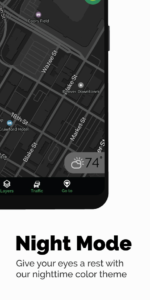
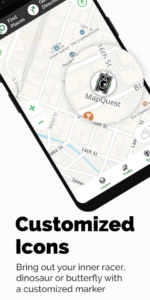
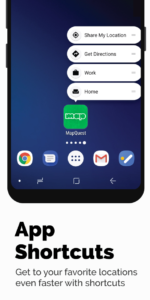
Screenshots
File Information
| Package Name | com.mapquest.android.ace |
|---|---|
| Version Name | 4.15.0 |
| Version Code | 1548 |
| Architecture | x86 |
| Min Android Version | Android 21 (API 34) |
| Main Activity | com.mapquest.android.ace.MainActivity |
| Framework | Native (Java/Kotlin) |
| File Size | 36.40 MB |
| Signature (SHA1) | 8DB2C88A24B45FE20A83DC0928060C21D9904B6E |
| File Hash (SHA256) | 7a9ab6ba02aeed75a5ffeb43187bb8c8ea13f11718e56bb9b8026ee8de4250ec |
What's New
Thanks for using MapQuest! Our latest update includes a few bugfixes.
Love our app? Please rate us!
Have a question? Visit us at
help.mapquest.com
Love our app? Please rate us!
Have a question? Visit us at
help.mapquest.com
App Description
Get where you need to go with the MapQuest turn-by-turn GPS Navigation app. Whether it’s using voice navigation for walking or driving directions or exploring points of interests on the map, MapQuest has the tools you need to navigate the United States and Canada.
Map and Navigation Features:
• Up-to-date satellite imagery and maps
• Turn-by-turn voice navigation for walking and driving directions
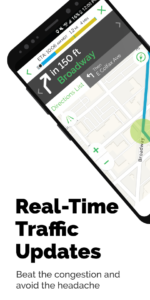
• Real-time traffic updates to help you find the fastest ways to your destination
• Optimized routing to help save you time, gas and money
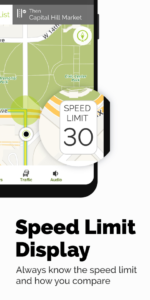
• A speedometer so you can compare your current speed to the speed limit along your route
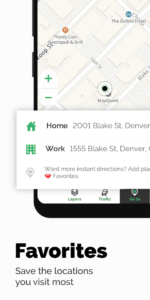
• Favorites so you can store locations, like your home and work addresses, for quick-and-easy maps and directions
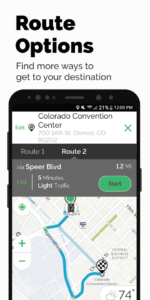
• Alternate route choices so you have multiple options to get where you need to go
• Route settings that help you avoid things like highways and toll roads
• Multipoint routes so you can include more than just one stop
• Planning: create routes starting from somewhere other than your current location
Do More than Get Directions:
• Search and explore nearby points of interests like restaurants, bars, gas stations and hotels, with our layers bar
• Find great hotel deals and book them through MapQuest
• Feed your inner foodie and discover new places to eat: browse menus, make reservations and order food through OpenTable and GrubHub points of interest
• Save money by comparing prices of nearby gas stations
• View local weather so you can plan ahead
• Car broken down? Directly access on-demand roadside assistance for help
• Get directions on-the-go with our corresponding Android Watch app
Please Note: Continued use of GPS running in the background can dramatically decrease battery life.
Map and Navigation Features:
• Up-to-date satellite imagery and maps
• Turn-by-turn voice navigation for walking and driving directions
• Real-time traffic updates to help you find the fastest ways to your destination
• Optimized routing to help save you time, gas and money
• A speedometer so you can compare your current speed to the speed limit along your route
• Favorites so you can store locations, like your home and work addresses, for quick-and-easy maps and directions
• Alternate route choices so you have multiple options to get where you need to go
• Route settings that help you avoid things like highways and toll roads
• Multipoint routes so you can include more than just one stop
• Planning: create routes starting from somewhere other than your current location
Do More than Get Directions:
• Search and explore nearby points of interests like restaurants, bars, gas stations and hotels, with our layers bar
• Find great hotel deals and book them through MapQuest
• Feed your inner foodie and discover new places to eat: browse menus, make reservations and order food through OpenTable and GrubHub points of interest
• Save money by comparing prices of nearby gas stations
• View local weather so you can plan ahead
• Car broken down? Directly access on-demand roadside assistance for help
• Get directions on-the-go with our corresponding Android Watch app
Please Note: Continued use of GPS running in the background can dramatically decrease battery life.
Download MapQuest: Get Directions APK
Fast, free and safe download.
APK Permissions 22
- android.permission.ACCESS_COARSE_LOCATION
- android.permission.ACCESS_FINE_LOCATION
- android.permission.ACCESS_NETWORK_CHANGE
- android.permission.ACCESS_NETWORK_STATE
- android.permission.ACCESS_WIFI_STATE
- android.permission.BLUETOOTH
- android.permission.BLUETOOTH_ADMIN
- android.permission.BROADCAST_STICKY
- android.permission.FOREGROUND_SERVICE
- android.permission.FOREGROUND_SERVICE_LOCATION
- android.permission.INTERNET
- android.permission.MODIFY_AUDIO_SETTINGS
- android.permission.POST_NOTIFICATIONS
- android.permission.READ_CONTACTS
- android.permission.WAKE_LOCK
- com.amazon.device.messaging.permission.RECEIVE
- com.android.vending.BILLING
- com.google.android.c2dm.permission.RECEIVE
- com.google.android.gms.permission.AD_ID
- com.mapquest.android.ace.DYNAMIC_RECEIVER_NOT_EXPORTED_PERMISSION
- com.mapquest.android.ace.permission.C2D_MESSAGE
- com.mapquest.android.ace.permission.RECEIVE_ADM_MESSAGE
APK Verified
The cryptographic signature guarantees that the file is safe to install and was not tampered with in any way.
Other Variants
This release has multiple variants (e.g. diff architectures).
arm64-v8a armeabi-v7a x86_64Similar in Maps & Navigation


Frequently Asked Questions about MapQuest: Get Directions APK
This variant is built for 32-bit Intel (older Chromebooks, some Android emulators). If your device's CPU matches, this is the smallest, fastest version to install.
Yes — the APK's signature has been cryptographically verified against the publisher's signing key. The SHA-256 hash is shown in the File Information panel so you can independently confirm the file matches the original release.
Android 21 (API level 34) or newer. Older devices will refuse the install.
Install a free app like 'CPU-Z' or 'Droid Hardware Info' from the Play Store and look at the ABI / Instruction Set row. Most phones made after 2017 are arm64-v8a; if in doubt, download the universal variant.
All variants are functionally identical — same features, same version. They differ only in which CPU architectures the native code is compiled for, and (sometimes) which screen densities the included graphics target. Pick the one that matches your device for the smallest install size, or pick 'Universal' if you're unsure.