
This is the armeabi-v7a build of Meitu 4.2.0, compiled for 32-bit ARM processors found in older Android phones (roughly 2013-2017). Use this build if your device's primary ABI is armeabi-v7a — modern 64-bit phones should pick the arm64-v8a or universal variant for better performance.
File size: 40.5 MB • Min Android: 9 • Target Android: 18 • Version code: 420 • Framework: Native (Java/Kotlin) • Permissions: 17
Screenshots

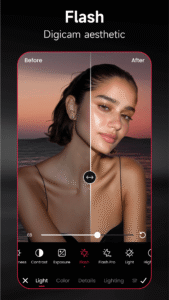
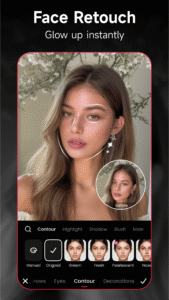
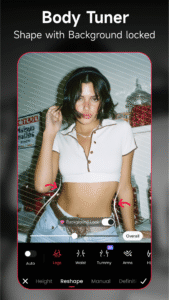

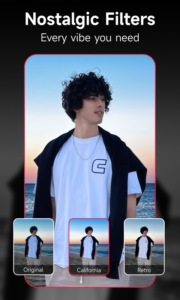
File Information
| Package Name | com.mt.mtxx.mtxx |
|---|---|
| Version Name | 4.2.0 |
| Version Code | 420 |
| Architecture | armeabi-v7a |
| Min Android Version | Android 9 (API 18) |
| Main Activity | com.mt.mtxx.mtxx.TopViewActivity |
| Framework | Native (Java/Kotlin) |
| File Size | 40.52 MB |
| Signature (SHA1) | AE49F6B9BDCAF6E8CFA56AAB7EFE13ADBCB3E45A |
| File Hash (SHA256) | a0674f3236cb38172635b36138ff6278463b1c68bb86fb636aef3a7460b1445d |
What's New
📸 Photo Editing Mega Upgrade!
【AI Pump】 introducing smoother curves, standout shape!
【Eye Alignment】 brightens your gaze, boost your vibe!
【Kids ID Photos】 now supports adorable styles with “Facial Reshape” for next-level ID shots!
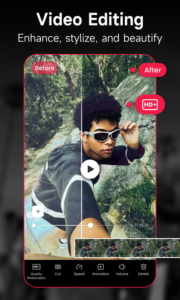
🎬 Video Editing Leveled Up!
【Contour Pen】 helps to sculpt your features effortlessly.
【3D Brow Lift】provides more dimension, more expression!
【AI Pump】 introducing smoother curves, standout shape!
【Eye Alignment】 brightens your gaze, boost your vibe!
【Kids ID Photos】 now supports adorable styles with “Facial Reshape” for next-level ID shots!
🎬 Video Editing Leveled Up!
【Contour Pen】 helps to sculpt your features effortlessly.
【3D Brow Lift】provides more dimension, more expression!
App Description
Meitu is a comprehensive and free mobile photo and video editor that provides everything you need to create stunning edits. With Meitu's advanced AI Art techonology, you can effortlessly generate unique anime-style pictures with just a single tap. Experience a new level of creativity and achieve remarkable outcomes by leveraging the editing capabilities of Meitu.
Download Meitu APK
Fast, free and safe download.
APK Permissions 17
- android.permission.ACCESS_COARSE_LOCATION
- android.permission.ACCESS_FINE_LOCATION
- android.permission.ACCESS_NETWORK_STATE
- android.permission.ACCESS_WIFI_STATE
- android.permission.CAMERA
- android.permission.CHANGE_CONFIGURATION
- android.permission.GET_TASKS
- android.permission.INTERNET
- android.permission.MOUNT_UNMOUNT_FILESYSTEMS
- android.permission.READ_LOGS
- android.permission.READ_PHONE_STATE
- android.permission.REORDER_TASKS
- android.permission.VIBRATE
- android.permission.WRITE_EXTERNAL_STORAGE
- com.android.launcher.permission.INSTALL_SHORTCUT
- com.android.launcher.permission.UNINSTALL_SHORTCUT
- com.meitu.permission.REMOTE_CONTROLLER
APK Verified
The cryptographic signature guarantees that the file is safe to install and was not tampered with in any way.
Similar in Photography


More by Meitu (China) Limited


Frequently Asked Questions about Meitu APK
This variant is built for 32-bit ARM (older Android phones, ~2013–2017). If your device's CPU matches, this is the smallest, fastest version to install.
Yes — the APK's signature has been cryptographically verified against the publisher's signing key. The SHA-256 hash is shown in the File Information panel so you can independently confirm the file matches the original release.
Android 9 (API level 18) or newer. Older devices will refuse the install.
Install a free app like 'CPU-Z' or 'Droid Hardware Info' from the Play Store and look at the ABI / Instruction Set row. Most phones made after 2017 are arm64-v8a; if in doubt, download the universal variant.
All variants are functionally identical — same features, same version. They differ only in which CPU architectures the native code is compiled for, and (sometimes) which screen densities the included graphics target. Pick the one that matches your device for the smallest install size, or pick 'Universal' if you're unsure.