
Download meteoblue weather & radar maps Cirrus Uncinus APK Cirrus Uncinus 2.11.12 Universal · Android 26+
Download APK
Verified Safe
This is the universal build of meteoblue weather & radar maps Cirrus Uncinus Cirrus Uncinus 2.11.12. It contains native libraries for every CPU architecture (arm64-v8a, armeabi-v7a, x86, x86_64), so it installs on any Android device. The trade-off is size — it's larger than per-architecture variants. Pick this one if you're unsure which CPU your phone has, or if you plan to share the APK with multiple devices.
File size: 32.7 MB • Min Android: 26 • Target Android: 35 • Version code: 26973 • Framework: Native (Java/Kotlin) • Permissions: 16
Screenshots
File Information
| Package Name | com.meteoblue.droid |
|---|---|
| Version Name | Cirrus Uncinus 2.11.12 |
| Version Code | 26973 |
| Architecture | Universal |
| Min Android Version | Android 26 (API 35) |
| Main Activity | com.meteoblue.droid.view.MainActivity |
| Framework | Native (Java/Kotlin) |
| File Size | 32.69 MB |
| Signature (SHA1) | 58E9D82B83B3F3CA55F2534685011CE4F41C6322 |
| File Hash (SHA256) | 1631ec6dd8661db9626a5cf275291b5d2a0e07cb52a753878b6a8e6a11139609 |
What's New
We've made it easier to access key weather insights! Two new buttons have been added to the main screen, allowing you to jump straight to the rain radar and meteograms with a single tap.
App Description
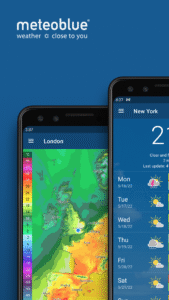
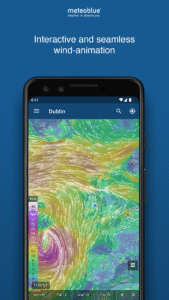
meteoblue shows high precision weather forecasts combined with a beautiful, simple and easy to use design. Weather forecasts can be requested for any place on Earth easily and comfortably.
• Weather forecasts for any point on land or sea.
• Location search with more than 6 million locations: search for location name, postal code or coordinates or let the app find your current position with the GPS module.
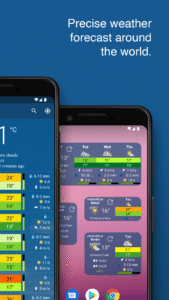
• 3 different widgets that can be added right to your home screen.
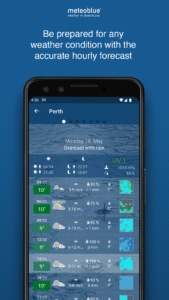
• 7 days forecast: daily overview and detailed information for every single day with hourly or 3 hour values. Besides standard parameters like temperature, precipitation and wind information, unique features like predictability and rainSPOT give a better overview.
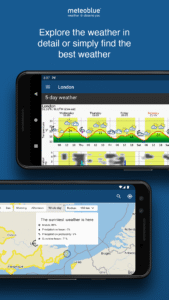
• Meteogram 5 days: temperature curve with pictograms, cloud layers in different altitudes and wind forecast.
• 14 days: trend forecast for minimum and maximum temperature as well as precipitation and precipitation probability.
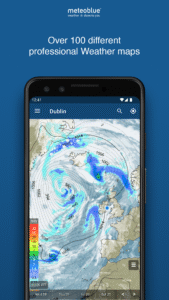
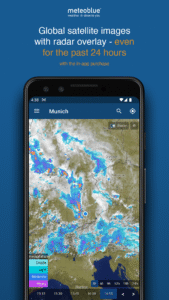
• Satellite map: observed cloud cover for North America, Central America, Europe, Africa and India, with lightning updates for selected areas.
• Radar map: precipitation radar for Germany, Switzerland, Romania, USA and South America. Others will be added.
• where2go: find the sunniest weather around your selected place.
• Personalized settings: you can choose between various temperature and wind speed units.
• Offline mode: the app will save the weather data for each place until you are online again.
• Weather forecasts for any point on land or sea.
• Location search with more than 6 million locations: search for location name, postal code or coordinates or let the app find your current position with the GPS module.
• 3 different widgets that can be added right to your home screen.
• 7 days forecast: daily overview and detailed information for every single day with hourly or 3 hour values. Besides standard parameters like temperature, precipitation and wind information, unique features like predictability and rainSPOT give a better overview.
• Meteogram 5 days: temperature curve with pictograms, cloud layers in different altitudes and wind forecast.
• 14 days: trend forecast for minimum and maximum temperature as well as precipitation and precipitation probability.
• Satellite map: observed cloud cover for North America, Central America, Europe, Africa and India, with lightning updates for selected areas.
• Radar map: precipitation radar for Germany, Switzerland, Romania, USA and South America. Others will be added.
• where2go: find the sunniest weather around your selected place.
• Personalized settings: you can choose between various temperature and wind speed units.
• Offline mode: the app will save the weather data for each place until you are online again.
Download meteoblue weather & radar maps Cirrus Uncinus APK
Fast, free and safe download.
APK Permissions 16
- android.permission.ACCESS_ADSERVICES_AD_ID
- android.permission.ACCESS_ADSERVICES_ATTRIBUTION
- android.permission.ACCESS_ADSERVICES_TOPICS
- android.permission.ACCESS_COARSE_LOCATION
- android.permission.ACCESS_FINE_LOCATION
- android.permission.ACCESS_NETWORK_STATE
- android.permission.ACCESS_WIFI_STATE
- android.permission.FOREGROUND_SERVICE
- android.permission.INTERNET
- android.permission.POST_NOTIFICATIONS
- android.permission.WAKE_LOCK
- com.android.vending.BILLING
- com.google.android.c2dm.permission.RECEIVE
- com.google.android.finsky.permission.BIND_GET_INSTALL_REFERRER_SERVICE
- com.google.android.gms.permission.AD_ID
- com.meteoblue.droid.DYNAMIC_RECEIVER_NOT_EXPORTED_PERMISSION
APK Verified
The cryptographic signature guarantees that the file is safe to install and was not tampered with in any way.


Frequently Asked Questions about meteoblue weather & radar maps Cirrus Uncinus APK
This is the universal variant — a single APK that contains native libraries for every CPU architecture. It installs on any Android device but is larger than per-architecture variants.
Yes — the APK's signature has been cryptographically verified against the publisher's signing key. The SHA-256 hash is shown in the File Information panel so you can independently confirm the file matches the original release.
Android 26 (API level 35) or newer. Older devices will refuse the install.
Install a free app like 'CPU-Z' or 'Droid Hardware Info' from the Play Store and look at the ABI / Instruction Set row. Most phones made after 2017 are arm64-v8a; if in doubt, download the universal variant.
All variants are functionally identical — same features, same version. They differ only in which CPU architectures the native code is compiled for, and (sometimes) which screen densities the included graphics target. Pick the one that matches your device for the smallest install size, or pick 'Universal' if you're unsure.