
This is the universal build of Photos To Directories By Date 1.420. It contains native libraries for every CPU architecture (arm64-v8a, armeabi-v7a, x86, x86_64), so it installs on any Android device. The trade-off is size — it's larger than per-architecture variants. Pick this one if you're unsure which CPU your phone has, or if you plan to share the APK with multiple devices.
File size: 4.8 MB • Min Android: 21 • Target Android: 35 • Version code: 52 • Framework: Native (Java/Kotlin) • Permissions: 22
Screenshots
File Information
| Package Name | cz.bukacek.photostodirectoriesbydate |
|---|---|
| Version Name | 1.420 |
| Version Code | 52 |
| Architecture | Universal |
| Min Android Version | Android 21 (API 35) |
| Main Activity | cz.bukacek.photostodirectoriesbydate.PhotosToDirectoriesByDate |
| Framework | Native (Java/Kotlin) |
| File Size | 4.84 MB |
| Signature (SHA1) | C2025ED7ACA7EEFA6B978DAEC2DFDFEE13B062E3 |
| File Hash (SHA256) | ef0e8d863f71be9d98550c755573f902edbf284592e3b55f041282c7fa26cd59 |
What's New
✅ Ready for Android 15
✅ Fixed bugs
✅ Fixed bugs
App Description
This app,
Photos To Directories By Date
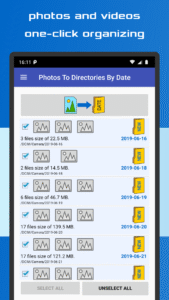
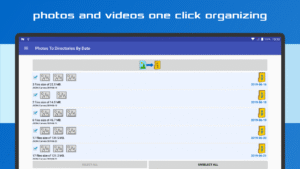
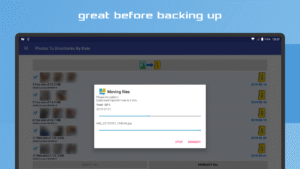
, is an efficient tool for quickly sorting and organizing your videos and photographs into directories based on their capture dates. Easily organize and manage your media files by day or month of the photoshoot.
✔️
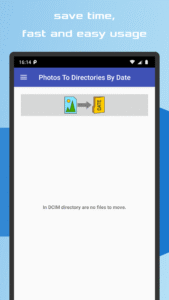
Effortlessly organize photos and videos into directories by date
✔️
Fast and intuitive sorting by date or month
✔️
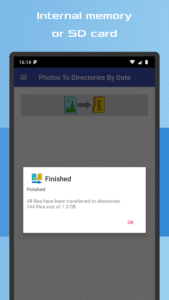
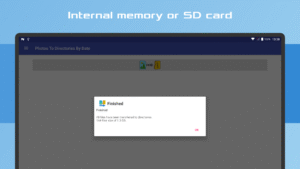
Compatible with Internal memory and SD Card storage
✔️
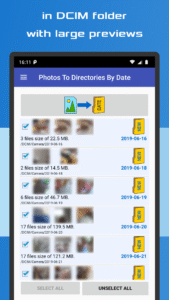
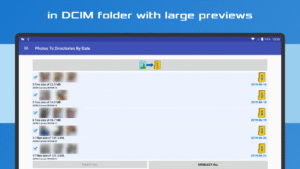
Enhanced file previews with detailed information
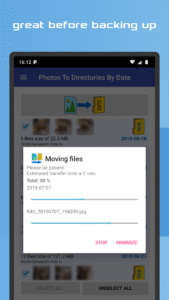
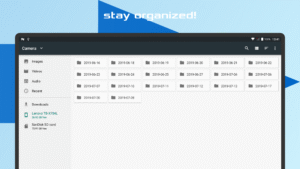
With just one click, you can instantly sort your photos and videos into the appropriate directories within the DCIM folder of your device's internal storage or SD card.
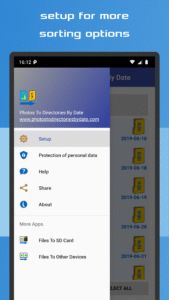
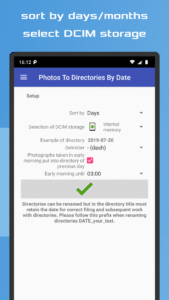
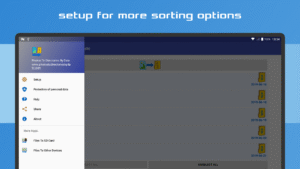
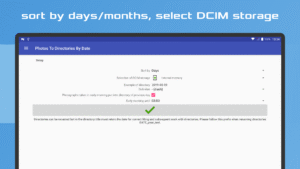
The app ensures a streamlined and orderly arrangement of your media files, categorized by their respective capture dates. It automates the entire organization process, making it an ideal solution for simplifying your photo and video management tasks prior to backup. Customize your sorting preference to either day or month, and adjust the date format in the "Settings" menu. Click the button, and the app will take care of the rest!
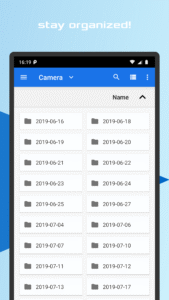
Feel free to rename the created directories, keeping in mind that it is essential to maintain the format "date_yourtext" to ensure optimal functionality. Whether you attended a late-night party or need to group photos taken at a specific time, this app offers the flexibility to organize your media accordingly.
Experience the convenience of quickly organizing your pictures and videos with this user-friendly app. It guarantees efficient and hassle-free management of your media files while complying with the guidelines set by Google Play and AdMob advertising network.
Photos To Directories By Date
, is an efficient tool for quickly sorting and organizing your videos and photographs into directories based on their capture dates. Easily organize and manage your media files by day or month of the photoshoot.
✔️
Effortlessly organize photos and videos into directories by date
✔️
Fast and intuitive sorting by date or month
✔️
Compatible with Internal memory and SD Card storage
✔️
Enhanced file previews with detailed information
With just one click, you can instantly sort your photos and videos into the appropriate directories within the DCIM folder of your device's internal storage or SD card.
The app ensures a streamlined and orderly arrangement of your media files, categorized by their respective capture dates. It automates the entire organization process, making it an ideal solution for simplifying your photo and video management tasks prior to backup. Customize your sorting preference to either day or month, and adjust the date format in the "Settings" menu. Click the button, and the app will take care of the rest!
Feel free to rename the created directories, keeping in mind that it is essential to maintain the format "date_yourtext" to ensure optimal functionality. Whether you attended a late-night party or need to group photos taken at a specific time, this app offers the flexibility to organize your media accordingly.
Experience the convenience of quickly organizing your pictures and videos with this user-friendly app. It guarantees efficient and hassle-free management of your media files while complying with the guidelines set by Google Play and AdMob advertising network.
Download Photos To Directories By Date APK
Fast, free and safe download.
APK Permissions 22
- android.permission.ACCESS_ADSERVICES_AD_ID
- android.permission.ACCESS_ADSERVICES_ATTRIBUTION
- android.permission.ACCESS_ADSERVICES_TOPICS
- android.permission.ACCESS_NETWORK_STATE
- android.permission.ACCESS_WIFI_STATE
- android.permission.FOREGROUND_SERVICE
- android.permission.FOREGROUND_SERVICE_DATA_SYNC
- android.permission.INTERNET
- android.permission.PACKAGE_USAGE_STATS
- android.permission.POST_NOTIFICATIONS
- android.permission.READ_EXTERNAL_STORAGE
- android.permission.READ_INTERNAL_STORAGE
- android.permission.READ_MEDIA_IMAGES
- android.permission.READ_MEDIA_VIDEO
- android.permission.READ_MEDIA_VISUAL_USER_SELECTED
- android.permission.STORAGE
- android.permission.WAKE_LOCK
- android.permission.WRITE_EXTERNAL_STORAGE
- android.permission.WRITE_INTERNAL_STORAGE
- com.google.android.finsky.permission.BIND_GET_INSTALL_REFERRER_SERVICE
- com.google.android.gms.permission.AD_ID
- cz.bukacek.photostodirectoriesbydate.DYNAMIC_RECEIVER_NOT_EXPORTED_PERMISSION
APK Verified
The cryptographic signature guarantees that the file is safe to install and was not tampered with in any way.
Similar in Tools


More by Michal Bukáček

Frequently Asked Questions about Photos To Directories By Date APK
This is the universal variant — a single APK that contains native libraries for every CPU architecture. It installs on any Android device but is larger than per-architecture variants.
Yes — the APK's signature has been cryptographically verified against the publisher's signing key. The SHA-256 hash is shown in the File Information panel so you can independently confirm the file matches the original release.
Android 21 (API level 35) or newer. Older devices will refuse the install.
Install a free app like 'CPU-Z' or 'Droid Hardware Info' from the Play Store and look at the ABI / Instruction Set row. Most phones made after 2017 are arm64-v8a; if in doubt, download the universal variant.
All variants are functionally identical — same features, same version. They differ only in which CPU architectures the native code is compiled for, and (sometimes) which screen densities the included graphics target. Pick the one that matches your device for the smallest install size, or pick 'Universal' if you're unsure.