
This is the arm64-v8a build of Microsoft Edge 136.0.3240.50 — the modern 64-bit ARM build that runs on virtually every Android phone released since 2017. It's smaller and faster than the universal variant because Android only loads the native code your CPU actually needs. If your phone is from the last 8 years, this is the right pick.
File size: 190.4 MB • Min Android: 26 • Target Android: 35 • Version code: 324005005 • Framework: Native (Java/Kotlin) • Permissions: 50
Screenshots
File Information
| Package Name | com.microsoft.emmx |
|---|---|
| Version Name | 136.0.3240.50 |
| Version Code | 324005005 |
| Architecture | arm64-v8a |
| Min Android Version | Android 26 (API 35) |
| Main Activity | com.microsoft.ruby.Main |
| Framework | Native (Java/Kotlin) |
| File Size | 190.42 MB |
| Signature (SHA1) | 3F640E279F63BCEA71082AE7E8C7EFA2DA014CAD |
| File Hash (SHA256) | abc6cd54e9e998c5d3b877d69e945475ace73a79c5c359395f7fb463394cdadf |
What's New
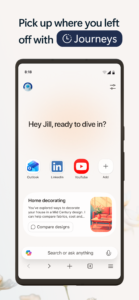
Welcome to Microsoft Edge! Check out what’s new in this release:
• Custom app icon available: Celebrate Microsoft’s 50th anniversary with a custom app icon.
• What’s New: Curious about what’s new? Check out the latest features in the Settings > What’s New section!
• Protection Report: Discover how Edge keeps you safe by blocking ads, trackers, and risky URLs. Add the ‘Protection Report’ shortcut for details.
• Custom app icon available: Celebrate Microsoft’s 50th anniversary with a custom app icon.
• What’s New: Curious about what’s new? Check out the latest features in the Settings > What’s New section!
• Protection Report: Discover how Edge keeps you safe by blocking ads, trackers, and risky URLs. Add the ‘Protection Report’ shortcut for details.
App Description
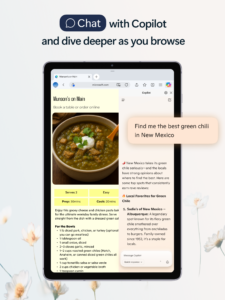
Microsoft Edge, your AI-powered browser, with Copilot built in to enhance your browsing experience. Using the latest models from OpenAI and Microsoft, Copilot lets you ask questions, refine searches, receive comprehensive summaries and create images with DALL-E 3. Microsoft Edge is a smarter way to browse, find and create on the go.
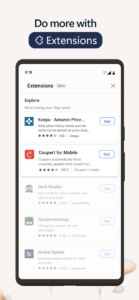
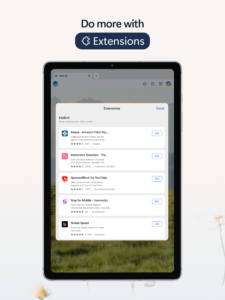
Enhance your browsing experience with extensions. You can now personalize your experience in Edge with extensions such as cookie management, speed control for videos and audios, and website theme customization.
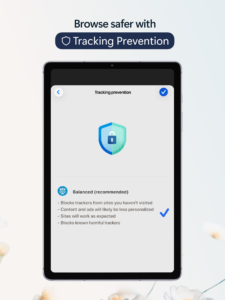
Browse the web securely and prioritize your privacy with smart security tools, such as tracking prevention, Microsoft Defender Smartscreen, AdBlock, InPrivate browsing and InPrivate search. Safeguard your browsing history for a more secure and private online experience.
MICROSOFT EDGE FEATURES:
A SMARTER WAY TO FIND
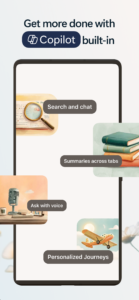
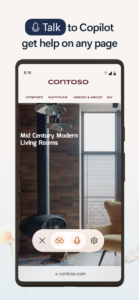
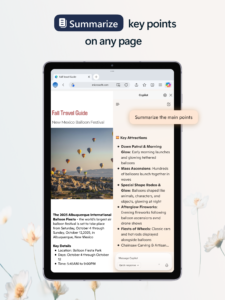
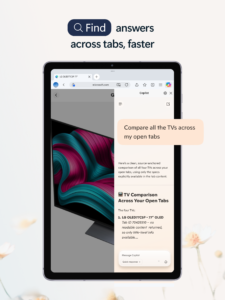
• Enhance your searches with Copilot built in to help you find exactly what you’re looking for, providing comprehensive answers and page summaries.
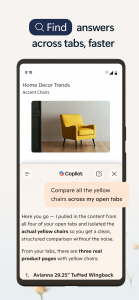
• Copilot uses AI to distill and summarize the latest information from the web and PDFs , offering concise, cited answers, in a flash.
• Built on the latest models from OpenAI and Microsoft that are more powerful than ever.
A SMARTER WAY TO DO
• Tailor your browsing experience with powerful extensions and redefine the way you browse.
• Create images with DALL-E 3, give it a text prompt and our AI will generate images matching that prompt.
• Compose with Copilot: you can effortlessly transform your ideas into polished drafts, saving valuable time, wherever you write online.
• Listen to content while performing other tasks or improve your reading comprehension with Read Aloud, in your desired language. Available in a variety of natural-sounding voices and accents.
A SMARTER WAY TO STAY SAFE
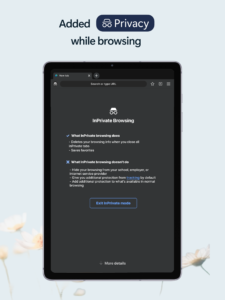
• Browse securely with InPrivate browsing that safeguards sensitive information from trackers.
• Enhanced privacy protection in InPrivate mode, with no search history saved to Microsoft Bing or associated with your Microsoft account.
• Password monitoring helps you be alerted when credentials that you have saved to the browser are detected on the dark web.
• Default tracking prevention for a more private browsing experience.
• Ad Blocker – use AdBlock Plus to block unwanted ads, enhance focus and remove distracting content.
• Stay protected while you browse by blocking phishing and malware attacks with Microsoft Defender Smartscreen.
Get Microsoft Edge, your AI-powered browser, and explore a smarter way to browse, find, create and do beyond what you ever thought possible.
A fast and secure web browser prioritizing security, safety and privacy.
Enhance your browsing experience with extensions. You can now personalize your experience in Edge with extensions such as cookie management, speed control for videos and audios, and website theme customization.
Browse the web securely and prioritize your privacy with smart security tools, such as tracking prevention, Microsoft Defender Smartscreen, AdBlock, InPrivate browsing and InPrivate search. Safeguard your browsing history for a more secure and private online experience.
MICROSOFT EDGE FEATURES:
A SMARTER WAY TO FIND
• Enhance your searches with Copilot built in to help you find exactly what you’re looking for, providing comprehensive answers and page summaries.
• Copilot uses AI to distill and summarize the latest information from the web and PDFs , offering concise, cited answers, in a flash.
• Built on the latest models from OpenAI and Microsoft that are more powerful than ever.
A SMARTER WAY TO DO
• Tailor your browsing experience with powerful extensions and redefine the way you browse.
• Create images with DALL-E 3, give it a text prompt and our AI will generate images matching that prompt.
• Compose with Copilot: you can effortlessly transform your ideas into polished drafts, saving valuable time, wherever you write online.
• Listen to content while performing other tasks or improve your reading comprehension with Read Aloud, in your desired language. Available in a variety of natural-sounding voices and accents.
A SMARTER WAY TO STAY SAFE
• Browse securely with InPrivate browsing that safeguards sensitive information from trackers.
• Enhanced privacy protection in InPrivate mode, with no search history saved to Microsoft Bing or associated with your Microsoft account.
• Password monitoring helps you be alerted when credentials that you have saved to the browser are detected on the dark web.
• Default tracking prevention for a more private browsing experience.
• Ad Blocker – use AdBlock Plus to block unwanted ads, enhance focus and remove distracting content.
• Stay protected while you browse by blocking phishing and malware attacks with Microsoft Defender Smartscreen.
Get Microsoft Edge, your AI-powered browser, and explore a smarter way to browse, find, create and do beyond what you ever thought possible.
A fast and secure web browser prioritizing security, safety and privacy.
Download Microsoft Edge APK
Fast, free and safe download.
APK Permissions 50
- android.permission.ACCESS_COARSE_LOCATION
- android.permission.ACCESS_FINE_LOCATION
- android.permission.ACCESS_NETWORK_STATE
- android.permission.ACCESS_WIFI_STATE
- android.permission.AUTHENTICATE_ACCOUNTS
- android.permission.CAMERA
- android.permission.CREDENTIAL_MANAGER_QUERY_CANDIDATE_CREDENTIALS
- android.permission.CREDENTIAL_MANAGER_SET_ALLOWED_PROVIDERS
- android.permission.CREDENTIAL_MANAGER_SET_ORIGIN
- android.permission.DETECT_SCREEN_CAPTURE
- android.permission.DOWNLOAD_WITHOUT_NOTIFICATION
- android.permission.FLASHLIGHT
- android.permission.FOREGROUND_SERVICE
- android.permission.FOREGROUND_SERVICE_DATA_SYNC
- android.permission.FOREGROUND_SERVICE_MEDIA_PLAYBACK
- android.permission.FOREGROUND_SERVICE_MICROPHONE
- android.permission.GET_ACCOUNTS
- android.permission.HIGH_SAMPLING_RATE_SENSORS
- android.permission.INTERNET
- android.permission.MANAGE_ACCOUNTS
- android.permission.MODIFY_AUDIO_SETTINGS
- android.permission.NFC
- android.permission.POST_NOTIFICATIONS
- android.permission.QUERY_ALL_PACKAGES
- android.permission.READ_EXTERNAL_STORAGE
- android.permission.RECEIVE_BOOT_COMPLETED
- android.permission.RECEIVE_SMS
- android.permission.RECORD_AUDIO
- android.permission.RUN_USER_INITIATED_JOBS
- android.permission.USE_BIOMETRIC
- android.permission.USE_CREDENTIALS
- android.permission.USE_FINGERPRINT
- android.permission.VIBRATE
- android.permission.WAKE_LOCK
- android.permission.WRITE_EXTERNAL_STORAGE
- com.android.launcher.permission.INSTALL_SHORTCUT
- com.android.vending.BILLING
- com.asus.msa.SupplementaryDID.ACCESS
- com.chrome.permission.DEVICE_EXTRAS
- com.google.android.apps.now.CURRENT_ACCOUNT_ACCESS
- com.google.android.c2dm.permission.RECEIVE
- com.google.android.finsky.permission.BIND_GET_INSTALL_REFERRER_SERVICE
- com.google.android.gms.permission.AD_ID
- com.microsoft.emmx.permission.C2D_MESSAGE
- com.microsoft.emmx.permission.PROCESS_PUSH_MSG
- com.microsoft.emmx.permission.PUSH_PROVIDER
- com.microsoft.emmx.permission.READ_WRITE_BOOKMARK_FOLDERS
- com.microsoft.emmx.TOS_ACKED
- com.orange.update.permission.READ_ATTRIBUTION
- freemme.permission.msa
APK Verified
The cryptographic signature guarantees that the file is safe to install and was not tampered with in any way.
Similar in Communication


Frequently Asked Questions about Microsoft Edge APK
This variant is built for 64-bit ARM (most Android phones made since 2017). If your device's CPU matches, this is the smallest, fastest version to install.
Yes — the APK's signature has been cryptographically verified against the publisher's signing key. The SHA-256 hash is shown in the File Information panel so you can independently confirm the file matches the original release.
Android 26 (API level 35) or newer. Older devices will refuse the install.
Install a free app like 'CPU-Z' or 'Droid Hardware Info' from the Play Store and look at the ABI / Instruction Set row. Most phones made after 2017 are arm64-v8a; if in doubt, download the universal variant.
All variants are functionally identical — same features, same version. They differ only in which CPU architectures the native code is compiled for, and (sometimes) which screen densities the included graphics target. Pick the one that matches your device for the smallest install size, or pick 'Universal' if you're unsure.